
If your site feels fast on desktop but still fails performance checks, a Core Web Vitals fix guide is exactly what you need. In 2026, speed is no longer just a technical nice-to-have — it affects user experience, conversions, and how confidently your site can compete in search.
The good news is that most Core Web Vitals problems are fixable. The bad news is that many sites try to fix the wrong things first, like buying a new plugin before checking hosting, images, scripts, or theme bloat. This guide focuses on practical fixes you can actually apply, especially if you run a WordPress site.
What Core Web Vitals Mean
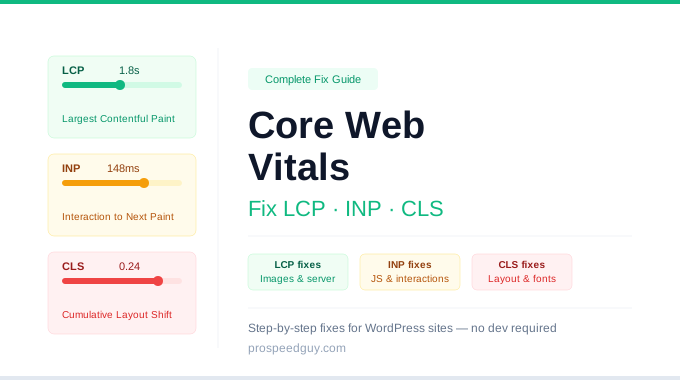
Core Web Vitals are Google’s key page experience metrics. They focus on three things: how fast the main content loads, how stable the page looks while loading, and how quickly users can interact with it.
The three metrics are:
- LCP: Largest Contentful Paint
- CLS: Cumulative Layout Shift
- INP: Interaction to Next Paint
In simple terms, LCP measures loading speed, CLS measures visual stability, and INP measures responsiveness. If one of these is bad, your site may feel slow or frustrating even if the design looks good.
How To Check Your Scores
Before fixing anything, test your site so you know what is actually broken. Use PageSpeed Insights, Lighthouse, and Search Console to see both lab data and real-world field data.
Focus on templates, not just the homepage. A blog post, product page, and landing page can all perform differently, and the weakest template often drags down the whole site.
Fix LCP First
LCP is usually the metric that needs the most attention. If your main content takes too long to appear, users feel the site is slow even if everything else eventually loads.
Start with the biggest causes:
- Slow hosting
- Heavy hero images
- Render-blocking CSS and JavaScript
- Too many fonts or third-party scripts
A few strong fixes usually make a big difference:
- Compress and resize your main image.
- Use WebP or AVIF where possible.
- Preload the hero image and critical fonts.
- Remove unused scripts from the header.
- Use caching and a CDN.
Fix CLS Next
CLS is all about page stability. If things jump around while the page loads, the experience feels sloppy and can hurt trust.
The most common causes are missing image dimensions, ads that inject late, and font swapping. To reduce layout shift, always define image and video sizes, reserve space for embeds and ads, and use font loading settings that prevent text from jumping.
Fix INP For Better Interaction
INP became more important after Google replaced FID, and it measures how quickly the page responds when users click or tap. If your site feels laggy after someone interacts with it, this is the metric to watch.
The biggest causes are heavy JavaScript and too many third-party tools. To improve INP, reduce script weight, delay non-essential tools, break long tasks into smaller chunks, and remove anything that blocks the main thread.
Best WordPress Fixes
If you use WordPress, the fastest wins usually come from simplifying the stack. A lightweight theme, fewer plugins, and better hosting often do more than endless tweaking.
The most useful WordPress-specific fixes are:
- Switch to a lightweight theme.
- Use a performance-focused caching plugin.
- Optimize images before upload.
- Remove unused builders, sliders, and add-ons.
- Limit chat widgets, trackers, and other third-party scripts.
Common Mistakes To Avoid
A lot of sites waste time fixing the wrong layer first. For example, changing fonts will not help much if your hosting is slow or your homepage loads too many scripts.
Avoid these mistakes:
- Optimizing only the homepage.
- Ignoring mobile results.
- Keeping unnecessary plugins active.
- Adding more scripts while trying to improve speed.
- Measuring once and never checking again.
Simple Fix Order
If you want the fastest path to better scores, follow this order:
- Improve hosting response time.
- Optimize the LCP image.
- Remove render-blocking CSS and scripts.
- Set image and video dimensions.
- Reduce JavaScript and third-party code.
- Re-test after each change.
This order works because it tackles the biggest bottlenecks first. Small improvements add up quickly when the page is already bloated.
FAQs
What is the easiest Core Web Vitals fix?
The easiest fixes are usually image compression, resizing images correctly, and removing unnecessary scripts. These changes often improve scores without touching code.
Which Core Web Vital matters most?
All three matter, but LCP is often the most noticeable because it affects how fast the main content appears. If the page looks slow, users usually notice that first.
Do Core Web Vitals affect SEO?
Yes, they can affect SEO because they are part of page experience and influence how users interact with your site. Better performance also usually leads to better engagement.
Can a WordPress theme affect Core Web Vitals?
Yes. Heavy themes can add extra CSS, JavaScript, and layout complexity that slow pages down. Best WordPress themes usually give you a better starting point.
How often should I test my site?
Test whenever you make major changes, and also on a regular schedule. Performance can degrade over time as plugins, media, and third-party tools are added.
Conclusion
Fixing Core Web Vitals is mostly about reducing friction. If you improve hosting, simplify the page, optimize images, and cut unnecessary scripts, your site will usually become faster and more stable without a complete redesign.
The best approach is to fix LCP, CLS, and INP in that order, then keep testing so performance does not slowly slide back. For WordPress sites, a lightweight theme, optimized hosting, and fewer plugins are still the foundation of better results.
In the end if there’s no improvement in your stats? get me here for core web vitals fixes 🙂