Tag: Core Web Vitals

  • What Is GEO and Why Your Website Needs It in 2026

    What Is GEO and Why Your Website Needs It in 2026

    Search is changing fast. People no longer type every question into Google, scan ten blue links, open five tabs, and compare answers themselves. They increasingly ask systems such as ChatGPT, Google AI Overviews, AI Mode, Gemini, and Perplexity to find information, compare options, explain problems, and recommend next steps. These systems can search web sources, retrieve information, synthesize multiple pages, and show links supporting their answers.

    That creates new visibility problem for website owners. Ranking in traditional search still matters, but getting mentioned, cited, or used as source inside AI-generated answers is becoming another part of search visibility. This is where Generative Engine Optimization, commonly called GEO, enters picture. GEO focuses on making website content easier for generative search systems to discover, understand, retrieve, trust, and potentially cite.

    What is GEO and why your website needs generative engine optimization in 2026

    But there is big misconception here. GEO does not mean adding magic AI markup, stuffing pages with keywords, creating hundreds of AI-written articles, or putting an llms.txt file on website and expecting ChatGPT to send traffic. Google says its existing SEO fundamentals remain foundation for AI search, and specifically says there are no special technical requirements or special schema needed to appear in AI Overviews or AI Mode.

    So what should website owners do in 2026? Build website that works well for humans, search engines, and retrieval systems. That means strong technical SEO, useful original content, clear structure, trustworthy information, good internal linking, crawlability, strong page experience, and evidence that goes beyond generic information found on hundreds of competing pages.

    What GEO Means

    Generative Engine Optimization is broad term for improving website visibility within AI-powered search and answer experiences. Traditional SEO mainly focuses on helping search engines understand page relevance and quality so page can appear for search queries. GEO adds another objective: make information useful and extractable when an AI system retrieves web sources and creates an answer for user.

    Think of traditional SEO like getting your shop onto busy street. GEO is making sure, when someone asks guide standing outside street, “Where should I go for this problem?”, guide knows your shop exists, understands what you sell, and has enough trustworthy information to mention it. You still need street, address, signage, reputation, and useful products. GEO does not replace those things.

    Research around GEO is still developing. Recent academic work describes generative search visibility as multi-stage process involving discovery, retrieval, reranking, citation, prominence, factual use, and downstream user behavior. That matters because nobody can honestly promise that one optimization trick will make page appear in ChatGPT or another AI engine. Evidence remains more mature for improving retrievability and source quality than for claiming guaranteed long-term traffic gains.

    GEO vs Traditional SEO

    SEO and GEO overlap heavily. This is important because some marketers present them as completely separate disciplines. They are not.

    Google’s current documentation says websites should continue using foundational SEO practices for generative AI features. Pages need to be crawlable, indexable, useful, technically accessible, and eligible for normal Search visibility. Google also recommends making important content available in text, maintaining strong internal linking, providing good page experience, and ensuring structured data matches visible page content.

    GEO adds another layer of thinking. Instead of asking only, “Can this page rank for keyword X?” ask questions like:

    • Can AI system identify exact answer on page?
    • Does page contain original evidence?
    • Is information organized around real user questions?
    • Does page clearly establish who produced information?
    • Are claims supported by data, examples, documentation, or first-hand experience?
    • Can search systems understand relationships between pages?
    • Does page provide something competitors simply copied from other pages do not?

    That shift is small in wording but big in strategy.

    Why AI Search Changes Website Visibility

    Traditional search gives user list of pages. Generative search can give user synthesized answer before user visits any page. That changes value of being visible.

    Suppose someone searches, “How can I improve WordPress LCP without replacing my theme?” Traditional results may show optimization guides, plugin documentation, agency articles, and technical discussions. An AI search system can retrieve several sources, combine their information, explain likely causes, and provide citations.

    OpenAI describes ChatGPT search as a way for ChatGPT to retrieve timely web information and provide links to relevant sources. Google describes AI Overviews and AI Mode similarly as systems that can surface links from web sources while helping users explore complicated questions. Google says its AI features can use query fan-out, meaning system may perform multiple related searches across subtopics and sources while building response.

    That means one webpage can potentially become relevant for multiple related questions, not only exact keyword it was written around. It also means shallow keyword targeting can become less useful. If page answers one narrow keyword but gives little context, another page with stronger evidence, clearer explanations, and better topical coverage may provide more useful source material.

    How AI Overviews Find Website Content

    Google says AI Overviews and AI Mode are grounded in Google’s Search systems. Pages need to be indexed and eligible for normal Search snippets to be eligible as supporting links. There are no additional technical requirements specifically required for AI Overviews.

    This creates straightforward lesson: do not abandon SEO while chasing GEO.

    If robots.txt blocks important resources, canonical tags are wrong, internal links are weak, important content is hidden behind inaccessible interactions, or pages are not indexed, AI visibility becomes harder. Fancy GEO copy cannot rescue broken technical foundations.

    Google’s 2026 guidance also emphasizes crawlability, semantic clarity, page experience, unique content, and reducing unnecessary duplicate content.

    How ChatGPT Search Uses Web Sources

    ChatGPT Search can retrieve current information from web and provide cited links. That means web visibility can matter when user asks question requiring current or niche information.

    But there is no reliable shortcut that forces ChatGPT to cite particular domain. Search systems decide which sources to retrieve and use based on query, relevance, available information, and system behavior.

    For website owners, practical goal should therefore be simple: become useful source worth retrieving.

    Write specific explanations. Publish original findings. Show real examples. Explain technical processes. Add measurements. Document experiments. Answer questions competitors avoid. Keep facts current. Make important claims easy to verify.

    Why Traditional SEO Still Matters

    GEO does not kill SEO. Google says this directly. Its current guidance says SEO best practices remain relevant because generative AI features are rooted in Google’s core Search ranking and quality systems.

    If you are building this foundation from scratch and are not sure where to start, our SEO tips for beginners walk through the fundamental signals Google uses to evaluate pages, including technical health, content relevance, and user experience.

    This matters for WordPress businesses especially. Many site owners hear “AI search” and immediately start looking for GEO plugins. That can become distraction. Before worrying about AI citations, check whether site has basic technical health.

    Technical SEO Comes First

    Start with crawling and indexing. Check robots.txt. Check XML sitemap. Check canonical URLs. Check indexability. Review redirects. Remove accidental noindex directives. Verify important pages can be reached through internal links. Check JavaScript-dependent content. Review duplicate URLs.

    Then look at page experience. Mobile layout should work properly. Main content should load quickly. Images should not be unnecessarily large. JavaScript should not block critical rendering. But none of that matters if server response is already slow. A poor hosting environment can undermine everything else.

    If you are unsure whether your host is contributing to the problem, our best WordPress hosting reviews compare options based on real performance metrics.

    Google’s current AI guidance specifically recommends crawlability, internal linking, good page experience, textual availability of important content, and accurate structured data.

    This is where Core Web Vitals still matter. Fast pages do not automatically earn AI citations, but slow, unstable, difficult-to-use websites create poor experience and can also make crawling, rendering, and user engagement harder.

    What Makes Content Visible to AI Search

    AI systems need information they can retrieve and use. Generic content creates weak signals because thousands of websites may say same thing.

    Imagine two articles about WordPress speed. Article A says, “Use caching, optimize images, minify CSS, and use CDN.” Article B documents actual optimization process, including before-and-after LCP, image payload reduction, render-blocking resources, cache configuration, server response time, plugin changes, and measured results.

    Which page gives answer system more useful material? Article B contains more concrete evidence.

    Google’s current guidance tells site owners to focus on unique, valuable, non-commodity content and warns against treating GEO as collection of hacks.

    Original Data and First-Hand Expertise

    Original data is powerful because competitors cannot easily duplicate it.

    For WordPress performance website, that could mean publishing anonymized optimization case studies. Show what changed. Explain why it changed. Give measured results. Discuss trade-offs. Explain failures too.

    For example, instead of publishing another generic article titled “How to Speed Up WordPress,” publish:

    “How I Reduced LCP From 6.2s to 1.4s on a WordPress HVAC Website.”

    That title targets specific problem. Article can explain page architecture, image handling, CSS, JavaScript, caching, hosting, third-party scripts, and measurement process. It can contain original numbers and practical observations.

    This creates content with stronger information density than generic rewritten SEO content.

    Clear Answers and Strong Content Structure

    AI systems need to understand page meaning. Humans need same thing.

    Use descriptive headings. Answer important question directly. Follow answer with explanation, evidence, examples, and implementation details.

    Do not hide core answer under 900 words of introduction.

    If heading says “Does WebP Improve LCP?”, answer question immediately. Then explain when WebP helps, when it does not, how image dimensions affect performance, how responsive images work, and how to measure result.

    Good structure helps reader scan page. It also makes individual concepts easier to retrieve.

    That does not mean stuffing every section with artificial question-answer blocks. Google explicitly warns against chasing simplistic GEO/AEO hacks. Focus on useful content structure instead.

    Structured Data and GEO

    Structured data helps search engines understand page content and entities. Google says structured data can help it understand content and potentially support richer search features.

    But there is an important distinction: schema is not GEO magic.

    Google’s current AI feature documentation says there is no special schema.org structured data required to appear in AI Overviews or AI Mode. It also says structured data should match visible content on page.

    Schema Helps Machines Understand Context

    Use appropriate schema where it genuinely represents page.

    Organization information can clarify business identity. Person information can clarify author identity. Article markup can describe article. Product markup can describe product. LocalBusiness markup can provide relevant business details where appropriate.

    Do not add fake reviews, fake ratings, fake claims, or irrelevant schema because marketer says it helps GEO.

    Structured data should reinforce reality already visible on page. It should not manufacture trust.

    Website Performance and AI Search

    Website speed deserves place inside GEO strategy because AI search still sends people to websites. Getting cited means little if visitor lands on page and waits several seconds for content.

    Google recommends good page experience as part of its guidance for generative AI visibility. If you want to understand exactly what slows WordPress websites down and what to fix first, read our full breakdown of why your website’s mobile speed is killing your lead generation, covering LCP, INP, CLS, and WordPress-specific bottlenecks in detail.

    For WordPress websites, performance work should go deeper than installing five optimization plugins. Plugin quantity alone does not determine speed. Theme architecture, DOM size, CSS delivery, JavaScript execution, image dimensions, third-party scripts, database queries, hosting response, caching, and page builder output can all contribute.

    Why Speed and Crawlability Matter

    Think of content as product inside store. Crawlability is open door. Performance is how quickly customer can walk through door and reach product. Content quality is product itself.

    You need all three.

    If important content cannot be crawled, search systems may not discover it. If page is painfully slow, visitors leave before consuming content. That is why technical SEO, Core Web Vitals, and GEO should not be treated as separate silos.

    For WordPress sites specifically, reducing render-blocking resources is one of the highest-impact technical fixes available. Our guide on minifying HTML, CSS, and JavaScript covers practical strategies without breaking functionality.

    That is why technical SEO, Core Web Vitals, and GEO should not be treated as separate silos.

    How to Optimize Existing Content for GEO

    Do not start by generating 100 new AI articles.

    Start with existing pages.

    Look through Google Search Console. Find pages receiving impressions but weak clicks. Find pages ranking around positions 5 to 20. Find pages with strong traffic but poor conversions. Find articles that answer broad topics but lack original evidence.

    Then improve them.

    Build Content Around Real Questions

    Take one core topic and map questions around it.

    For WordPress speed, questions might include:

    • Why is LCP slow on mobile?
    • What causes high INP?
    • Why does WordPress TTFB stay high?
    • Does Elementor slow down WordPress?
    • Does Cloudflare improve WordPress speed?
    • Should unused plugins be removed?
    • Why does PageSpeed score change after optimization?
    • Why can field data fail while lab score looks good?

    Answer each question naturally inside relevant content.

    This creates deeper topical coverage without creating hundreds of thin pages.

    How to Measure GEO Performance

    Measurement remains one of hardest parts of GEO. AI responses can change based on query wording, location, model, search availability, retrieved sources, freshness, and other factors. Recent academic research also highlights variability across generative search systems and separates citation selection from how strongly cited material influences final answer.

    Do not promise client “top position in ChatGPT.”

    Track observable signals instead.

    Search Console and AI Visibility

    Google introduced dedicated generative AI performance reporting in Search Console in 2026. Google announced rollout of these insights worldwide by August 31, 2026, providing visibility into impressions associated with generative AI features on Search.

    That gives website owners better measurement than guessing from occasional manual prompts.

    Also track:

    • Organic impressions
    • Organic clicks
    • Query growth
    • Non-branded queries
    • Conversions
    • Assisted conversions
    • Pages gaining visibility
    • AI feature impressions where available
    • Brand mentions in relevant AI searches
    • Referral traffic from AI platforms
    • Conversion quality from AI-originated visitors

    Run repeated tests for important commercial questions. Do not treat one ChatGPT response as permanent ranking.

    Common GEO Mistakes

    Biggest mistake is treating GEO as keyword stuffing with new name.

    Second mistake is believing AI-written content automatically becomes AI-search-friendly.

    Third mistake is creating fake authority through mass publishing.

    Why AI-Generated Content Alone Fails

    Google allows appropriate use of generative AI, including research and adding structure to original work. But Google warns that generating many pages with AI without adding value can violate its spam policies around scaled content abuse.

    This is why “publish 500 AI articles this month” is weak strategy.

    AI can help research, outline, classify questions, identify gaps, and improve structure. Human expertise should supply judgment, original experience, evidence, testing, examples, and editorial control.

    For ProSpeedGuy, this difference matters. Generic articles about WordPress speed are everywhere. Actual optimization experience is harder to duplicate.

    Use that advantage.

    GEO Strategy for WordPress Websites

    WordPress gives you huge flexibility, but flexibility can create technical mess.

    A GEO-ready WordPress website should have clean information architecture, logical URLs, crawlable content, strong internal links, optimized media, stable templates, good performance, accurate schema, and content written around genuine user problems.

     If your WordPress website is missing that technical foundation, our WordPress speed optimization services are built to fix the bottlenecks that affect both user experience and search visibility.

    Practical WordPress GEO Checklist

    Start with technical foundation:

    • Check indexability.
    • Review robots.txt.
    • Validate XML sitemap.
    • Fix canonical issues.
    • Improve internal linking.
    • Remove unnecessary duplicate URLs.
    • Make key content available as crawlable text.
    • Optimize mobile experience.
    • Improve Core Web Vitals.
    • Reduce unnecessary JavaScript.
    • Optimize images.
    • Keep structured data accurate.
    • Monitor Search Console.
    • Update outdated content.
    • Add original evidence to important articles.

    Then build topical authority.

    Create content clusters around services. For example, WordPress speed can connect to Core Web Vitals, LCP, INP, CLS, caching, image optimization, CDN, hosting, Elementor performance, WooCommerce performance, and technical SEO.

    Each article should connect naturally to related service and supporting pages.

    GEO for Local Businesses

    Local businesses have another advantage: real-world information.

    A local company can publish location-specific expertise, services, project examples, customer questions, service areas, opening information, original photographs, case studies, and useful local context.

    Google’s generative AI guidance includes local content among areas where websites can provide useful information.

    For a local WordPress agency, avoid creating 50 nearly identical city pages with only city name changed. Build pages with genuine local value.

    Explain projects completed for businesses in the region. Discuss local customer problems. Publish service-specific examples. Keep Business Profile information accurate. Connect location pages with relevant services.

    AI systems need information. Real local experience gives you information competitors cannot easily copy.

    GEO for Ecommerce Websites

    Ecommerce GEO has another challenge: products change.

    Price changes. Inventory changes. Specifications change. Reviews change. Offers expire.

    That means product information must stay accurate and pages must load quickly enough for users to act. If you run a Shopify store, our Shopify speed optimization guide covers ecommerce-specific performance fixes that also support better crawlability and user experience.

    Use clean product data, descriptive product content, accurate structured data, high-quality images, useful comparison information, shipping details, return information, and clear availability signals.

    Do not write 1,000 words of generic marketing copy for every product.

    Give users information that helps decisions.

    For example, a laptop page should explain processor, RAM, storage, display, battery, dimensions, ports, compatibility, warranty, and practical use cases. A product comparison page should clearly distinguish models instead of rewriting manufacturer descriptions.

    Google’s current generative AI guidance specifically includes shopping content among areas website owners should consider when optimizing for AI experiences.

    GEO and Core Web Vitals

    Core Web Vitals do not become “GEO ranking factors” simply because AI search exists. Avoid that claim.

    But performance still matters.

    Google’s AI search guidance recommends good page experience and foundational SEO practices.

    For WordPress sites, focus on real user experience rather than chasing PageSpeed score alone.

    LCP tells you about the loading performance of the main content. INP measures responsiveness. CLS measures visual stability. Before worrying about AI citation scores, understand what these numbers actually mean for real users; our guide on why PageSpeed scores don’t matter as much as most people think explains exactly that.

    A website can score well in Lighthouse and still have poor real-world field data. Conversely, a technically complex page may have acceptable real-user performance despite mediocre lab conditions.

    Use both lab and field data where available.

    GEO, Internal Linking and Topical Authority

    Internal linking is an old SEO tactic with new importance.

    When related pages link together using meaningful context, search engines can better understand relationships between topics. Users can also move naturally from broad educational content toward detailed guides and commercial pages.

    Imagine website architecture like a city map.

    One isolated article is a small village. Twenty connected articles covering one subject form a city. Internal links become roads. Service page becomes business district. Case studies become proof. Technical guides become infrastructure.

    Do not link every page to every other page.

    Build logical clusters.

    For example:

    WordPress Speed Optimization

    → Core Web Vitals Guide
    → LCP Optimization
    → INP Optimization
    → CLS Fixes
    → Elementor Speed
    → WooCommerce Speed
    → Image Optimization
    → CDN Configuration
    → WordPress Caching
    → Speed Optimization Case Studies

    That structure gives users and search systems clearer context.

    GEO and Conversion Optimization

    Traffic is not final goal.

    A page can receive 10,000 visitors and produce almost no business. Another page can receive 300 highly relevant visitors and generate multiple qualified leads.

    This is why GEO should connect with conversion optimization.

    AI search users often arrive after asking specific questions. They may already understand their problem.

    If you are losing those visitors after they arrive, our guide on 5 CRO fixes that can double your website leads covers exactly where most websites lose those conversions.

    If visitor arrives after searching “why is my WordPress LCP 5 seconds on mobile?”, generic homepage messaging wastes opportunity.

    Create relevant next step.

    Show technical explanation. Show case study. Explain process. Show evidence. Give clear contact option.

    Do not force visitor through five pages before finding service.

    Content should educate and move naturally toward action.

    How Long Does GEO Take to Work?

    No honest SEO specialist can give a universal timeline.

    Google does not guarantee crawling, indexing, ranking, or inclusion in AI features even when technical requirements and best practices are satisfied.

    AI visibility also varies by platform and query.

    One article may become useful quickly because it answers new question with little competition. Another may take months because many established sources already cover topic.

    Focus on measurable improvements instead of arbitrary promises.

    Track indexation. Track impressions. Track query coverage. Track citations or mentions where measurable. Track organic traffic. Track leads.

    Then improve content based on evidence.

    Should You Hire a GEO Specialist?

    Depends on the website.

    Small site with strong technical foundation may not need separate GEO specialist. Existing SEO process can incorporate most useful GEO practices.

    Larger website may need deeper work across content architecture, technical SEO, entity clarity, structured data, analytics, content production, conversion optimization, and AI visibility measurement.

    For WordPress businesses, technical expertise matters because content cannot compensate for a broken foundation.

    A specialist should be able to explain what is being changed, why it matters, how success will be measured, and what evidence supports the recommendation.

    If you want to talk through your website’s GEO and technical SEO foundation, book a free call and we will walk through it together.

    Be cautious around anyone promising guaranteed ChatGPT citations, guaranteed AI Overview placement, secret AI ranking signals, or a special markup that supposedly forces AI engines to recommend a website.

    Google itself says there are no special optimizations or special schema requirements for inclusion in AI Overviews or AI Mode.

    Conclusion

    GEO is not a replacement for SEO.

    It is better understood as another way of thinking about website visibility in search systems that increasingly retrieve, synthesize, and cite information instead of simply displaying lists of links.

    Best strategy in 2026 is not to chase every new AI-search hack. Build website that deserves to be found.

    Make content original. Make answers clear. Publish first-hand evidence. Keep technical SEO clean.  Improve page experience. Keep information current. Not sure where your website currently stands? Start with a free website review and we will identify the biggest technical and content gaps holding your visibility back.

    Make important content crawlable. Build strong internal links. Use accurate structured data. Improve page experience. Keep information current. Measure what can be measured.

    For WordPress websites, this creates useful overlap between technical SEO, Core Web Vitals, content strategy, conversion optimization, and AI search visibility.

    That is good news.

    You do not need separate website for Google and AI engines. You need better website.

    Google’s own current guidance makes same point: foundational SEO remains relevant, unique and valuable content matters, and site owners should avoid simplistic GEO hacks in favor of effective SEO and useful content.

    AI search may change how people discover businesses. It does not change basic rule of web visibility: be useful, be accessible, be trustworthy, and give people something worth finding.

    FAQs

    1. Is GEO replacing SEO?

    No. GEO and SEO overlap heavily. Google says existing SEO fundamentals remain relevant for AI Overviews and AI Mode. Technical accessibility, crawlability, indexing, useful content, internal linking, and good page experience remain important.

    2. Do I need special schema for ChatGPT or Google AI Overviews?

    No special schema is required for Google AI Overviews or AI Mode. Google specifically says there is no special schema.org structured data needed for these AI features. Structured data should accurately represent visible page content.

    3. Does llms.txt guarantee AI search visibility?

    No. Google explicitly says site owners do not need to create new machine-readable files or special AI files to appear in its AI features. Focus on crawlability, useful content, technical SEO, and clear information instead.

    4. Can AI-generated content rank in Google?

    AI-generated content can be used, but mass production of pages without meaningful added value can create spam-policy problems. Google says generative AI can help with research and structure, but content should meet Search Essentials and spam policies and provide value for users.

    5. How can I improve my website’s GEO visibility?

    Start with technical SEO and content quality. Make pages crawlable and indexable, improve internal linking, answer real questions clearly, publish original data and first-hand experience, maintain accurate structured data, improve page experience, and monitor Search Console. Google now provides generative AI performance reporting for visibility within its AI search experiences.


    Want to improve WordPress speed, Core Web Vitals, technical SEO, and AI-search visibility on your website? Start with technical foundation before chasing GEO hacks.
  • 5 CRO Fixes That Can Double Your Website Leads Without More Ad Spend

    5 CRO Fixes That Can Double Your Website Leads Without More Ad Spend

    More traffic is not always the answer.

    If 10,000 people visit your website every month but only 50 contact you, buying more traffic can simply mean paying to send more people into the same broken funnel.

    Conversion rate optimization, or CRO, starts somewhere else.

    Find the points where visitors hesitate, get confused, lose trust, abandon a form, or simply cannot figure out what to do next.

    Fix those points.

    A website that turns 1% of visitors into leads and moves to 2% does not need twice the traffic to generate twice the leads. The traffic stays the same. The website gets better at converting.

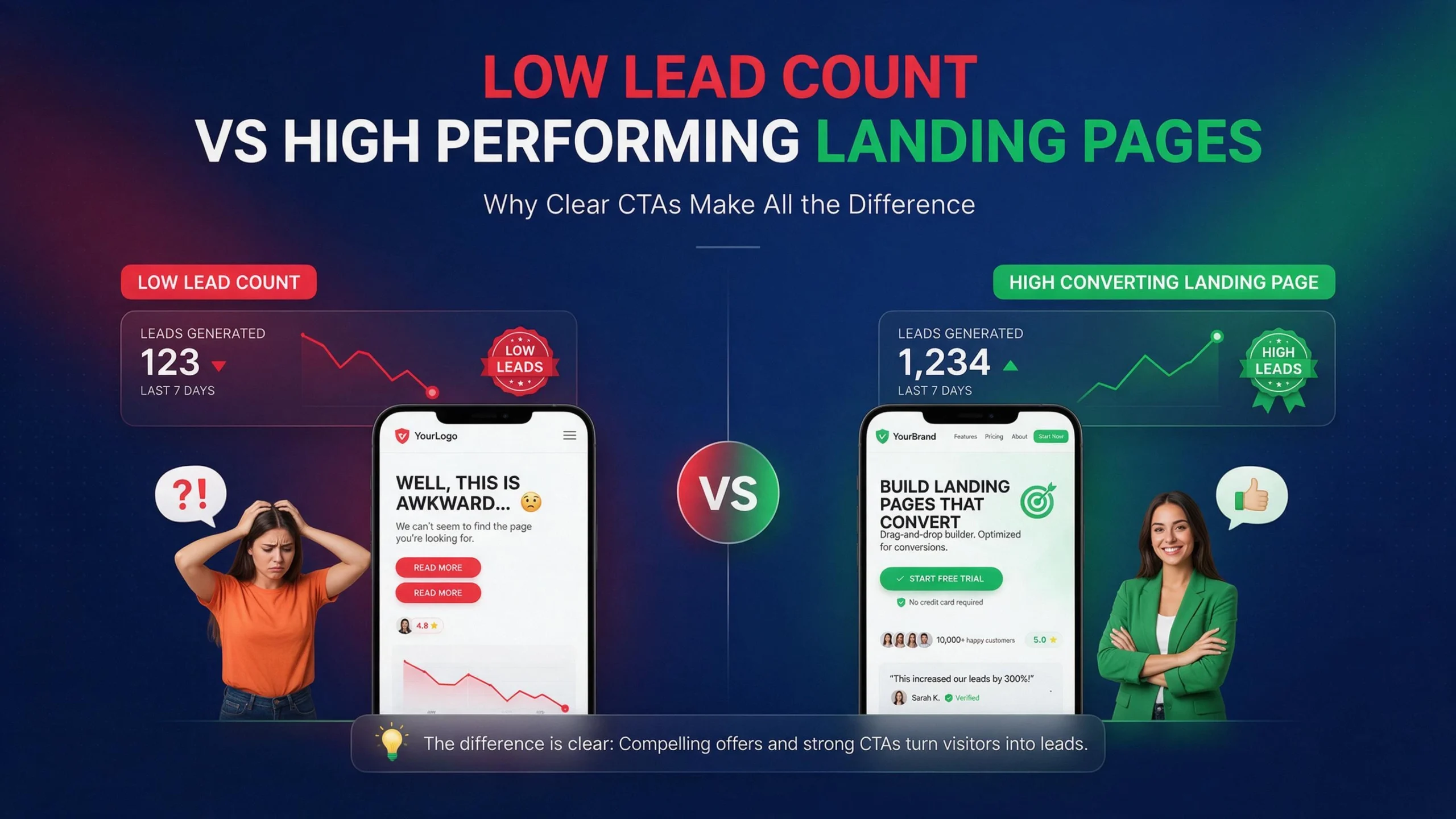
    5 CRO fixes to double website leads without more ad spend

    That is the basic CRO opportunity.

    No CRO change can guarantee that your leads will double. Results depend on traffic quality, offer, pricing, audience, industry, brand trust, and the existing conversion rate. But when a website has obvious conversion problems, fixing several of them can drive big gains without increasing the ad budget.

    Here are five CRO fixes worth checking first.

    Why More Traffic Is Not Always the Answer

    Most businesses look at a traffic report and ask one question:

    How do we get more visitors?

    That is useful, but incomplete.

    A better question is:

    What happens after visitors arrive?

    Imagine a local service website gets 5,000 monthly visitors and generates 50 qualified inquiries. That is a 1% visitor-to-lead rate.

    If traffic increases to 10,000 visitors but the conversion rate stays at 1%, the business gets about 100 inquiries.

    But if the website improves from 1% to 2% while traffic stays at 5,000, the business also gets about 100 inquiries.

    That is why CRO matters.

    You are improving the output from traffic you already paid for through SEO, Google Ads, social media, referrals, email, or content.

    The first job is not redesigning the entire website.

    The first job is finding where potential customers disappear.

    Find Where Leads Disappear

    Start with actual behavior.

    Look at:

    • Landing pages
    • Contact form starts
    • Contact form submissions
    • Phone clicks
    • Email clicks
    • Booking starts
    • Booking completions
    • Add-to-cart events
    • Checkout starts
    • Purchases
    • Mobile versus desktop performance
    • Traffic source
    • Device type
    • Page-level conversion rates

    Google Analytics currently uses key events to identify important actions for a business. A lead form submission can be tracked as a key event, allowing you to analyze the paths users take before completing the form.

    This matters because pageviews alone tell you very little.

    A page can receive 20,000 visitors and generate almost nothing.

    Another page can receive 2,000 visitors and produce 80 qualified leads.

    The second page may be the better business asset.

    Measure the action that actually creates value.

    Fix #1: Make the Primary CTA Impossible to Miss

    Your visitor should never have to ask:

    “What am I supposed to do here?”

    This happens constantly.

    A service page might have a large hero image, a headline, three paragraphs of company history, several navigation links, social icons, four different buttons, and finally a tiny “Contact Us” link.

    The website technically has a CTA.

    The visitor still has no clear path.

    Your primary CTA should tell people what happens next.

    Weak:

    Submit

    Better:

    Request a Free Quote

    Weak:

    Learn More

    Better:

    See How We Can Improve Your Website

    Weak:

    Contact

    Better:

    Book a 15-Minute Consultation

    The exact wording depends on the business.

    The principle is simple.

    Make the next action obvious.

    One Page, One Main Action

    This does not mean every page needs only one button.

    It means every important page should have a clear primary conversion goal.

    A service page should not compete equally between:

    • Read our blog
    • Follow us
    • Meet the team
    • View our history
    • Download our brochure
    • Contact sales
    • Subscribe
    • Book a call

    Too many equal choices create friction.

    For a lead-generation page, decide what matters most.

    Maybe it is:

    Request a Quote

    Then make that action visually obvious.

    Place it where users naturally look:

    • Near the top
    • After the main value proposition
    • Near important proof
    • Near pricing or service details
    • At the end of the page
    • On mobile where appropriate

    Do not rely on the navigation menu to carry your conversions.

    Your visitor should be able to understand the next step without hunting.

    Fix #2: Remove Friction From Your Forms

    Forms are where many websites lose leads.

    A visitor can be interested.

    They can trust the business.

    They can like the offer.

    Then they see this:

    Name

    First Name

    Last Name

    Company

    Job Title

    Address

    City

    State

    ZIP

    Phone

    Email

    Website

    Budget

    How did you hear about us?

    Tell us about your project

    Upload a file

    Subscribe to newsletter

    And they leave.

    The business may think:

    “We need this information.”

    The visitor thinks:

    “This is too much work.”

    Those are very different perspectives.

    Baymard’s recent ecommerce research continues to show the relationship between form complexity and usability. Its 2024 research found an average checkout contained 11.3 form fields, while its testing found that the number of fields users must deal with matters more than simply counting checkout steps.

    For lead-generation websites, the lesson is not “every form must have three fields.”

    The lesson is:

    Every field should earn its place.

    Ask Only What Sales Actually Needs

    Before keeping a field, ask:

    Will this information change what happens after submission?

    If not, remove it.

    If the sales team only needs:

    • Name
    • Email
    • Phone
    • Project details

    Start there.

    You can collect additional information later.

    A lead who submits four useful fields is better than a potential lead who abandons a twelve-field form.

    For ecommerce, the same principle applies to checkout.

    Baymard’s current checkout research reports that 63% of mobile ecommerce sites and 64% of desktop sites in its 2025 benchmark had mediocre or worse checkout UX. Its research also identifies unnecessary fields, unclear requirements, poor error handling, and other interaction problems as recurring issues.

    Make Form Errors Easy to Fix

    A form should not simply say:

    “There was an error.”

    Which field?

    What went wrong?

    What should the visitor enter?

    W3C’s WCAG guidance says automatically detected input errors should identify the field and describe the error in text.

    Good:

    Email: Please enter a valid email address.

    Bad:

    Invalid submission.

    Good error handling reduces confusion.

    It also helps accessibility.

    W3C recommends properly labeling form controls so users and assistive technologies can understand what each control is for.

    That is not just an accessibility concern.

    Clear forms are easier for everyone to use.

    Fix #3: Rewrite the Above-the-Fold Message Around the Customer

    Your homepage may look beautiful.

    That does not mean it communicates value.

    One of the most common CRO problems is writing about the company instead of the customer.

    Example:

    “We are a full-service digital agency with over 15 years of experience.”

    That tells the visitor about you.

    Try:

    “Get a Faster WordPress Website That Converts More Visitors Into Leads.”

    Now the visitor immediately understands the problem you solve.

    The first screen should answer three questions quickly:

    What do you do?

    Who is it for?

    Why should I care?

    If those answers are unclear, visitors have to work to understand your offer.

    Most will not.

    Match the Message to Search Intent

    Do not send every visitor to the same generic homepage.

    Someone searching:

    emergency plumber in Miami

    has a different intent from someone searching:

    commercial plumbing maintenance

    Someone searching:

    WordPress speed optimization

    has different intent from someone searching:

    WordPress developer

    The landing page should reflect that intent.

    If someone searches for WordPress speed optimization and lands on a page that spends the first 600 words discussing general web development, the message is mismatched.

    The visitor wanted one thing.

    Give them that thing.

    This is where SEO and CRO overlap.

    Better targeting can bring more relevant visitors.

    Better messaging can help those visitors take action.

    You do not need more traffic if your existing traffic is landing on the wrong page.

    Fix #4: Speed Up the Mobile Experience

    This is where technical optimization becomes CRO.

    A slow website creates friction before the visitor even sees the offer.

    The visitor taps.

    The page begins loading.

    Nothing useful appears.

    They wait.

    A script blocks interaction.

    An image shifts the page.

    The browser freezes.

    The visitor leaves.

    You lost the lead before your sales copy had a chance.

    If you want to understand exactly how this happens and what to fix first, read our full breakdown of why your website’s mobile speed is killing your lead generation; it covers LCP, INP, CLS, and the WordPress-specific bottlenecks most businesses miss.

    For CRO, the important point is simple:

    Performance is part of the conversion experience.

    Performance Is Not Just a PageSpeed Score

    Do not optimize a website only because a testing tool gives it a number.

    Look at the actual problems.

    For example:

    • Huge hero images
    • Render-blocking CSS
    • Unused JavaScript
    • Third-party scripts
    • Heavy page builders
    • Excessive plugins
    • Poor caching
    • Slow hosting
    • Font loading problems
    • Layout shifts
    • Long main-thread tasks
    • Slow server response
    • Unoptimized WooCommerce functionality

    A page can have a reasonable desktop score and still feel terrible on a mid-range mobile device.

    That is why field data matters. We cover this in detail in our guide on why PageSpeed scores don’t matter as much as most people assume.

    The real customer experience matters more than making a test report look pretty.

    This is also where root-level WordPress optimization can produce a CRO benefit.

    Removing unnecessary scripts, properly minifying CSS and JavaScript, improving caching, optimizing images, reducing plugin overhead, and fixing server-side bottlenecks can reduce friction throughout the funnel.

    The goal is not:

    “Get 100/100.”

    The goal is:

    “Make it easier for the customer to complete the action.”

    Fix #5: Add Proof Where the Decision Happens

    Trust is not something you should hide on an “About Us” page.

    Put proof next to the decision.

    If the visitor is deciding whether to:

    • Request a quote
    • Book a consultation
    • Buy a product
    • Start a subscription
    • Call your business

    show relevant proof nearby.

    This can include:

    • Customer reviews
    • Case studies
    • Specific results
    • Before-and-after examples
    • Client logos
    • Certifications
    • Guarantees
    • Product ratings
    • Security information
    • Clear return policies
    • Relevant testimonials

    But do not dump 40 testimonials into one section.

    Match proof to the concern.

    If you sell expensive website development, show examples of websites you built.

    If you sell SEO, show measurable SEO outcomes.

    If you sell a medical service, explain credentials and provide appropriate trust information.

    If you sell ecommerce products, make shipping, returns, payment, and product information easy to understand.

    Proof Should Support the CTA

    Imagine a visitor reads:

    “Ready to improve your website?”

    Then immediately sees:

    “Trusted by hundreds of businesses.”

    That is better than putting the same statement somewhere near the footer.

    Even better is specific proof.

    Instead of:

    “We deliver amazing results.”

    Use:

    “Reduced page load time from 6.2s to 1.4s on a lead-generation website.”

    Specific evidence is easier to understand.

    The same principle applies to ecommerce.

    Baymard’s recent payment UX research emphasizes that users need confidence around payment details, total cost, security, and what happens when something goes wrong.

    Trust is not decoration.

    It removes uncertainty.

    Stop Sending Every Visitor to Your Homepage

    The homepage is not a universal landing page.

    It has too many jobs.

    It introduces the company.

    It supports navigation.

    It explains products or services.

    It may target multiple audiences.

    It may rank for branded searches.

    It may contain company information.

    A dedicated landing page has one job.

    That makes it easier to optimize.

    For example:

    /wordpress-speed-optimization/

    can focus entirely on WordPress performance.

    /hvac-web-design/

    can focus entirely on HVAC businesses.

    /emergency-plumber/

    can focus entirely on emergency plumbing.

    The visitor arrives.

    The headline matches the search.

    The offer is clear.

    The proof is relevant.

    The CTA is obvious.

    That is a much cleaner conversion path.

    Build Dedicated Landing Pages

    Good landing pages do not need to be complicated.

    A strong structure can be:

    Problem

    What is going wrong?

    Outcome

    What does the customer want?

    Solution

    How do you solve it?

    Proof

    Why should they believe you?

    Process

    What happens next?

    CTA

    What should they do?

    For example, a WordPress speed page might open with:

    Your WordPress Website Is Slow. We Fix the Problems Causing It.

    Then explain:

    • What is slowing the site
    • What gets optimized
    • What happens during the audit
    • What tools are used
    • What results have been achieved
    • What the client receives
    • How to start

    That is much stronger than:

    “Welcome to our digital agency.”

    Fix Broken Contact and Booking Flows

    This sounds obvious.

    Many businesses still lose leads here.

    Test the complete journey yourself.

    Do not just test whether the page loads.

    Submit the form.

    Call the number.

    Book the appointment.

    Use a phone.

    Use Chrome.

    Use Safari.

    Try a slow connection.

    Check the confirmation.

    Check the email notification.

    Check the CRM.

    Check whether the sales team actually receives the lead.

    A form that displays “Thank you” but never sends the lead notification is not a functioning conversion system.

    Neither is a booking form that works on desktop but fails on mobile.

    Neither is a phone number that is visible but not clickable on mobile.

    CRO is not only about design.

    It is about the entire path from visitor to customer.

    Use Analytics Before Changing the Design

    Do not redesign a website because you personally dislike the hero section.

    That is not CRO.

    That is preference.

    Start with evidence.

    Google Analytics lets you define important actions as key events and analyze how users reach those actions. Google specifically documents lead-generation form submissions as an example of an important key event.

    Track things such as:

    Page view → CTA click → form start → form submit

    For ecommerce:

    Product view → add to cart → checkout → purchase

    Now you can identify the leak.

    Example:

    100,000 visitors

    ↓

    12,000 product views

    ↓

    3,000 add to carts

    ↓

    1,000 checkout starts

    ↓

    400 purchases

    Do not randomly optimize the homepage.

    Look at the biggest problem in the funnel.

    If thousands of people add products to carts but only 400 purchase, checkout deserves investigation.

    If visitors rarely click the CTA, the problem may be messaging or offer clarity.

    If visitors start the form but do not submit, form friction deserves attention.

    Measure first.

    Then change.

    Track Micro-Conversions

    Not every visitor is ready to buy immediately.

    That does not mean their behavior is useless.

    Track meaningful actions such as:

    • CTA clicks
    • Phone clicks
    • Email clicks
    • Form starts
    • Form submissions
    • Pricing-page visits
    • Booking starts
    • Downloads
    • Product views
    • Add-to-cart
    • Checkout starts
    • Video engagement

    But do not treat every click as a business conversion.

    A visitor scrolling 90% down a page is not the same as someone requesting a quote.

    Google Analytics separates important business actions as key events and allows businesses to use those events for reporting and optimization.

    Your tracking should reflect the actual business goal.

    A/B Testing Without Guessing

    Once you identify a problem, test the solution.

    Do not change ten things at once and then claim the redesign increased conversions.

    You will not know what caused the result.

    A cleaner experiment might test:

    Version A: “Get a Free Quote”

    Version B: “Request Your Project Estimate”

    Or:

    Version A: Long form

    Version B: Short form

    Or:

    Version A: Generic headline

    Version B: Problem-focused headline

    The goal is not to make the page prettier.

    The goal is to learn what helps users complete the desired action.

    For low-traffic websites, formal A/B testing can take a long time to reach useful confidence.

    That does not mean you cannot improve the site.

    Use multiple evidence sources:

    • Analytics
    • Search data
    • User recordings
    • Heatmaps
    • Form abandonment
    • Customer questions
    • Sales-team feedback
    • Support tickets
    • Direct user feedback

    Then make controlled changes.

    CRO for Local Service Businesses

    Local businesses often have a simple conversion goal:

    Get the visitor to call, book, or request a quote.

    Do not bury those actions.

    A local service page should quickly communicate:

    Service

    What do you provide?

    Location

    Where do you provide it?

    Availability

    When can the customer get help?

    Trust

    Why should they choose you?

    Action

    What should they do now?

    For example, an HVAC company can build dedicated pages for:

    • AC repair
    • AC installation
    • Heating repair
    • Emergency service
    • Commercial HVAC

    Each page can target a specific problem and location.

    The CTA can then match the intent.

    Call for Emergency AC Repair

    is stronger than:

    Learn More About Our Services

    when the visitor is actively searching for emergency repair.

    CRO for Ecommerce Stores

    Ecommerce CRO has another layer.

    The visitor must move through more steps:

    Product discovery → product page → cart → checkout → payment → confirmation

    Every step creates potential friction.

    Baymard’s current research places global cart abandonment at around 70%, based on its long-running dataset, and its checkout research identifies significant usability problems across both desktop and mobile ecommerce experiences.

    That does not mean every abandoned cart can be recovered.

    It means the checkout deserves serious attention.

    Look for:

    • Unexpected costs
    • Unclear shipping
    • Forced account creation
    • Too many fields
    • Poor mobile layout
    • Confusing error messages
    • Weak payment confidence
    • Slow checkout
    • Missing product information
    • Difficult coupon handling
    • Poor return information

    Baymard’s research also shows that reducing unnecessary form fields can improve checkout usability, with its 2024 benchmark finding 11.3 fields on average compared with its finding that many checkouts could function with fewer.

    Do not optimize ecommerce checkout by blindly making it shorter.

    Optimize the actual work users must perform.

    What Not to Change

    CRO does not mean changing everything.

    Do not remove useful information simply because you want a shorter page.

    Do not hide important pricing information to force users into a sales call.

    Do not add fake urgency.

    Do not add popups every five seconds.

    Do not make the CTA visually aggressive.

    Do not remove navigation when users genuinely need it.

    Do not sacrifice accessibility for aesthetics.

    Do not remove product details because someone told you “short pages convert better.”

    Do not assume a competitor’s layout will work for your audience.

    And do not chase a higher conversion percentage while lead quality collapses.

    If your conversion rate rises from 2% to 4% but half the new leads are useless, the business may not have improved.

    Measure qualified leads, not just raw submissions.

    How to Prioritize CRO Work

    You do not need a six-month CRO project to find useful improvements.

    Start with the biggest leaks.

    Use a simple framework:

    Impact

    How many users experience the problem?

    Severity

    How badly does it affect their ability to convert?

    Confidence

    Do you have evidence that this is actually happening?

    Effort

    How difficult is the fix?

    A broken mobile form can affect a huge percentage of visitors and may be relatively easy to fix.

    That should probably be investigated before changing the color of a button.

    A 3% difference in button color is not more important than a form that fails.

    Technical problems come first.

    Conversion clarity comes next.

    Visual polish comes after that.

    30-Day CRO Plan

    You can structure the first month like this.

    Week 1: Measure

    Set up or audit analytics.

    Define key events.

    Track leads, phone clicks, form submissions, bookings, add-to-cart, checkout, and purchases where relevant.

    Identify the highest-value pages.

    Week 2: Remove Friction

    Test forms.

    Test mobile.

    Test contact flows.

    Test booking.

    Test checkout.

    Fix broken links.

    Fix confusing errors.

    Remove unnecessary fields.

    Week 3: Improve Messaging

    Rewrite weak headlines.

    Clarify offers.

    Strengthen CTAs.

    Add relevant proof.

    Create dedicated landing pages for important search intent.

    Week 4: Test and Measure

    Compare performance before and after.

    Review key event rates.

    Look at lead quality.

    Identify the next bottleneck.

    Then repeat.

    CRO is not a one-time redesign.

    It is a loop:

    Measure → Find friction → Fix → Test → Measure again.

    That is how you turn CRO from opinion into a process.

    Conclusion

    You do not always need more traffic.

    Sometimes you need to stop wasting the traffic you already have.

    Start with the five areas that create the most obvious friction:

    Make the CTA clear.

    Reduce form friction.

    Make the message about the customer’s problem.

    Improve mobile performance.

    Put proof next to the decision.

    Then measure what happens.

    A website generating 50 leads from 5,000 visitors has a different problem from a website generating 500 leads from 50,000 visitors.

    Traffic tells you how many people arrived.

    CRO tells you what happened after they arrived.

    That distinction matters.

    For WordPress websites, CRO often overlaps with development, technical SEO, UX, and performance optimization. A slow script, broken form, bloated plugin stack, poor mobile layout, or weak landing-page structure can all become conversion problems.

    If your website has performance issues contributing to lead loss, our WordPress speed optimization services are designed to remove that friction at the root level.

    The strongest CRO work does not begin with:

    “Let’s redesign the website.”

    It begins with:

    “Where are potential customers getting stuck?”

    Find that point.

    Fix it.

    Measure the result.

    Then move to the next bottleneck.

    Traffic tells you how many people arrived. CRO tells you what happened after they arrived. That distinction matters. If you want help identifying exactly where your potential customers are getting stuck, book a free call and we will walk through your funnel together.

    FAQs

    Can CRO really double website leads?

    It can happen, but there is no universal guarantee. A website with serious conversion problems has more room for improvement than one that is already highly optimized. Doubling leads can also come from several smaller improvements working together rather than one dramatic change.

    What should I optimize first?

    Start with the biggest measurable bottleneck. Check forms, CTAs, mobile performance, landing-page messaging, booking flows, and checkout. Use analytics to identify where users are dropping out before changing the design.

    How many fields should a lead-generation form have?

    There is no universal number. Keep the fields required to qualify and process the lead, then remove anything that does not provide enough business value to justify the extra friction. Ecommerce research from Baymard shows that unnecessary form fields can significantly increase interaction effort.

    Does website speed affect conversion rate?

    Speed can affect the user experience and therefore can affect conversion behavior. Core Web Vitals measure loading, responsiveness, and visual stability through LCP, INP, and CLS. The practical goal should not be chasing a perfect laboratory score. The goal is making important pages fast and responsive for real users.

    What should I track for CRO?

    Track actions connected to business value. For lead generation, this can include form submissions, phone clicks, booking completions, and qualified leads. For ecommerce, track product views, add-to-cart, checkout starts, purchases, and revenue. Google Analytics supports defining important user actions as key events so you can analyze those behaviors across your traffic sources.


  • Why Your Website’s Mobile Speed Is Killing Your Lead Generation

    Why Your Website’s Mobile Speed Is Killing Your Lead Generation

    Your website may have beautiful design, strong branding, good services, persuasive copy, and clear calls to action. None of that matters much if potential customer taps your Google result on phone, waits, watches blank screen, tries to scroll, and leaves before page becomes usable. Mobile speed is not only technical SEO problem. It is lead generation problem. When page loads slowly, every form submission, phone call, booking, quote request, product purchase, and consultation opportunity sits behind unnecessary friction. That is exactly what our WordPress speed optimization services are designed to remove.

    Google’s current web guidance treats Core Web Vitals as important user-experience measurements covering loading performance, responsiveness, and visual stability. Google also continues to treat INP as a Core Web Vital, replacing FID. But numbers only tell part story. Business owner does not lose lead because LCP number is 4.8 seconds. Business loses lead because person wanted answer now and website made them wait. That distinction matters when optimizing a real business website. You are not optimizing numbers for their own sake. You are reducing friction between customer intent and customer action.

    A slow mobile website costs you leads every day. Learn how LCP, INP, and CLS affect conversions and what to fix first on your WordPress site.

    Think about it like physical store. Customer walks through door and asks employee, “Can you help me?” Employee stares at them for five seconds before responding. Then every time customer touches product, employee freezes. Then checkout counter jumps sideways while customer reaches for wallet. Would customer trust store? Probably not. Slow website creates similar experience, except visitor can leave with one thumb tap and visit competitor.

    Mobile Speed Is Now a Lead Generation Problem

    Many businesses still treat website speed as something developers worry about after design is complete. Marketing team handles leads. Designer handles appearance. SEO person handles rankings. Developer handles speed. Problem: these things are connected.

    Suppose local roofing company gets 1,000 monthly mobile visitors. Website receives traffic from Google, Facebook, paid ads, referrals, and Google Maps. Homepage loads slowly. Service pages contain huge images. Contact form loads several scripts. Phone button is buried below large hero section. User clicks “Get Free Estimate,” but JavaScript takes time to respond. Some visitors leave. Others never reach form. Business may blame ads, seasonality, weak offer, or poor traffic quality. Actual problem sits inside website experience.

    Google’s older mobile-performance research found strong relationship between slower mobile experiences and user behavior. One Google/ SOASTA analysis reported that mobile pages loading one second faster saw up to 27% higher conversion rates, while bounce rates increased sharply as load time increased. Those figures come from older research, so they should not be treated as universal 2026 conversion benchmarks, but they demonstrate why performance can affect commercial outcomes.

    Visitors Do Not Care Why Website Is Slow

    Visitors do not know the website uses Elementor. Visitor does not know hosting company. Visitor does not know 47 plugins are active. Visitor does not know marketing team installed three tracking systems. Visitor does not know hero video is 8 MB.

    Visitor sees one thing:

    Website is slow.

    That is all.

    And visitor has options.

    Google search result contains competitor. Browser back button works instantly. Search engine does not charge visitor for switching websites. There is no reason for user to wait patiently while your homepage negotiates with six third-party servers and downloads massive JavaScript bundle.

    This is why speed optimization should begin with customer journey.

    Find important pages. Find pages receiving mobile traffic. Find pages generating leads. Test those pages. Fix highest-impact bottlenecks first.

    Do not spend three hours optimizing footer icon that contributes nothing to conversion while 2 MB hero image delays main content.

    Why Mobile Users Leave Slow Websites

    Mobile browsing happens under messy conditions. User may have weak Wi-Fi. User may use cellular connection. User may be commuting. User may have older phone. Browser may have limited resources. Battery may be low. Multiple apps may run in background.

    Desktop test from fast office connection tells only small part of story.

    Google’s mobile-speed research has repeatedly highlighted relationship between loading time and user behavior. Older Google research found that as mobile load time increased, probability of bounce increased substantially. Again, these are historical studies, not current universal thresholds, but underlying lesson remains useful: waiting creates friction.

    Every Extra Delay Creates Friction

    Imagine user wants emergency plumber.

    They search:

    “plumber near me emergency”

    They tap result.

    Website shows blank hero area.

    Three seconds.

    Five seconds.

    Six seconds.

    User goes back.

    Next result loads quickly.

    Lead gone.

    No SEO report tells business owner which exact lead disappeared. Analytics may show landing-page exit. Ads platform may show click without conversion. CRM may show fewer calls. But root cause can sit between click and content.

    Same thing happens with forms.

    User sees:

    Request Free Quote

    Taps button.

    Nothing happens.

    Taps again.

    Still nothing.

    Then button finally opens modal.

    User starts typing.

    Keyboard causes layout shift.

    Phone field refuses input.

    User leaves.

    You did not lose lead because offer was bad. You lost lead because interaction was painful.

    Core Web Vitals and Lead Generation

    Core Web Vitals provide standardized way to measure important parts of user experience. Current Core Web Vitals include LCP, INP, and CLS. Google identifies these as loading performance, responsiveness, and visual stability measurements.

    They are not complete website-quality score. Passing Core Web Vitals does not guarantee high conversion rate. Failing them does not automatically mean website cannot generate leads. But poor values can expose technical problems worth fixing.

    For lead-generation website, think about metrics through customer actions.

    LCP asks: Can visitor see main content quickly?

    INP asks: Does website respond quickly when visitor interacts?

    CLS asks: Does page stay visually stable while visitor uses it?

    These questions map nicely to real-world behavior.

    LCP, INP, and CLS Explained

    LCP, Largest Contentful Paint, measures when largest content element in viewport becomes rendered. On many pages, that may be hero image, heading, or major content block. If LCP is slow, visitor may stare at incomplete page while browser works.

    INP, Interaction to Next Paint, measures responsiveness to user interactions across page. High INP means clicks, taps, typing, menus, filters, or other interactions can feel delayed.

    CLS, Cumulative Layout Shift, measures unexpected movement of content. Imagine trying to tap “Book Appointment” and button suddenly moves because image or ad loads above it. You tap wrong thing. That is not theoretical annoyance. It is poor interaction design.

    Google’s current documentation confirms INP is now Core Web Vital and replaced FID.

    LCP Can Delay First Impression

    LCP often becomes biggest visible speed problem on marketing websites.

    Large hero image. Background video. Slider. Custom font. CSS blocking render. Slow server. JavaScript-dependent hero section. Any combination can delay main content.

    A website may technically start loading quickly while still feeling slow because meaningful content appears late.

    Common WordPress LCP Problems

    WordPress websites frequently create LCP problems through oversized hero images, background images loaded through CSS, sliders, page-builder markup, excessive CSS, web fonts, delayed image discovery, and slow server response.

    Page builder itself is not automatically problem. Elementor, Divi, Gutenberg, Kadence, Bricks, and other systems can produce fast websites when used properly. Problem starts when page contains unnecessary layers.

    For example, Hero section contains:

    • Background image
    • Overlay
    • Heading
    • Animated subtitle
    • Button animation
    • Decorative SVG
    • Video
    • Slider script
    • Tracking script

    User sees simple headline and button.

    Browser sees entire orchestra.

    Optimization asks: What does visitor actually need before taking action?

    Maybe static optimized image beats video. Maybe heading can render without animation. Maybe unnecessary slider can disappear. Maybe critical CSS can load earlier. Maybe hero image needs proper dimensions and priority.

    Do not optimize code blindly. Remove unnecessary work.

    INP Can Kill Form and Button Interactions

    A page can load quickly and still feel slow.

    This happens when JavaScript blocks main thread.

    User taps menu. Nothing.

    User opens form. Delay.

    User clicks calculator. Delay.

    User selects product filter. Delay.

    User types into field. Browser struggles.

    This is where INP becomes relevant.

    Large JavaScript bundles, third-party scripts, heavy animations, complex DOM, expensive event handlers, and poorly optimized page-builder code can all contribute to responsiveness problems. web.dev’s current performance guidance specifically provides optimization guidance for INP and identifies responsiveness as core part of web performance.

    For lead generation, test actual interactions.

    Do not only test homepage loading.

    Click:

    Menu → Service → CTA → Form → Submit

    Watch what happens.

    If every step feels delayed, speed problem is also conversion problem.

    CLS Makes Website Feel Broken

    Layout shift gets ignored because page can technically load fast while still behaving badly.

    Imagine visitor lands on page. Heading appears. They start reading. Image loads above content and pushes heading downward. Visitor scrolls. Cookie banner appears. Content shifts again. Chat widget appears. Another element moves.

    Now visitor has to visually chase page.

    CLS is designed to measure this kind of unexpected movement. Stable layout is especially important for forms, buttons, navigation, and ecommerce controls.

    Reserve space for images. Set dimensions. Avoid injecting content above existing content. Manage ads and embeds carefully. Load fonts without creating major layout movement.

    Fast but unstable page still feels bad.

    Why Mobile Speed Matters More Than Desktop Score

    Desktop performance can create false confidence.

    A powerful desktop computer connected to fast broadband can hide inefficient website architecture. Mobile hardware and network conditions expose it.

    That is why you should inspect mobile performance separately.

    Real Users Do Not Browse Like Lighthouse

    Lighthouse gives controlled lab measurements. Useful. Necessary. But not same as field data.

    Real users have different devices, networks, locations, browsers, CPU speeds, and interaction patterns. Chrome User Experience Report data can provide field information for eligible pages and sites. Google also distinguishes lab testing from real-user measurements in its web performance guidance.

    If you want to understand why chasing a perfect Lighthouse number can mislead you, read our breakdown of why PageSpeed scores don’t matter as much as most people think.

    Use both.

    Lab data helps identify technical opportunities.

    Field data tells you what real users experience.

    If PageSpeed says 95 but real-user data says important mobile pages struggle, do not celebrate number. Investigate.

    If lab score is 62 but field data is healthy, inspect why lab environment differs before rebuilding entire site.

    Numbers need context.

    The WordPress Problems Making Your Site Slow

    WordPress gives business owners huge flexibility. That flexibility can become performance debt.

    Website may accumulate plugins over years.

    Marketing adds popup plugin.

    Designer adds slider.

    SEO team adds schema plugin.

    Developer adds custom scripts.

    Tracking team adds analytics.

    Agency adds optimization plugin.

    Client adds chatbot.

    Nobody removes anything.

    Five years later, homepage loads 2 MB of JavaScript before visitor can click button.

    Page Builders, Plugins, and JavaScript

    Again, page builder is not automatically guilty.

    Bad implementation is problem.

    You can build fast website with page builder. You can build slow website with plain HTML. Technology choice matters, but architecture and implementation matter more.

    Audit actual output.

    Check CSS. Check JavaScript. Check DOM size. Check third-party resources. Check network waterfall. Check unused code. Check render-blocking resources.  A good starting point is understanding how to properly minify CSS and JavaScript without breaking functionality or creating plugin conflicts.

    Ask:

    What is browser downloading?

    Why is browser downloading it?

    Does visitor need it immediately?

    Can it load later?

    Can it be removed?

    Those questions often reveal bigger opportunities than installing another cache plugin.

    Images Are Often Biggest Performance Problem

    Images can make website beautiful.

    They can also make website enormous.

    A hero image uploaded directly from camera may be 5 MB. Website displays it at 1,200 pixels. Browser downloads 5 MB anyway unless responsive image strategy handles it properly.

    Use modern image formats where appropriate. Resize images. Compress them. Serve responsive dimensions. Avoid loading below-the-fold images immediately. Preload or prioritize only genuinely critical resources.

    Do not lazy-load everything.

    If hero image is LCP element, lazy-loading it can delay LCP.

    Optimization needs context.

    Image optimization is not “compress every image and turn on lazy loading.”

    It is deliver right image, right size, at right time.

    Hosting and Server Response Time Matter

    Frontend optimization cannot fix every backend problem.

    If server takes too long to generate HTML, browser starts late.

    Slow hosting. Poor database queries. Overloaded server. Bad PHP configuration. Unoptimized WooCommerce queries. Excessive plugins. External API calls. Cache misses.

    All can contribute.

    Time to First Byte, TTFB, is not Core Web Vital, but it influences how quickly browser can begin receiving page content and can affect LCP. web.dev’s current LCP guidance specifically emphasizes looking beyond image optimization and considering TTFB and resource-load delay.

    For WordPress site, investigate hosting before blindly blaming frontend.

    If server response is slow for cached pages, find the reason.

    If uncached dynamic pages are slow, profile backend.

    If only logged-in users experience delay, investigate a different caching path.

    Third-Party Scripts Can Destroy Performance

    Marketing scripts often receive free pass.

    Chat widget.

    Heatmap.

    Analytics.

    Ad pixel.

    CRM.

    Booking system.

    Call tracking.

    Social feed.

    Review widget.

    Cookie manager.

    Each one sounds small.

    Together they can create traffic jam.

    Third-party JavaScript can consume network, CPU, and main-thread time. Some scripts also wait for external servers. If external service is slow, your website can feel slow. One practical step many WordPress site owners overlook is setting up cookie-free domains with Cloudflare to reduce request overhead and improve static asset delivery.

    Audit third-party scripts.

    Ask whether each one produces measurable business value.

    If script generates one useful report per month but delays thousands of visitors, question it.

    Do not remove analytics blindly. Measure dependencies first.

    Why More Speed Plugins Do Not Always Fix Website

    This is one of biggest WordPress misconceptions.

    Website slow?

    Install plugin.

    Still slow?

    Install another.

    Still slow?

    Install optimization plugin.

    Now three plugins modify same CSS and JavaScript.

    Result can become worse.

    Caching, minification, delay, lazy loading, database cleanup, image optimization, CDN, and script management all have legitimate uses.

    If you are evaluating a tool like NitroPack, understand what it does and does not handle before enabling every setting. But plugin settings can conflict. Some plugins duplicate functionality. Some features break forms or checkout.

    Some optimization tools hide symptoms instead of fixing root cause. Speed optimization should be diagnostic. Find bottleneck. Fix bottleneck. Measure. Then move to next bottleneck. Do not turn website into plugin laboratory.

    How Slow Website Hurts Local Lead Generation

    Local service websites depend heavily on mobile visitors.

    Person searching electrician, dentist, lawyer, HVAC company, plumber, roofing contractor, cleaning service, mechanic, restaurant, or clinic often wants answer quickly.

    They may search while standing outside. They may need appointment. They may need phone number. They may need directions.

    Website should make action easy.

    If phone number appears after massive hero animation, problem.

    If contact form takes ten seconds, problem.

    If location page loads slowly, problem.

    If map widget blocks rendering, problem.

    If appointment calendar takes forever, problem.

    Local lead generation has low patience threshold because user often has immediate need.

    A slow website can waste traffic business already paid for through SEO, Google Ads, social media, directories, referrals, or Google Business Profile.

    How Slow Website Hurts Ecommerce Conversions

    Ecommerce has even more interaction.

    Product page.

    Gallery.

    Variant selector.

    Quantity control.

    Add to cart.

    Cart.

    Checkout.

    Payment.

    Every interaction creates opportunity for latency.

    Slow ecommerce website can also create trust problem. If product images jump around, cart takes time to update, checkout freezes, or payment button responds slowly, customer may wonder whether transaction is safe.

    Do not test ecommerce only by loading homepage.

    Test full buying journey.

    Search → product → variant → cart → checkout → payment.

    Measure each important step.

    How to Test Mobile Website Speed Properly

    Start with PageSpeed Insights.

    Test homepage.

    Then test high-traffic landing pages.

    Then service pages.

    Then contact page.

    Then checkout or product pages if ecommerce.

    Do not test only homepage because homepage is usually not where every lead lands.

    Use Google Search Console to identify pages receiving impressions and clicks. Compare those pages with conversion data where analytics setup allows.

    Lab Data vs Real User Data

    Lab data gives controlled test conditions. Field data gives real-world experience.

    Both have value.

    Lab tests help developers diagnose.

    Field data helps business understand actual visitors.

    Core Web Vitals are based on real-user experience when field data is available, while tools such as Lighthouse provide lab measurements. web.dev recommends understanding both forms of measurement rather than treating one test as complete truth.

    Also test multiple times.

    Caching changes.

    Network conditions change.

    Third-party resources change.

    Server load changes.

    One test is snapshot.

    Optimization needs trend.

    How to Fix Mobile Speed Without Rebuilding Website

    Many slow websites do not need complete rebuild.

    Start with audit.

    Find biggest problems.

    If hero image is 4 MB, optimize image.

    If server response is slow, investigate hosting and backend.

    If 30 scripts load globally, reduce or conditionally load them.

    If font files block rendering, improve font strategy.

    If page builder generates unnecessary elements, simplify sections.

    If plugin adds scripts site-wide but used only one page, restrict loading.

    If third-party widget delays page, defer or remove it.

    If CSS is huge, identify unused or unnecessary styles.

    If JavaScript blocks interaction, reduce execution and break long tasks.

    This can produce major gains without changing brand or rebuilding every page.

    That is important for established businesses. Rebuild can introduce new bugs, SEO losses, migration issues, content problems, and unnecessary expense.

    Optimize first.

    Rebuild only when architecture itself prevents reasonable performance.

    Mobile Speed Optimization Checklist

    Before calling website “fast,” check these areas:

    • Server: TTFB, hosting resources, caching, PHP, database
    • Images: dimensions, compression, modern formats, responsive delivery
    • LCP: hero element, render delay, image priority, CSS
    • INP: JavaScript execution, event handlers, third-party scripts
    • CLS: image dimensions, fonts, injected elements, dynamic content
    • CSS: unused CSS, render-blocking styles, excessive framework output
    • JavaScript: unnecessary libraries, long tasks, global scripts
    • Fonts: file count, format, loading strategy
    • Plugins: redundant or unnecessary plugins
    • Third parties: chat, analytics, widgets, ads, social embeds
    • Caching: page cache, browser cache, object cache where appropriate
    • CDN: static delivery and geographic distribution
    • Mobile UX: buttons, forms, navigation, readability
    • Measurement: PageSpeed Insights, Search Console, field data, analytics

    Do not blindly check boxes.

    Prioritize problems based on business impact.

    When Website Needs Full Technical Rebuild

    Sometimes optimization reaches limit.

    If theme is abandoned, codebase is heavily customized, templates are broken, plugin dependencies are impossible to untangle, backend architecture is obsolete, or site cannot support required functionality without excessive hacks, rebuild may make sense.

    But rebuild should solve documented problem.

    Do not rebuild because agency says “your website is old.”

    Age alone does not make website slow.

    A five-year-old optimized website can outperform brand-new bloated website.

    Likewise, modern design does not automatically mean good performance.

    Before rebuild, document:

    Current traffic.

    Current rankings.

    Current conversions.

    Current URLs.

    Current Core Web Vitals.

    Current integrations.

    Current content.

    Current backlinks.

    Current technical issues.

    Then create migration plan.

    Protect what works while replacing what does not.

    Conclusion

    Your website does not need to be perfect to generate leads.

    It needs to be fast enough, responsive enough, stable enough, and useful enough that visitor can reach answer and take action without fighting website.

    That means stop treating mobile speed as PageSpeed score competition.

    A score is a diagnostic signal.

    Business outcome is the goal.

    Google’s current web guidance continues to emphasize user experience and Core Web Vitals, while web.dev provides ongoing guidance around LCP, INP, CLS, field measurement, and performance optimization. Older Google research also provides useful evidence that mobile performance can influence bounce and conversion behavior, although those historical percentages should not be presented as universal 2026 benchmarks.

    For WordPress businesses, biggest gains often come from removing unnecessary work rather than installing another optimization plugin.

    Compress right images.

    Fix slow server.

    Reduce JavaScript.

    Control third-party scripts.

    Improve LCP.

    Fix INP.

    Prevent layout shifts.

    Make forms respond quickly.

    Test real user data.

    Then measure leads.

    Because final question is not:

    “Did PageSpeed score go from 62 to 94?”

    Better question:

    “Can more visitors reach CTA and complete action without friction?”

    That is speed optimization that matters. If you want us to find those friction points for your website, book a free call and we will walk through it together.

    FAQs

    1. Does mobile speed directly affect Google rankings?

    Core Web Vitals are part of Google’s page experience signals, but Google does not say that passing Core Web Vitals guarantees higher rankings. Relevance and many other Search systems matter. Speed should therefore be treated as both user-experience and search consideration, not ranking shortcut.

    If you are just getting started, our SEO tips for beginners cover the foundational signals Google uses to rank pages, including how performance fits into the bigger picture.

    Google’s current documentation confirms INP is a Core Web Vital and continues to guide page experience.

    2. What is a good Core Web Vitals result?

    Current Core Web Vitals focus on LCP, INP, and CLS. Google and web.dev provide thresholds and measurement guidance for each metric. Passing all three gives useful signal that page meets Google’s “good” user-experience thresholds, but it does not guarantee good conversion rate or high search rankings.

    3. Can WordPress website be fast with Elementor?

    Yes. Elementor or another page builder does not automatically make a website slow. Performance depends on page structure, CSS, JavaScript, assets, plugins, hosting, third-party scripts, images, caching, and implementation. A poorly built Elementor page can be slow; a carefully optimized Elementor website can perform well.

    4. Should I install more speed plugins if PageSpeed score is low?

    No. First identify root cause. Multiple optimization plugins can duplicate features or create conflicts. Audit server response, images, CSS, JavaScript, fonts, third-party scripts, caching, and page architecture before adding another plugin.

    5. How can I know if slow website is costing leads?

    Connect performance data with analytics and conversion data. Compare mobile conversion rate, form completion, calls, bookings, e-commerce transactions, and landing-page exits against performance measurements. Test important pages before and after optimization. A speed improvement should ultimately be evaluated against user behavior and business outcomes, not PageSpeed score alone.

  • DIY: 12 Practical Core Web Vitals Fixes That Actually Work

    DIY: 12 Practical Core Web Vitals Fixes That Actually Work

    If your site feels fast on desktop but still fails performance checks, a Core Web Vitals fix guide is exactly what you need. In 2026, speed is no longer just a technical nice-to-have; it affects user experience, conversions, and how confidently your site can compete in search.

    The good news is that most Core Web Vitals problems are fixable. The bad news is that many sites try to fix the wrong things first, like buying a new plugin before checking hosting, images, scripts, or theme bloat. This guide focuses on practical fixes you can actually apply, especially if you run a WordPress site.

    What Core Web Vitals Mean

    fix LCP WordPress
fix INP WordPress
fix CLS WordPress
core web vitals WordPress 2026
improve core web vitals
core web vitals optimization
PageSpeed Insights fix

    Core Web Vitals are Google’s key page experience metrics. They focus on three things: how fast the main content loads, how stable the page looks while loading, and how quickly users can interact with it.

    The three metrics are:

    • LCP: Largest Contentful Paint
    • CLS: Cumulative Layout Shift
    • INP: Interaction to Next Paint

    In simple terms, LCP measures loading speed, CLS measures visual stability, and INP measures responsiveness. If one of these is bad, your site may feel slow or frustrating even if the design looks good.

    How To Check Your Scores

    Before fixing anything, test your site so you know what is actually broken. Use PageSpeed Insights, Lighthouse, and Search Console to see both lab data and real-world field data.

    Focus on templates, not just the homepage. A blog post, product page, and landing page can all perform differently, and the weakest template often drags down the whole site.

    Fix LCP First

    LCP is usually the metric that needs the most attention. If your main content takes too long to appear, users feel the site is slow even if everything else eventually loads.

    Start with the biggest causes:

    • Slow hosting
    • Heavy hero images
    • Render-blocking CSS and JavaScript
    • Too many fonts or third-party scripts

    A few strong fixes usually make a big difference:

    • Compress and resize your main image.
    • Use WebP or AVIF where possible.
    • Preload the hero image and critical fonts.
    • Remove unused scripts from the header.
    • Use caching and a CDN.

    Fix CLS Next

    CLS is all about page stability. If things jump around while the page loads, the experience feels sloppy and can hurt trust.

    The most common causes are missing image dimensions, ads that inject late, and font swapping. To reduce layout shift, always define image and video sizes, reserve space for embeds and ads, and use font loading settings that prevent text from jumping.

    Fix INP For Better Interaction

    INP became more important after Google replaced FID, and it measures how quickly the page responds when users click or tap. If your site feels laggy after someone interacts with it, this is the metric to watch.

    The biggest causes are heavy JavaScript and too many third-party tools. To improve INP, reduce script weight, delay non-essential tools, break long tasks into smaller chunks, and remove anything that blocks the main thread.

    Best WordPress Fixes

    If you use WordPress, the fastest wins usually come from simplifying the stack. A lightweight theme, fewer plugins, and better hosting often do more than endless tweaking.

    The most useful WordPress-specific fixes are:

    • Switch to a lightweight theme.
    • Use a performance-focused caching plugin.
    • Optimize images before upload.
    • Remove unused builders, sliders, and add-ons.
    • Limit chat widgets, trackers, and other third-party scripts.

    Common Mistakes To Avoid

    A lot of sites waste time fixing the wrong layer first. For example, changing fonts will not help much if your hosting is slow or your homepage loads too many scripts.

    Avoid these mistakes:

    • Optimizing only the homepage.
    • Ignoring mobile results.
    • Keeping unnecessary plugins active.
    • Adding more scripts while trying to improve speed.
    • Measuring once and never checking again.

    Simple Fix Order

    If you want the fastest path to better scores, follow this order:

    1. Improve hosting response time.
    2. Optimize the LCP image.
    3. Remove render-blocking CSS and scripts.
    4. Set image and video dimensions.
    5. Reduce JavaScript and third-party code.
    6. Re-test after each change.

    This order works because it tackles the biggest bottlenecks first. Small improvements add up quickly when the page is already bloated.

    FAQs

    What is the easiest Core Web Vitals fix?

    The easiest fixes are usually image compression, resizing images correctly, and removing unnecessary scripts. These changes often improve scores without touching code.

    Which Core Web Vital matters most?

    All three matter, but LCP is often the most noticeable because it affects how fast the main content appears. If the page looks slow, users usually notice that first.

    Do Core Web Vitals affect SEO?

    Yes, they can affect SEO because they are part of page experience and influence how users interact with your site. Better performance also usually leads to better engagement.

    Can a WordPress theme affect Core Web Vitals?

    Yes. Heavy themes can add extra CSS, JavaScript, and layout complexity that slow pages down. Best WordPress themes usually give you a better starting point.

    How often should I test my site?

    Test whenever you make major changes, and also on a regular schedule. Performance can degrade over time as plugins, media, and third-party tools are added.

    Conclusion

    Fixing Core Web Vitals is mostly about reducing friction. If you improve hosting, simplify the page, optimize images, and cut unnecessary scripts, your site will usually become faster and more stable without a complete redesign.

    The best approach is to fix LCP, CLS, and INP in that order, then keep testing so performance does not slowly slide back. For WordPress sites, a lightweight theme, optimized hosting, and fewer plugins are still the foundation of better results.

    In the end if there’s no improvement in your stats? get me here for Core Web Vitals fixes 🙂