

Why Is My WordPress Homepage Slow? Fix the Hero, Slider, and First Screen First
A slow first screen loses visitors before the rest of the page matters. This guide shows what slows a WordPress homepage hero, slider, and first screen, and what to fix…
Umair Khan •
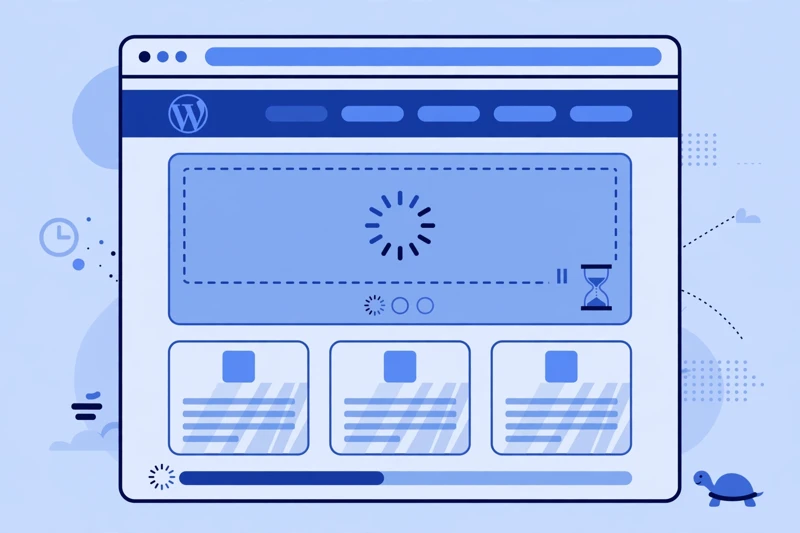
A homepage carries more pressure than any other page on a site. It is often the first page a visitor sees, the page most likely to be shared, and the page where a slow first impression costs the most. A visitor who lands on a slow homepage does not wait patiently for the rest of the page to catch up. They leave, and the rest of the page never matters.
This guide is about the whole first screen, not about one single mistake. A hero image, a slider, a background video, fonts, and scripts can all compete before the main message appears. Work through the sections below in order, test on staging first, and keep a backup before changing a live site. Fix the first screen first, then worry about the rest of the page.
What is actually slowing down the first screen?
The first screen is everything a visitor sees before scrolling. It usually includes a headline, a short message, a call to action, and a hero image or video. For that screen to feel fast, the headline and the hero need to appear quickly, in a stable layout, without waiting for the rest of the page.
Start by watching the first screen as a logged-out visitor, on a real phone and on a desktop, not only in a test tool. Note what appears first, what appears late, and what shifts after it appears. Does the headline appear quickly, or does it stay blank while a font loads? Does the hero image appear quickly, or does a blank space sit there first? Does the layout jump when an image, a slider, or an advertisement loads?
Each of those symptoms points to a different cause. A blank headline often points to fonts. A blank hero area often points to a large or late-discovered image. A jumping layout often points to images, embeds, or advertisements without reserved space. A page that feels slow to tap or scroll often points to scripts competing for the device processor.
For a broader diagnosis, the guide to why a WordPress site feels slow helps you place homepage problems in context, rather than treating the homepage as an isolated case.
Is my hero image too large, or discovered too late?
The hero image is usually the largest element on the first screen, and often the most important. If it is too large for the screen it is shown on, or if the browser discovers it late, the whole first screen can feel slow, even when the rest of the page is well optimised.
Size here does not mean one universal number. The right size depends on the design, on how large the image is displayed, and on the device. An image displayed across a full desktop screen needs more detail than the same image displayed as a small banner on a phone. What matters is whether the image is delivered at a size close to its display size, in a modern format your site supports, and without unnecessary detail that no visitor will see.
Discovery matters just as much as size. If a hero image is set as a background image, hidden behind a slider, or loaded lazily by mistake, the browser may not know it is important until late in the load. That delay is felt directly on the first screen. The main image should be easy for the browser to find early, and it should not be lazy-loaded. The guide to fixing a lazy-loaded LCP image explains that mistake in detail, and why it hurts the first screen more than any other image mistake.
Is a slider or background video costing more than it adds?
Sliders and background videos are common on homepages, and they are also common causes of a slow first screen. A slider with several large images asks the browser to prepare more than the visitor sees at first. Even if only one slide is visible, the other slides, their images, and their scripts may still load. A background video adds a large media file, plus a player, before the visitor has even read the headline.
Ask a simple question for each slider and video: does it help a visitor understand the message, or does it mainly add visual impact for its own sake? A slider that shows three different offers can confuse a visitor who only sees the first slide. A background video that plays silently behind text can distract from the headline it is meant to support. In both cases, the cost is paid on the first screen, while the benefit, if any, comes later, if at all.
Start by simplifying. Reduce the number of slides, use smaller images for the slides that remain, and make sure only the first slide loads eagerly. For video, consider a single still image, with a play button that loads the video only when a visitor chooses to play it.
If layout shift is part of the problem, the guide to fixing CLS in WordPress explains how to reserve space for images, sliders, and embeds, so the layout does not jump as they load.
Should the hero image load with high priority?
In general, yes, the hero image should be treated as important, because it is the main visual on the first screen. Giving it high priority tells the browser to fetch it early, rather than letting it compete equally with images and scripts further down the page. That early fetch can make the first screen feel noticeably faster, especially on a slower connection.
High priority is not a magic fix on its own. It only helps if the hero image itself is appropriate for the screen, and if it is not competing with too many other high-priority files. If every image, font, and script on the page is marked as high priority, nothing is actually prioritised, and the browser still has to choose. Reserve high priority for the one image that matters most on the first screen, usually the hero image, and let other images load normally or lazily as appropriate.
For the full picture of loading, interaction, and layout stability, the Core Web Vitals guide for WordPress explains how the first screen relates to the metrics visitors and search engines actually experience.
Are fonts and scripts delaying the headline?
A headline can be delayed even when the hero image is fine, because fonts and scripts compete for the same first-screen time. A web font that must be downloaded before text appears can leave the headline blank. A script bundle that must be processed before the page becomes interactive can make taps and scrolling feel delayed, even after the page looks finished.
Start with fonts. Check how many font families and weights your homepage loads, and whether the headline font is among the first files the browser fetches. A headline that waits for a font while a fallback font would have shown it immediately is a font problem, not an image problem. Reducing unused font weights, and using a well-matched fallback while the web font loads, can make the headline appear sooner without changing the design in a way visitors would notice.
Then check scripts. List what loads on the homepage, and ask whether each script is needed on the first screen. Sliders, popups, chat widgets, analytics, advertising, and social embeds can all compete for the device processor, especially on a phone. A script that only helps on a deeper page, or only after a visitor interacts, should not block the first screen if it can be delayed safely.
The guide to delaying JavaScript in WordPress explains exclusion rules and testing, so you can delay scripts without breaking menus, forms, or checkout steps. Test after each script change, on desktop and mobile, before moving on.
Does mobile load a desktop-sized hero by mistake?
Mobile homepages often suffer from a desktop-sized hero loaded by mistake. A hero image designed for a wide desktop screen may be served to a phone at full size, then shrunk in the browser to fit a small screen. The phone downloads far more detail than it displays, and the first screen feels slow for no visible benefit.
Check the mobile homepage separately from the desktop homepage, as a logged-out visitor on a real phone. Watch the hero area, and ask whether the image looks sharp without being unnecessarily large, and whether it appears quickly. If the mobile hero feels slow while the desktop hero feels fine, the image delivery, not the design itself, is the likely cause. Serve an image sized for the screen it will be shown on, and make sure the mobile layout does not load desktop-only sections, sliders, or scripts that a phone visitor never sees.
How do I simplify the hero without losing the message?
Simplifying a hero does not mean removing the message. It means making the message clearer, faster, and easier to act on. Start with the headline. Can a visitor understand, within a few seconds, what you do, who it is for, and what to do next? If not, clarity is the first fix, not speed alone.
Next, reduce the hero to its essential elements: one clear headline, one short supporting line, one call to action, and one supporting image. Move extra sections further down the page, where they will not delay the first impression.
Make changes on staging first, and keep a backup before changing a live homepage. A homepage change affects every visitor, so test forms, menus, and key links after each change. If you have worked through the checks above and still cannot find the first-screen bottleneck, or if the problem involves hosting, images, and scripts at the same time, a free speed audit can help you get a clear, prioritised list of what to fix first.

Common Questions
Frequently Asked Questions
Short answers to the questions readers ask most about a slow homepage.
Usually a combination of a large or late hero image, a slider or video, fonts, and scripts competing before the headline appears. Watch the first screen as a visitor to see which symptom appears first.
Both are common. An image delivered far larger than its display size wastes data, and a hero set as a background, inside a slider, or lazy-loaded by mistake may not be found early by the browser.
Often, yes. A slider prepares more images than the visitor sees, and a background video adds a large file before the headline is read. Simplify first, and consider a still image with a play button instead of autoplay video.
Usually yes, for the one main hero image only. High priority helps it fetch early, but it does not help if the image is oversized, or if every file on the page is also marked high priority.
They can be. A font that blocks text leaves the headline blank, and a heavy script bundle can delay taps and scrolling. Reduce unused font weights and delay scripts that are not needed on the first screen, testing after each change.
It often does, when a theme or builder serves the same file to every device. Check the mobile homepage separately, and serve an image sized for the screen it will be shown on.
Keep one clear headline, one short supporting line, one call to action, and one supporting image. Move extra sections further down the page, and test the result on a real phone and desktop as a logged-out visitor.
Keep reading
-
PageSpeed Looks Good but Core Web Vitals Fail? Lab vs Field Data Explained
A good lab score does not always mean a passing Core Web…November 9, 2026 -

Are Google Fonts Slowing Down WordPress? How to Fix Slow, Shifting Text
Text that appears late, flashes, or jumps after loading can make a…November 5, 2026 -
WordPress Slow on Mobile Only? How to Find the Mobile-Only Cause
Your site feels fine on a laptop but slow on a phone….November 2, 2026
Leave a Reply