Category: WordPress Themes

Guides for WordPress themes and all WordPress design matters. Learn about themes, pagebuilders, frameworks…and all web design customizations. Make your site sexy AND functional!

  • Best WordPress Themes 2026: 12 Top Picks (Speed Tested & Honestly Reviewed)

    Best WordPress Themes 2026: 12 Top Picks (Speed Tested & Honestly Reviewed)

    If you’re looking for the best WordPress themes 2026, the choice matters more now than ever. Theme ownership changes, block editor adoption, WooCommerce needs, and performance pressure have made “best” a moving target, not a fixed answer.

    This guide is different because it focuses on speed, real-world usability, and honest tradeoffs. It covers more use cases than a typical top-7 roundup and gives you a clearer path whether you’re a blogger, store owner, developer, or beginner.

    How We Tested & What We Looked For
    best WordPress themes 2026

    We evaluated each theme on a clean WordPress install using the same hosting setup and the same demo-style content. The goal was to compare the theme behavior as fairly as possible.

    We looked at five main factors: speed and Core Web Vitals, design flexibility, page builder compatibility, support and update history, and pricing fairness. In 2026, lightweight themes matter more because faster loading usually means better SEO, better user experience, and fewer technical headaches.

    The Kadence Situation — What Every WordPress User Needs to Know

    Kadence was one of the most loved lightweight WordPress themes because it offered speed, flexibility, and strong WooCommerce support. But after the Liquid Web/StellarWP consolidation, the brand and buying experience changed in ways that surprised a lot of users.

    The free Kadence theme and blocks plugin still exist, but the old experience around pricing, login flow, and product access has changed. If you already use Kadence, the safest move is to keep backups, monitor your renewal status, and avoid rushing any migration unless you have a real reason to switch.

    Quick Comparison Table

    ThemeFree VersionPrice (Pro)Speed RatingBest ForBuilder Support
    GeneratePressYesFrom $59/yrExcellentRaw speed, developersGutenberg, Elementor, Bricks
    AstraYesPaid plans availableExcellentBeginners, agencies, all-purpose sitesElementor, Beaver Builder, Bricks, Gutenberg
    BlocksyYesPremium add-onExcellentDesign-heavy sites, portfoliosGutenberg, page builders
    NeveYesPremium add-onExcellentLightweight multipurpose sitesGutenberg, Elementor
    KadenceYesPaid plans changedExcellentExisting users, blogs, WooCommerceGutenberg, builders
    DiviNo strong free-first pathPaid membershipGood but heavierVisual design, non-codersBuilt-in Divi Builder
    Hello ElementorYesFreeExcellentElementor users, starter sitesElementor only
    SeedProdLimited theme modePaidExcellent for landing pagesLaunch pages, funnels, coming soonSeedProd builder
    OceanWPYesOptional extensionsGoodWooCommerce, flexible free buildsGutenberg, Elementor
    FlatsomeNo free core focusOne-time premiumGoodWooCommerce storesUX Builder
    Bricks BuilderNo free theme-first pathPaidExcellentDevelopers, advanced usersBricks native builder
    Spectra OneYesFree / ecosystem premium optionsExcellentKadence refugees, block-first sitesGutenberg-native

    The 12 Best WordPress Themes in 2026 Tested By Prospeedguy

    GeneratePress — Best for Raw Speed

    GeneratePress is one of the strongest choices if speed optimization is your top priority. It stays extremely lean while still giving serious users enough control through Premium features.

    It works especially well with Gutenberg, but it also pairs well with major page builders when needed. The tradeoff is that it looks minimal out of the box, so it’s not the easiest pick for beginners who want a polished demo immediately.

    Pros

    • Very small footprint.
    • Excellent for speed-focused builds.
    • Free version is genuinely useful.

    Cons

    • Minimal design by default.
    • Less beginner-friendly than template-heavy themes.

    Astra — Best All-Around Theme

    Astra is still the safest recommendation for most users because it balances speed, flexibility, and ease of use very well. It has a large user base, lots of starter sites, and broad builder compatibility.

    It’s a great choice for beginners, freelancers, and agencies because it can fit almost any project. The downside is that it’s very common, so your site may look generic if you don’t customize it.

    Pros

    • Strong starter templates.
    • Broad builder support.
    • Easy to learn.

    Cons

    • Very popular.
    • Premium features are split across plans.

    Blocksy — Best for Design-Forward Sites

    Blocksy is a strong choice if you want speed and design control together. It feels modern, polished, and especially good for users who want deeper block editor integration.

    Compared with Astra or GeneratePress, Blocksy often feels more visually refined right away. The downside is that the settings can feel a bit more complex at first.

    Pros

    • Excellent free customization.
    • Modern interface.
    • Strong Gutenberg support.

    Cons

    • Slight learning curve.
    • More options can overwhelm beginners.

    Neve — Best Lightweight Multipurpose Theme

    Neve is a solid pick if you want a lightweight theme without a complicated setup. It is built for performance and works well for users who want a simple but capable foundation.

    It sits in a nice middle ground between beginner-friendly and performance-focused. If you want speed without too much complexity, Neve is worth serious consideration.

    Pros

    • Lightweight and easy to use.
    • Good performance reputation.
    • Simple template workflow.

    Cons

    • Smaller community than Astra.
    • Less excitement around advanced customization.

    Kadence — Still Worth It?

    Kadence is still a capable theme, especially for users already inside its ecosystem. It remains fast, flexible, and practical for blogs and WooCommerce sites.

    Kadence is my personal favorite.

    That said, the recent branding and product changes make it harder to recommend as the default choice for brand-new users. If you already use Kadence and everything is stable, there is no urgent reason to switch.

    Pros

    • Fast and flexible.
    • Strong WooCommerce fit.
    • Free version still useful.

    Cons

    • Brand and pricing uncertainty.
    • New users should compare alternatives first.

    Divi — Best Visual Builder Theme

    Divi is ideal for people who want a complete visual design system rather than a lightweight theme-first setup. Its biggest advantage is the built-in builder and huge template library.

    The tradeoff is performance and long-term lock-in. Divi can be optimized, but it still tends to be heavier than the leanest themes on this list.

    Pros

    • Built-in drag-and-drop builder.
    • Huge template ecosystem.
    • Great for non-coders.

    Cons

    • Heavier out of the box.
    • More vendor lock-in.

    Hello Elementor — Best Bare-Bones Starter

    Hello Elementor is one of the fastest and most minimal starter themes available. It is designed specifically for people who already plan to build with Elementor.

    This is the right choice if you want a blank canvas and you are fully committed to the Elementor workflow. Without Elementor, though, it gives you very little on its own.

    Pros

    • Extremely lightweight.
    • Perfect Elementor pairing.
    • Free forever.

    Cons

    • Not useful without Elementor.
    • Very little standalone design value.

    SeedProd — Best for Landing Pages

    SeedProd is not a traditional theme in the same way as GeneratePress or Astra, but it deserves a place here because it is excellent for conversion-focused pages. It works especially well for coming soon pages, funnels, and product launches.

    If your project is a campaign site or a single-product business, SeedProd can be more practical than a full multipurpose theme. It is built for speed, simplicity, and conversions.

    Pros

    • Great for landing pages.
    • Fast to deploy.
    • Good for campaigns and funnels.

    Cons

    • Not a classic full-theme replacement.
    • Less ideal for large content sites.

    OceanWP — Best Free Theme for WooCommerce

    OceanWP remains one of the most practical free choices for WooCommerce users. It was built with online stores in mind and offers a lot of store-friendly flexibility.

    It is a bit heavier than the leanest themes, but the extra eCommerce features can be worth it for shop owners. If you want strong WooCommerce support without paying upfront, OceanWP is still a strong option.

    Pros

    • WooCommerce-friendly.
    • Strong free version.
    • Lots of extensions.

    Cons

    • Slightly heavier than the fastest themes.
    • Can feel plugin-dependent.

    Flatsome — Best Premium WooCommerce Theme

    Flatsome is one of the most popular premium WooCommerce themes for a reason. It combines store-focused layouts with a built-in builder workflow that helps merchants launch polished storefronts quickly.

    The downside is that it sits outside the WordPress.org ecosystem, so updates and support depend more directly on the developer. Still, for serious store owners, it remains a powerful premium choice.

    Pros

    • Strong WooCommerce UX.
    • Built-in builder.
    • One-time purchase model.

    Cons

    • Outside the WordPress.org free ecosystem.
    • Less flexible as a general-purpose theme.

    Bricks Builder — Best for Advanced Developers

    Bricks Builder is a strong option for developers who want full-site building with cleaner output. It appeals to users who want more control than a standard theme and less bloat than many visual builders.

    It is not the easiest option for beginners, but it is one of the smartest for advanced custom work. If performance and semantic structure matter to you, Bricks deserves attention.

    Pros

    • Clean output.
    • Great for custom builds.
    • Strong developer momentum.

    Cons

    • Steeper learning curve.
    • Not beginner-friendly.

    Spectra One — Best Kadence Refugee Alternative

    Spectra One is a smart recommendation for users looking for a lightweight, Gutenberg-native alternative. It fits well for people who want to stay in the block editor ecosystem and avoid uncertainty.

    It is especially appealing if you want a free theme that feels modern and aligned with where WordPress is heading. If you are moving away from Kadence, Spectra One is one of the cleanest options to test first.

    Pros

    • Free and block-native.
    • Lightweight.
    • Good alternative for Kadence users.

    Cons

    • Smaller community than Astra.
    • Fewer third-party tutorials.

    Which Theme Is Right for You?

    Your GoalBest Choice
    Maximum speedGeneratePress or Neve
    Beginner-friendly all-rounderAstra
    Elementor workflowHello Elementor + Astra
    WooCommerce storeOceanWP or Astra; Flatsome for premium stores
    Visual drag-and-dropDivi
    Developer controlBricks Builder or GeneratePress
    Leaving KadenceSpectra One or Blocksy


    If you want the fastest possible setup, GeneratePress and Neve are the safest bets. If you want the easiest path to a polished site, Astra is usually the most balanced choice.

    For more you may also like our page builder comparison guide.

    What Makes a Good Theme in 2026?

    In 2026, the best theme is usually the one that gives you strong performance before you add extra plugins. That matters because Core Web Vitals and mobile performance are tightly connected to SEO and user experience.

    Block editor compatibility is also becoming more important. Themes that work cleanly with Gutenberg and full-site editing are often better long-term choices than bloated designs that depend on extra scripts and heavy visual effects.

    FAQs

    What is the fastest WordPress theme in 2026?

    Hello Elementor is often the fastest in bare starter tests, while GeneratePress and Neve are among the best full-purpose options for ongoing performance, but Kadence is the best so far.

    Is Kadence still a good theme after the Liquid Web rebrand?

    Yes, Kadence can still be a good theme, especially for existing users. New buyers should pay attention to account access, pricing, and support continuity.

    What’s the best free WordPress theme?

    Astra, Blocksy, GeneratePress, Neve, OceanWP, and Hello Elementor are all strong free options. The best one depends on whether you want speed, design control, or builder compatibility.

    Which WordPress theme is best for WooCommerce?

    OceanWP is the strongest free WooCommerce-focused choice, while Flatsome is one of the best premium options. Kadence also remains relevant for users already in its ecosystem.

    Can I switch WordPress themes without breaking my site?

    Yes, but you should back up your site first and test the switch carefully. Menus, widgets, layouts, and builder elements can change when you move to a new theme.

    Do WordPress themes affect SEO?

    Yes. Theme speed, code quality, mobile behavior, and Core Web Vitals all affect user experience and can influence search performance.

    Conclusion

    The WordPress theme market in 2026 is leaning toward faster, lighter, and more flexible options. Theme consolidations and pricing changes are happening more often, so choosing a stable, well-supported theme matters as much as choosing a fast one paired with a fast host.

    GeneratePress is best for raw speed, Astra is the best all-around option, Blocksy is excellent for design-forward sites, and OceanWP or Flatsome are the best WooCommerce-focused choices. If you are leaving Kadence, Spectra One and Blocksy are the smartest alternatives to test first.

    Have a theme we missed? Drop it in the comments, and we’ll consider it for our next update.

  • Improve WordPress backend Speed (wp-admin)

    10 proper ways to mitigate your slow WP-admin backend.

    If you’re frustrated with a slow backend taking forever to click from one page to the next, trust me I hear you. Frontend pages are so much easier to cache but the backend is not.

    Does that mean you’re forever cursed with miserable backend load times, and admin functions that take forever?

    NO!…ok, maybe…but I’ll help you make the best of your options.

    The CAUSE of slow backends

    Backends are slow because they’re completely dynamic.

    And by “dynamic”, I mean that they have to query the database for every page request. The database is called up and every bit of information is requested from scratch as if its never seen it before. There’s zero caching applied.

    It also doesn’t help that the backend sometimes shows more info. What users, what content, what comments, how many sales, etc. It often calculates info that isn’t even being shown. There’s also the heartbeat API running constantly in the background to auto-save your edits.

    Databases can also get slower as they grow in size. Just like how finding things in your house becomes harder when you have more things. Databases take longer when you start looking for very complicated data that’s buried or organized in complex and/or inefficient ways.

    Knowing this…let’s see how we can optimize these dynamic backend requests to speed up your WP-admin experience.

    1. Audit your plugins

    Anytime someone comes to me for help with a slow backend, they are immediately “guilty until proven innocent” to me.

    Check all your plugins and see which ones are contributing to this god awful slow-ass backend load.

    “But how?!”

    Like this…

    1. Deactivate some non-essential ones to see if it runs faster. Then deactivate some more. Keep going until you get to the point of having no plugins activated. I’m sure you’ll have an idea which ones it is by now.
    2. You should also check your theme. With all your usual plugins activated, try switch themes to the default theme for a second. Did it help?

    Hahaha, I’m kidding…ignore those first 2 steps (don’t wreck your live site) and do it like a pro. Install Query Monitor and then surf some pages from frontend while studying the diagnostic panel at the bottom of your browser. There’s only two things you need to check—Slow Queries, and Queries by Component. Those two alone will tell you which themes, plugins, or queries are causing the biggest delays. You should also take note of the memory use (on your top admin bar) and how many queries each plugin makes.

    Once you find out what’s causing it…you ought to replace them!

    • Slow slider plugin? – get a new slider plugin!
    • Slow theme? – get another theme!

    Some of you are going to have attachment pains letting go of your precious plugins…but I promise you this…whatever bullshit crap-code plugin you have lagging your backend, there’s a good chance a higher quality developer-grade one exists and without any the slow query nightmares.

    2. Check for errors

    • Error.log – find it in your public_html directory and look inside. Do you see lots of errors?
    • Console errors – open up developer tools and see if there’s any obvious 404 requests.

    It’s usually not so much the errors that are causing the problem, but the plugins related to those errors that are.

    3. Check for high memory use

    Three things you need to know:

    1. How much memory your entire site uses. (Try WP Server Health Stats)
    2. How much memory your theme and plugins use. (From Query Monitor)
    3. How much memory your autoloads use.

    From here, we have a couple tactics.

    Of course, you can try increasing your site memory limits. Add the following lines below to your wp-config.php file above the line that says “That’s all, stop editing! Happy blogging.”:

    define( 'WP_MEMORY_LIMIT', '256M' );
    define( 'WP_MAX_MEMORY_LIMIT', '256M' );

    The first one increases memory use for the frontend, the second one increases for the backend. For most well-built sites, you don’t need either. You can even raise the 2nd one to 512mb or even higher but here’s the thing…that limit is still restricted by the server’s global PHP memory limit. If you have your own VPS server, you can set as high as you want. If you’re on a crappy shared host, it’s probably very limited and trying to set it higher won’t do anything.

    If it needs to be said, you should get rid of plugins that are eating up so much memory. And please don’t forget to check your autoloads. Quite often, there are many old themes or plugins you don’t have any more that are still eating up your memory! They sit around in the database loading their indexes even when there’s no plugin using them!

    4. Upgrade your web-hosting (or web-server)

    Did you replace all your bloated plugins?!

    • NO?!
    • WHY NO? Because you wanted to save money?

    Well today, you get to spend that money you saved on better hosting. Sorry buddy, you have to pay for a quality experience!

    Ok, let’s be fair…maybe some of you did replace your plugins. Or you saw that your plugins weren’t the problem!

    The answer is the same…the easiest hassle-free way from this point is to get a better webhost or stronger web-server. Keep in mind, I didn’t say go get a MORE EXPENSIVE webhost. No!

    Whatever tier of webhosting you’re in (shared hosting, VPS, etc), I guarantee there’s probably another one that’s better and not that far away in price.

    But be careful..this simple bailout button doesn’t work like you think. The new server you get can’t just be more expensive or bigger, it actually has to give your site more resources! Just because you’re going with a bigger or stronger server doesn’t mean your site automatically gets access to more CPU and MEMORY. I’ve seen many people upgrade and pay double and still not get better performance.

    What should a good server have?

    Hard to say because any specs or stats I give you could be easily lied about through false marketing (just like how you got into your current predicament). The easiest way is to feel if it’s fast or not.

    But if you insist, it’s good to know if they have the latest PHP and MySQL. Fast hard drives with good disk I/O rates. And aggressive settings. Also good to have decent PHP memory limits.

    5. Decrease heartbeat API interval

    This is low-hanging fruit and can get some mild results without much effort. There are some specialized plugins that do this, like Heartbeat Control…but it’s much better if you could use it from your caching plugin (like Swift, Rocket, LiteSpeed).

    My recommendations below:

    • You can (probably) safely disable heartbeat on all pages frontend and backend except for the post editor.
    • Don’t disable it from the post editor because the Heartbeat is used there to do auto-saves.
    • If you have many writers logging in and working at the same time, fine you can lengthen the Heartbeat interval for the post editor, but still do not disable it!
    • Click here to learn more about WordPress Heartbeat API.

    6. Object caching

    I’m sure you’ve heard of buzzwords like “Memcache” and “Redis” before. Redis (being the better and standard one nowadays) is a server module that allows you to cache your database queries. It’s very fast, since it saves that info in memory rather than on the disk (like typical page caching).

    There are many caveats and variables to think about…I’ll leave general recommendations below and you can research the rest if curious:

    • Object caching needs lots of memory. Therefore, it’s usually only allowed with VPS plans and almost never on shared hosting. Even if your shared hosting does allow object caching, it’s probably neutered.
    • A good object cache expiry time is anywhere from 5-60 minutes. Too short and the cache expires before you get to benefit from it. Too long and your dynamic content is outdated until the object cache expires (but maybe that’s ok with you).
    • Object caching acts like page caching but with shorter cache “benefit” times. The first few hits are slow, subsequent hits are fast until the cache expires (and needs to be rebuilt).
    • Object caching helps if you work around in the backend a lot. If you’re only in and out a couple minutes each day, you’re probably faster without object caching.

    It case you’re wondering, it’s called object caching because it caches the database queries (aka “database objects”)…which allows you to retain most of your dynamic functionality but benefitting from faster speeds (since some queries are already built and don’t have to be looked up on each click).

    7. Caching admin-areas and logged-in users.

    Alright, this is flat out desperation mode here. It’s mostly a bad idea but can work in some situations. Here’s when it does and doesn’t help:

    HELPS if…

    • You have many logged-in users.
    • Your logged in users see mostly static content.

    DOESN’T HELP if…

    • You don’t have many logged-in users.
    • All of your backend is completely reliant on live dynamic data.

    If you really think about it, caching only helps you load repeated content faster. If you don’t have any static backend content or enough users to benefit from it, then caching the admin area isn’t gonna be much use IMO. If anything, it’ll make your site even slower! (Slower because your server resources are now wasted for building and purging cache that isn’t even used.)

    HOW to cache the backend?

    Enable the following features in your cache plugin:

    • Cache admin area – should be easy enough.
    • Cache for logged-in users – you may have to decide which areas are public vs private. Public means all users see the same content. Private means all users see different content (like their “Account” pages).
    • ESI cache – can play with this hole-punching technology but I warn you that it’s not for DIY people. You need a developer to do this right. If you use LiteSpeed server and caching, the easiest way to use ESI is if your content is deployed via shortcodes or in a widget.

    8. Check your security plugin

    Do you have Wordfence or Sucuri? Well, you don’t have to get rid of them but do know that they slow down the backend a lot. Since they check every page load for hack executions and what not.

    Sure, you might have seen guides telling you to slow down the scanning…but really, it won’t matter much. It’s because of those security plugins logging every page load, and checking for potentially bad code executions.

    9. Prevent unnecessary plugin load on backend

    Welcome to the “joy” of asset load management. Here, we disable all unnecessary CSS/JS calls from the backend.

    I take back what I said about the previous step. There IS a step even more desperate than the previous. I used to try and optimize to this degree but I realized it’s stupid. Your life is more valuable than wasting time doing this. There is no point whatsoever…this is like cleaning the bottom of your shoes the night before you go mud-running the next day.

    You should have NEVER had to do this.

    • You should had a quality theme.
    • With quality plugins.
    • On a good web server.
    • And with your autoloads cleaned up of any cruft left from old themes/plugins.

    If you’re here trying to time-travel your life away switching CSS/JS assets on and off…it’s because you were being stubborn about a previous step. I urge you to go back and do everything else. You’ll end up doing so much more work here than you would just replacing your themes/plugins. AND you might inadvertently break your site or affect future operations and forget that you disabled something.

    Still want to go forward with this? *Sigh* Ok, you win. Recommendations below:

    • I prefer Asset CleanUp: Page Speed Booster over all the other asset loaders or plugin organizer plugins out there.
    • Perfmatters can be nice as well.
    • WP Gonzalez and Plugin Load Filter are also ok as well.
    • The rest are either 1) too complicated and poor UI to use, or 2) they add their own load which negates the load they’ve removed!
    • Don’t try to remove every single asset from every plugin. Focus on the major bloated plugins!

    The only pro way to remove unnecessary asset loads from plugins:

    Fork the plugin and hack it.

    10. Resist the dumb ideas

    I’ve heard clients scheming up many silly tactics from time to time. They’ll read random words on the internet and think it applies. Happy to dispel them for you below:

    • Getting better cache plugin – sorry, no. Cache plugins are generally designed for frontend use.
    • Installing performance plugins – I’ve seen all the dumb booster plugins for WooCommerce, pagebuilders, and what not. At best, they just hog up more memory via autoloads making their intended plugin run faster while the rest of your site slows down.
    • Increasing memory limits – this only allows your slow site to run instead of erroring out. It doesn’t make your site reduce it’s [wasteful] memory use.
    • Cloudflare caching your admin – DUMB! NO! *slaps your hand away*
    • Static site – no, static sites are only for frontend.
    • Load balancing, or cluster setup – if your site is too bloated to load on one server, adding another proxy isn’t gonna help or redistribute the load in any way. It’s like trying to bake a cake using 2 kitchens instead of one. Load balancing is for high traffic load, not slow code load.
    • Remote database – lol, no! Your slow database runs even slower now since it’s not in the same server.
    • Asset organization (step #7 above) – because even if you chop out the assets, you’re still not chopping out the queries. And keep in mind that asset management mostly only helps frontend users as backend users don’t even use those assets to load.
    • Tuning MySQL configurations – I highly doubt this is your issue.

    Some speed optimization really isn’t for non-developers to do. Even if you don’t break your site, you might only improve your slow speed by 10% (if not make it worse). I recommend you hire a developer if you’ve gotten this far.

  • Should you use Critical CSS?

    What is critical CSS? How does it work and when should you use it?

    • Even better…when should critical CSS not be used?

    Here goes another cut-the-crap WordPress performance guide by yours truly.

    Innocent question from one of my webhosting clients:

    Hey man, quick question: have you ever dealt with critical CSS? I’m trying to experiment with it but often plugins that promise it aren’t very good.
    Site’s already crazy fast but if it can be faster then why not? XD

    I was so impatient, I responded right away…”It’s not for you. It’s an old ass tactic now coming back in popularity cuz of bloated pagebuilders. You don’t have that problem.”

    And not long after I broke down the reasons why, I felt the need to share them on my blog…

    How does “Critical CSS” work?

    Critical CSS is when your site initially loads only the CSS used for ATF (above-the-fold) content at the top of your site, instead of loading the entire CSS for the whole page. The idea is that by loading only this “critical CSS”, your page would appear to render faster for users while the rest of the page (below the fold) took a little longer to load but wouldn’t be noticed.

    This tactic is especially useful when you have so much CSS (let’s say anything above 60KB) that it takes half a second or even longer to process. Remember how internet videos used to work? You couldn’t watch the video until the entire thing loaded! But now with streaming media formats, you could start watching as soon as the first few seconds loaded. Critical CSS works similarly, the page can start rendering once the initial CSS had processed.

    Caveats to “critical CSS”

    As with everything, there are at least a dozen caveats to this tactic. I’ll list the notable ones:

    • WHO determines which is “critical CSS”? – a human coder? Or automated script generator? I prefer hand-coders as they would know precisely which elements are actually above the fold whereas the automated script would only be guessing based on preconceived algorithms. Will that annoying GDPR pop-up be included or not? Will shop icons be included or not? Will all the items in the not-yet-expanded mobile menu be included or not? See what I mean?…too many elements to decide. The worst case scenario is when critical CSS is generated improperly and breaks your site styling/function.
    • Critical CSS might hurt your load time for subsequent visits if you have browser cache. Think about it…with browser cache enabled, static assets like images and CSS/JS are cached on users’ browsers and loaded locally (producing the fastest load time). By locking away your critical CSS inline in the HTML document, you are requiring DNS time for that critical CSS on every request. In the case of browser cache, I think critical CSS only helps for that initial visit.
    • Your total CSS is so small that splitting it into more parts slows down your site (adding extra HTTP requests) without actually producing perceived faster render times.
    • You have so much critical CSS that the added complexity doesn’t give you any noticeable speed increases.

    CSS should be render-blocking!

    I’m sick of newbies trying to deploy CSS optimization tactics.

    Let’s get this straight -> CSS by nature is supposed to be “render-blocking”.

    It has to be so that you don’t get FOUT/FOUC issues. (Flash-of-unstyled-text or flash-of-unstyled-content is when your content loads before your styling and looks ugly/plain for a split second.)

    The only matter now is to reduce the render-blocking impact as much as possible. I hate that it’s even described this way. If it were up to me, I would just call it “CSS processing”. Anyway…

    Back in the days, CSS wasn’t used so bloated. A few kilobytes was all you needed to style your entire site. This was easily done because your site was probably designed all at once, by one person, and with the whole picture in mind. Nowadays, websites are built in a very modular way. The theme is designed or chosen in 2016, further customized in 2017. There’s maybe 15-30 plugins; each one designed by different developers, that also come with their own separate CSS.

    Guess what all this code spaghetti means? It means because all these little parts are coded at different times and by different developers, they add their own CSS and with many overlapping CSS. For example, your theme comes with button-styling which then gets over-ridden by the pagebuilder button styling and then again later over-ridden by the newsletter pop-up styling. Had you written the code from scratch, all this could have been like 3 simple lines…instead of 9 lines, 6 of them of them over-riding each other.

    So moving on!…

    Regardless of how you end up with too much CSS (again, l define “too much CSS” as being 60kb or higher), the idea is to reduce its processing time (or in pagespeed terminology: “render-blocking” time).

    Methods to reduce unnecessary CSS

    1. If your CSS is already minimal (below 60kb, preferably below 30kb), then you don’t have to do anything as it isn’t blocking anything.
    2. If your CSS is huge, then try removing as many unnecessary plugins as possible.
    3. If you have to keep all that CSS, then rewrite your theme from scratch or refactor the code (basically re-writing your code to be cleaner and more concise). Yes, I’m fully aware most of you non-coders can’t do this yourself.
    4. Most realistic option for newbies/non-coders – chop up the CSS into smaller files so your site can load quicker instead of waiting for entire CSS to download. This already happens naturally except for when people do silly things like COMBINE CSS (ugh! another annoying tactic used to trick pagespeed tools). Can I just say that the best way to reduce HTTP request is TO ACTUALLY REMOVE THE REQUESTS (instead of doing script combinations—ARGH!) Combining scripts is the equivalent of 5 customers at McDonalds combining their order into one giant order and further holding up the line.
    5. Or deploy the “critical CSS” tactic. Can be useful if you have so much CSS. But then again, it’s better if you just removed all that crud.

    Arguments for (and against) critical CSS?

    In favor of critical CSS:

    • When you have a ton of CSS and most of it isn’t needed above the fold.

    Against critical CSS:

    • When you have browser cache enabled. Browser cache already saves static assets (like CSS, JS, images) to the user’s browser so it won’t need to be re-downloaded again. If you use critical CSS and have it inlined in the HTML document, users would have to keep re-downloading this critical CSS on every request. So basically…critical CSS only helps you for the first visit (but slows down all subsequent visits).
    • When you don’t have much CSS.
    • When you don’t have much content. There’s point in splitting up your requests even further when you don’t have much HTML content or load requests to begin with. Suppose you have only 12 requests and 1kb worth of HTML content, it makes zero sense to add another HTTP request and hurt your overall load time.
    • When most of your CSS is needed to render ATF content. If your critical CSS is already 45kb out of 50kb total, why bother splitting that into 2 requests?
    • When you have so many pages that it isn’t worth the server processing to generate critical CSS for all of them.
    • When you don’t know how generate proper critical CSS for your site.
    • When it creates rendering problems.

    Frequently Asked Questions (about critical CSS)

    What if I do have a pagebuilder? Can I enable it then?

    • Having a pagebuilder doesn’t necessarily make you a perfect candidate for critical CSS. What matters most is that you load tons of CSS and most of it is not required for page-rendering. But here’s where it gets tricky. Most pagebuilders DO use all that massive CSS that they load. Or the other angle is that you have a pagebuilder but don’t really use all the crazy options and don’t load much CSS. In both of those scenarios, critical CSS is still not recommended for you.

    Can’t I just try it anyway? I’m [desperate] to play with random settings in hope of speeding up my site.

    • Yes, you can do anything you want. No need to have my permission. Heck, you can read around and find all the validation you need on a hundred other sites.

    But Google says I have “render-blocking CSS”…

    • CSS by nature is supposed to be render-blocking (to avoid FOUT/FOUC issues, remember?). I think what Google intended to say is that your CSS is taking too long to load.
    • You can’t stop 3rd party CSS from render-blocking. They aren’t loaded from your server. Ain’t nothing you can do about it except to avoid or defer that request.
  • Best WordPress Pagebuilders Review – UPDATED 2026

    A list of my favorite pagebuilders and why. I also include a list of my non-favorites for comparison reasons. I compare them on features, ease-of-use, speed, clean output code, and compatibility. For those who keep asking, I don’t like pagebuilders! This list exists only for people who insist on having one.

    Best pagebuilders for WordPress:

    • Elementor – the most popular, and powerful free-version. Cutting-edge pagebuilder with all the trendiest gimmicky effects/features. Newbies and non-coders should start here.
    • BeaverBuilder – 2nd best, most stable and reliable. Preferred by more serious tech-savvy folks who prefer stability over features. Also nice that many devs like BB.
    • LiveCanvas – a great raw HTML/CSS pagebuilder where you can code your site from scratch. Great for devs and coders to handcode things exactly as they like.
    • Oxygen – great for developers wanting really lean pagebuilder experience. Arguably the fastest/leanest pagebuilder. Very aggressive marketing; you may or may not like his personality. I do love that the Oxygen community is full of dev-level users.
    • Zion Builder – I hear more and more good things but haven’t tried for myself. The owner and I couldn’t agree to a timeline. He wanted to give me access but only for a limited time and I couldn’t be bothered to schedule time out for a free review.

    Gutenberg pagebuilders (not quite pagebuilders in the traditional sense, but can do similar things):

    • Stackable – most polished UI, looks nicest of all Gutenberg libraries (except maybe Genesis PRO) but still some bugs in everyday use depending on what you do. I like this one.
    • Qubely – they were good before, but not anymore IMO. I don’t recommend them.

    Pagebuilders I don’t like:

    • Brizy – lots of complaints about bugs, unstability, poor UI/UX. But yes, it was toted as another good one, lightweight and less bloated.
    • Divi – way bloated, tons of shortcode lock-in. Can’t tell you how much money I’ve made optimizing/converting sites built with DIVI. (I hate AND THANK them every day.)
    • Fusion Builder (AVADA) – bloated, one of the worst. You should avoid the theme it comes with as well.
    • King Composer – hardly no one uses it and really bad.
    • Site Origin – CAN be lean but I think it’s not popular among devs.
    • Thrive Architect – not coded well compared to the rest of the market, slow!
    • WPBakery – one of the worst!
    • Visual Composer – basically a better version of WPBakery but still massively bloated. I hate the giant autoload entries in database.
    • Fusion Builder – comes with those super bloated themes like Avada. Get rid of this and the whole theme!
  • The FASTEST Lightweight WordPress Themes

    Why do we want a lightweight theme? Besides getting rid of unnecessary visual clutter, they help your website load super fast which is especially important in today’s ADD society and especially important in today’s rising mobile-browsing trend. Fortunately, this trend has forced all themes today to be written with cleaner and lighter code.

    NOTE: I’ve tried over 100 themes from well-known established companies to unknown developers (also had to support them via clients). Ultimately, I would say a theme isn’t useful in the long run without a big community to support it. You’re bound to run into issues without any solutions and won’t be as inspired to evolve your theme regularly.

    I feature my favorite 3 lightweight WordPress themes, from fastest and lightest to most “full-featured” (but still light):

    1. GeneratePress

    Probably the best choice for most people. Super lightweight, great community, dedicated developer. Not only lightweight but full of hooks and hacks for every possible little customization you’d like. It has many built-in features, yet friendly enough for both non-coders and coders alike.

    RECOMMENDED for: seasoned WP experts who like tweaking everything little snippet of code, feature, and aesthetic. Also good for beginner WP users who want to grow into power users or become a paid WordPress expert. Also good for those who want more of a full-featured theme but find Genesis to be too “expensive”.

    • If you don’t like Genesis, GeneratePress is probably the next best coded theme that’s respected by both beginners and seasoned developers.
    • I highly recommend this one if you need something more than an empty/minimalist page.

    2. Genesis Framework

    The biggest and strongest community IMO of all 3. Most mature theme with every option you’d want. Their themes are by no means slow or bloated but they do come with many options pre-loaded.

    Genesis is best if you’re running a professional site, requiring a more polished look with more functions, and want professional help from time to time. Genesis is well-supported and recognized by many developers.

    In my eyes, Genesis or GP will give you the fastest site possible and not Astra. The reason why is because Astra is an “unfinished” theme to me. To really maximize it, you’ll have to install all kinds of plugins which will end up being heavier than GP or Genesis.

    RECOMMENDED for: beginners who want a professional look with minimal effort (via themes), or pro developers who don’t like coding from scratch each time and appreciate mature/polished code.

    • I personally like Genesis the best as I like to do everything ultra-professional. But for those in low budget or DIY situations, GeneratePress is a better fit IMO.

    3. WP ASTRA

    Mostly solid theme, coded nicely and lightweight. All options beautifully integrated into the standard WordPress theme customizer.

    The free version is nice, well-designed and looks great even with system fonts. Pay a little more for the Agency package and you get all kinds of goodies. I love that they have a growing community with lots of developer input. Astra is great if you want just a quick-and-dirty personal site (blog, or not-so=commercial business look).

    I could see Astra growing into a really nice premium theme but that’s going to be a few years away and I prefer them sticking to the ultra-lightweight niche as they’ve mastered that perfectly. The moment you start adding a few KB of features here and there, you’ll grow into bloat before you know it.

    RECOMMENDED for: beginners or seasoned WP users who want a free lightweight theme with minimal options/clutter and not looking to spend lots of time. I hear they are bombarded lately with all kinds of support requests and very slow to respond.

    • My programmer didn’t like how Astra was coded. He found it annoying to work with. Maybe something to think about if you want to do custom-coding with it.
    • Others find it unreliable and buggy, especially alongside WooCommerce.
    • For the most part, Astra is best used with pagebuilders.

    Runner Ups (and their issues)

    1. OceanWP

    Nice-looking theme and also very lightweight but I hate their lack of pricing transparency. The theme starts out free but requires a paid extension for every little “feature” you want to add. I was fooled by their sexy demos at first but then when I tried to recreate the same look, I was shocked by how many add-ons they try to sell you.

    Their business model is annoyingly similar to WooCommerce where they give the base for free but charge for everything you need to make it truly functional. I also hate how the admin options make you feel like the entire theme is neutered. I switched over to WP Astra and never looked back. It’s no surprised WP Astra has nearly double the members in their Facebook Group compared to WP Ocean.

    RECOMMENDED FOR: if you really like the exact look of OceanWP demo themes and don’t mind paying for their extensions.

    2. Thesis Framework

    Thesis used to be coolest thing 10 years ago when they were ahead of the times. Now they’re kind of outdated, clunky, hard to work with, and still living off the fumes of their prior success. Most serious developers that used to love Thesis have switched over to Genesis years ago.

    Their theme skins are indeed very lightweight but their look may or may not be desirable to you. Maybe good for simple blogs or that “internet marketer” look but pretty much terrible for anything else. The worst part of all is that it’s hard to work with. Customizing Thesis is un-intuitive and unlike working with any other theme. I’m sure I might learn to love it if I dedicated myself to working with only Thesis for the rest of my life…but until then, I’m gonna stick with WordPress themes that act more or less like other WordPress themes.

    RECOMMENDED FOR: WordPress-savvy internet marketers who know how or are willing to learn how to work with Thesis themes. I can’t imagine ever recommending Thesis for a newbie user or client.

  • How to Choose a Good WordPress Theme

    Ahhh, they keep making WordPress themes more and more complicated! Which one should you choose and which one is the best?!!! What features do you need and what marketing gimmicks should you avoid?

    There are actually easy ways to tell which themes are good and why.

    IMO, the best themes/frameworks are marketed to developers. The worst themes are marketed to end users. So take a look at their marketing…and ask yourself who you think their target demographic is? Experienced/professional wordpress developers or impulse-buying wannabe online-entrepreneurs with zero tech skills?

    WordPress theme features that DEVELOPERS like:

    • clean-coding, bloat-free
    • easily extensible
    • used by many developers, active community
    • accessibility & smart archichecture
    • easy to update over time

    WordPress theme features NOOBS like:

    • “no coding necessary!”
    • tons of features, color & typography options
    • every flashy effect you could ever want
    • great for making money
    • mobile-responsive, speed, SEO
    • great customer support

    What WordPress theme features are most important?

    1. Nice Design

    Clean, professional design, with a little personality (or at least allows you to add some personality). As long as it looks great or can look great with a little bit of effort, that’s all you need. No more than that! It doesn’t (and shouldn’t) need to be 100 great themes in one! It’s easier to start simple and add a little bit from there, than to start complicated and have to cut it down.

    2. Clean coding

    This is something you (as a non-coder) probably won’t be able to verify for yourself. You’ll have to ask around, read the reviews and see what other creditable developers are using it. Basically, good coding is done in an intelligent efficient manner and also in accordance to WordPress’ recommended practices. No shortcuts or strange hacks are made. Clean code runs fast and efficient, and also easy for other developers to work with. It’s kind of like how you organize your room. If you do it right, it not only looks good but other people can figure out where to find things quickly.

    3. Compatible with many plugins

    This is also known as “easily extensible” in that it’s easy to extend the theme’s basic functions with other plugins and add-ons. Generally, themes that are well-coded will be compatible with all other plugins (shopping carts, forms, pop-ups, caching, calendars, SEO, etc and etc). It isn’t just the coding that makes it play nicely but because the theme isn’t trying to do everything by itself. Most themes with plugin conflicts are because they aren’t coded-well, or lacking code, or simply too opinionated about everything. This is why you should avoid “all-in-one” themes; it’s because they try to do everything themselves and won’t function smoothly when you try to add something else.

    4. Used by many developers

    Yes, this is a HUGE FEATURE! Why? Because your website will always evolve over time. Your business may grow or break or change in other ways. You’ll always make changes eventually and one way or another, will have to hire someone to help you make changes. For this reason, it’s important that you pick a theme that many developers know (and love to use). It will make the site easier for developers to work with and less costly to make changes.

    5. Following the latest trends (mobile-responsive, SEO, high performance, schema, etc)

    These are things are important but the good news is you shouldn’t have to worry about them as much. This is because they should already be standard. And when something’s standard, it’s not so much a special feature any more.

    What WordPress theme “features” should be avoided

    1. Overly-customizable

    This is the #1 reason why many WordPress themes are slow as heck. Too many users wanting one theme to be anything and everything to everyone. It’s not possible!

    Developer-centric themes are bloat-free because they load only a few features if that. And the developers can then code in only the features they want. Themes marketed towards non-developers load every single feature right off the bat. That’s the only way to make it feature-rich without requiring users to code anything. And that’s part of why your themes take so much longer to load. They load huge JS libraries with everything when you’re only using like 2% of the features in there.

    2. Flashy effects

    This is another reason why many WordPress themes are slow. They load too many effects right off the bat. Sliders, counters, animations, etc and etc. This is ridiculous. It’s appealing to newbies who don’t know how to code or design, but scorned by experienced developers. Newbies don’t know how to design and don’t have any vision of what they want. So they actually design by “undesigning”, which means to start with a finished design and then take away or customize that. Professionals start with a blank slate and add to it. (This is why professionally-designed sites are usually much cleaner.)

    3. “Great for everything…businesses, studios, making money, etc”

    I think it’s really gimmicky for a theme to make promises of what it’s good for. That’s all design-related and nothing to do with the code quality. I think it’s ok if a theme aims to be one thing, such as a shopping site, or a corporate site, or a blog. But definitely not good if it claims to be good at everything. If anything, that should be a red flag to you that it’s trying to do too much. That’s like a jacket claiming to be the best jacket for all occasions.

    4. Popular (has many users)

    McDonalds sells more burgers than anyone else I know. Does this mean they have a good product? No, it doesn’t…it just means they have good marketing (and that they appeal to the masses, i.e. inexperienced crowd). The only popularity I care about is if the theme is popular with true WordPress experts and developers.

    5. Great customer support

    It’s not that this isn’t important but its that this feature is marketed to newbies and non-coders who think “great customer support” means the company will tell you how to do everything with your theme. I think a theme company should spend their time actively developing the theme to make bug fixes, increase compatibility with plugins, and finally…add features if necessary. What  I don’t like to see is a theme company that spends more time on sales and customer support, that tells me active development will be slow. And that if there’s any development, it will be to make new themes to have new customers.

    Anyway, what WordPress themes do I recommend? (These are my top 2)

    1. Genesis Framework and child themes (from StudioPress) – best coding and performance, highly polished designs, most popular among developers, active development with great support and user forums.
    2. GeneratePress – for the coders who love great performance and don’t mind coming up with their own designs. I don’t recommend this to newbies, non-coders or non-designers. It’s coded really well but requires some work to look like a polished theme.
    3. Of course, there are other great themes that I like as well but Genesis and GeneratePress are my general recommendations.
  • The BEST WordPress theme (for coders) – Genesis

    Genesis framework is my favorite theme for developers and professional sites.

    • Lightweight – not a single wasted line of code
    • Developer-friendly – clean structure, tons of hooks & filters
    • Experienced community – largest theme community of respected developers (not newbies)
    • Mature theme market – clean, professionally-designed child themes (unlike typical generic stuff on Envato market)
    • Many 3rd-party plugins – lots of compatible plugins built just for Genesis

    Let’s break it down…

    Genesis is the MOST PROFESSIONAL WordPress framework

    If you didn’t already know, I’m a diehard Genesis user. I absolutely LOVE LOVE LOVE Genesis theme/framework. [Almost] all my critical sites are using it. For me, it’s the most comprehensive WordPress theme out there…tons of beautifully written-code with every hook and filter you could ever possibly want. Also backed by the most respected theme-community ever created…thousands of A-level coders using it to churn out beautiful super professional sites.

    Genesis shadow over today’s themes

    When comparing Genesis against today’s most popular themes, it’s easy to see why many users don’t get the hype. Compare a Genesis child theme against say…AVADA, X Theme, Be Theme, or some other super bloated all-in-one WordPress theme and the Genesis theme might seem dull in comparison. No flashy colors or dazzling animations. No built-in slideshows, pagebuilders, fancy masonry tiling, WooCommerce widgets. Genesis has nearly zero appeal to the average WordPress user.

    But ask any legit developer and they respect it. The code is clean and comprehensive. A valid theme foundation upon which you can build to your fullest imagination. Other themes may appear to have many options but they’re mostly catered to newbie users with zero taste (yes, offensive, but I had to say it). And worst of all, if you want to customize them…you end up having to hard-code even more than a legit theme and wrestle through conflicts with their existing over-opinionated code. Simply put, themes made for professional developers are built (and marketed) very differently from themes made for newbie users.

    The target Genesis user market – professional developers

    The fact is…Genesis was born from a different time, for a different type of user. It was made for professional developers and/or designers who couldn’t code. And it’s funny because at the time, that was practically the entire WordPress user base. Pretty much everyone was a “professional developer” to some degree (while the “non-professionals” were on Wix, Squarespace, Shopify or who knows what). You had “web designers” and everybody else.

    But now more than ever, we have average WordPress users who don’t know a darn thing about HTML trying to design their own website. It’s not a dumbing down of users. It’s just the effect of WordPress’ mainstream success. People for whatever reason don’t want to hire professional designers anymore. They want to do it themselves. And they don’t know what they want. So instead of choosing blank canvas themes and building up (like a professional would), they prefer bloated every-option-included themes and trimming down. They don’t know how to design, so they buy everything. Hahahah.

    And I’m so thankful that Genesis doesn’t cater to those users. Endless trendy features/options would completely rot its clean simplicity to the ground. Am I saying that its #1 feature is having no features? NO, I AM NOT! In fact, it has tons of “features”.

    Genesis features – clean, organized, lightweight, comprehensive YET un-opinionated

    It’s hard to explain the value of a developer-centric theme to people who don’t code, but I will try. Let’s take the average super bloated theme. It’s marketed to the widest range of users possible and for every kind of site possible (blogs, business, ecommerce, media, etc). It has tons and tons of options. And guess what, you’re paying for all the code that you don’t use. And you’re paying for all that extra server processing load that the website costs you.

    And then what happens when you buy this giant theme with endless option but STILL can’t find the option you need? Oh, it’s gonna cost you so much more to edit it. It may not even be possible. But hey, if all you want is a generic site just like every other site out there….you know, slideshow header on top, some navigation options, fancy-looking layouts that fit the demo content…they’re alright. And yes, I’m aware that they PROMISE you about being lightweight, modular, blah blah blah. Don’t listen to that crap.

    Truly professional websites aren’t built that way. They start with a custom design from scratch. On a DESIGN APP, like Sketch. Layouts and visual elements pushed around without the confinements of a real-world PHP environment. Designs play in a world of limitless imagination. When the design is settled upon, they’re brought to life starting with a base theme (the “framework”) like Genesis.

    Coders use the framework as a simple template so they don’t have to rewrite everything from scratch, they simply customize certain areas. Mainly, layouts of things and also where they go when clicked on. That sounds simple enough…but what makes a “good framework”?

    First, a good framework is one that gives you lots of options but not opinions. Themes made for non-coder try to spell out every option for you (sizes, colors, fonts, measurements, etc). This adds mean much more code to wade through to do simple tasks. Next, a good framework should integrate well with the rest of the internet. SEO-friendly (for search engines), social-network friendly (shows accurate snippets when shared), accessibility (can be “read” by different reader-apps, vision-challenged folks), ready for multi-lingual translation, compatible with other popular plugins (WooCommerce, media, etc).

    Simply put, Genesis holds the perfect balance in giving you all the customization options you need…but not requiring you to add in essential elements from scratch or having to delete delete existing code.

    The value of the Genesis community

    If you’ve been in the web-development world long enough, you’ll know that almost nothing ever lasts. Software and sites go in and out of trend faster than anything. And so to have a theme that will be with you even 5 years is remarkable. Most of the popular themes out there don’t even last beyond 2 years.

    And here’s why that’s a problem.

    It’s because when you need to update something or customize something, you might have another developer by then. The last thing you’ll want to hear as a business owner is that you need to re-code a completely new site. UGH!!! And this is why it’s so awesome that Genesis is popular amongst legit A-grade developers. You can find an abundant number of developers who are comfortable and familiar with Genesis. A good many will even prefer it (if they’re honest in building you a comprehensive well-coded site). That’s not only a massive convenience but also cost-savings, and think of all the anxiety you won’t have!

    Frequently asked questions about Genesis:

    • Does that mean Genesis is the fastest? – yes, it is. A fast or as lightweight as any other theme. Can be considered “faster” when you factor in that other themes may require extra plugins for basic functions (which would add code and load).
    • Is it still popular? – yes, very healthy developer community. I can ask questions and get dozens of helpful answers from EXPERT-level people.
    • Great SEO, accessibility? – yes, all that.
    • Secure? Well-maintained? – yeaup!
    • How do you feel about it being owned by WP Engine? – I hate that. But WP Engine (and the core Genesis team) have so far held to their word of keeping Genesis alive despite the absence of original Genesis founder Brian Clark.
    • Is Genesis still the best WordPress theme? – I think Genesis is still the best for developers

    Coming from the pre-framework era (Thesis, Headway)

    The evolution of PARENT & CHILD themes

    Genesis came from an era where [mostly] only developers and “code-explorers” could edit themes. Want to make your header an extra 100px taller? Gotta muck around in CSS and throw in a PHP snippet. Want to add a widget to the footer? Same thing. Want to change the colors? Same thing. Quite often, the changes didn’t work and/or you broke your site design/function in the process. Even if the theme DID have documentation…the documentation was just explanations teaching you how to hack the php/css, hahaha!

    But the funny things was…if you were from that era, you never complained about how hard it was to do the task; you were simply overjoyed that it was even possible and that you didn’t have to run out and buy a new theme. In other words, you were grateful for the opportunity to get lost in the code. (Crazy, I know.)

    Even if you DID manage to figure out which edits to do, it was a pain to find them again. And let’s not forget…this is BEFORE the mobile-responsive era!!! So you can only imagine how much more work it is now make unofficial hacks for all 3 desktop, tablet, and mobile viewpoints!

    And what about when your theme updated? Hahahah, you would lose all these edits and have to do them all over again. Some people transferred the hacks manually to the updated files. Others just updated blindly and then cycled back to re-edit things. Whether you do it before or after the update, it’s still a painstaking process comparing php files line-by-line. God help you if the loop structure changed. This all happened WITHOUT staging sites, btw. Hahaha!

    Oh but what about if your theme DIDN’T UPDATE and the developer just ran off and launched a new theme. You were stuck with an abandoned theme that couldn’t grow with the times. Constantly deciding whether you should spend time hacking your old theme further or hacking a new theme to make it look more like the old one. Ahhh, the stress!

    The birth of theme frameworks

    Luckily…the concept of frameworks was born. There needed to be separation between theme functions and theme styling. There needed to be a theme base that didn’t have to be rebuilt with each theme. There had to be a way that we could at least style our sites without losing our hacks/customizations every time the theme updated. And thus, the concept of PARENT and CHILD themes were born. Parent themes are basically “theme frameworks”….the underlying foundation of a theme. And ideally, each theme house or development agency would use the same foundation throughout.

    But to take it even a step further is to make a parent theme that was easy to work with, and heck even open to 3rd party developers to make child themes for them. This was a total revelation. Instead of fragmented theme houses all over the place (some good at coding, others good at designing), frameworks gave designers a well-coded foundation on which to place their designs. (And also a more trusted marketplace to sell them.)

    DIY frameworks

    Some ingenious minds decided to create even more user-friendly frameworks. They realized that WordPress was being used by more and more non-coders. And they tried catering to them by building a “you can design this theme anyway you want”. It was great, and they succeeded in attracting massive fanbases overnight.

    But much of their success wasn’t always due to their actual usability.

    • Thesis promised “easy DIY design” but was actually successful because of it’s SEO success (at the time, Thesis was often toted as the theme for best SEO. Speed wasn’t as critical an issue then).
    • Headway promised to be the truly easiest DIY but never quite released the version that was supposed to blow away everyone’s minds. It sold well because people believed it to be the next evolution to Thesis.
    • Genesis was in Thesis’ shadow for many years and wasn’t widely adopted until people saw the big bloggers moving to Genesis.

    The reality was, Thesis still wasn’t user-friendly enough. The interface was hard to use. Things were laid out in way where yes, you didn’t have to code to make changes but you still have to have coding ability and know the terminology to make changes. Changing the placements of simple things required many visits to the their documentation and many nested boxes inside other boxes. It was a whole other language within itself and very unlike WordPress.

    Headways was only a more somewhat-more-friendly version of Thesis but still far from a true WYSIWYG builder like what you see with pagebuilders today. Genesis *wisely* didn’t even bother with the whole DIY feature maze. They went straight to marketing their 3rd-party child theme designers. Looking back, you could totally argue that they these DIY frameworks were the very first “pagebuilders”.

    So what makes Genesis so great?

    Genesis simply allowed developers (and “code explorers”) an easier way of editing code! First off, they used the whole parent-child theme structure so that custom edits wouldn’t be overwritten when you edited the main theme. Next, they separated the theme into multiple smaller files and named them in proper logical programmatic ways (header section was put into header.php, footer section put in footer.php). They also had many hooks and filters so that you could easily edit almost everything in your theme. Want to remove the header hero section or edit the copyright code? A simple snippet in your functions.php could do it. No need to hack 3 separate php files. Sure, other themes did this through but perhaps not as extensively and as logically.

    Genesis became the developer’s favorite theme overnight.

    Its structural logic and terminology made sense. And developers everywhere adopted it easily. Sure, none of that makes it any easier for newbie users BUTTTT does it make it more popular amongst designers. And that means more 3rd-party themes to choose from. And a bigger user community to contribute to the framework. Despite it’s fall out of limelight within the casual market today, Genesis still has a healthy number of compatible plugins and yes, still new child themes coming out.

    So what’s the problem with Genesis now?

    Websites are [expected to] be even more user-friendly now. It’s not enough to have editable themes. They need to be EASILY editable, and WITHOUT mucking in code. And for a short time, it seemed Genesis could do that. Edit some text and widgets here and there. Maybe change the layout, colors, font. But that’s about it. And it’s not enough. Today’s websites are so full of gadgets and widgets that Genesis feels like it’s not user-friendly at all. Every little change you want to make requires coding to some degree. It’s fantastic for developers who prefer lean sites built straight from scratch. But a nightmare for those without any coding ability. What’s even tougher is that you can’t even test things! No simple settings to play and preview with. OUCH!

    The market was still wide open for user-friendly AND easily-customizable themes and that’s where GeneratePress enters the story.

  • The BEST WordPress theme (for non-coders) – GeneratePress

    I think I’m ready to crown GeneratePress as the best theme framework for WordPress (ESPECIALLY for non-coders).

    And I do think even the diehard coders would like it as well!

    • lightweight (with essential features built-in!)
    • easy to use and customize for non-coders (no pagebuilder needed, friendly community)
    • easy to work with for developers (logical structure, comprehensive hooks and filters)
    • also compares favorably to my favorite theme, Genesis

    Let’s break it down…

    GeneratePress is a GREAT WordPress theme.

    The “lightweight” hype around GeneratePress

    If you haven’t already heard, most of the hype around GeneratePress is that it’s free, fast, and easy-to-use. It’s often compared along the likes of other lightweight themes like Astra and OceanWP. But oh, let me tell you this…it’s so much more than that!

    Lightweight themes are a dime a dozen. It’s the trend now more than anything. Every WordPress theme is promising to be the fastest WordPress theme ever made. Every other one toting how small their CSS and JS are. Proprietary caching and performance options, blah blah blah. As a speed optimization consultant, I can tell you right now…the secret to being lightweight is not about not having any features at all. It’s about having comprehensive BUT MODULAR features. As in, you have a wide variety of options but the ones you don’t use are not loaded in the background.

    Sounds simple but you’d be surprised just how almost nobody out there has gotten it right. Just about every other theme is either:

    • Lightweight, but no features – so it’s only fast until you inevitably install all the 3rd-party plugins to finish your site (design/function).
    • Full-featured – but slow as heck.
    • Full-featured AND modular AND has performance options – but still slow as heck. Lol, I know. Bloated themes with “performance options” are like junk food with “natural flavors”. It doesn’t help because the darn thing was bloated junk in the first place!
    • Lightweight and reasonably featured – but only customizable by developers. Fine for me…but no dice for the newbies or folks that can’t afford programmers!

    Unparalleled usability

    Let’s start with the most important quality…USER INTERFACE. At the end of the day, what makes a tech tool useful is how well it strikes the fine balance between features and simplicity. Quite often, tools fall off-balance to one side or another. I think GeneratePress is absolutely the perfect medium. Just the right amount of features, and yet still very simple. Their UI is perfect.

    Are you a self-proclaimed “idiot” who doesn’t know what he/she is doing? The interface is simple and foolproof enough for you to touch only what you need. Are you a curious tech-savvy explorer? The interface allows different settings to click deeper into and muck around with options.

    Admittedly, there’s still a slight learning curve. But never will you pull your hair out clicking through a dozen settings screens to change your font color. Never will you break your site and scramble to figure out which JS-optimization option to undo.

    Overcoming reliance on pagebuilders and programmers (“SECTIONS” and “ELEMENTS”)

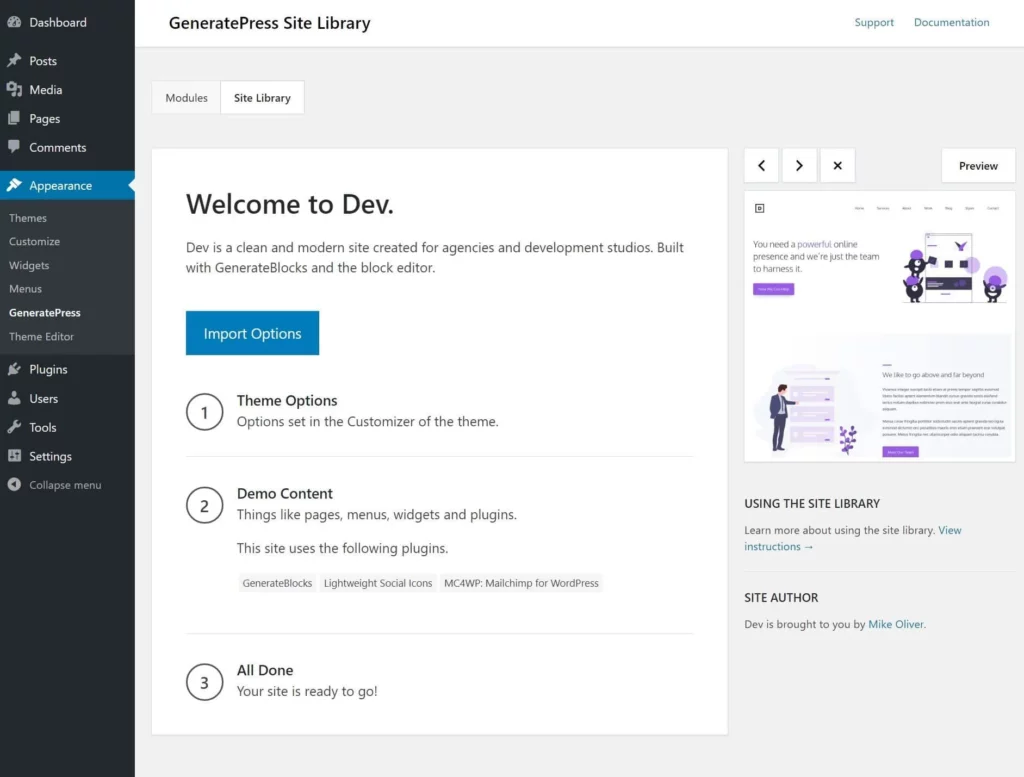
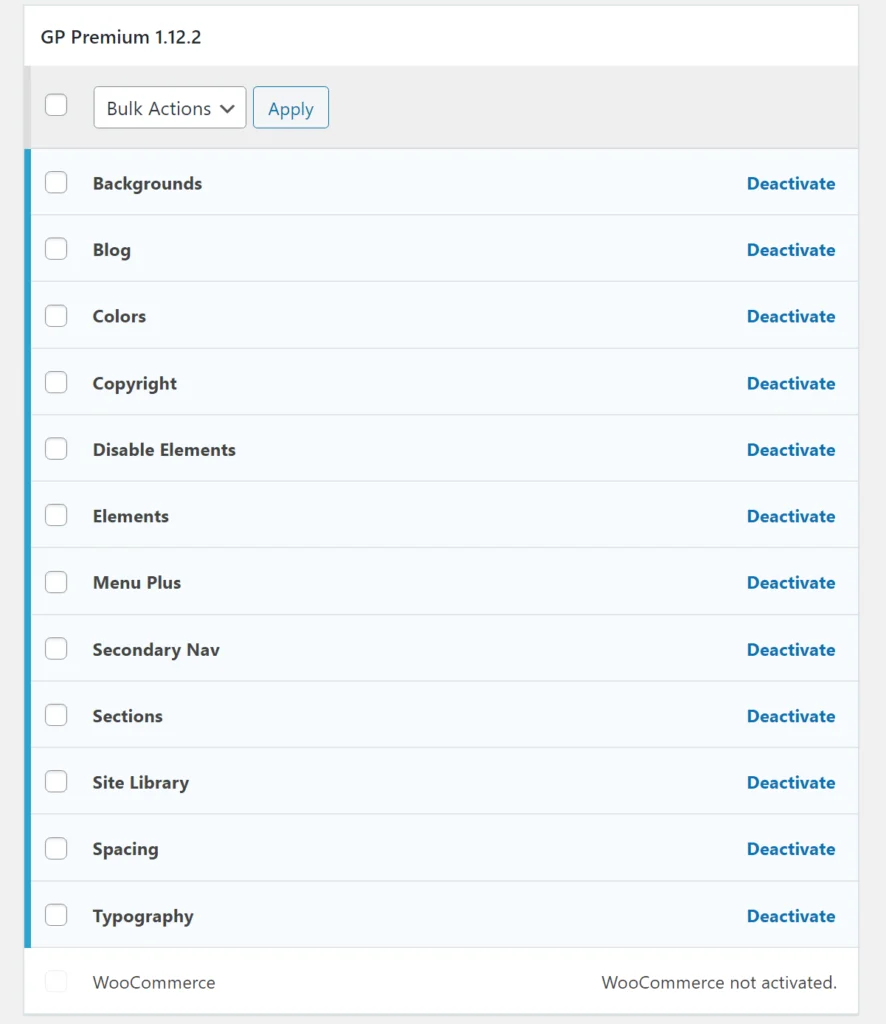
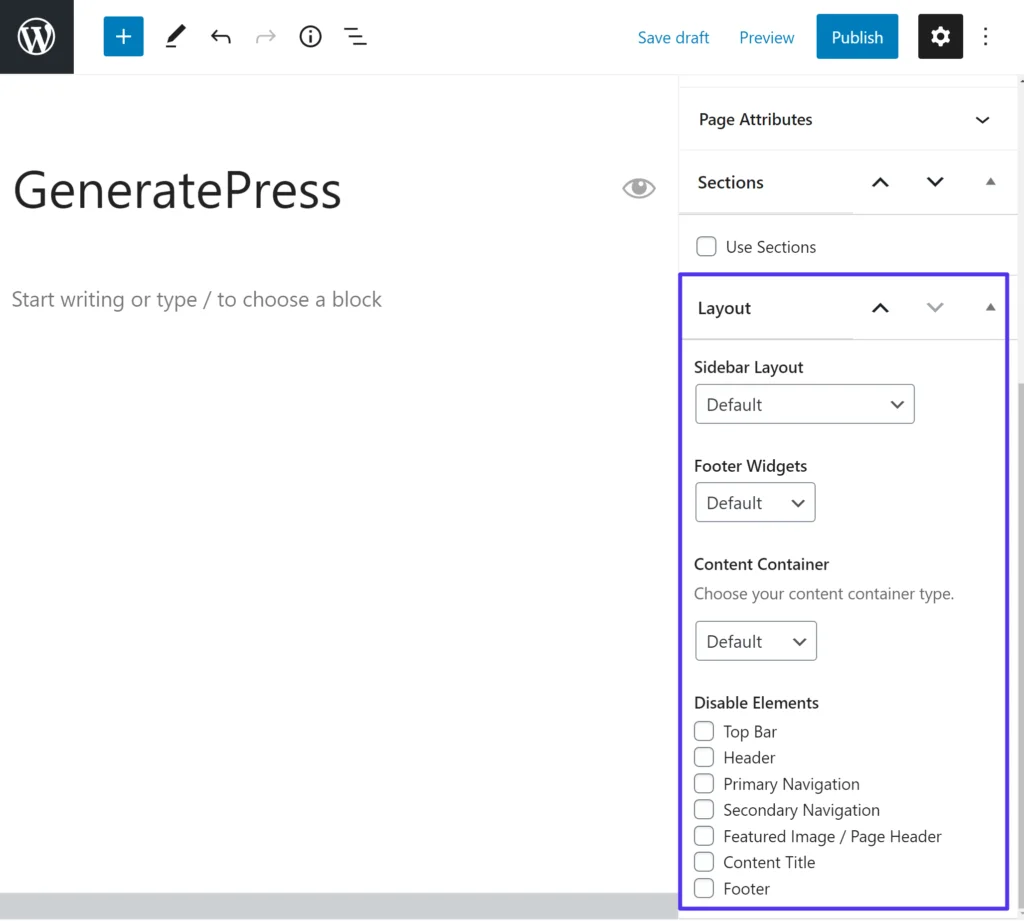
    Out of the box…GeneratePress allows very intuitive things that many other themes (including my favorite, Genesis) don’t have. For example…the “SECTIONS” feature allows you to have content sections (card format layout) but doesn’t require a bloated pagebuilder (noob style) or hard coding (programmers only). Yes, it’s like their very own mini-pagebuilder and actually structured in a way that I think makes even more sense than pagebuilders.

    The fact that GeneratePress makes their “SECTIONS” modular is clever as heck. Think about the usual pagebuilder scenario. What’s the point of a pagebuilder? To allow non-coders to alter their content layout and design? To alter their content in the first place? It sounds like a great idea until beginners start to realize how much work it is to even build a simple page. So many boxes, fonts, colors, spacing, layouts…and SETTINGS TO MANAGE! And then what? What if you only wanted to edit one part? What if you wanted to make one of these sections available for some time and then make it hidden and then bring it back later?

    In many cases, those adjustments can’t be done. In other cases, it’s possible but messy as heck. I think GP’s “SECTIONS” feature gets it done in a much more organized way. You don’t have to get lost going through 5 different versions of your homepage and comparing their maze of settings to remember which one was the right one.

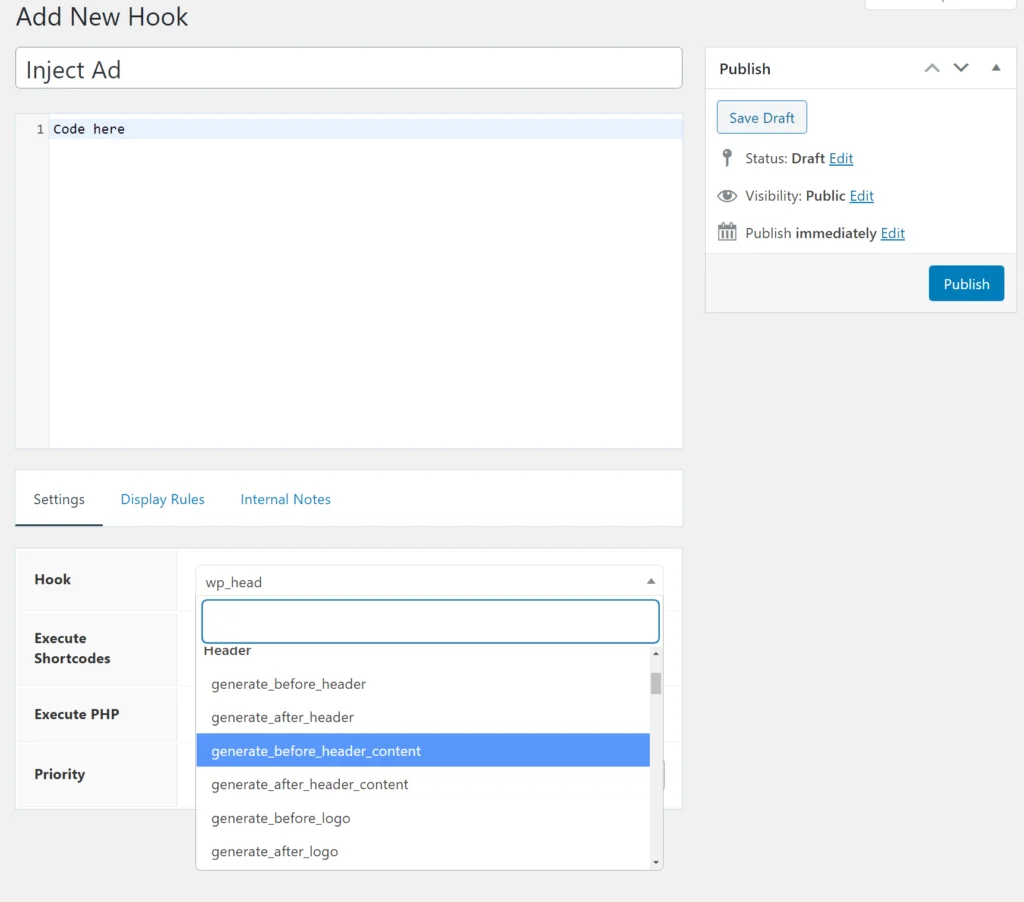
    And then there’s the “ELEMENTS” feature which allows you to easily customize layouts and page templates. It’s like a really simple (graphical) interface for hooks and filters. For those who don’t know…”hooks” refers to page location (above header, below title, footer, etc) and “filters” refers to pages (posts, pages, contact page, home page, etc).

    So let’s say you wanted to stick a countdown timer BELOW PRODUCT TITLE but only on SALE PRODUCT PAGES, or how about RANDOM X WIDGET placed ABOVE TOP MENU…how easy would that be? I’d bet you most themes wouldn’t be able to entertain all your random content-placement combinations. And you’d end up having to ask your programmer to do it (also wasting lots of time explaining how you want it). Well with GeneratePress, you can do that yourself. Tons of hooks and filters to choose from so you can control exactly what content goes where and on which pages. How cool is that?!

    So just step back and think about it. That’s 90% of what we ever really needed pagebuilders and programmers for! Pagebuilders were mostly there to make carded sections and manipulating content layout. Programmers were for hooking content and widgets to our desired locations. And now with GeneratePress, the average person can get that much more done without bloated pagebuilders or expensive programmers.

    Community and marketing

    As a small-time business owner, I absolutely hate marketing hype and products making outlandish claims. And especially for WordPress themes, I hate themes trying to accomplish every and whichever feature/design function out there. GeneratePress (and its community) maturely steers clear of that junk. The GeneratePress Facebook Community is really helpful and friendly should you ever have a question.

    It’s also used by not only newbies but also seasoned developers. The main developer (Tom/CANADA) is a one-man show who does everything and anything for his theme. You can tell he’s really passionate about it and has done well to make this one of the most complete WordPress theme/frameworks out there. Stable and reliable. No bugs. Seriously works better than the themes built by big development agencies charging an arm and leg for their “premium WordPress theme”.

    Just try GeneratePress, ok?

    Seriously, I urge you all to download GeneratePress and play with it. So clean and intuitive. Choose where you want to hook things, apply the filters you want. Build different page layouts, etc…all without bothering a programmer. Even if you ARE a programmer, GP makes life easier by allowing you to control many things with a logical (and SENSIBLE) UI. Less work for you in building the site, and less work for you supporting your client in the long run.

    If you ever want a theme that you can grow with forever, and has a knowledgeable community to draw advice from, you can stop looking at everything else and get GeneratePress. The free version works great and the premium version is so reasonably-priced (something like $40 for unlimited websites).

    GeneratePress WordPress theme

    Coming from Genesis

    If you didn’t already know, I’m a diehard Genesis user. I absolutely LOVE LOVE LOVE Genesis theme/framework. [Almost] all my critical sites are using it. For me, it’s the most comprehensive WordPress theme out there…tons of beautifully written-code with every hook and filter you could ever possibly want. Also backed by the most respected theme-community ever created…thousands of A-level coders using it to churn out beautiful super professional sites.

    …but….

    Yes, BUTTT…it just isn’t that user-friendly. I hate to say this but times have evolved and Genesis has not in some ways. Genesis came from an era where [mostly] only developers and “code-explorers” could edit themes. Want to make your header an extra 100px taller? Gotta muck around in CSS and throw in a PHP snippet. Want to add a widget to the footer? Same thing. Want to change the colors? Same thing. Quite often, the changes didn’t work and/or you broke your site design/function in the process.

    But the funny things was…if you were from that era, you never complained about how hard it was to do the task; you were simply overjoyed that it was even possible and that you didn’t have to run out and buy a new theme. In other words, you were grateful for the opportunity to get lost in the code. (Crazy, I know.)

    So what’s the problem with Genesis now?

    Websites are [expected to] be even more user-friendly now. It’s not enough to have editable themes. They need to be EASILY editable, and WITHOUT mucking in code. And for a short time, it seemed Genesis could do that. Edit some text and widgets here and there. Maybe change the layout, colors, font. But that’s about it. And it’s not enough. Today’s websites are so full of gadgets and widgets that Genesis feels like it’s not user-friendly at all. Every little change you want to make requires coding to some degree. It’s fantastic for developers who build sites straight from scratch. But a nightmare for those without any coding ability. What’s even tougher is that you can’t even test things! No simple settings to play and preview with. OUCH!

    The market was still wide open for user-friendly AND easily-customizable themes and that’s where GeneratePress enters the story.

  • Best WordPress Themes in 2026

    A list of my favorite WordPress themes and why! I also include my most hated themes(for better context). If you’re looking for pagebuilders, go here.

    WordPress “themes” (as they are called) are individual extensions that give your site a different look. Some themes are simple and come with one standard look right out of the box. Other themes have a few basic settings allowing you to change the colors or fonts. And then other themes are labyrinth of options, allowing you to change almost every little detail (colors, fonts, animations, even switching up layouts to make it look like an entire site altogether). Obviously: the more options, the more complicated.

    WordPress (PREMIUM) Themes & Frameworks:

    • Genesis Framework – the absolute best WordPress framework (used by respected developers). Best-coded, fast, and easy to use with many great themes.
    • GeneratePress – great performance theme and well supported. A cult favorite among coders and DIY’ers. I love their “elements” feature for replacing pagebuilders (but without the bloat of one).
    • Artisan Themes –  love the unique designs and ease of use of this little-known company. Incredible “modules” feature without the bloat of pagebuilders.
    • ElmaStudio.de – from Germany. If you love that European minimalist Bauhaus design, Ellen and Manuel’s work is incredible.
    • ThemeBeans – beautifully coded, lean, and sexy minimalist designs.
    • Marketer’s Delight – beautifully-coded theme for “internet marketers”. Highly recommended the better-known Thrive. Is this generation’s Thesis?
    • Thesis Theme – clumsy UI, tricky to customize (for beginners AND developers). Popular theme back in the day and still many loyal users are familiar with it.

    My personal recommendation:

    Premium themes cost money and while they aren’t always better than free themes, it’s usually the case. It’s no surprise that free themes tend to be simpler with fewer options while paid themes are fancier-looking with more customization options. The free themes don’t usually come with support and are made to help the theme developers market their paid themes. If anything, their feature sets tend to be castrated a bit to encourage you to upgrade.

    Paid themes have not only more features but also more support. As the years go by, these themes are also more likely to be updated to keep them compatible with newer servers, WordPress updates, and other plugins. And while not ALL paid themes are quality, they are a much safer bet for future-proofing your site. Updating themes takes a lot of work, so how do theme developers make money with only one look? Trends come and go, with users chasing a new “cool look” elsewhere the moment a theme gets too popular and is used everywhere.

    The worst theme developers, IMO, are the ones that stop supporting their old themes when creating new themes. The best theme developers use what is called “frameworks”. Instead of building a completely new theme and rewriting the code from scratch each time. They use the same base code and then change only the design. This was formerly known as “parent theme” (the main theme) and “child themes” (the customizations). But now the term has been changed to “framework” and “child themes”. If you’re going with a premium theme, try getting a framework or at least a paid theme that has many users and lots of ongoing development & support.

    WordPress (FREE / FREEMIUM) Themes:

    • GeneratePress – my 2nd favorite framework at the moment. Has a beautiful free version as well, and the premium version is only $59! Incredible support and thriving community of newbs and pros. Highly recommend this one!
    • Blocksy – awesome. Great coding, super fancy starter designs, awesome header/footer builder. Officially now a top player with big user base.
    • KadenceThemes – nice and sweet. They also have a Kadence Blocks plugin. I like their clean design vibe that doesn’t have that generic stock look.
    • Neve – nice designs and UI, all trendy features, nice cloud library, amazing customer support. Big company with resources to really support newbies.
    • Astra – very customizable free theme, lightweight and runs fast, good for those using pagebuilders. The most popular free theme at the moment. The only problem is many bugs, slow support, and auto-loads in their other plugins!
    • OceanWP – free starter theme, beautiful and comes with a pagebuilder. I like their area where you can granularly disable all scripts/styles (but I wish it had more explanation). Requires paid plugins to get full functionality. I personally dislike their aggressive pricing for every little add-on and it’s no surprise Astra is more popular. :/
    • WordPress default themes – yes, they look like every other theme out there but they aren’t bad. Nicely-coded, just personalize the look a bit and you’re all set!
    • ProSpeedTheme (coming soon) – hehehe 😉

    My personal recommendation:

    Free themes are rarely a good option for serious websites. You’ll always get to a place where you want a design change or feature that isn’t provided in the free theme. And now you’re stuck at the crossroads of deciding whether to install bloated plugins, custom-code this extra feature or migrate to a premium theme that does everything you want and more. At the very least…if you’re going with a free theme, pick one that has a “premium” version you can upgrade to.

    Be careful with overly minimal themes. Minimal may be fast, but that’s sometimes because it’s “unfinished”. There’s no point in choosing an unfinished theme that requires a dozen more plugins to really do the job, essentially nullifying all your speed savings.

    BAD (or mediocre) WordPress themes:

    • AVADA – bloated, slow, poorly-coded, many issues. The designs can appear incredible to beginner website owners but actually very gimmicky and generic-looking to professional designers.
    • Electro – crazy bloated! Don’t use it. Requires a lot of processing and many queries (1000+ compared to under 100 for other) even without anything on the page.
    • Envato theme market – lots of junk themes with a few goodies in between.
    • Flatsome – it’s not bad looking, just still too bloated. Sorry!
    • Jupiter X Theme – slow and bloated!
    • MyThemeShop – lots of generic mass-produced themes. Some are obvious ripoffs. Their latest “Schema” looks like the GeneratePress default child theme (which I think Astra ripped off as well). Even some of the showcase sites in their testimonials look very amateurish
    • ThemeForest – The7, BeTheme, Enfold, X. These are all the same junk as AVADA. While truly professional sites are working hard to cut down on non-essentials and cleaning up their sites more and more, these junk themes are piling on more and more features to be everything to everyone. They will always be a poor fit for your site for that reason. But yes, you can buy it for the sexy generic out-of-the-shelf look!
    • Qode – bloated!
    • Redux framework – anything with Redux framework.
    • Thrivethemes – I’m especially turned off by their gimmicky marketing that does so well with “internet marketers”. They’re not bad, but simply not how I would recommend serious internet marketers to build their sites. (FYI: just about everyone on the internet is an “internet marketer”.)
    • ZigZagPress – nice look, but not so nice coding. Or at least that’s what many programmers say.

    My personal recommendation:

    I think these themes are great if you’re just wanting to learn WordPress and play around with options. But realistically speaking, they are an absolute waste of time and money, orrrrr…there’s way better options out there. If you planning for a serious website and want to have thousands of users, you’ll soon throw these themes away and pick another. Why? They are slow, cumbersome, and have many compatibility issues with other plugins that you’ll need in the future as a website owner.

    Oh, and I’m not done yet. They are awfully difficult for professional developers to work with. I hang out with developers regularly and every day, they mention yet another “client that had an AVADA/X/DIVI theme”. And they all laugh because they know what the inside joke is. The funny thing is clients soon find out as well. The reason why they chose the theme in the first place was that it “looked cool”. But you soon realize the “cool look” isn’t cool at all, and is extremely generic, because you now look like a million other amateur sites with the same look. That theme was marketed to the masses for a reason.

    Still not done. The themes are also not that easy to use. They CLAIM to give you this amazing look out of the box but guess what, try to change anything or shift things around and you’ll see how hard it can get. Simple changes are ok but doing anything more than a minor change will require either a programmer or help from the developers or community. The developers will be slow to answer because guess what, they’re buried under thousands of other beginner requests and the community won’t be much help either because very few professional developers will be using these themes. So while they might be popular and have many users, they have many BEGINNERS users that won’t be much help to you.

    BUT WHAT ABOUT THEIR LOOK?! “But these themes look so cool!” you say. You can copy any look you want with any other framework, almost even without coding.

    What WordPress theme should you choose?

    TRUTH #1 – you need to go with a popular theme.

    Why? The true support for a theme comes from the community, not the official theme developers. The more popular it is, the more support you can find for it (written guides, video tutorials, etc). It’s easier to get free tips from people who’ve used it before and also easier to find professional developers who know how to work with it efficiently. There are also more 3rd-party extensions. And also continuing development for the theme to keep it alive, updated with trends, and compatible with future plugins. The theme keeps getting better and better with time when the community grows (and developers are rewarded for ongoing development).

    Going with some obscure theme from some unknown company will always cause you problems (no matter how much “support” the official theme company claims to offer). Nobody will know how to fix problems or make customizations. Developers will be unfamiliar with it and take twice as much time to make simple changes. Does this mean you should NEVER try a new theme or theme company? If you’re on an important production site, I wouldn’t take that chance.

    TRUTH #2 – you need to go with a framework.

    Frameworks allow theme developers to reuse functional code while staying flexible with design code. Aside from aesthetics, themes need to be coded for compatibility with plugins (shopping, multi-lingual), Google search engines, social media sharing, accessibility, WP customizer integration, DNS prefetch, and many other areas beyond my awareness. To re-code, this for every new theme would be time-consuming and probably overlooked!

    But if you’re going with a company that uses a framework, you can bet their themes will always be coded well and supported since they all share the same base code. You could be using one of their older themes but still, have the updated base code and maximum compatibility/security. Not only that but if you build your theme design of a framework, you’re free to update the framework as often as needed without worry that your design may break or lose compatibility one day. It’s an incredible idea!

    I never liked theme developers that keep jumping from one theme to another, cashing out each one for a short period before abandoning it to chase their next cash cow. This contributes to a wasteland of abandoned code…leaving a trail of vulnerable sites full of issues that other developers have to clean up. It’s unethical wasteful coding and cheating customers out of a more futureproof solution.

    TRUTH #3 – when in doubt, pick something more neutral.

    This is the hardest part. Many beginners see a billion different themes, each one super cool-looking in its own way and they no longer know what they or what their brand should be. When in doubt, remember that it’s about the content and not the theme. What text do you have, what images do you have? Where will your stuff go?

    Don’t waste your time trying to pick the coolest design and then later trying to stuff your content or even worse—create content to fit your design. There’s an even worse possibility than that, that the design is distract users from appreciating your content. That bold red theme looks great on the previews but throws in your content and now it feels like that red is all over the place, clashing with your images, and you get sick of it. The more exciting your content and logo, the more neutral your design can be (to let your content shine). And the more simple your content is, the bold your design can be. 

    Pick a theme that won’t bore you out so quickly. Strong colors get annoying after a while and become a branding dilemma later when you want to switch to another color. Unique layouts can also get boring when you want your site to just function like a normal site. Side-scrolling might be fun for artsy portfolio sites but not for daily blogs, shopping, or business when readers just want to get to your content!

    Why are some themes so slow?!

    Haven’t you noticed many themes on Envato, ThemeForest, or Code Canyon are slow as hell?

    Why do you think that is?

    It’s because they’re coded for newbies/non-coders. They load every CSS/JS library ever invented so that people don’t have to learn how to code.

    Think about it like this:

    • DEVELOPERS prefer to work on a blank sheet of paper…drawing up only what they need.
    • NEWBIES are different, they buy the whole store…buying every song on every CD even when they only like a few. And then they spend the rest of their lives trying to unload/prevent unwanted items from loading.

    It also helps A LOT to not have a pagebuilder. If all you need a pagebuilder for is just the homepage, you can custom-code it for like $300-1000. So worth the money. Design it in Elementor first if you want, then show a programmer and say “I want you to hard-code this”.

    We build so many custom themes/plugins in-house because of this. We want it to load ONLY what we need and nothing more. That’s why our sites break speed records. We have fancy WooCommerce sites loading in 200ms.

    Now maybe for smaller clients, they only have a few thousand dollars…not a big budget. That’s fine, pick a clean theme, and custom code the home page. and you should be able to get under 1 sec pretty easily with only a few thousand spent.

  • Best WordPress Pagebuilders Review – UPDATED 2026

    A list of my favorite pagebuilders and why. I also include a list of my non-favorites for comparison reasons. I compare them on features, ease-of-use, speed, clean output code, and compatibility. For those who keep asking, I don’t like pagebuilders! This list exists only for people who insist on having one.

    Best pagebuilders for WordPress:

    • Elementor – the most popular, and powerful free-version. Cutting-edge pagebuilder with all the trendiest gimmicky effects/features. Newbies and non-coders should start here.
    • BeaverBuilder – 2nd best, most stable and reliable. Preferred by more serious tech-savvy folks who prefer stability over features. Also nice that many devs like BB.
    • LiveCanvas – a great raw HTML/CSS pagebuilder where you can code your site from scratch. Great for devs and coders to handcode things exactly as they like.
    • Oxygen – great for developers wanting really lean pagebuilder experience. Arguably the fastest/leanest pagebuilder. Very aggressive marketing; you may or may not like his personality. I do love that the Oxygen community is full of dev-level users.
    • Zion Builder – I hear more and more good things but haven’t tried for myself. The owner and I couldn’t agree to a timeline. He wanted to give me access but only for a limited time and I couldn’t be bothered to schedule time out for a free review.

    Gutenberg pagebuilders (not quite pagebuilders in the traditional sense, but can do similar things):

    • Stackable – most polished UI, looks nicest of all Gutenberg libraries (except maybe Genesis PRO) but still some bugs in everyday use depending on what you do. I like this one.
    • Qubely – they were good before, but not anymore IMO. I don’t recommend them.

    Pagebuilders I don’t like:

    • Brizy – lots of complaints about bugs, unstability, poor UI/UX. But yes, it was toted as another good one, lightweight and less bloated.
    • Divi – way bloated, tons of shortcode lock-in. Can’t tell you how much money I’ve made optimizing/converting sites built with DIVI. (I hate AND THANK them every day.)
    • Fusion Builder (AVADA) – bloated, one of the worst. You should avoid the theme it comes with as well.
    • King Composer – hardly no one uses it and really bad.
    • Site Origin – CAN be lean but I think it’s not popular among devs.
    • Thrive Architect – not coded well compared to the rest of the market, slow!
    • WPBakery – one of the worst!
    • Visual Composer – basically a better version of WPBakery but still massively bloated. I hate the giant autoload entries in database.
    • Fusion Builder – comes with those super bloated themes like Avada. Get rid of this and the whole theme!
  • How to Choose a Good WordPress Theme

    Ahhh, they keep making WordPress themes more and more complicated! Which one should you choose and which one is the best?!!! What features do you need and what marketing gimmicks should you avoid?

    There are actually easy ways to tell which themes are good and why.

    IMO, the best themes/frameworks are marketed to developers. The worst themes are marketed to end users. So take a look at their marketing…and ask yourself who you think their target demographic is? Experienced/professional WordPress developers or impulse-buying wannabe online entrepreneurs with zero tech skills?

    WordPress theme features that DEVELOPERS like:

    • clean-coding, bloat-free
    • easily extensible
    • used by many developers, active community
    • accessibility & smart architecture
    • easy to update over time

    WordPress theme features NOOBS like:

    • “no coding necessary!”
    • tons of features, color & typography options
    • every flashy effect you could ever want
    • great for making money
    • mobile-responsive, speed, SEO
    • great customer support

    What WordPress theme features are most important?

    1. Nice Design

    Clean, professional design, with a little personality (or at least allows you to add some personality). As long as it looks great or can look great with a little effort, that’s all you need. No more than that! It doesn’t (and shouldn’t) need to be 100 great themes in one! It’s easier to start simple and add a little from there than to start complicated and have to cut it down.

    2. Clean coding

    This is something you (as a non-coder) probably won’t be able to verify for yourself. You’ll have to ask around, read the reviews and see what other creditable developers are using it. Basically, good coding is done in an intelligent, efficient manner and also in accordance with WordPress’ recommended practices. No shortcuts or strange hacks are made. Clean code runs fast and efficiently and is also easy for other developers to work with. It’s kind of like how you organize your room. If you do it right, it not only looks good but other people can understand where to find things quickly.

    3. Compatible with many plugins

    This is also known as “easily extensible” in that it’s easy to extend the theme’s basic functions with other plugins and add-ons. Generally, themes that are well-coded will be compatible with all other plugins (shopping carts, forms, pop-ups, caching, calendars, SEO, etc and etc). It isn’t just the coding that makes it play nicely but because the theme isn’t trying to do everything by itself. Most themes with plugin conflicts are because they aren’t coded well, lack code, or are simply too opinionated about everything. This is why you should avoid “all-in-one” themes; it’s because they try to do everything themselves and won’t function smoothly when you try to add something else.

    4. Used by many developers

    Yes, this is a HUGE FEATURE! Why? Because your website will always evolve over time. Your business may grow or break or change in other ways. You’ll always make changes eventually and one way or another will have to hire someone to help you make changes. For this reason, it’s important that you pick a theme that many developers know (and love to use). It will make the site easier for developers to work with and less costly to make changes.

    5. Following the latest trends (mobile-responsive, SEO, high performance, schema, etc)

    These things are important but the good news is you shouldn’t have to worry about them as much. This is because they should already be standard. And when something’s standard, it’s not so much a special feature anymore.

    What WordPress theme “features” should be avoided

    1. Overly-customizable

    This is the #1 reason why many WordPress themes are slow as heck. Too many users want one theme to be anything and everything to everyone. It’s not possible!

    Developer-centric themes are bloat-free because they load only a few features if that. And the developers can then code in only the features they want. Themes marketed towards non-developers load every single feature right off the bat. That’s the only way to make it feature-rich without requiring users to code anything. And that’s part of why your themes take so much longer to load. They load huge JS libraries with everything when you’re only using 2% of the features in there.

    2. Flashy effects

    This is another reason why many WordPress themes are slow. They load too many effects right off the bat. Sliders, counters, animations, etc and etc. This is ridiculous. It’s appealing to newbies who don’t know how to code or design but are scorned by experienced developers. Newbies don’t know how to design and don’t have any vision of what they want. So they actually design by “undesigning”, which means starting with a finished design and then taking away or customizing that. Professionals start with a blank slate and add to it. (This is why professionally-designed sites are usually much cleaner.)

    3. “Great for everything…businesses, studios, making money, etc”

    I think it’s really gimmicky for a theme to make promises of what it’s good for. That’s all design-related and has nothing to do with the code quality. I think it’s ok if a theme aims to be one thing, such as a shopping site, a corporate site, or a blog. But definitely not good if it claims to be good at everything. If anything, that should be a red flag to you that it’s trying to do too much. That’s like a jacket claiming to be the best jacket for all occasions.

    4. Popular (has many users)

    Mcdonald’s sells more burgers than anyone else I know. Does this mean they have a good product? No, it doesn’t…it just means they have good marketing (and that they appeal to the masses, i.e. inexperienced crowd). The only popularity I care about is if the theme is popular with true WordPress experts and developers.

    5. Great customer support

    It’s not that this isn’t important but its that this feature is marketed to newbies and non-coders who think “great customer support” means the company will tell you how to do everything with your theme. I think a theme company should spend its time actively developing the theme to make bug fixes, increase compatibility with plugins, and finally…add features if necessary. What  I don’t like to see is a theme company that spends more time on sales and customer support, which tells me active development will be slow. And that if there’s any development, it will be to make new themes to have new customers.

    Anyway, what WordPress themes do I recommend? (These are my top 2)

    1. Genesis Framework and child themes (By StudioPress) – best coding and performance, highly polished designs, most popular among developers, active development with great support and user forums.
    2. GeneratePress – for the coders who love great performance and don’t mind coming up with their own designs. I don’t recommend this to newbies, non-coders, or non-designers. It’s coded really well but requires some work to look like a polished theme.
    3. Of course, there are other great themes that I like as well but Genesis and GeneratePress are my general recommendations.
  • GeneratePress vs Astra – Which One Should You Use? 2026

    Trying to decide between GeneratePress vs Astra as your WordPress site’s theme?

    Astra and GeneratePress are two of the best premium WordPress themes right now. If you’re looking for the best bang for the buck, you can not really go wrong with either of these themes. But if you had to compare Astra vs GeneratePress which one comes out on top?
    By the numbers, these are two of the most popular WordPress themes. They also have the same basic approach, which makes it tough to choose between them.

    Both offer lightweight multipurpose foundations with abundant WordPress Customizer controls to help you customize them. You can use each for everything from a blog to a business site, ecommerce store, membership site, and more.

    Overall, you won’t go wrong either way, but each theme has some unique strong points that might push you in one direction or another. To help you find those differences, we’ll compare GeneratePress vs Astra in a number of key areas including:

    • User interface
    • Starter sites
    • Pricing
    • Modules
    • Free vs premium features
    • Layout and style customization
    • Performance
    • Page builder integrations
    • Developer compatibility
    • Ecommerce integration
    • Other integrations
    • Support and documentation

    Let’s get started!

    Table of Contents

      GeneratePress vs Astra — Quick Introductions

      Before we get to the comparison, we’ll quickly introduce these two free WordPress themes.

      GeneratePress

      GeneratePress is a lightweight, multipurpose theme from Tom Usborne. Out of the box, it adds under 10 KB in size and it has a great reputation for clean code.

      As of December 2020, GeneratePress is active on over 300,000 sites according to WordPress.org. It has a perfect 5-star rating on over 1,150 reviews.

      Astra

      Astra is also a lightweight, multipurpose theme, weighing in at under 50 KB. It comes from Brainstorm Force, the same team behind a number of other popular plugins including Ultimate Addons for Gutenberg/Elementor/Beaver Builder.

      Astra has the impressive distinction of being the only non-default WordPress theme to ever pass one million active installs at WordPress.org. It also has a perfect 5-star rating on over 4,800 reviews.

      GeneratePress vs Astra — User Interface

      Both GeneratePress and Astra rely on the WordPress Customizer to make most of your changes, which offers a convenient visual, code-free interface to make changes. Another benefit of using the Customizer is that it lets you preview your changes in real-time, no need to save and refresh. Since GeneratePress and Astra are so customizable, it’s sometimes difficult (or impossible) to identify them when looking at the frontend design of a website. If you ever come across a website and want to find out if it’s using GeneratePress or Astra under the hood, check out our handy WordPress theme detector tool.

      In this section, we’ll compare the onboarding and user interface of each theme. We’re going to specifically focus on the free themes at WordPress.org for this section, but we’ll touch on lots of premium features as we get further into the comparison.

      GeneratePress

      GeneratePress doesn’t offer starter sites in its free version (but does with the premium version). Additionally, it doesn’t offer any backend dashboard settings in the free version. So when you install the free theme, your first step is to jump right into the native WordPress Customizer:

      GeneratePress vs Astra
      The GeneratePress Customizer options

      Within the individual Customizer settings, GeneratePress keeps things a little more lightweight than Astra. Because of that, Astra feels a bit more user-friendly inside the individual Customizer settings.

      For example, when you’re choosing one of the pre-set header layouts, you just select from a basic text dropdown:

      Header settings in GeneratePress

      This is a different approach from Astra, as you’ll see in a second.

      You’ll also get some additional options when editing individual pieces of content, which we’ll discuss when we get to page builder compatibility.

      Overall, GeneratePress’ detailed use of the WordPress Customizer sticks with its lightweight, bloat-free approach.

      Astra

      Because Astra offers starter sites even with its free version, it has a little more of a structured onboarding process. Still, you’ll also spend most of your time in the WordPress Customizer with Astra.

      When you first activate Astra, it will show a prompt to install the companion Starter Templates plugin, which lets you access the importable demo sites:

      Astra’s prompt to install starter sites

      Clicking Get Started will install the demo site plugin, which we’ll cover next.

      Beyond that, you’ll do everything else from the native WordPress Customizer, just as you do with GeneratePress:

      The Astra Customizer options

      Astra’s Customizer settings areas feel a little more user-friendly and intuitive. For example, when choosing a pre-made header layout, you get a visual representation of the layout rather than just a text list:

      The Astra theme Customizer options

      Is it a huge difference? Definitely not. But most people will probably prefer the way that Astra has set things up in terms of beginner-friendliness.

      You’ll also get page-level controls, which we’ll cover in the page builder compatibility section.

      GeneratePress vs Astra — Starter Sites

      In terms of pre-built importable demo sites, Astra has a much larger selection. Additionally, Astra still includes starter sites for its free version, while you only get starter sites if you pay for GeneratePress Premium.

      For those reasons, Astra is a bit stronger when it comes to importable starter sites.

      GeneratePress

      Again, GeneratePress only offers starter sites if you purchase GeneratePress Premium. You do not get any starter sites with the free version, which is important to consider if you don’t want to start from scratch.

      With the premium version, GeneratePress offers starter sites that are built with three different content builders:

      1. Native WordPress editor (blocks) – 44 different sites.
      2. Elementor – 14 different sites.
      3. Beaver Builder Pro – 6 different sites.

      In total, that gives you 64+ pre-built sites to choose from.

      To import GeneratePress’ starter sites, you’ll need to activate the Site Library module in GeneratePress Premium. From there, you’ll be able to browse the demo sites in your WordPress dashboard and import them with a few clicks.

      When you import a starter site, you have the option to do a full or partial import. You can import:

      • Just the WordPress Customizer settings.
      • The Customizer settings and all the demo content.
      How to import a starter site with GeneratePress

      Astra

      Astra offers many free starter sites, as well as lots more starter sites with the premium Agency version.

      Astra offers starter sites with four different content editors:

      • Native WordPress editor (blocks) – 52 different sites – 52 free sites and 0 premium sites.
      • Elementor – 133 different sites – 60 free sites and 73 premium sites.
      • Beaver Builder – 106 different sites – 38 free sites and 68 premium sites.
      • Brizy – 40 different sites – 17 free sites and 23 premium sites.

      Unlike GeneratePress, there’s some overlap in starter sites between different content editors. For example, you can find the exact same starter site built with both the block editor and Elementor.

      For that reason, you can’t just add up the total number of templates. But in general, you can see that Astra definitely offers a much broader selection than GeneratePress. Even if you only look at the Elementor demo sites, it still has double the number.

      To install Astra’s starter sites, you’ll first need to install the companion Starter Sites plugin from WordPress.org (or the equivalent premium version to access the premium demo sites).

      From there, you’ll be able to browse the starter sites from inside your WordPress dashboard. When you import a starter site, you’ll have the option to do a full or partial import. You can import:

      • Individual pieces of content from the demo site.
      • Just the WordPress Customizer settings (no content)
      • Just the content.
      Choosing what content to import with Astra

      GeneratePress vs Astra — Pricing

      Both GeneratePress and Astra are free WordPress themes that have free versions available at WordPress.org as well as premium(PAID) versions that unlock additional features.

      In terms of premium versions, both have basically identical pricing. The one exception is that Astra requires a more expensive purchase to unlock the premium Agency templates.

      GeneratePress

      GeneratePress offers two payment options:

      • $59 for one year of support/updates. You can renew for a 40% discount after your first year.
      • $249 for lifetime support/updates

      Both plans allow use on unlimited sites.

      Astra

      For the premium theme, Astra has three pricing options:

      • Astra Pro: $49 for one year of support/updates.
      • Essential Bundle: $169/year
      • Growth Bundle: $249/year

      Both plans allow use on unlimited sites. There is also the “lifetime” pricing option.

      However, there are a few differences with GeneratePress. Most notably, if you want access to the premium Agency templates, you’ll need at least the $169 (one year)/$499 (lifetime) Mini Agency Bundle. This bundle also gets you access to some of the developer’s other plugins, such as Ultimate Addons for Elementor/Beaver Builder.

      GeneratePress vs Astra — Modules

      Both GeneratePress and Astra use a modular approach for their premium versions that lets you enable and disable the specific features that you want to use.

      In this section, we’ll show you which modules each theme offers. In general, Astra has a longer module list, which makes sense because Astra is generally a little more feature-rich than GeneratePress.

      GeneratePress

      The full GeneratePress module list

      Astra

      The full Astra module list

      GeneratePress vs Astra — Free and Premium Features

      As we mentioned above, both are free WordPress themes and have popular free versions at WordPress.org as well as premium versions with more features. The premium version is technically an add-on plugin for the free core theme – you’ll use the exact same theme whether you’re using the free version (just the theme) or the Pro version (the theme plus the premium add-on plugin).

      You’ll need the premium version to access all the modules that we showed you in the previous section.

      Overall, Astra is a little more generous with its free features and is more flexible as a free theme. For that reason, Astra is probably a better option if you’re planning to stick with just the free version.

      GeneratePress vs Astra — Layout and Style Customization

      We touched on this a bit when comparing the free vs premium features, but now let’s get more in-depth into the layout and style customization options in both themes.

      Overall, Astra and GeneratePress both give you a ton of customization options, which is why they’re both so popular.

      However, this is a tough section to compare because there are so many options available (especially if you have the premium version). Digging into every single feature would require a whole ebook of its own!

      In general, Astra is a bit ahead in terms of the sheer number of features. But for most situations, both themes will give you all the options that you need. Most users will probably only notice a difference when it comes to some of the more niche features.

      For example, they’re both super flexible when it comes to “core” areas such as:

      Additionally, Astra is not ahead in all areas, and GeneratePress is more flexible in some areas. For example, GeneratePress has more preset header layouts, though this will change when Astra launches its new header/footer builder (currently in beta when we’re writing this comparison).

      GeneratePress vs Astra — Performance

      Both GeneratePress and Astra are more performance-optimized than your average WordPress theme and both can definitely get you a quick-loading website.

      Overall, though, GeneratePress is a little bit ahead in terms of performance, though the difference isn’t huge. Still, if you’re a WordPress performance junkie, that’s an advantage of GeneratePress.

      To test performance, we installed each theme on a fresh WordPress install and ran tests with WebPageTest. We did not import a starter site because there are too many variables to compare there. Obviously, your real site will be heavier if you’re using an importable starter site.

      GeneratePress

      Performance of the GeneratePress theme on a fresh install

      Astra

      Performance of the Astra theme on a fresh install

      Comparison

      To make it easier for you, here’s the data of the GeneratePress vs Astra comparison on a fresh install:

      GeneratePressAstra
      HTTP Requests79
      Page Size26 KB42 KB

      You can see that, in the default state, GeneratePress is a tiny bit lighter than Astra. However, both are significantly lighter than most other WordPress themes, so it’s tough to quibble about seven vs nine HTTP requests.

      GeneratePress vs Astra — Page Builder Compatibility

      Both GeneratePress and Astra pair well with popular page builder plugins. More specifically, both offer importable starter sites that are based on page builders as well as page-level controls to easily control the canvas for your page builder designs.

      GeneratePress

      When working on an individual piece of content, GeneratePress lets you adjust the layout and also disable certain elements.

      You can adjust the following elements:

      • Sidebar Layout – choose from any sidebar layout (disable, switch sides, add an extra sidebar, etc).
      • Footer Widgets – change the number of footer widgets anywhere from 0-5.
      • Content Container – choose from default, full-width, or contained.

      You can also disable the following elements by checking a box:

      • Top bar
      • Header
      • Primary navigation
      • Secondary navigation
      • Featured image/page header
      • Content title
      • Footer
      The GeneratePress page-level controls

      Astra

      Astra also gives you detailed page-level controls, including some additional options to control header behavior. For example, you can enable a sticky or transparent header on a page-by-page basis.

      You can adjust the following settings:

      • Sidebar – right, left, or disabled.
      • Content Layout – boxed, content boxed, full-width contained, full-width stretched.
      • Transparent Header – enabled or disabled.
      • Page Header – set a custom page header (more on this feature in the next section).
      • Sticky Header – enabled or disabled.

      You can also disable the following elements by checking a box:

      • Primary header
      • Title
      • Breadcrumb
      • Featured image
      • Footer bar

      GeneratePress vs Astra — Developer-Friendliness

      Both GeneratePress and Astra are quite developer-friendly and each has some useful tools to help you customize your theme.

      Overall, GeneratePress might have a slight edge because of its unified approach to customizations, but both are quite strong and give you plenty of options.

      GeneratePress

      One of GeneratePress’ most useful features for developers is its Elements module (which requires the premium version). GeneratePress Elements acts as an all-in-one place to work with hooks, add custom layout elements, and more.

      Once you get the hang of it, it’s super useful to have everything in one place. When you add a new element, you can choose from four different element types:

      • Block
      • Header
      • Hook
      • Layout

      For example, let’s say you want to add a hook to one of GeneratePress’ many hook locations (visual guide here). You would create a new hook element type. Then, you can add the code you want to execute and choose the hook location:

      The GeneratePress Elements creator

      Then, the really neat thing is that you can set up display rules to only run that hook on certain content (without needing to use any code). You can even target user roles or logged-in status.

      You can also target specific content in a ton of different ways including post types, categories, tags, custom taxonomies, author, and lots more:

      Using display rules with GeneratePress Elements

      Overall, GeneratePress Elements is very well thought out and a great tool for developers.

      Astra

      Astra also includes plenty of tools for developers.

      First off, if you want to work with Astra’s hooks (visual guide here), you can install the official Astra Hooks plugin to be able to add hooks directly from the WordPress Customizer. The benefit of this approach is that it’s free.

      However, Astra’s free hook implementation doesn’t have that easy display rules feature that GeneratePress offers, so you would need to add those conditions directly to the code:

      However, if you have Astra Pro, you get access to custom layouts and page headers (which are wrapped into Elements if you’re using GeneratePress).

      For these elements, Astra does give you detailed display rules just like GeneratePress. You can add hooks using the custom layout feature, which essentially gets you access to those same display rules:

      Astra also has a dedicated white-label feature, which GeneratePress currently doesn’t offer (though there are some workarounds).

      GeneratePress vs Astra — Ecommerce Integration

      Both GeneratePress and Astra offer WooCommerce compatibility and built-in features for your store. Astra also offers a dedicated Easy Digital Downloads module, while GeneratePress doesn’t offer any special Easy Digital Downloads features.

      In general, though, Astra has a stronger WooCommerce integration with more WooCommerce-specific features. For that reason, Astra probably makes a better option for WooCommerce stores, though GeneratePress would still be fine in most situations.

      For example, Astra has:

      • Dropdown shopping cart
      • Off-canvas WooCommerce sidebar
      • Built-in product quick view
      • Distraction-free checkout or two-step checkout (read our guide on WooCommerce checkout pages)
      • An eye-catching indicator for sale products
      • Lots of Customizer settings to control your individual products and catalog

      GeneratePress does match a few of those features, such as the distraction-free checkout. But in general, Astra is definitely ahead in its WooCommerce integration.

      Other Notable Integrations

      GeneratePress doesn’t really have many notable integrations beyond its WooCommerce integration, but Astra does have a few extra tricks up its sleeve.

      In addition to WooCommerce, Astra also has dedicated modules for:

      GeneratePress vs Astra — Support and Documentation

      If you purchase the premium versions, both GeneratePress and Astra offer premium support. Both themes also have detailed knowledge bases where you can help yourself.

      In general, though, GeneratePress has a slight edge for support for some of the reasons that we’ll talk about below.

      GeneratePress

      First off, GeneratePress offers detailed documentation for all of the theme’s features. This is always a great place to start if you run into any issues.

      If you need one-on-one support beyond that, you can use the public support forum. Anyone can view the forum, but you need to have an active license to post topics. Now, support forums can sometimes get a bad rep, but GeneratePress does it really well and responds very quickly to new topics.

      You’ll even still find Tom Usborne, the developer, still responding to queries sometimes (though GeneratePress has grown to a point where most queries are handled by dedicated customer support staff).

      Additionally, because the support forum is public, you can also often find the answer to your question just by searching Google to turn up an existing support topic.

      For community support, you can also join the official GeneratePress Facebook community, which has over 6,700 members.

      Astra

      Like GeneratePress, Astra has a detailed knowledge base with hundreds of articles.

      If you need help beyond that, you can submit a support ticket. Because Astra uses ticket support, there’s no searchable index of questions like you’d get with forum support.

      Summary

      GeneratePress and Astra are popular for a good reason: they’re both excellent WordPress themes and you won’t go wrong with either.

      Overall, Astra offers slightly “more” than GeneratePress. It has more integrations, more starter sites, more customization options, etc. Does that mean it’s better? Well, not necessarily. If GeneratePress has a starter site that you love, it doesn’t really matter that Astra has more starter sites because you only need that single template.

      Similarly, if you’re not using WooCommerce, it doesn’t really matter that Astra has a slightly more detailed WooCommerce integration.

      On the other hand, GeneratePress has a slight edge when it comes to performance, which is another important consideration. Again, Astra is also quite good when it comes to performance – it’s just that GeneratePress is a bit better.

      In terms of pricing, the premium versions are identical, so there’s no difference there. However, there are two things to note when it comes to pricing:

      • The free version of Astra is more functional than the free version of GeneratePress. So if you’re planning to stay with the free version of either theme, you’ll probably be happier with Astra.
      • You need one of Astra’s agency bundles to access the premium templates.

      You’ll also need to consider the type of website that you’re building. For example, GeneratePress might be the best option for a brochure site or blog, while Astra is probably superior if you’re building a WooCommerce store or online course.

      Bottom line: you won’t go wrong with either theme, so you definitely don’t need to worry about making a disastrous decision. Instead, it’s more about just picking the option that best emphasizes and supports what you’re looking for.