Category: Digital Marketing

  • How to Choose a Local Web Design Agency Without Getting Burned

    How to Choose a Local Web Design Agency Without Getting Burned

    Searching for a local web design agency sounds simple. Open Google, type “web design company near me,” check a few websites, look at star ratings, compare prices, then choose one. The problem starts when an attractive portfolio, a cheap quote, and a confident sales pitch hide weak development, poor performance, unclear ownership, or no plan for getting customers after launch. A website can look excellent in a screenshot and still be slow on mobile, hard to update, invisible in search, inaccessible to users, or impossible to maintain without going back to the same developer every time something breaks.

    How to choose a local web design agency without getting burned - checklist and red flags

    Recent 2026 guidance from web design agencies and industry directories puts more emphasis on business goals, relevant proof, ownership, accessibility, performance, SEO, project scope, and post-launch support rather than visual portfolio alone.

    That changes how you should evaluate web designers. You are not really buying pages, colors, buttons, animations, or a WordPress installation. You are buying a business asset that should help people understand what you sell, trust your company, find you through search, contact you, book you, buy from you, or take another action that matters.

    A good agency should be able to explain how its design and development decisions support those outcomes. A weak agency often talks mostly about how modern the website will look. Before paying deposit, you need to know what is being built, who owns it, how it will perform, how search engines will understand it, who maintains it, and what happens when project ends. This guide gives you practical way to check those things before signing.

    Start With Business Goal, Not Website Design

    First question should not be, “What will my homepage look like?” First question should be, “What must website help business accomplish?” This sounds obvious, but many website projects start backward. A business owner collects three websites they like, sends screenshots to designer, asks for something similar, gets quote, approves design, and discovers months later that nobody defined lead flow, conversion goals, SEO requirements, analytics, content ownership, or customer journey.

    A website can copy visual style perfectly and still fail because business problem was never defined.

    A serious web design partner should ask about customers, services, locations, competitors, sales process, current traffic, existing leads, and conversion problems. Those goals should influence page structure, calls to action, navigation, forms, content, analytics, and technical setup. A website that looks great but converts poorly is still a business problem.

    Our guide on 5 CRO fixes that can double your website leads covers exactly what to check when a website fails to turn visitors into customers after launch.

    Know What Website Must Do

    Write simple project brief before speaking to agencies. You do not need 30-page specification. One page is enough. List what website sells, who it serves, locations covered, important pages, required integrations, desired actions, current problems, existing technology, deadline, budget range, and what success should look like after launch. If current site exists, include problems you already know: slow mobile performance, poor rankings, outdated design, broken forms, difficult editing, low conversion rate, security issues, or poor ecommerce experience.

    This makes agency comparison much easier because every candidate receives same basic problem. One agency might recommend complete rebuild. Another might recommend targeted modernization. Another might push expensive custom development that you do not need. You can compare reasoning instead of comparing colorful proposals. If agency ignores business goal and immediately talks about theme, animations, sliders, or homepage design, ask why those things solve your stated problem. Design matters, but design should serve business purpose, not replace it.

    Local Does Not Always Mean Better

    “Local” is useful filter, not guarantee of quality. A local agency may understand regional customers, competitors, language, service areas, business environment, and common local marketing channels. It may also offer easier meetings and faster communication. But geography alone does not prove technical skill, project management ability, SEO knowledge, or quality of finished work. A nearby agency can deliver poor website just as easily as remote agency can deliver excellent one.

    Remote work also changes meaning of local service. A business owner can now work with specialist located elsewhere through video calls, shared project tools, staging sites, documentation, and remote support. One 2026 local web design guide makes same distinction: local can matter because of relevant market understanding and accessibility, but geography itself should not be treated as only qualification. The right question is therefore not simply “Are you located near me?” Ask, “Have you built websites for businesses like mine, and can you prove what happened after launch?”

    When Local Expertise Matters

    Local knowledge becomes more valuable when website depends heavily on geography. A dentist targeting one city needs location signals, service pages, local content, accurate business information, appointment pathways, and strong local search presence. A restaurant needs location, opening hours, menu, reservations, directions, photos, and mobile-friendly contact options. A home service company may need multiple service areas, location-specific landing pages, quote forms, phone tracking, and clear service coverage.

    Google supports LocalBusiness structured data for helping Google understand information such as business details, hours, departments, and other local information. But schema alone does not create local rankings. Website content, Google Business Profile, relevance, prominence, reviews, technical SEO, links, and user experience all belong in broader local strategy.

    Check Live Websites, Not Portfolio Screenshots

    Portfolio screenshots are weak evidence. Screenshot can show attractive visual design while hiding slow loading, broken mobile layout, poor accessibility, bloated code, weak SEO, or an abandoned project. Ask for three to five live websites the agency built or substantially developed. Open each one yourself.

    Test website on phone. Resize browser. Open service pages. Click forms. Try navigation. Check whether content loads properly. Visit important pages. Look for obvious errors. If agency says website is recent, ask what work it performed. Some agencies showcase websites where they only designed logo or supplied content while another developer built entire site. You need know exactly what agency contributed.

    Current industry guidance also recommends evaluating live work, relevant case studies, and measurable outcomes instead of relying on portfolio screenshots alone. A serious agency should not become defensive when you ask for evidence. It should be able to explain project scope, challenges, technology, timeline, and result.

    Test Mobile Performance Before Hiring

    A website can look fast on agency laptop and feel terrible on mobile. This happens because desktop connection and hardware can hide problems caused by oversized images, excessive JavaScript, web fonts, third-party scripts, page builders, video backgrounds, and poor hosting. Your customers may not experience website under same conditions as designer. Before hiring any agency, run their live work through PageSpeed Insights and read our full breakdown of why mobile speed kills lead generation, it explains exactly what LCP, INP, and CLS mean for real business outcomes, not just laboratory scores.

    Run representative pages through Google’s PageSpeed Insights. Check both lab results and available field data. Do not obsess over one score, but investigate serious problems. Google identifies Core Web Vitals as user-experience metrics covering loading performance, responsiveness, and visual stability. Current Google guidance for AI search also recommends good page experience alongside foundational SEO practices.

    Our Cloudflare settings guide for best performance shows exactly how it should be configured — useful both for evaluating what agency delivered and for improving it afterward.

    Why Core Web Vitals Matter

    Look at LCP, INP, and CLS. LCP helps measure loading of main content. INP measures responsiveness to user interactions. CLS measures unexpected layout movement. These metrics do not tell whole story, but they expose common performance problems. If agency talks only about hitting a specific PageSpeed number, that is already a warning sign.

    Read our guide on why PageSpeed scores don’t matter as much as most people assume, and what to look at instead.

    Ask prospective agency one simple question: “How do you handle performance during development?” Good answer should include image optimization, responsive assets, CSS and JavaScript management, caching, font strategy, third-party scripts, hosting considerations, and real-user monitoring where appropriate. Bad answer is “We install a speed plugin after launch.”

    Performance should be considered while building site, not sprayed on afterward like air freshener.

    Ask About SEO Before Project Starts

    Do not wait until website is finished to mention SEO. Website architecture directly affects SEO. URL structure, navigation, headings, internal links, templates, content structure, indexability, canonical URLs, redirects, structured data, image handling, and page performance can all be affected by development choices.

    Google’s current documentation says AI search features continue to rely on foundational SEO practices. Important content should be crawlable, internal links should help discovery, pages should provide useful content, and structured data should accurately match visible information. If agency has no plan for this, visibility gaps will appear quickly. For a full picture of how AI search is changing what websites need to do, read our guide on what GEO is and why your website needs it.

    Ask agency whether basic technical SEO is included. Ask how it handles redirects during redesign. Ask whether existing URLs remain unchanged when possible. Ask whether old URLs are mapped to new URLs. Ask who submits sitemap, verifies Search Console, checks indexability, and monitors errors after launch.

    A redesign that looks beautiful but destroys existing organic traffic is not successful.

    Check Agency’s Technical Experience

    “WordPress developer” can mean very different things. One person may know how to install theme and edit blocks. Another may work comfortably with custom PHP, APIs, JavaScript, CSS architecture, databases, caching, WooCommerce, server configuration, migrations, security, and performance optimization.

    Same applies to Shopify, Webflow, Drupal, custom frameworks, and ecommerce platforms.

    WordPress, Shopify, WooCommerce and Custom Builds

    Match platform to actual project.

    Simple brochure website may work well with WordPress. Ecommerce store may need WooCommerce or Shopify depending on business requirements. Custom application may need different stack. Do not hire agency because it says it can build “anything.”

    Ask for projects using same technology and similar complexity. If website needs WooCommerce, ask for WooCommerce examples. If website needs Elementor, Kadence, custom blocks, multilingual setup, booking integration, CRM connection, or membership system, ask for relevant proof.

    You want evidence of solving your kind of technical problem, not generic evidence that agency knows how to make websites.

    Look for Proof, Not Promises

    Words are cheap. Evidence costs effort.

    Agency may say “SEO optimized,” “lightning fast,” “conversion focused,” “mobile first,” “AI ready,” or “Google friendly.” Ask what each phrase means.

    “SEO optimized” should lead to specific actions. “Fast” should lead to measurements. “Conversion focused” should lead to customer journey, CTA strategy, forms, analytics, and testing. “AI ready” should lead to crawlability, structured content, original information, technical accessibility, and measurement rather than magic claims.

    Be especially careful with guaranteed rankings. No legitimate agency can control Google’s exact ranking outcome. Search systems change, competition changes, queries change, and Google does not guarantee specific organic positions. Same logic applies to AI search citations.

    Ask for case studies with numbers where confidentiality permits. Traffic growth. Lead growth. Conversion changes. Performance improvements. Search visibility. Plugin reduction. Page-load improvements. Revenue changes.

    Numbers are not automatically proof either, but they are better starting point than adjectives.

    Read Reviews With Context

    Reviews matter, but five-star rating alone tells you little. Look at review volume, recency, project type, reviewer identity, and what review actually discusses. A restaurant owner reviewing an agency for logo design is not strong evidence for a complex WooCommerce rebuild. A client praising “great communication” tells you something different from client describing successful migration, performance improvements, SEO recovery, and post-launch support.

    Third-party platforms can help you compare agencies using reviews, case studies, services, location, technology, and other filters. Clutch’s September 2026 directory, for example, lists web design companies and advises buyers to examine verified reviews, case studies, relevant proof, project process, scope, ownership, and support.

    Do not ignore negative reviews either. Look for patterns. One unhappy client may be unusual. Repeated complaints about missed deadlines, poor communication, hidden charges, broken sites, or disappearing after payment deserve attention.

    Understand What Website Quote Includes

    Never compare proposals based only on total price. Two agencies can quote wildly different amounts because they are selling different scopes.

    One quote may include strategy, UX, design, development, copy migration, SEO, analytics, testing, accessibility, training, hosting setup, redirects, and support. Another may include only design and development. Both can call it “website.”

    Watch for Missing Services

    Read quote line by line.

    Check whether it includes:

    • Discovery and planning
    • UX structure
    • Design
    • Development
    • Content migration
    • Copywriting
    • Image preparation
    • SEO setup
    • Analytics
    • Search Console
    • Redirects
    • Forms
    • Integrations
    • Ecommerce setup
    • Testing
    • Accessibility checks
    • Performance optimization
    • Security setup
    • Training
    • Launch support
    • Maintenance

    Also check revision limits. “Unlimited revisions” sounds attractive but can hide messy process. A clear number of design rounds and defined approval points can be healthier.

    Current agency-selection guidance recommends comparing scope, team, process, content responsibilities, measurement, ownership, change management, security, warranty, and support instead of headline quote alone.

    Make Sure You Own Website

    This is one of biggest questions.

    Domain should be under your control. Hosting should be accessible to you. Analytics should belong to your business. Google Search Console should not be controlled exclusively by agency. Website administrator access should exist. If custom code is created specifically for your project, contract should clearly explain intellectual-property ownership and licensing.

    You do not want website held hostage by developer.

    Ask before project starts:

    Who owns domain?

    Who owns hosting account?

    Who owns website content?

    Who owns design files?

    Who owns custom code?

    Can another developer take over later?

    Will I receive administrator access?

    What happens if contract ends?

    A current 2026 Pakistan web-development hiring guide similarly recommends making ownership of code, designs, content, hosting, and related assets clear before signing.

    If answer sounds vague, pause.

    Ask About Security and Maintenance

    Website launch is not finish line.

    WordPress core updates. Plugins update. Themes update. PHP versions change. Vulnerabilities appear. Backups can fail. Forms stop working. APIs change. SSL certificates expire. Ask what happens after launch and whether caching and performance maintenance is included. If agency installs a cache plugin and leaves it unconfigured, that is not optimization.

    Our guide to the best WordPress cache plugins in 2026 explains what good caching setup actually looks like and what to verify after handover.

    Ask what happens after launch.

    Is maintenance included for 30 days? Three months? One year? Is security monitoring included? Are backups tested? Who handles emergency fixes? How much do extra changes cost?

    Also ask whether agency uses staging environment before major updates. For business-critical website, ability to test changes before production can reduce risk.

    Do not assume monthly maintenance is automatically necessary forever. Ask what maintenance actually includes. A vague “maintenance package” is less useful than specific deliverables.

    Check Accessibility and Usability

    Website should work for real people, including people using keyboards, screen readers, zoom, reduced motion, or different devices. Accessibility is not decoration. It affects whether users can navigate, understand content, complete forms, and interact with controls.

    Ask agency how it approaches accessibility. Look at keyboard navigation. Check color contrast. Check heading structure. Check form labels. Check button names. Check focus states. Check image alternatives. Check whether menus and dialogs work without mouse.

    Accessibility also improves general usability. Clear navigation helps everyone. Proper labels help everyone. Readable text helps everyone. Stable layouts help everyone.

    Do not accept “website is accessible because theme says WCAG” as complete answer. Ask what agency actually tests.

    Understand Content Responsibilities

    Content can become hidden project killer.

    Who writes page copy? Who supplies images? Who creates service descriptions? Who enters products? Who migrates blog posts? Who optimizes titles? Who writes meta descriptions? Who checks old URLs? Who creates new location pages?

    If proposal says “client provides content,” understand exact requirement. If agency says copywriting is included, check number of pages and revision rounds.

    Bad content creates bad website even when development is excellent.

    A local business website should explain what company does, where it operates, who it serves, why customers should trust it, what action visitors should take, and how to contact business.

    Generic filler copy does not solve that.

    Ask How Agency Handles Revisions

    Every website project has changes. Question is whether changes happen through controlled process or endless WhatsApp messages.

    Ask how feedback is collected. Ask who approves designs. Ask how revisions are counted. Ask what happens when new functionality appears halfway through project.

    Good process makes scope visible.

    If client asks for five new integrations after development starts, that is not ordinary revision. It is scope change. Serious agency should explain cost and timeline impact before doing work.

    This protects both sides.

    You avoid surprise invoices. Agency avoids unpaid work.

    Avoid Guaranteed Google Rankings

    “Guaranteed #1 ranking” should trigger caution.

    SEO depends on competition, query intent, site quality, links, content, location, search features, algorithm changes, and many other variables. Agency can control work. It cannot control Google’s final decision.

    Same principle applies to AI search.

    Google’s current documentation says AI Overviews and AI Mode use existing Search systems and that there are no special technical requirements or special schema needed for eligibility.

    So if agency promises “guaranteed ChatGPT citation” or “secret AI ranking method,” ask for evidence and precise explanation.

    A good provider talks about improving probability through better technical foundations, useful content, authority, relevance, and user experience.

    Not guarantees.

    Compare Agency, Freelancer and In-House Developer

    There is no universal winner.

    Freelancer can make sense for small project, focused customization, maintenance, or clearly defined technical task. Agency can make sense when project needs multiple disciplines such as strategy, UX, design, development, SEO, content, analytics, and ongoing support. In-house developer can make sense when company has enough continuous technical workload to justify permanent role.

    Compare responsibility, not labels.

    Ask who will personally do work. If agency sells project through senior strategist but hands development to junior contractor, you should know. If freelancer handles everything alone, ask about backup when unavailable. If in-house hire has no design or SEO support, account for those gaps.

    Current agency-selection guidance recommends evaluating team composition and relevant project experience instead of choosing purely by company size.

    Red Flags Before Signing Contract

    Some warning signs appear before project begins.

    Agency avoids showing live websites. Proposal has no clear scope. Price is dramatically lower than every comparable quote without explanation. Agency asks for complete payment before work. Nobody discusses ownership. Nobody asks about business goals. SEO appears as vague checkbox. Performance is never mentioned. Accessibility is ignored. Agency promises guaranteed Google rankings. Timeline sounds impossibly short for project complexity.

    Another warning sign: agency cannot explain its own technology choices.

    If website needs WooCommerce, ask why WooCommerce. If agency recommends custom code, ask why custom code. If it recommends Elementor, ask why. If it recommends Shopify, ask why Shopify fits business.

    You do not need to be developer.

    You need provider able to explain trade-offs in plain English.

    Local SEO Features Your Website Should Have

    For local business, website should clearly communicate business identity and service area. Name, address where applicable, phone, hours, services, locations, and contact paths should be consistent and easy to find. Google supports LocalBusiness structured data for communicating relevant business details to Search.

    Create useful location pages only when each location has genuine value. Do not create dozens of near-identical pages with city names swapped.

    Add relevant service pages. Connect service pages with location pages where useful. Make contact details easy to access on mobile. Connect website with Google Business Profile. Add real reviews where appropriate and follow Google’s review and structured-data rules.

    Local search is not about repeating city name 50 times.

    It is about proving relevance to people in that area.

    Questions to Ask Before Hiring

    Before signing, ask agency these questions:

    1. Show me three live websites similar to mine. What did you personally build?
    2. What is your process from discovery to launch?
    3. What exactly is included in quote?
    4. Who writes and uploads content?
    5. How will you protect existing SEO during redesign?
    6. How will you handle redirects?
    7. How will you test mobile performance?
    8. How do you approach Core Web Vitals?
    9. What accessibility checks do you perform?
    10. Who owns domain, hosting, website, content, and custom code?
    11. Will I have administrator access?
    12. What happens after launch?
    13. What does maintenance include?
    14. How are revisions handled?
    15. How are additional features priced?
    16. How do you measure website success?
    17. What analytics and tracking will be installed?
    18. What happens if I want another developer later?
    19. Who will actually work on my project?
    20. What do you need from me before starting?

    Good agency should answer these without making conversation complicated.

    If answer is “we handle everything,” ask for specifics.

    If answer is “SEO comes later,” ask why.

    If answer is “performance is automatic,” ask how it will be measured.

    If answer is “you own everything,” ask where ownership is documented.

    That is how you turn sales talk into evidence.

    Conclusion

    Choosing local web design agency should not feel like picking prettiest restaurant from Google Maps. Website is business infrastructure. It can generate leads, sell products, support sales, build trust, capture search traffic, help customers book appointments, and become central part of marketing. It can also become expensive technical debt if built without clear scope, ownership, SEO, performance, accessibility, security, and maintenance planning.

    Start with business outcome. Review live websites. Test mobile experience. Ask about Core Web Vitals. Verify technical skills. Check relevant case studies. Read reviews with context. Compare complete scope rather than headline price. Put ownership in writing. Understand maintenance. Ask how agency protects SEO during redesign. Avoid guaranteed rankings and vague AI-search promises.

    Local knowledge can help, especially for businesses serving specific geographic markets. But “local” should be one factor, not complete hiring strategy. A nearby agency with weak technical process is still weak fit. A remote specialist with strong relevant experience, transparent communication, proven results, and proper documentation may be better fit for specific project.

    Best question is not:

    “Who has nicest portfolio?”

    Better question:

    “Who can show evidence they have solved problem I need solved, and can explain exactly how they will do it?”

    That question cuts through much of noise.

    And before signing anything, remember simple rule: do not buy website. Buy outcome, ownership, process, and proof.

    FAQs

    1. Should I hire local web design agency or remote freelancer?

    Depends on project. Local agency can offer market familiarity and easier face-to-face communication. Remote freelancer can offer specialized technical expertise and lower overhead. Compare relevant experience, communication, process, ownership, scope, performance, SEO, and support rather than location alone.

    2. How much should I pay for professional website?

    No universal price exists. Scope changes cost dramatically. A simple brochure website, WooCommerce store, enterprise site, and custom application are completely different projects. Current 2026 agency directories show wide price ranges based on project complexity, platform, services, and agency type. Ask for line-item scope rather than comparing price alone.

    3. Should web design agency include SEO?

    Basic technical SEO should be considered during development, even if ongoing SEO is separate service. Website architecture, URLs, internal linking, headings, indexability, redirects, structured data, content, and performance can affect search visibility. Google recommends foundational SEO practices for its AI search experiences too.

    4. What should I check before hiring WordPress developer?

    Check live WordPress websites, relevant project experience, mobile performance, Core Web Vitals, security process, plugin/theme experience, custom development ability, SEO understanding, ownership, backups, maintenance, and post-launch support. Ask developer to explain why specific theme, plugins, page builder, hosting, and performance approach are being recommended.

    5. Can a web design agency guarantee Google rankings?

    No agency controls Google’s ranking systems. Be cautious with guaranteed #1 rankings or guaranteed AI search citations. A professional provider can improve technical SEO, content, relevance, usability, performance, and other factors that influence search visibility, but cannot guarantee a specific Google ranking.


  • What Is GEO and Why Your Website Needs It in 2026

    What Is GEO and Why Your Website Needs It in 2026

    Search is changing fast. People no longer type every question into Google, scan ten blue links, open five tabs, and compare answers themselves. They increasingly ask systems such as ChatGPT, Google AI Overviews, AI Mode, Gemini, and Perplexity to find information, compare options, explain problems, and recommend next steps. These systems can search web sources, retrieve information, synthesize multiple pages, and show links supporting their answers.

    That creates new visibility problem for website owners. Ranking in traditional search still matters, but getting mentioned, cited, or used as source inside AI-generated answers is becoming another part of search visibility. This is where Generative Engine Optimization, commonly called GEO, enters picture. GEO focuses on making website content easier for generative search systems to discover, understand, retrieve, trust, and potentially cite.

    What is GEO and why your website needs generative engine optimization in 2026

    But there is big misconception here. GEO does not mean adding magic AI markup, stuffing pages with keywords, creating hundreds of AI-written articles, or putting an llms.txt file on website and expecting ChatGPT to send traffic. Google says its existing SEO fundamentals remain foundation for AI search, and specifically says there are no special technical requirements or special schema needed to appear in AI Overviews or AI Mode.

    So what should website owners do in 2026? Build website that works well for humans, search engines, and retrieval systems. That means strong technical SEO, useful original content, clear structure, trustworthy information, good internal linking, crawlability, strong page experience, and evidence that goes beyond generic information found on hundreds of competing pages.

    What GEO Means

    Generative Engine Optimization is broad term for improving website visibility within AI-powered search and answer experiences. Traditional SEO mainly focuses on helping search engines understand page relevance and quality so page can appear for search queries. GEO adds another objective: make information useful and extractable when an AI system retrieves web sources and creates an answer for user.

    Think of traditional SEO like getting your shop onto busy street. GEO is making sure, when someone asks guide standing outside street, “Where should I go for this problem?”, guide knows your shop exists, understands what you sell, and has enough trustworthy information to mention it. You still need street, address, signage, reputation, and useful products. GEO does not replace those things.

    Research around GEO is still developing. Recent academic work describes generative search visibility as multi-stage process involving discovery, retrieval, reranking, citation, prominence, factual use, and downstream user behavior. That matters because nobody can honestly promise that one optimization trick will make page appear in ChatGPT or another AI engine. Evidence remains more mature for improving retrievability and source quality than for claiming guaranteed long-term traffic gains.

    GEO vs Traditional SEO

    SEO and GEO overlap heavily. This is important because some marketers present them as completely separate disciplines. They are not.

    Google’s current documentation says websites should continue using foundational SEO practices for generative AI features. Pages need to be crawlable, indexable, useful, technically accessible, and eligible for normal Search visibility. Google also recommends making important content available in text, maintaining strong internal linking, providing good page experience, and ensuring structured data matches visible page content.

    GEO adds another layer of thinking. Instead of asking only, “Can this page rank for keyword X?” ask questions like:

    • Can AI system identify exact answer on page?
    • Does page contain original evidence?
    • Is information organized around real user questions?
    • Does page clearly establish who produced information?
    • Are claims supported by data, examples, documentation, or first-hand experience?
    • Can search systems understand relationships between pages?
    • Does page provide something competitors simply copied from other pages do not?

    That shift is small in wording but big in strategy.

    Why AI Search Changes Website Visibility

    Traditional search gives user list of pages. Generative search can give user synthesized answer before user visits any page. That changes value of being visible.

    Suppose someone searches, “How can I improve WordPress LCP without replacing my theme?” Traditional results may show optimization guides, plugin documentation, agency articles, and technical discussions. An AI search system can retrieve several sources, combine their information, explain likely causes, and provide citations.

    OpenAI describes ChatGPT search as a way for ChatGPT to retrieve timely web information and provide links to relevant sources. Google describes AI Overviews and AI Mode similarly as systems that can surface links from web sources while helping users explore complicated questions. Google says its AI features can use query fan-out, meaning system may perform multiple related searches across subtopics and sources while building response.

    That means one webpage can potentially become relevant for multiple related questions, not only exact keyword it was written around. It also means shallow keyword targeting can become less useful. If page answers one narrow keyword but gives little context, another page with stronger evidence, clearer explanations, and better topical coverage may provide more useful source material.

    How AI Overviews Find Website Content

    Google says AI Overviews and AI Mode are grounded in Google’s Search systems. Pages need to be indexed and eligible for normal Search snippets to be eligible as supporting links. There are no additional technical requirements specifically required for AI Overviews.

    This creates straightforward lesson: do not abandon SEO while chasing GEO.

    If robots.txt blocks important resources, canonical tags are wrong, internal links are weak, important content is hidden behind inaccessible interactions, or pages are not indexed, AI visibility becomes harder. Fancy GEO copy cannot rescue broken technical foundations.

    Google’s 2026 guidance also emphasizes crawlability, semantic clarity, page experience, unique content, and reducing unnecessary duplicate content.

    How ChatGPT Search Uses Web Sources

    ChatGPT Search can retrieve current information from web and provide cited links. That means web visibility can matter when user asks question requiring current or niche information.

    But there is no reliable shortcut that forces ChatGPT to cite particular domain. Search systems decide which sources to retrieve and use based on query, relevance, available information, and system behavior.

    For website owners, practical goal should therefore be simple: become useful source worth retrieving.

    Write specific explanations. Publish original findings. Show real examples. Explain technical processes. Add measurements. Document experiments. Answer questions competitors avoid. Keep facts current. Make important claims easy to verify.

    Why Traditional SEO Still Matters

    GEO does not kill SEO. Google says this directly. Its current guidance says SEO best practices remain relevant because generative AI features are rooted in Google’s core Search ranking and quality systems.

    If you are building this foundation from scratch and are not sure where to start, our SEO tips for beginners walk through the fundamental signals Google uses to evaluate pages, including technical health, content relevance, and user experience.

    This matters for WordPress businesses especially. Many site owners hear “AI search” and immediately start looking for GEO plugins. That can become distraction. Before worrying about AI citations, check whether site has basic technical health.

    Technical SEO Comes First

    Start with crawling and indexing. Check robots.txt. Check XML sitemap. Check canonical URLs. Check indexability. Review redirects. Remove accidental noindex directives. Verify important pages can be reached through internal links. Check JavaScript-dependent content. Review duplicate URLs.

    Then look at page experience. Mobile layout should work properly. Main content should load quickly. Images should not be unnecessarily large. JavaScript should not block critical rendering. But none of that matters if server response is already slow. A poor hosting environment can undermine everything else.

    If you are unsure whether your host is contributing to the problem, our best WordPress hosting reviews compare options based on real performance metrics.

    Google’s current AI guidance specifically recommends crawlability, internal linking, good page experience, textual availability of important content, and accurate structured data.

    This is where Core Web Vitals still matter. Fast pages do not automatically earn AI citations, but slow, unstable, difficult-to-use websites create poor experience and can also make crawling, rendering, and user engagement harder.

    What Makes Content Visible to AI Search

    AI systems need information they can retrieve and use. Generic content creates weak signals because thousands of websites may say same thing.

    Imagine two articles about WordPress speed. Article A says, “Use caching, optimize images, minify CSS, and use CDN.” Article B documents actual optimization process, including before-and-after LCP, image payload reduction, render-blocking resources, cache configuration, server response time, plugin changes, and measured results.

    Which page gives answer system more useful material? Article B contains more concrete evidence.

    Google’s current guidance tells site owners to focus on unique, valuable, non-commodity content and warns against treating GEO as collection of hacks.

    Original Data and First-Hand Expertise

    Original data is powerful because competitors cannot easily duplicate it.

    For WordPress performance website, that could mean publishing anonymized optimization case studies. Show what changed. Explain why it changed. Give measured results. Discuss trade-offs. Explain failures too.

    For example, instead of publishing another generic article titled “How to Speed Up WordPress,” publish:

    “How I Reduced LCP From 6.2s to 1.4s on a WordPress HVAC Website.”

    That title targets specific problem. Article can explain page architecture, image handling, CSS, JavaScript, caching, hosting, third-party scripts, and measurement process. It can contain original numbers and practical observations.

    This creates content with stronger information density than generic rewritten SEO content.

    Clear Answers and Strong Content Structure

    AI systems need to understand page meaning. Humans need same thing.

    Use descriptive headings. Answer important question directly. Follow answer with explanation, evidence, examples, and implementation details.

    Do not hide core answer under 900 words of introduction.

    If heading says “Does WebP Improve LCP?”, answer question immediately. Then explain when WebP helps, when it does not, how image dimensions affect performance, how responsive images work, and how to measure result.

    Good structure helps reader scan page. It also makes individual concepts easier to retrieve.

    That does not mean stuffing every section with artificial question-answer blocks. Google explicitly warns against chasing simplistic GEO/AEO hacks. Focus on useful content structure instead.

    Structured Data and GEO

    Structured data helps search engines understand page content and entities. Google says structured data can help it understand content and potentially support richer search features.

    But there is an important distinction: schema is not GEO magic.

    Google’s current AI feature documentation says there is no special schema.org structured data required to appear in AI Overviews or AI Mode. It also says structured data should match visible content on page.

    Schema Helps Machines Understand Context

    Use appropriate schema where it genuinely represents page.

    Organization information can clarify business identity. Person information can clarify author identity. Article markup can describe article. Product markup can describe product. LocalBusiness markup can provide relevant business details where appropriate.

    Do not add fake reviews, fake ratings, fake claims, or irrelevant schema because marketer says it helps GEO.

    Structured data should reinforce reality already visible on page. It should not manufacture trust.

    Website Performance and AI Search

    Website speed deserves place inside GEO strategy because AI search still sends people to websites. Getting cited means little if visitor lands on page and waits several seconds for content.

    Google recommends good page experience as part of its guidance for generative AI visibility. If you want to understand exactly what slows WordPress websites down and what to fix first, read our full breakdown of why your website’s mobile speed is killing your lead generation, covering LCP, INP, CLS, and WordPress-specific bottlenecks in detail.

    For WordPress websites, performance work should go deeper than installing five optimization plugins. Plugin quantity alone does not determine speed. Theme architecture, DOM size, CSS delivery, JavaScript execution, image dimensions, third-party scripts, database queries, hosting response, caching, and page builder output can all contribute.

    Why Speed and Crawlability Matter

    Think of content as product inside store. Crawlability is open door. Performance is how quickly customer can walk through door and reach product. Content quality is product itself.

    You need all three.

    If important content cannot be crawled, search systems may not discover it. If page is painfully slow, visitors leave before consuming content. That is why technical SEO, Core Web Vitals, and GEO should not be treated as separate silos.

    For WordPress sites specifically, reducing render-blocking resources is one of the highest-impact technical fixes available. Our guide on minifying HTML, CSS, and JavaScript covers practical strategies without breaking functionality.

    That is why technical SEO, Core Web Vitals, and GEO should not be treated as separate silos.

    How to Optimize Existing Content for GEO

    Do not start by generating 100 new AI articles.

    Start with existing pages.

    Look through Google Search Console. Find pages receiving impressions but weak clicks. Find pages ranking around positions 5 to 20. Find pages with strong traffic but poor conversions. Find articles that answer broad topics but lack original evidence.

    Then improve them.

    Build Content Around Real Questions

    Take one core topic and map questions around it.

    For WordPress speed, questions might include:

    • Why is LCP slow on mobile?
    • What causes high INP?
    • Why does WordPress TTFB stay high?
    • Does Elementor slow down WordPress?
    • Does Cloudflare improve WordPress speed?
    • Should unused plugins be removed?
    • Why does PageSpeed score change after optimization?
    • Why can field data fail while lab score looks good?

    Answer each question naturally inside relevant content.

    This creates deeper topical coverage without creating hundreds of thin pages.

    How to Measure GEO Performance

    Measurement remains one of hardest parts of GEO. AI responses can change based on query wording, location, model, search availability, retrieved sources, freshness, and other factors. Recent academic research also highlights variability across generative search systems and separates citation selection from how strongly cited material influences final answer.

    Do not promise client “top position in ChatGPT.”

    Track observable signals instead.

    Search Console and AI Visibility

    Google introduced dedicated generative AI performance reporting in Search Console in 2026. Google announced rollout of these insights worldwide by August 31, 2026, providing visibility into impressions associated with generative AI features on Search.

    That gives website owners better measurement than guessing from occasional manual prompts.

    Also track:

    • Organic impressions
    • Organic clicks
    • Query growth
    • Non-branded queries
    • Conversions
    • Assisted conversions
    • Pages gaining visibility
    • AI feature impressions where available
    • Brand mentions in relevant AI searches
    • Referral traffic from AI platforms
    • Conversion quality from AI-originated visitors

    Run repeated tests for important commercial questions. Do not treat one ChatGPT response as permanent ranking.

    Common GEO Mistakes

    Biggest mistake is treating GEO as keyword stuffing with new name.

    Second mistake is believing AI-written content automatically becomes AI-search-friendly.

    Third mistake is creating fake authority through mass publishing.

    Why AI-Generated Content Alone Fails

    Google allows appropriate use of generative AI, including research and adding structure to original work. But Google warns that generating many pages with AI without adding value can violate its spam policies around scaled content abuse.

    This is why “publish 500 AI articles this month” is weak strategy.

    AI can help research, outline, classify questions, identify gaps, and improve structure. Human expertise should supply judgment, original experience, evidence, testing, examples, and editorial control.

    For ProSpeedGuy, this difference matters. Generic articles about WordPress speed are everywhere. Actual optimization experience is harder to duplicate.

    Use that advantage.

    GEO Strategy for WordPress Websites

    WordPress gives you huge flexibility, but flexibility can create technical mess.

    A GEO-ready WordPress website should have clean information architecture, logical URLs, crawlable content, strong internal links, optimized media, stable templates, good performance, accurate schema, and content written around genuine user problems.

     If your WordPress website is missing that technical foundation, our WordPress speed optimization services are built to fix the bottlenecks that affect both user experience and search visibility.

    Practical WordPress GEO Checklist

    Start with technical foundation:

    • Check indexability.
    • Review robots.txt.
    • Validate XML sitemap.
    • Fix canonical issues.
    • Improve internal linking.
    • Remove unnecessary duplicate URLs.
    • Make key content available as crawlable text.
    • Optimize mobile experience.
    • Improve Core Web Vitals.
    • Reduce unnecessary JavaScript.
    • Optimize images.
    • Keep structured data accurate.
    • Monitor Search Console.
    • Update outdated content.
    • Add original evidence to important articles.

    Then build topical authority.

    Create content clusters around services. For example, WordPress speed can connect to Core Web Vitals, LCP, INP, CLS, caching, image optimization, CDN, hosting, Elementor performance, WooCommerce performance, and technical SEO.

    Each article should connect naturally to related service and supporting pages.

    GEO for Local Businesses

    Local businesses have another advantage: real-world information.

    A local company can publish location-specific expertise, services, project examples, customer questions, service areas, opening information, original photographs, case studies, and useful local context.

    Google’s generative AI guidance includes local content among areas where websites can provide useful information.

    For a local WordPress agency, avoid creating 50 nearly identical city pages with only city name changed. Build pages with genuine local value.

    Explain projects completed for businesses in the region. Discuss local customer problems. Publish service-specific examples. Keep Business Profile information accurate. Connect location pages with relevant services.

    AI systems need information. Real local experience gives you information competitors cannot easily copy.

    GEO for Ecommerce Websites

    Ecommerce GEO has another challenge: products change.

    Price changes. Inventory changes. Specifications change. Reviews change. Offers expire.

    That means product information must stay accurate and pages must load quickly enough for users to act. If you run a Shopify store, our Shopify speed optimization guide covers ecommerce-specific performance fixes that also support better crawlability and user experience.

    Use clean product data, descriptive product content, accurate structured data, high-quality images, useful comparison information, shipping details, return information, and clear availability signals.

    Do not write 1,000 words of generic marketing copy for every product.

    Give users information that helps decisions.

    For example, a laptop page should explain processor, RAM, storage, display, battery, dimensions, ports, compatibility, warranty, and practical use cases. A product comparison page should clearly distinguish models instead of rewriting manufacturer descriptions.

    Google’s current generative AI guidance specifically includes shopping content among areas website owners should consider when optimizing for AI experiences.

    GEO and Core Web Vitals

    Core Web Vitals do not become “GEO ranking factors” simply because AI search exists. Avoid that claim.

    But performance still matters.

    Google’s AI search guidance recommends good page experience and foundational SEO practices.

    For WordPress sites, focus on real user experience rather than chasing PageSpeed score alone.

    LCP tells you about the loading performance of the main content. INP measures responsiveness. CLS measures visual stability. Before worrying about AI citation scores, understand what these numbers actually mean for real users; our guide on why PageSpeed scores don’t matter as much as most people think explains exactly that.

    A website can score well in Lighthouse and still have poor real-world field data. Conversely, a technically complex page may have acceptable real-user performance despite mediocre lab conditions.

    Use both lab and field data where available.

    GEO, Internal Linking and Topical Authority

    Internal linking is an old SEO tactic with new importance.

    When related pages link together using meaningful context, search engines can better understand relationships between topics. Users can also move naturally from broad educational content toward detailed guides and commercial pages.

    Imagine website architecture like a city map.

    One isolated article is a small village. Twenty connected articles covering one subject form a city. Internal links become roads. Service page becomes business district. Case studies become proof. Technical guides become infrastructure.

    Do not link every page to every other page.

    Build logical clusters.

    For example:

    WordPress Speed Optimization

    → Core Web Vitals Guide
    → LCP Optimization
    → INP Optimization
    → CLS Fixes
    → Elementor Speed
    → WooCommerce Speed
    → Image Optimization
    → CDN Configuration
    → WordPress Caching
    → Speed Optimization Case Studies

    That structure gives users and search systems clearer context.

    GEO and Conversion Optimization

    Traffic is not final goal.

    A page can receive 10,000 visitors and produce almost no business. Another page can receive 300 highly relevant visitors and generate multiple qualified leads.

    This is why GEO should connect with conversion optimization.

    AI search users often arrive after asking specific questions. They may already understand their problem.

    If you are losing those visitors after they arrive, our guide on 5 CRO fixes that can double your website leads covers exactly where most websites lose those conversions.

    If visitor arrives after searching “why is my WordPress LCP 5 seconds on mobile?”, generic homepage messaging wastes opportunity.

    Create relevant next step.

    Show technical explanation. Show case study. Explain process. Show evidence. Give clear contact option.

    Do not force visitor through five pages before finding service.

    Content should educate and move naturally toward action.

    How Long Does GEO Take to Work?

    No honest SEO specialist can give a universal timeline.

    Google does not guarantee crawling, indexing, ranking, or inclusion in AI features even when technical requirements and best practices are satisfied.

    AI visibility also varies by platform and query.

    One article may become useful quickly because it answers new question with little competition. Another may take months because many established sources already cover topic.

    Focus on measurable improvements instead of arbitrary promises.

    Track indexation. Track impressions. Track query coverage. Track citations or mentions where measurable. Track organic traffic. Track leads.

    Then improve content based on evidence.

    Should You Hire a GEO Specialist?

    Depends on the website.

    Small site with strong technical foundation may not need separate GEO specialist. Existing SEO process can incorporate most useful GEO practices.

    Larger website may need deeper work across content architecture, technical SEO, entity clarity, structured data, analytics, content production, conversion optimization, and AI visibility measurement.

    For WordPress businesses, technical expertise matters because content cannot compensate for a broken foundation.

    A specialist should be able to explain what is being changed, why it matters, how success will be measured, and what evidence supports the recommendation.

    If you want to talk through your website’s GEO and technical SEO foundation, book a free call and we will walk through it together.

    Be cautious around anyone promising guaranteed ChatGPT citations, guaranteed AI Overview placement, secret AI ranking signals, or a special markup that supposedly forces AI engines to recommend a website.

    Google itself says there are no special optimizations or special schema requirements for inclusion in AI Overviews or AI Mode.

    Conclusion

    GEO is not a replacement for SEO.

    It is better understood as another way of thinking about website visibility in search systems that increasingly retrieve, synthesize, and cite information instead of simply displaying lists of links.

    Best strategy in 2026 is not to chase every new AI-search hack. Build website that deserves to be found.

    Make content original. Make answers clear. Publish first-hand evidence. Keep technical SEO clean.  Improve page experience. Keep information current. Not sure where your website currently stands? Start with a free website review and we will identify the biggest technical and content gaps holding your visibility back.

    Make important content crawlable. Build strong internal links. Use accurate structured data. Improve page experience. Keep information current. Measure what can be measured.

    For WordPress websites, this creates useful overlap between technical SEO, Core Web Vitals, content strategy, conversion optimization, and AI search visibility.

    That is good news.

    You do not need separate website for Google and AI engines. You need better website.

    Google’s own current guidance makes same point: foundational SEO remains relevant, unique and valuable content matters, and site owners should avoid simplistic GEO hacks in favor of effective SEO and useful content.

    AI search may change how people discover businesses. It does not change basic rule of web visibility: be useful, be accessible, be trustworthy, and give people something worth finding.

    FAQs

    1. Is GEO replacing SEO?

    No. GEO and SEO overlap heavily. Google says existing SEO fundamentals remain relevant for AI Overviews and AI Mode. Technical accessibility, crawlability, indexing, useful content, internal linking, and good page experience remain important.

    2. Do I need special schema for ChatGPT or Google AI Overviews?

    No special schema is required for Google AI Overviews or AI Mode. Google specifically says there is no special schema.org structured data needed for these AI features. Structured data should accurately represent visible page content.

    3. Does llms.txt guarantee AI search visibility?

    No. Google explicitly says site owners do not need to create new machine-readable files or special AI files to appear in its AI features. Focus on crawlability, useful content, technical SEO, and clear information instead.

    4. Can AI-generated content rank in Google?

    AI-generated content can be used, but mass production of pages without meaningful added value can create spam-policy problems. Google says generative AI can help with research and structure, but content should meet Search Essentials and spam policies and provide value for users.

    5. How can I improve my website’s GEO visibility?

    Start with technical SEO and content quality. Make pages crawlable and indexable, improve internal linking, answer real questions clearly, publish original data and first-hand experience, maintain accurate structured data, improve page experience, and monitor Search Console. Google now provides generative AI performance reporting for visibility within its AI search experiences.


    Want to improve WordPress speed, Core Web Vitals, technical SEO, and AI-search visibility on your website? Start with technical foundation before chasing GEO hacks.

  • How to Start an Online Business in 2026 (Easy Guide For Beginners)

    These are the ten steps to starting an online business from the ground up without having prior experience.

    How do you start an online business from home and with no money? Is this even possible?

    The short answer is yes. Thousands of successful online businesses started with no money and today they are making thousands of dollars in revenue.

    In fact, many of them have no physical presence but are operated from home with remote teams.

    To start an online business you don’t need to have prior knowledge on how to run a business. Running an online business is different than managing a brick-and-mortar store.

    Over the years I’ve had successes and failures but most importantly I created a framework that beginners can follow and increase their chances of establishing a successful online business on the first go.

    In this complete guide, I’m going to give you the steps to follow to start a business online from scratch and from the comfort of your own home.

    While it’s impossible to start a business for free, you don’t have to pay a fortune to get a business off the ground, and I’ll give you all the details.

    Since you’re convinced that you want to become an online entrepreneur and start making money online (hence why you are reading this article now), I’ve added the actionable steps first but towards the end of this guide, you can learn more about how online businesses work and other useful information.

    How to Start an Online Business Step By Step

    These are the 15 steps to follow to start an online business from scratch.

    1. Decide what type of online business to start
    2. Find your niche
    3. Evaluate your idea
    4. Analyze your potential competitors
    5. Identify your target audience
    6. Decide on your brand name and register a domain
    7. Setup a website for your business
    8. Learn what digital marketing is all about
    9. Create a digital marketing plan
    10. Optimize your website for Search Engines
    11. Create a content marketing plan and start publishing content
    12. Establish your social media presence
    13. Grow your email list
    14. Optimize your website for conversions
    15. Get professional help

    1. Decide what type of online business to start

    The first thing to decide is what kind of online business to start. As you’ll see below there are many options and depending on the type you choose, you’ll have different ways to monetize your business and make money.

    The most popular types of online businesses are:

    • eCommerce stores selling physical products (Amazon, Etsy, etc)
    • Websites selling digital products (ebooks, online courses, etc)
    • Consulting / Coaching (Personal development coach, fitness coach, etc)
    • Selling Services (digital marketing agencies, software development, web design, etc)
    • (Saas) Software as a Service (online tools, subscription-based model)
    • Online News Publications (HuffPost, etc)
    • Niche Blogs (travel blogs, clothing and fashion blogs, etc)

    The most popular methods of making money from your online business are:

    Selling your own products (physical or digital) – Selling products directly to consumers on your own hosted website or through an online store on a third-party marketplace like eBay, Amazon, Etsy, Udemy, Flippa, etc.

    Advertising Revenue – Making money by selling ad space on your website either directly to advertisers or through an online platform like Google AdSense.

    Drop-Shipping – Selling physical products on your own store but shipping and handling is done by the product manufacturer or B2B provider. You get a commission every time a product is sold.

    Affiliate marketing – You refer clients to the seller’s website (for either physical or digital products) and when a product is sold, you get a commission.

    Revenue from consulting services – You get paid for providing consulting services online (by email, skype or other means).

    Subscription-based model – You make money from people subscribing to your monthly services (for example hosting, online tools, etc)

    2. Find your niche

    Now that you have an idea of the different types of online businesses, the next step is to find your niche. In other words, to come up with an idea that can be transformed into an online business.

    From experience, this is the most difficult step because it has a lot of uncertainty. Nobody can tell you in advance if your idea is good or not and no one can guarantee that your business will succeed or fail.

    It’s a risk that all business owners have to take but this should not hold you back. The only way to find out if your idea is good is to try it and even if you fail, there are so many things to learn from failures that bring you closer to success.

    How to find your niche?

    start an Online Business in 2023
    How to Find Your Niche

    You should understand from the beginning that you don’t have to come up with a unique idea in order to succeed online. If you can do it, then this will give you an advantage but uniqueness is not a requirement for setting up an online business.

    You can take an existing idea and improve it or create something (a product, blog, service) that is better from what is already available on the Internet.

    Some guidelines to help you out:

    Find what are you truly passionate about

    Being passionate about a topic, an activity, a hobby or a product,  will help you create a good product or great content that others will find valuable and useful.

    Take a few moments and think about what you like doing for fun and how would you like to spend your time if money wasn’t an issue.

    Find what you are good at

    Do you have any skills that you can use to help others accomplish a task, learn something or solve a problem?

    Maybe you like teaching people how to fix things or you like to write good stories to educate people on different subjects.

    Find what you believe you are really good and think of ways you can utilize your skills to create a product that people will be willing to pay money to get it.

    Are you an expert?

    Is there an area that you have the right training, qualifications, and experience to be considered an expert? This is a great candidate to explore further and find out if you can build a business around it.

    The Internet is full of ‘so-called experts’ so if you are a ‘true expert’ on a topic, you will have an advantage over others.

    Can you spot any gaps in the marketplace?

    Are you looking for a solution to a problem and cannot find a good product or online resource to solve your problem? Can you spot any gaps in any industry that you can fill with a new product? Do you find that online content about a topic is incomplete or something that you can improve?

    All these questions will help you generate ideas that can possibly help you find the one idea to turn into an online business. Before, getting too excited, the next step is to evaluate your ideas and decide if it’s good or not.

    3. Evaluate your idea

    Evaluating an idea means finding out if a particular idea is something that you can turn into an online business that will potentially generate profit.

    Follow the steps below to evaluate the potential business success of your idea:

    Do a thorough Google search

    Naturally, the first thing to do is go to Google and search for keywords related to your idea.

    Don’t just type in keywords that are directly related to your niche but search for broad terms and terms that are indirectly related.

    Your goal at this stage is to find out what is already available in terms of websites, content, and products.

    How many websites can you find on the specific topics, what type of content do they have, do they sell their own products or do they display ads?

    Go beyond the first page of Google and look for the second page as well. Some businesses don’t pay the required attention to SEO and while they have good products and content, their search engine optimization techniques are not good enough to rank high on Google.

    How would you rate the overall user experience when searching for this information? Can you offer something better to the users?

    Search Facebook, YouTube, Instagram, Pinterest

    Perform the same search on Facebook, Youtube, Instagram, and Pinterest. Try to figure out what kind of content is being published on those networks. Is it high-quality videos, is it images, articles, products? How many interactions (likes, comments) do the posts get?

    Can you spot something that is missing or that it can be improved?

    Perform keyword research

    Evaluate your Business Ideas with Keyword Research
    Evaluate your Business Ideas with Keyword Research

    The term keyword research might be unknown to you at this stage but it’s an important step to find out if there is a search demand for your idea.

    Through keyword research, you can find out how many people search for particular keywords on Google (and other search engines) per month.

    If your chosen topic doesn’t have a decent amount of search volume, then this is a sign that people have no interest in.

    Use the resources below to find out how to perform keyword research step by step.

    Get to know important Google rules

    Another thing to know is that for some topics Google has strict rules on what websites they show in the search results.

    This can have a big impact on the success or failure of your online business because organic traffic is by far the most important form of traffic you can get and without it, your chances of online success are minimal.

    For example, if your idea is around health-related topics and this includes weight loss, fitness, nutrition, exercise and any other advice or product that is generally suggested by doctors or other certified professionals, you might want to reconsider it.

    Unless you are a certified and recognized doctor, Google will not show your website or products for health-related searches.

    So before you continue is good to revise the most important Google rules and make sure that what you have in mind is not against any known Google guidelines or rules.

    RESOURCES TO LEARN MORE ABOUT GOOGLE GUIDELINES
    Google Search Rates Guidelines – A comprehensive document that explains in detail what Google looks for when assessing the quality of a website.

    Do a search on Amazon

    keyword research amazon
    Performing keyword research on Amazon

    If you are considering opening up an online store selling physical products, then you need to search on Amazon and see what others are selling.

    Use different keywords to search for products and also look at amazon’s best sellers to get an idea of the popular products per category.

    Do a search on popular marketplaces

    There are many popular marketplaces you can use to find out what products are being sold online.

    Udemy – if you’re thinking of creating an online course you can search Udemy to find out how many courses there are on the chosen topic, how many students they have, their comments, ratings, content, etc.

    Codecanyon – If you’re thinking of creating a software product, you can search Code Canyon to find if there are similar products and how many sales they have.

    Flippa – Flippa is the most popular marketplace for buying and selling new and established online businesses. Browse through the listings and look at the provided information.

    Find online business ideas on Flippa
    Find online business ideas on Flippa

    Online businesses that are set for sale have to provide evidence of their sales and traffic and this information can be very useful for you at this stage.

    Who knows, maybe you can find a business to buy and grow instead of starting from scratch.

    Do an affiliate marketing search

    Even if you don’t plan to follow the affiliate marketing model, you can still use the different affiliate marketing sites to find out which products are being sold, their price, the number of providers, and much more useful information.

    4. Analyze your potential competitors

    Once you evaluate your idea using the above techniques, the next step is to do an analysis of your potential competitors.

    A potential competitor is one or two companies that are already selling products or services that are similar to what you want to sell.

    For example, let’s say you decided to make an online business selling custom made parrot cages through an online store.

    You already evaluated your idea and found out that there is enough demand from users, and that there is room to create a better product.

    The next step is to find out more information about your potential competitors. Using different tools you can figure out how much traffic they get, which channels they use to sell their products and how much they spend on online advertising.

    You can use the following tools:

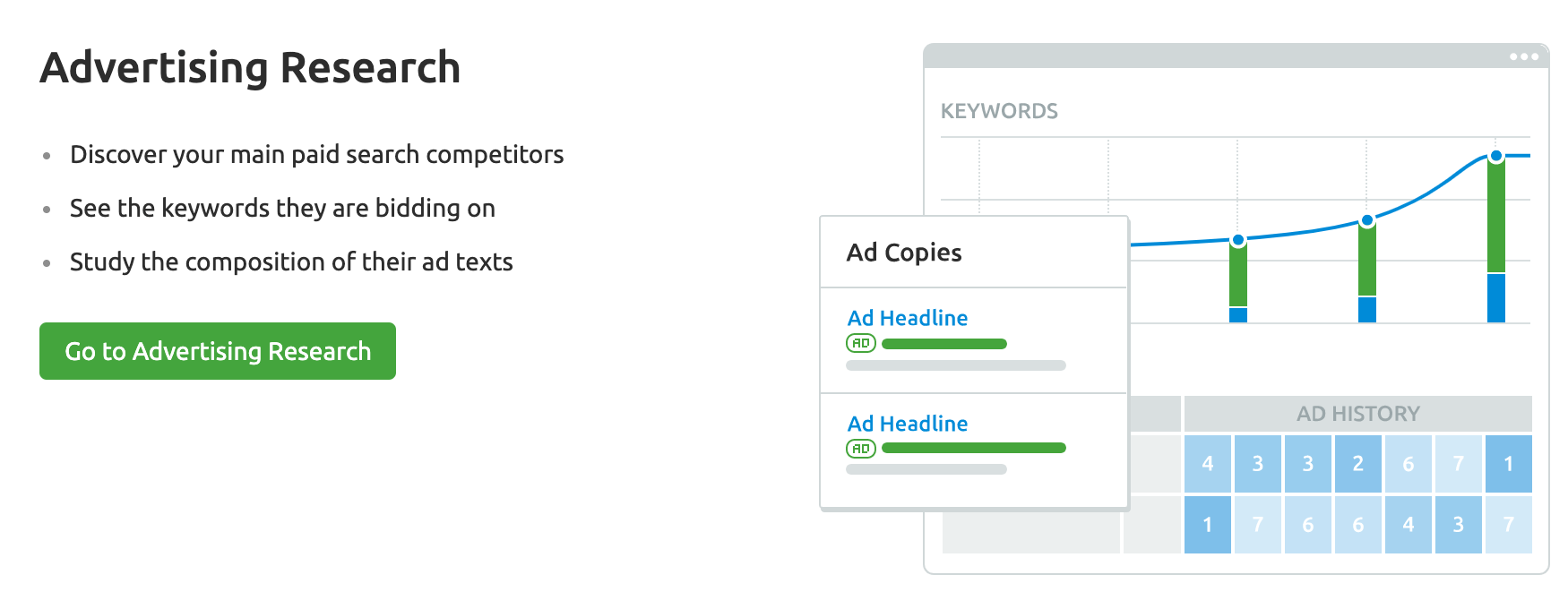
    SEMRUSH – To find out how much traffic they get and how much they spend on Google advertising.

    Do a competitor analysis to find out how much money they spend on ads and other useful info.
    Do a competitor analysis to find out how much money they spend on ads and other useful info.

    SEMRUSH is a paid tool but you can register for an account and get a 7-Day Free Trial.

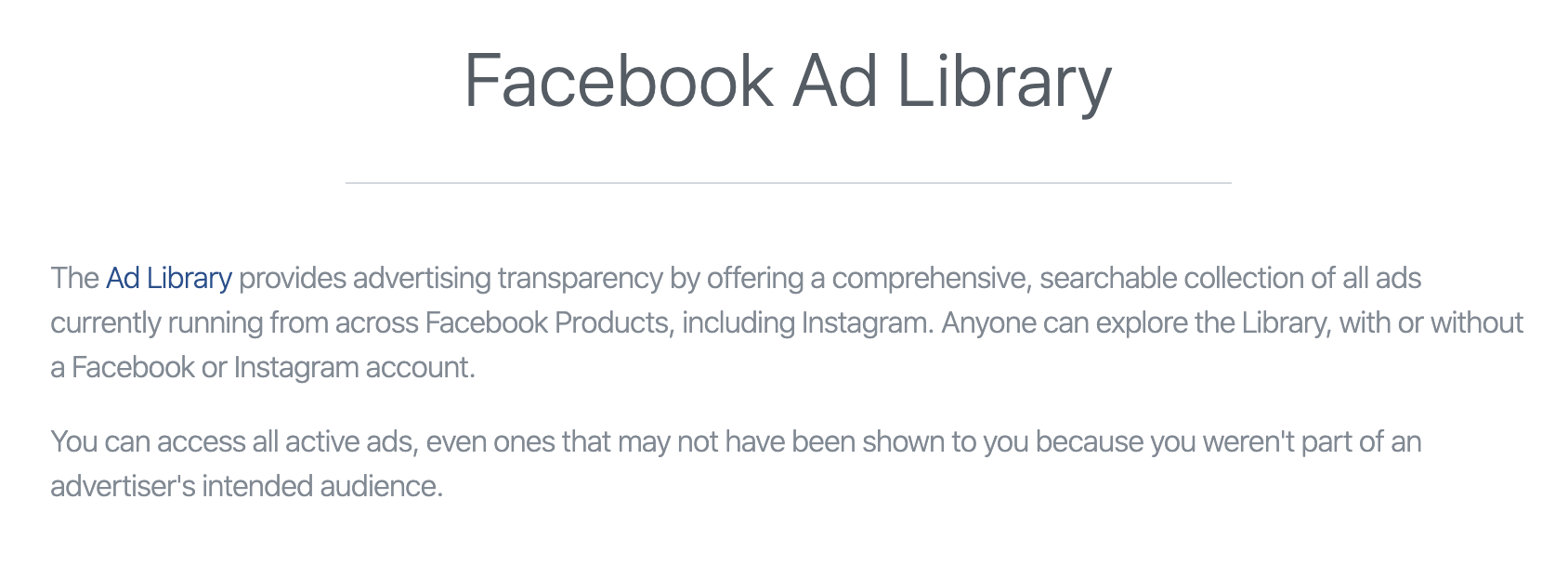
    Facebook Ads Library  –  You can use the Facebook Ads Library tool to check what kind of campaigns and ads your competitors are running on both Facebook and Instagram.

    Find out what types of ads your competitors run on Facebook and Instagram
    Find out what types of ads your competitors run on Facebook and Instagram

    5. Identify your target audience

    The final step before actually setting up an online business is to identify your target audience and create buyer personas.

    This step is critical because the outcome of this exercise will determine how you will approach the next steps.

    What you are looking for at this stage is answers to the following questions:

    • Who can potentially visit your website?
    • Who can potentially buy your products?
    • What is their gender, age?
    • Where do they live?
    • What languages do they speak?
    • What is their education level?
    • What is their ethnic background?
    • Which social networks are the most likely to use?
    • Who are the online influencers of your target audience?
    • Which other websites are the most likely to visit?
    • Which online forums or groups do they use?

    Getting straight answers is not always easy at this stage because you don’t have any data of your own, but nevertheless, you should do this exercise before you get started and enhance it as you go along.

    Don’t forget that you can use the findings from Step 4 (competitor analysis) to create a first version of who your target audience is.

    At a later stage when you set up your website and start getting traffic, it will be easier to answer these questions. You can ask your customers and community directly via surveys or analyze your social media followers using various tools.

    BEFORE proceeding to the next step, you should ensure that:

    • You know your niche and evaluated your idea
    • There are enough people who are interested in your chosen niche
    • You made an initial decision on how you will make money from your business i.e. which model will you follow? Is it affiliate marketing, creating your own product? selling physical products?
    • You created an outline of your target audience and buyer personas
    • You know the social networks your audience is using
    • You have a clear idea of who your competitors are and their online marketing practices.

    6. Decide on your brand name and register a domain

    Once you get to this point, it’s time for the exciting part and is no other than selecting a name for your brand and registering your domain name.

    Things to consider when choosing a brand name/domain name:

    • Find something catchy that people will remember
    • Keep it as short as possible
    • Make sure it’s easy to read, type (examples: yahoo.com, x.ai, apple.com)
    • Add a keyword that’s relevant to your niche (examples: teachable.com, healthline.com)
    • Don’t use hyphens or numbers — reading it out loud will be a nightmare

    You can use different tools to check if a domain name is available but before proceeding, you also need to ensure that:

    No other companies are using the same brand name on a different domain – Search for your ‘to be’ brand name of Google and look at the results. If there are other companies using the same brand name that could be a big issue and it’s better to come up with something unique.

    Check all social media networks to ensure that the name (handle) is available – you don’t want to register a domain name to find out later that you need to use a different name for your Facebook or Instagram page.

    Check that all variations of your domain (i.e. .com, .net, .info, etc) are available – if there is already a company that is using the .com domain, it’s not wise to register a .net domain with the same name. This will confuse both your customers and search engines.

    Avoid choosing a country-specific domain – avoid registering a country-specific domain i.e. reliablesoft.co.uk unless you plan to start a local business specific for that region. It is recommended to go with a .com or .net domain.

    How to register a domain name for your business

    register blog domain name
    Register a Domain Name for your Business

    Once you have found the perfect domain name for your business, the next step is to secure it. To do so you need to create an account with a domain name provider.

    The process is very easy, all you have to do is provide your personal details, choose your desired domain name and register it.

    To get started visit domain providers to register a domain name with namecheap (or you can choose the domain provider of your choice such as GoDaddy, Inmotion Hosting, etc).

    PRO TIP: Make sure that you secure your brand’s reputation by registering all the different domain extensions (.com, .net).

    7. Setup a website for your business

    The next step is to bring your business to life by setting up your website.

    If you plan to set up an eCommerce business selling physical products then you have two choices.

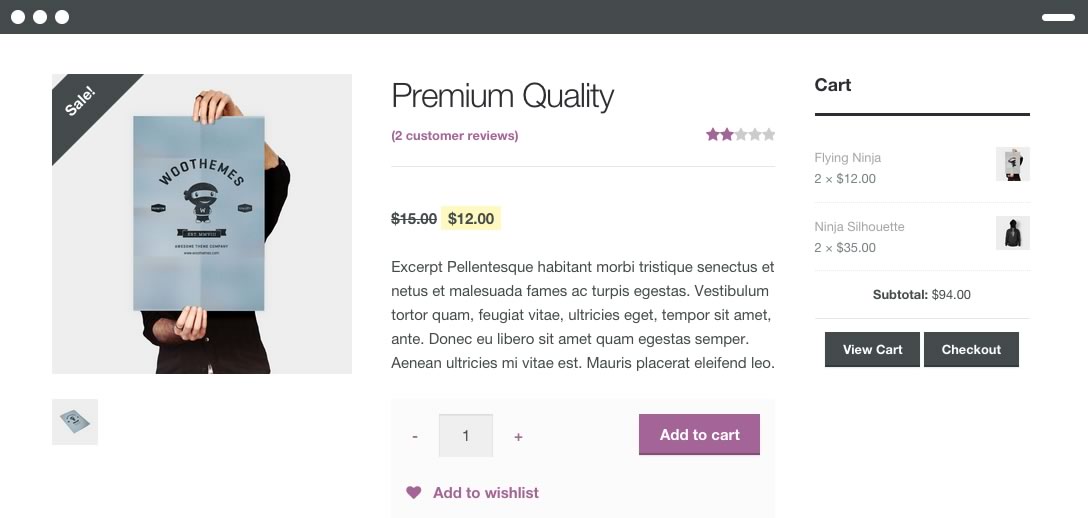
    woocommerce store
    Start an online business using WordPress and WooCommerce.

    The first choice is to set up your own self-hosted website and use WordPress and WooCommerce to create your shop and the second choice is to use a website builder like Shopify or BigCommerce.

    The second choice is faster but as your business grows you will need more flexibility and customization options so it is highly recommended to start with your own WordPress / WooCommerce website.

    For other types of businesses i.e niche blogs, websites selling services or digital products (like this one), Amazon affiliate websites, the best solution is to use WordPress.

    WordPress is flexible and user-friendly and there are a plethora of read-made themes you can buy for less than $100 and set up a professional-looking website in minutes.

    I highly recommend checking out Studio Press Themes. They have great themes that are also optimized for Search engines, something that can prove very valuable as your website grows. I use a studio press theme on this website and on many client websites.

    RESOURCES TO LEARN MORE ABOUT WEBSITE SETUP
    How to make a website – a comprehensive guide on how to set up a WordPress website for beginners.

    8. Learn what digital marketing is all about

    Coming up with an idea, registering a domain name and setting up a website is one thing, promoting your business online to get traffic and make sales, it’s a totally different story.

    This is where digital marketing comes to the rescue. In short, digital marketing is the process to follow to promote your business online using all available digital channels.

    The most important digital marketing components are:

    • Website Marketing
    • Search Engine Marketing
    • Social Media Marketing
    • Email Marketing
    • Content Marketing
    • Video Marketing

    Why is it important to have a good understanding of digital marketing?

    There are two reasons why it’s important to understand what digital marketing is all about.

    First, you’ll get to know how to get traffic, customers and grow your business.

    Second, even if you decide to outsource some of the activities to digital marketing agencies or freelancers, you’ll know what to ask from them, how to monitor their performance, and what to expect in terms of results.

    You don’t have to become a digital marketing specialist but as the CEO you need to have some basic knowledge of what digital marketing is and how it works.

    9. Create a digital marketing plan

    Now that you have a better idea of what digital marketing is all about, the next step is to come up with a plan.

    At this stage, you don’t have to make your plan very detailed but it’s enough to outline which digital marketing channels you will use and in what order.

    Some tips to help you out:

    Start with Paid Ads

    Paid advertising channels like Google Ads, Bing Ads, Facebook Ads, and Instagram Ads work faster than any other channel.

    Getting targeted traffic from these channels is immediate but you have to pay every time someone sees (pay per view) or someone clicks (pay per click), on one of your ads.

    For these channels to be profitable, you need to sell products that have a high-profit margin and optimize your paid campaigns to keep the customer acquisition costs as low as possible.

    The best way to find out if you can make money by selling products or services through ads is to run pilot campaigns and analyze the results.

    As a general rule of thumb, increase your ad spending as long as you make a profit from your campaigns. If you find that you’re spending more than what you can make in profit, then consider using other more-cost effective channels to find customers.

    Test one channel at a time

    Don’t rush into creating campaigns on all channels at once. This is not a good practice even for experienced marketers.

    Start with Google Ads and then gradually add Facebook, Bing, YouTube, and Instagram to the mix.

    Build brand awareness

    One of your digital marketing goals should be to build brand awareness. This means spending time and money at the beginning to make your brand known to as many people as possible.

    Facebook brand awareness ads are a great tool to introduce your brand to potential customers.

    Build a community

    When crafting your promotion plan, you should always remember that building a community around your brand is the best way to guarantee long term success.

    Having people that follow your brand on social networks, searching for your brand name on Google and signing up for your newsletter is what will generate constant growth, loyal customers and more sales.

    The tools to use for this are Facebook Ads (with the objective of page likes), SEO (more on this below) and email marketing.

    10. Optimize your website for Search Engines

    Search engine optimization or SEO as it is widely known is by far the most important process to grow an online business.

    SEO is suitable for all kinds of websites, all kinds of online businesses, and all platforms.

    People use search engines on a daily basis to find answers, products, and ideas and the way to increase the visibility of a website on search engines is through SEO.

    SEO will help you get more targeted traffic that will lead to more sales, build a community around your brand and establish your business as one of the leaders in your niche.

    SEO is not complicated but it takes time. It may take months to a year for a new website to show up on the top positions of Google but it’s something that you need to do if you want not to be dependent on paid traffic.

    The best way to get started with SEO is to follow a step-by-step approach. As you can see below, SEO has three main types: Technical SEO, On-Page SEO, and Off-Page SEO.

    SEO Types
    Types of SEO

    Each component is responsible for optimizing certain aspects of your site but for maximum results, you need to work on all three.

    As I frequently explain to clients, SEO is about optimizing a lot of small things on a site that together can make a big difference in organic search and traffic.

    11. Create a content marketing plan and start publishing content

    Content Marketing Strategy Plan
    Content Marketing Strategy Plan

    Take a moment and consider these two questions.

    What do all marketing channels have in common? They all need content to run.

    What do users want when using the Internet? Content to satisfy their needs.

    Content can by anything from product information pages, blogs, news, gossip, how-to guides, ad copy, video, podcasts, images, infographics or pdfs.

    How do you know what type of content to create to satisfy the needs of the users on any channel? The answer is through content marketing.

    Content marketing is about fueling your marketing campaigns with the right type of content. It’s not a standalone channel but it’s a helper process for all other channels.

    For example, when you start working on your SEO, you’ll reach a point that your website is fully optimized for search engines.

    This means that you provide the right signals to search engine crawlers to help them understand what your website is all about.

    So far so good but unless you have a publishing calendar to provide your users and search engines with new content, your rankings will not increase. On the contrary over time, they will decline and your traffic will drop.

    It’s a tough process to follow but this is how online marketing works. It’s a continuous race to constantly produce high-quality content to differentiate your business from competitors and win both users and search engines trust.

    To make sure that you’ll not lose track of what you have to do, you need to create a content marketing plan.

    This can be part of your overall digital marketing plan and should include what type of content to create for each channel, when to publish it and how to measure the results.

    It doesn’t have to be something complicated, an excel sheet with dates is enough to get started. What is more important at this stage is to start publishing content on a regular basis and not get stuck in planning.

    In fact, from experience, this is one of the most common reasons many startups fail. They either fail to execute their plan or underestimate the cost and effort needed to provide high-quality content for all their marketing needs.

    To learn more about content marketing I strongly recommend following a course (there are some great FREE courses in the list below) so as to get an idea of how to create a content marketing plan and how to correctly estimate the time and cost to run content marketing.

    12. Establish your social media presence

    There are many ways to utilize social media networks to grow your online business.

    My recommendation is to follow these steps:

    Secure your presence on ALL available social networks – You need to do this from the beginning to ensure that no other company will register your brand handle. So, make sure that you create business pages on all available networks and not just the ones you plan to use.

    The most popular today are Facebook, Twitter, Instagram, Pinterest, LinkedIn, TikTok, YouTube, Vimeo, Snapchat.

    Update your business information on all social networks – Besides registering on all networks, you also need to make sure that your business information is accurate and up-to-date.

    For branding purposes, use the same logo and background image (cover image) on all networks. Make sure that both the logo and images are representative of your brand.

    Facebook Popular Content Types
    Facebook Popular Content Types

    Keep your social media pages fresh – Adding fresh content to your pages is important because it is very likely that potential customers will check your FB page before making a purchase.

    Having empty pages or pages with outdated content is a sign of abandonment and this is not good for establishing user trust.

    In addition, when you update your social media pages regularly they will show up on the first page of Google when users search for your brand name. This is very important because you can control what users will read when doing a brand search.

    There are tools like buffer, HubSpot, and others you can use to schedule your social media posts and create a social media calendar.

    Use paid ads to get more followers and show your ads to potential customers – As mentioned above, one of the best ways to raise brand awareness and start making product sales is through Facebook paid ads.

    You can initially use FB ads to grow your following and then run targeted campaigns to show your ads to people that match the profile of your target customer (as identified in step 5 above).

    13. Grow your email list

    Despite the rise of social media networks in the last decade, one of the most effective sales channels is still email.

    A lot of online businesses make millions of sales per year on email alone and it’s one channel you definitely need to utilize.

    Email marketing is a must for any type of online business.

    Through email marketing, you get a chance to communicate, educate and inform your audience and this helps in creating a community around your brand that will eventually translate to more sales.

    One of the most challenging parts of email marketing is to get people to sign-up on your email list.

    People will not just sign up to your list to get another email from you unless you can provide value to them.

    The best ways to grow your email list are:

    Offer users an incentive to sign up – great options that worked well for us are free ebooks. Tens of people sign up to your newsletter to get our free guides.

    Place the sign-up boxes above the fold and in visible places – Make sure that all your visitors can see your email sign-up boxes as soon as they visit your site on both desktop and mobile.

    Use exit popups – An exit popup is shown when users try to leave your website. It does not impact their experience while browsing your site and they are very effective when it comes to email list building.

    14. Optimize your website for conversions

    A/B Testing Principles
    A/B Testing Principles

    One of the most common reasons many online businesses fail is the lack of conversion optimization.

    Conversion optimization is the process of increasing your conversion rates without increasing your traffic. In business terms, this means lowering your customer acquisition costs.

    Consider this example:

    Company A spends $20 for 10 visits. Out of the 10 visits, 2 people buy a product for $40. The cost of getting a customer is $10 and the total revenue is $80.

    Company B spends $20 for 10 visits. Because of conversion optimization, out of the 10 visits, 5 people buy a product for $40. The cost of getting a customer is $4 and the total revenue is $200.

    With the same amount of visits, company B makes 3.5 times the profit. This is how powerful conversion optimization is but unfortunately, most business owners ignore it.

    They only concentrate on increasing traffic to a website rather than increasing conversions and this is a HUGE mistake.

    How does conversion optimization work?

    There is no magic formula to follow and increase your conversion rates. Each website is different and there are a lot of factors that affect conversions like the price of a product, the type of product, the quality of the product, the reputation of the vendor and many others.

    This is where A/B testing comes to the rescue. With A/B testing you change parts of your website and measure the effect on your traffic and conversions.

    It’s not an easy task to do, you have to be careful to test the right things and measure them correctly but it’s definitely the way to go.

    You can use the resources below to learn more about A/B testing and conversion optimization but in general, the most common areas to focus and optimize are:

    • Landing pages
    • Product pages
    • Cart and Checkout pages
    • Website Main menu
    • Website mobile pages

    15. Get professional help

    You cannot grow an online business alone. Even if you become an expert on entrepreneurship and digital marketing, at some time as your company grows, you’ll need the help of a dedicated team.

    Depending on the size of your company and budget, you have different options:

    Hire freelancers – You can find freelancers for any kind of online work on websites like UpWork, Pay Per Hour to help you with specific tasks.

    Hire consultants – You can hire experienced consultants to help you create a strategy so that every activity you do is working towards your overall goal. You can then decide to implement the plan yourself or hire freelancers to help you.

    Hire a digital marketing agency – a full-service digital marketing agency (like ours), can offer you all the services you need. From strategic planning to implementation so that you don’t have to worry about hiring different people and managing the different processes.

    The cost of outsourcing to a freelancer or agency can vary from a few dollars per hour to hundreds of dollars per hour but what is more important is to find the right people that can deliver measurable results and not promises.

    Is an online business for you?

    Now that you know what it takes to start and promote an online business, you can safely decide if running an internet business is for you or not.

    Some additional pointers to help you make up your mind:

    Running an online business means spending the majority of your time in front of a computer monitor.

    For some people, this is fun but for others is overwhelming. If you cannot stay put for a long time and prefer to work outdoors then this is not the right business for you.

    Running an online business from home is a lonely business. While it is great to run your own business from the comfort of your own home, it’s not for everyone.

    Skype sessions and virtual meetings don’t replace ‘real’ inter-personal communications so if you are the person that needs to talk and network with people face-to-face, the online business model may not be the best solution for you.

    Competition is more than you can imagine. Anyone can start an online business. In real numbers, this translates to billions of people around the globe.

    Of course, not everyone will do it for business purposes but it’s a fact that there are around 2 billion websites on the Internet today and around 3 million are eCommerce websites.

    You won’t have to compete with all of them but for sure, you’ll not be alone in your niche.

    Nevertheless, running your own business is a great experience and if you do things correctly and in order, there is nothing stopping you from running a profitable online business.

    How much does it cost to start an online business?

    The cost to start an online business can be from a few dollars to hundreds of thousands of dollars. It depends on the type of business you want to start.

    Let me give you some examples:

    • Cost of registering a domain name for your business – $15 per year (some hosting providers give this for free).
    • Cost of setting up a WordPress blog – It can be as low as $2.75 per month including domain registration.
    • Cost of a professional WordPress theme – around $100 to get a professional and optimized theme.
    • Cost of setting up a self-hosted eCommerce business (WordPress and WooCommerce) – You can get a theme for $100 or a custom-made website ($2000-$10000 depending on requirements and functionality).
    • Cost of setting up a self-hosted eCommerce business (Shopify) – $29 – $299 per month (depending on the size of your store).

    So, while you cannot start an online business with no money, the initial cost is affordable for everyone.

    How much money can you make online?

    The short answer is from zero to millions of dollars per year. It depends on the type of business, business model, products, profitability, and many other factors.

    Let me give you some examples for inspiration:

    • On some of my sites, I use AdSense to make money.
    • Yoast makes money by selling WordPress Plugins and online courses.
    • Syed Balkhi makes millions of dollars per year through his SaaS companies.
    • Patt Flynn makes money through affiliate marketing and online courses
    • A lot of my clients make money by selling physical products through eCommerce Stores.

    The possibilities to make money with an online business are endless.

    Key Learnings

    Starting an online business is not impossible, even if you know nothing about businesses and entrepreneurship.

    You don’t need a college or university degree but you have to be willing to work hard to learn how to become an online entrepreneur.

    The ‘recipe’ is the same of all kinds of businesses:

    • Come up with an idea
    • Evaluate your idea
    • Decide how you will make money
    • Setup a website
    • Promote your website to get traffic and clients

    For each step, there are many things to do to minimize your risks but nobody can tell you in advance if your idea will work or not.

    Rather than spending your time wondering, it’s better to get your hands dirty and start testing your ideas.

    Maybe you won’t succeed the first time, that’s fine. Most people fail with their first websites but those who win are those that try again.

    It took me a couple of years to make my first dollar from online activities but fortunately for you, you can follow the plan outlined in this guide and start a successful online business on your first try!

  • Best Niches For AdSense

    Google AdSense allows bloggers and marketers to earn revenue by placing ads on their sites.

    If you want to make more money, identifying niches and keywords that offer the most significant payouts is an excellent place to start.

    You must be looking to monetize your website with AdSense, you’ll want to choose a niche that can generate high click-through rates and bring in substantial revenue. Here are some of the best niches for AdSense that can help you maximize your earnings.

    Now here’s the deal:

    With AdSense arbitrage, you can drive paid traffic to your site and get ad clicks from site visitors. Since you are sharing revenue with Google for clicks on your ads, you can buy traffic at a lower cost and remain profitable.

    In this article, we will review some of the best niches and keywords that will help you rake in more revenue from ads.

    Best Niches For AdSense Arbitrage

    1. Insurance

    Best Niches For AdSense

    Insurance tops the list as the most profitable niche for AdSense. Companies and agents operating in the insurance industry will most likely pay more money for ads and this is because they can generate a massive return on investment (ROI) for each ad click that translates into a sale.

    Bloggers and websites can take advantage of content opportunities in the insurance industry. They can discuss topics such as

    • Health insurance
    • Automobile insurance
    • Life insurance
    • Travel insurance
    • Pet insurance
    • Home insurance and more

    The competition for blogs and websites in the insurance niche is more intense. However, with quality articles, SEO practices, and relevant keywords, you can

    • Boost your page rankings
    • Drive a vast amount of quality traffic to your site
    • Ultimately enjoy higher revenue from Ads that are served to your website

    Average CPC / PPC Costs for Insurance

    Best Niches For AdSense

    Cost per click refers to the amount of money that advertisers in that niche are willing to pay for ads. It is also the amount of money that website owners earn each time a visitor clicks an advertisement on their site.

    For insurance ads, the average cost per click may differ based on the country and location.

    Based on data from WordStream, the average cost per click (CPC) for car insurance in the US is $67.39. Other insurance CPCs for the US include

    • Homeowners insurance – $68.70
    • Health insurance – $22.33
    • Life insurance – $41.99

    The insurance industry also leads AdSense arbitrage in other regions, including the UK, Australia, and Canada.

    In the UK, the average CPC cost for

    • Public liability insurance is $40.94
    • Life insurance is $50.20
    • Landlord insurance stands at $20.52
    • Car insurance is $9.34

    In Australia, the average CPCs for these keywords are

    • Health insurance, $42.33
    • Life insurance, $74.28
    • Car insurance, $17.17
    • House insurance, $20.00

    Canada has a similar experience. The average CPCs are

    • Home insurance, $31.80
    • Car insurance, $37.37
    • Liability insurance, $14.91

    High Paying Keywords for Insurance

    The best-paying keywords in the insurance niche involve a healthy mix of keywords with

    • Keywords with high CPC
    • Keywords with high search volumes

    Bloggers should consider including a blend of these keyword categories in their blog posts.

    Let us take a look at some of the expensive insurance-related keywords in the US.

    • Geico insurance has a CPC of $52.82
    • Instant auto insurance quote has a CPC of $89.27
    • Get auto insurance online has a CPC of $90.02
    • Purchase auto insurance online earns a CPC of $91.75
    • Auto insurance quotes online has a CPC of $82.37

    Some of the most popular insurance-related keywords in the US include

    • Farmers Insurance with monthly search volumes of 450,000
    • Farm insurance with a monthly search volume of 450,000
    • Car insurance earns 368,000 searches every month
    • Travel insurance has a monthly search of 368,000

    2. Online Education

    Best Niches For AdSense

    Online education is another niche with high-profit potential for AdSense arbitrage.

    In the past few years, online education and digital learning have witnessed massive adoption and growth. Statistics show that the e-learning market will hit over $2.6 billion by 2023 in the Latin American industry.

    Students and professionals are taking advantage of the opportunity to acquire skills and qualifications. More so, there are a lot of online learning platforms offering free and paid online courses including

    • Udemy
    • Coursera
    • Harvard online
    • edX
    • Alison
    • Skillshare
    • LinkedIn Learning (formerly known as Lynda)

    Some of these platforms pay more money to place ads on publisher sites in specific locations. Website owners can latch onto the opportunities that exist in this niche. They can write about topics related to

    • Free online courses
    • Paid online courses
    • Online bachelor’s and master’s degrees
    • E-learning programs for corporate organizations
    • Online college programs

    They can even drill down and focus on specific subjects including

    • Business and entrepreneurship
    • Cybersecurity
    • Digital Marketing
    • Machine learning
    • Artificial intelligence
    • Arts and Crafts, and more

    Average CPC / PPC Costs for Online Education

    Again, data from SEMRush shows that the average CPC for the online education niche is $16.06.

    High Paying Keywords for Online Education

    Best Niches For AdSense

    Some of the top-paying keywords in this industry include

    • Online classes with a CPC of $113.30
    • Associate degrees online with a CPC of $46.92
    • Online colleges with a CPC $92.37
    • Online school with a CPC of $48.65
    • Best online colleges with a CPC of $39.95

    The popular keywords in this niche include

    • Udemy with a monthly search volume of 550,000
    • College- search volume of 368,000 every month
    • Coursera – monthly search volume of 246,000 every month
    • Pluralsight – 165,000 searches every month
    • Training – 110,000 searches monthly

    3. Marketing & Advertising

    Best Niches For AdSense

    Marketing is a core aspect of any business and websites with marketing and advertising content enjoy massive readership from visitors. More so, they enjoy high revenue payouts from AdSense. These blogs provide insight into marketing strategies that can help businesses grow.

    They explore topics such as

    • Digital Marketing
    • Search Engine Optimization (SEO)
    • Social media marketing
    • Email marketing
    • Google AdWords
    • Search engine marketing (SEM)
    • Launching a product
    • Traditional advertising
    • Advertising and public relations (PR)
    • Brand management
    • Market research

    Average CPC / PPC Costs for Marketing and Advertising

    In the marketing and advertising niche, the average PPC cost in the US is $8.45. In the UK, the average PPC cost is $6.50. Australia’s average CPC costs for marketing and advertising is $4.12. Canada has an average CPC cost of $3.54 for this niche.

    High Paying Keywords for Marketing and Advertising

    In the US, email marketing tools top the list for the highest paying keywords with a CPC of $61.81. Ecommerce SEO has a CPC of $38.55. Local internet advertising has a CPC of $40.64. The CPC for Internet marketing company stands at $27.98. SEO consulting services have a CPC of $22.42.

    PR and SEO lead the pack of keywords with the highest search volume in this niche. They have monthly search volumes of 135,000. Logo design has a search volume of 110,000 per month, while advertisement has a search volume of 90,500 per month. Also, marketing has a monthly search volume of 90,500.

    4. Legal

    Best Niches For AdSense

    The legal niche is another goldmine for AdSense arbitrage. Legal services are essential for businesses and individuals. Whether you want to register a new business, write a will, sell a property, or resolve conflicts, you need legal advice.

    Consulting and legal services offered by law firms and attorneys do not come cheap. Lawyers and attorneys pay more for ads, thereby making it one of the top-paying AdSense niches.

    Legal bloggers can focus on quality posts that offer legal advice. They can explore topics such as

    • Advice on specific law practice areas such as business law, injury or insurance law, divorce, and child support
    • Step by step guides explaining what individuals should do when they have legal issues
    • Recent changes in legislation and legal processes
    • Commentary and breakdown of trending and high profile legal cases
    • Technological advancements in the legal industry
    • Advice to lawyers fresh out of law school
    • Upcoming legal events and more

    Average CPC / PPC Costs for Legal

    From the SEMRush data, the average CPC cost for the legal niche in the US is $8.68. Canada has an average CPC cost of $4.25.

    Australia has an average CPC of $2.19 while the UK PPC cost stands at $1.98.

    High Paying Keywords for Legal

    Based on data for Moz keyword research tool, we will highlight some of the high paying keywords available for this niche.

    • Traductor (Legal translator) has a monthly search volume of 4,441,481 searches
    • Attorney – monthly search volume of 84,997 searches
    • Lawyer – monthly search volume of 72,682
    • Judge – search volume of 46,180 per month.
    • Barrister has a monthly search volume of 30,313 searches
    • Prosecutor has a monthly search volume of 30,455 searches.

    5. Internet and Telecoms

    Best Niches For AdSense

    The internet and telecom niche is broad and covers a wide range of topics including

    • Wireless technology
    • Mobile technology
    • Artificial intelligence
    • Machine learning
    • Cybersecurity
    • Virtual reality
    • Chatbots
    • Automation
    • Big data and more

    Technology is evolving at a swift pace. More so, it has changed the way we live and interact with people.

    Every day, there are amazing discoveries, products, apps, and tech solutions. And while some new startups are emerging, some companies are folding up.

    The competition in the tech space is fierce. Companies are ready to make massive investments in ads. So this represents a lucrative niche for AdSense arbitrage.

    Some of the ideas for bloggers in this space include

    • Tech news and predictions
    • Disruptions in the tech space.
    • Software and technology review
    • Gadget reviews
    • Software usage tips and troubleshooting
    • Computer and mobile repairs

    Average CPC / PPC Costs for Internet and Telecoms

    According to the SEMRush CPC Map tool, the average CPC for this niche is $5.80 in the US. In the UK, the average CPC is $6.25.

    High Paying Keywords for Internet and Telecoms

    Best Niches For AdSense

    The top-paying keywords under this niche in the UK include

    • Internet security firewall with a CPC of $155.13
    • Network firewall security with a CPC of $98.93
    • Firewall security – CPC of $81.13
    • Three mobile broadband – CPC of $37.48

    Let’s take a look at the search volume for keywords in this niche.

    • Mobile phones have 90,500 searches every month
    • Internet earns 74,000 searches every month
    • Data protection act has a monthly search volume of 33,100
    • Big data has a monthly search volume of 27,100 and
    • Cyber Security has a monthly search volume of 22,200

    6. Online Banking

    Best Niches For AdSense

    The wave of technology and innovation is impacting financial institutions. Banks are investing more money in online and digital banking solutions. Customers are now banking and managing their finances from the comfort of their sofa.

    They can pay bills, transfer funds, and manage transactions on their devices. While banks are closing in on the opportunities in the digital payment space, fintech companies are also enjoying a fair share of the market.

    The competition in the online banking space makes it a viable niche for AdSense arbitrage.

    Some of the ideas for bloggers in this space include

    • Online banking strategies and investment
    • The future of digital payments
    • Online payment solutions
    • Innovations in the online banking sector
    • Digital banking trends in the year 2020
    • The role of ATMs in the digital banking era
    • Online banking and its role in personal financial management
    • Tips for safe and secure online banking
    • Role of digital payments in driving business growth and more

    Average CPC / PPC Costs for Online Banking

    According to SEMRush data, the average CPC for the online banking niche in the US is $8.86. In Australia, the PPC cost is $6.24. The UK has a PPC cost of $3.57 while Canada has $4.25.

    High Paying Keywords for Online Banking

    Moz Keyword Explorer reveals the online banking-related keywords with the highest search volumes in the US. They include:

    • Paypal login – 1,324,668 searches
    • Paypal – 14,568,435 searches
    • Google Wallet – 192,440 searches
    • Online banking – 191,674 searches
    • Apple Pay – 196,855 searches

    7. Cryptocurrency

    Best Niches For AdSense

    Cryptocurrency has become a hot topic over the past few years. While many countries have become advocates of cryptocurrency, some are gradually monitoring the trend. The top cryptocurrencies include

    • Bitcoin Ethereum
    • XRP
    • Bitcoin Cash
    • Tether
    • Litecoin
    • EOS
    • Binance Coin
    • Bitcoin SV
    • Stellar

    According to Blockchain.com, Bitcoin had an average of 250,000 daily transactions in April 2022. More so, the bitcoin market capitalization reached $600 billion dollars in June 2021.

    Best Niches For AdSense

    Although this niche is still in its infancy, the future looks promising. Many cryptocurrency investments and trading firms invest in ads to promote trade.

    Therefore, this niche represents an untapped potential for AdSense arbitrageurs.

    Furthermore, bloggers can explore hot topics like

    • Investing in cryptocurrency: Risk and returns
    • Top cryptocurrency exchanges in 2020
    • The future of blockchain technology
    • The role of blockchain technology in education and business
    • Implementing blockchain banking in banks and other financial institutions
    • Cryptocurrency and taxation
    • How to make smart investments in cryptocurrency

    Average CPC / PPC Costs for Cryptocurrency

    The cryptocurrency niche looks promising in Australia, with an average CPC cost of $7.15. In the US, the average CPC is $7.27, while the UK has an average CPC cost of $5.37.

    High Paying Keywords for Cryptocurrency

    In Australia, some of the most expensive keywords for this niche include

    • How to buy cryptocurrency in Australia – CPC cost of $50.51
    • AUD bitcoin exchange – CPC cost of $ 37.22
    • Cheapest bitcoin exchange – CPC cost of $34
    • Kraken exchange – CPC costs of $32.13
    • Cryptocurrency trading sites with a CPC cost of $31.49

    The most popular keywords include

    • Bitcoin price – 201,000 monthly searches
    • Bitcoin – 135,000 searches every month
    • coinmarketcap- 74,000 searches every month
    • BTC markets – monthly search volume of 74000
    • BTC – 49,500 searches every month

    According to Moz Keyword Explorer, the monthly search volume for “bitcoin price” is 1,008,880.

    8. Home and Garden

    Best Niches For AdSense

    Home and Garden is one of the most significant niches for AdSense arbitrage. Just as the saying goes, “The home is where the heart is.” Home improvements make lives easier, better, and increase feelings of peace and security.

    This niche covers everything including

    • Home decor and design
    • Garden supplies
    • Kitchen and dining
    • Pet products
    • Furniture and fixtures
    • Gardening and landscaping and more

    Retail giants like Amazon, eBay, Walmart, and Ikea are cashing in on the opportunities in that space. Websites focusing on this niche can enjoy massive payouts from AdSense arbitrage.

    They can focus on topics such as

    • Home improvement ideas in 2022
    • Popular house styles
    • DIY home improvement tips
    • Things you should look out for when buying a home
    • Home automation ideas, and more

    Average CPC / PPC Costs for Home and Garden

    SEMRush reveals that the home and garden niche in the US has an average CPC of $4.29. Canada enjoys an average CPC of $3.18.

    High Paying Keywords for Home and Garden

    Based on data from Moz keyword research tool, the popular keywords related to this niche include

    • Home – monthly search volume of 1,027,380
    • Home improvement – 175,759 searches every month
    • Landscaping – monthly search volume of 101,332
    • Garden – monthly search volume of 76,660
    • Home improvement loans – 21,776 searches every month
    • House remodeling – 7,008 monthly searches.

    9. Automobile Dealership

    Best Niches For AdSense

    The automobile industry is one of the world’s largest and wealthiest sectors of the global economy. Statistics reveal that the industry will hit $9 trillion by 2030.

    Major players in the industry include companies involved in the design, manufacturing, and selling of cars. Also, after-sales support and part manufacturers are key success drivers in the industry.

    Furthermore, automobile dealerships are the connecting piece between manufacturers and car buyers. They sell new and used vehicles to meet customer needs. Dealerships enjoy profits from sales and after-sales services.

    Although very few sales happen online, online ads can drive offline conversions.

    Car companies invest lots of money on advertisements. Therefore, this niche is profitable for AdSense arbitrage.

    Hot blog topics in this niche include

    • Feature by feature comparison of cars
    • Car upgrades by year added features and benefits
    • Vehicle repairs and maintenance tips
    • Car and driving safety tips
    • Vehicle parts and functions
    • Car insurance policies
    • Local driving laws and tax laws
    • Features to look out for before buying a vehicle

    Average CPC / PPC Costs for Automobile Dealership

    Again data from SEMRush reveals that the average CPC for automobile dealerships in the US is $4.82. Canada has an average CPC of $3.18.

    High Paying Keywords for Automobile Dealership

    Best Niches For AdSense

    Moz keyword research tool shows that the top-performing keywords in the US include

    • Cargurus – 2,671,986 searches every month
    • Autotrader – 2,494,726 searches every month
    • Carmax – 1,936,982 searches every month
    • Carvana – 1,622,052 searches monthly
    • Car guru – 686,294 searches every month
    • Used cars – 556,941 searches every month.

    10. Fitness and Health

    Best Niches For AdSense

    Health and fitness have remained one of the most profitable AdSense niches for many years. Just as the saying goes, “health is wealth.”

    Over the years, health experts have stressed the importance of fitness and exercise. It helps individuals maintain good physical, social, and mental well-being. More so, it improves the overall quality of life.

    Because humans want to live long, this niche has a huge demand for quality informational articles. Article ideas may include

    • Tips for maintaining physical fitness and a healthy lifestyle
    • Weight loss tips for men and women
    • Benefits of regular physical activity
    • Tips for healthy eating
    • Health and fitness guides for gyms and instructors
    • Early morning workouts and fitness exercises for the elderly

    Average CPC / PPC Costs for Fitness and Health

    SEMRush reveals that the fitness and wellness niche in the US has an average CPC of $3.61.

    High Paying Keywords for Fitness and Health

    Based on data from the Moz keyword research tool, the popular keywords in this niche include

    • How to lose weight – 109,092 searches every month
    • Exercise bike – 98,360 per month
    • Fitness – monthly search volume of 81,414
    • Men’s health – monthly search volume of 51,200
    • Fitness blender – 46,162 searches every month
    • Health news – 17,939 monthly searches

    Disclaimer: The CPC values enumerated in this post are based on results we acquired from the SEO tools (WordStream, Moz, and SEMRush) during the research for this write-up.

    Hence, they are subject to change due to fluctuations in the SEO tools; however, the difference should be minimal.

  • What is SEO And Why Is It Important?

    An introduction to SEO for beginners. Learn what Search Engine Optimization is, how it works and why its a critical process for the success of any website.

    Search engine optimization is important for the success of any online business. Every webmaster should understand what is SEO, how it works and the traffic potential it can generate for all website types.

    In this SEO guide you will learn:

    What is SEO?

    SEO stands for Search engine optimization. It is a set of rules for optimizing your website so that it can achieve higher rankings in search engine’s organic results. It’s the process to follow to increase the visibility of your website in search engines and get more traffic.

    SEO has two main goals. The first is to help you understand what users are searching for online so that you can create high-quality content to satisfy their intent. The second is to help you create a website that search engines can find, index, and understand its content.

    In addition, following good SEO practices is a great way to increase the quality of a website by making it user-friendly, faster, and easier to navigate.

    The most important SEO tasks have to do with:

    • Identifying what users are searching for that is related to your products and services
    • Creating content that will make users happy
    • Providing the right signals to search engine crawlers and algorithms through various SEO techniques

    SEO can be considered a complete framework since the whole process has a number of rules (or guidelines), a number of stages, and a set of controls.

    Why is SEO important?

    In today’s competitive market, SEO marketing is more important than ever.

    Search engines serve millions of users per day looking for answers to their questions or for solutions to their problems.

    If you have a website, blog, or online store, SEO can help you get free targeted traffic from search engines.

    SEO is important because:

    • The majority of search engine users (more than 70%  – see graph below) are more likely to click on one of the top 5 suggestions in the search engine results pages (SERPS). To take advantage of this and gain visitors to your website or customers to your online store, your website needs to appear in one of the top positions.
    • SEO is not only about search engines but good SEO practices improve the user experience and usability of a website.
    • Users trust search engines and having a presence in the top positions for the keywords the user is searching, increases the website’s trust.
    • SEO is good for the social promotion of your website. People who find your website by searching Google or Bing are more likely to promote it on Facebook, Twitter, or other social media channels.
    • SEO is important for the smooth running of a big website. Websites with more than one author can benefit from SEO in a direct and indirect ways. Their direct benefit is an increase in organic traffic and their indirect benefit is having a common framework (checklists) to use before publishing content on the site.
    • SEO can put you ahead of the competition. If two websites are selling the same thing, the search engine optimized website is more likely to have more customers and make more sales.
    CTR Per SEO Ranking Position.
    CTR Per SEO Ranking Position.

    An introduction to SEO for beginners

    For beginners to SEO the above definition may sound complicated.

    In simpler terms, Search Engine Optimization is a way to improve your website so that it will appear closer to the top positions in the search results of Google, Yahoo, Bing, or other search engines.

    When you perform a search on Google the order by which the returning results are displayed, is based on complex algorithms.

    These algorithms (also known as search engine ranking factors) take into account a number of rules before they decide which webpage will be shown in the first position, second position, etc.

    Optimizing your website for search engines will give you an advantage over non-optimized sites and you increase your chances of ranking higher.

    Watch the video tutorial to learn what is SEO, how it works, and why it’s very important.

    What are the main stages of the Search Engine Optimization process?

    As I mentioned above, SEO is not a static process but rather a framework with rules and processes.

    For simplicity though, SEO can be broken down into 3 main types:

    SEO Overview
    SEO Overview

    Technical SEO: With technical SEO you can ensure that search engines can crawl and index your website without any issues.

    On-site SEO: Rules to apply to your site and content to make it search engine friendly.

    Off-site SEO: Ways to promote your website or blog so that it can rank higher in search results.

    Technical SEO

    The first stage in the SEO process is called technical SEO. As the name implies, technical SEO has nothing to do with the actual content of a website or with website promotion methods.

    It has to do with settings you need to configure to make the job of search engine crawlers easier. Usually, once you get your technical SEO correct, you may not have to deal with it again.

    On the other hand, if you have problems with crawling and indexing, it can negatively impact your rankings.

    To perform a technical SEO audit review and ensure that everything is working as expected, read our Technical SEO Guide.

    On-site SEO

    The second stage is On-Page SEO. On-Page SEO has to do primarily with the content and other elements found on a page.

    Unlike technical and off-page SEO, the main focus of on-page SEO is to provide search engine crawlers with enough signals so that they can understand the meaning and context of your content.

    Remember that search engines don’t read a page like a human so they are looking for signals to figure out what a page is all about.

    It is at this stage that you will deal with website structure, SEO keywords, title optimizations, headings, internal links, image SEO, structured data markup, and other techniques that can send the right signals to search engines.

    If followed correctly, on-page SEO will also improve the usability and credibility of a website or blog.

    Note that content optimization is part of on-page SEO but sometimes this is referred to as Content SEO.

    Our On-Page SEO Guide explains the different on-page SEO techniques in detail.

    Off-site SEO

    The third stage is Off-Page SEO.

    Besides the changes, you can do to your website (on-site SEO) so that it ranks higher in the SERPs, the other way to improve your website’s ranking position is by using off-site SEO techniques.

    Off-site SEO is generally known as link building but I prefer to use the term website promotion since a proper way to promote a website involves many more methods and techniques than building links.

    Why is off-page SEO important?
    In general, when a user types a search query, search engine algorithms look into their index and try to find the best pages that can satisfy the intent of the user.

    Pages that are good candidates appear in the first positions of the search results.

    One of the factors to determine the position of a webpage in the results is the number of incoming links (backlinks).

    Backlinks are a signal of trust and depending on where the links are coming from, they can greatly affect your ranking position.

    If the links are coming from well-known and trusted sites, your ranking will be positively affected.

    If they are paid links, links in article directories, link farms, or a result of an exchange, your ranking will be negatively affected.

    Getting links this way is a violation of Google guidelines and most probably it will also result in a Google Penalty.

    What can you do to get more links?

    That’s a very good question and I am sure that if you search the Internet for that phrase you will get hundreds of different answers.

    Good content will get you natural links which in turn will give you high rankings and traffic.

    If you try to buy links or get them the easy way, you may have temporary success and then see your website disappearing from the top pages after the next Google update.

    What is the best way to learn how SEO Works?

    The best way to learn how SEO works is to practice SEO.

    Besides learning the different concepts and theories, the only way to find out if what you’ve learned works, is to apply the various SEO techniques on a website and monitor your rankings.

    If your rankings and organic traffic are increasing, then this means that you are in the right direction. If not, you will have to revise your SEO strategy and action plan.

    Resources to Learn More About SEO

    • How Search Engines Work – Before starting with SEO, it is important to understand how search engines work. At the end of the day, your goal with SEO is to influence search engines to ‘trust’ your website, and knowing how they actually rank websites, will help you make better decisions.
    • DIY SEO Tutorial – A tutorial on how to do SEO on your own. It covers both basic and advanced SEO Concepts.
    • SEO Checklist – A handy checklist to check that you have optimized all elements.
    • Search Engine Optimization (SEO) Starter Guide – A handy guide by Google for beginners to SEO.
    • SEO Certifications – a list of the best SEO courses to follow and get certified.

    What is the difference between SEO and Digital marketing?

    Some people often ask me “Is SEO the same as Digital Marketing?” The simplest answer I can give is that SEO is one of the tools available in your Digital Marketing arsenal.

    SEO can be part of your overall Digital Marketing campaign which normally includes other things like social media promotion, PPC, content strategy, etc.

    Good content is still the most important success factor with or without SEO

    Before closing this introduction to search engine optimization you must have very clear in your mind that SEO cannot help you if you don’t have good content.

    In other words, if you try to SEO a website with not very good content your chances of succeeding (in the long term) are minimum.

    On the other hand, a website with good content can do well with or without SEO. SEO will just give the website an extra boost.

    Key Learnings

    What is SEO?
    SEO is a set of rules for optimizing your website so that it can achieve higher rankings in search engines’ organic results.

    Why is SEO important?
    The majority of search engine traffic goes to the top 5 results. With SEO your website can appear in one of the top positions for your target keywords and get visits to your website.

  • SEO Tips For Beginners

    In this guide, you’ll learn the best SEO tips for beginners. It includes real examples and actionable advice to help you understand the basic SEO rules.

    As a beginner to search engine optimization (SEO) you need to understand that there is no magic way to rank your website on the first page of Google, Bing or Yahoo.

    Search engines are governed by complex algorithms and it takes a lot of time and effort to ‘convince’ them that your website or web page deserves one of the top spots.

    Nevertheless, there are certain rules you can follow to optimize your website and provide the search engine bots with the necessary signals.

    While the web is floated with SEO tips and advice, most of the articles talk about SEO at a theoretical level and not how SEO can be applied in practice.

    In my opinion, this is why most website owners are confused and either they give up with SEO or simply do not get the expected results.

    What you will read in this post is SEO advice that works.

    I have tested this strategy over the years on a number of websites with remarkable results.

    Google SEO Tips for Beginners

    The most important SEO tips that can make a difference to your Google rankings are:

    1. Optimize your page titles and meta descriptions
    2. Create SEO friendly URLs
    3. Add a breadcrumb menu to your internal pages
    4. Add internal links to your content
    5. Use headings and formatting options to make your pages easier to read
    6. Customize your 404 page
    7. Optimize your images
    8. Improve your page speed
    9. Get backlinks from other websites
    10. Make sure that your website is mobile-friendly
    11. Create an XML sitemap and a User sitemap
    12. Improve the quality of your content
    13. Update your website with fresh content
    14. Check for broken links
    15. Use Google webmaster tools and analytics

    Of course, there are many other things you can do to help your website achieve better rankings, but the SEO tips presented below will give you a solid and reliable framework that is 100% safe (i.e. without taking any risks of getting a Google Penalty) and above all, it works.

    In addition to the tips, I have added real examples from two web sites that I’ve been doing SEO work, to help you understand how to apply the guidelines on your own website or blog.

    1. Page Titles and description

    Page titles

    Page titles are a very important aspect of SEO and this is why it is the first item on my list.

    My findings for the last couple of months showed that page titles are more important than ever especially for Google SEO.

    The most important characteristics of an optimized page title are:

    • Each page needs to have a unique page title that accurately describes the page’s content.
    • Be brief and descriptive.
    • Help the user understand what the page is about

    Home page title: The title for your homepage can include the name of your website/business and other bits of important information like the physical location of your business or maybe a few of its main focuses or offerings.

    The titles of other posts/pages of your website should accurately describe what the page is about and be attractive to the searcher.

    Description

    The page description meta tag is also very important. It gives users, Google, and other search engines a summary of what the page is about.

    Google may choose to show what you type in the description as a snippet for your page or may decide to use a part of your page’s content.

    In other words, it does not mean that what you write in the description will show in the snippet.

    The guidelines for writing a good meta description are:

    • Always provide a unique description for all pages, posts, products of your website.
    • Keep the meta description length between 180-200 characters.
    • Avoid repeating the title in the description
    • Don’t add too many keywords
    • Try to use the description as a way to ‘advertise’ your page to the reader so that they click on your title and visit the page.

    2. Permanent link structure

    The permanent link structure is a term used to describe the format of URLS for pages (categories/tags) or individual posts of a web site.

    It is shown in the browser address bar and in the search results (below the page title).

    SEO Friendly URL

    Guidelines for SEO Friendly URLs

    • Make Urls simple and easy to understand for search engines and users
    • Use hyphens ‘ – ‘ to separate the words that make up a URL
    • Avoid lengthy Urls with unnecessary information
    • Use words that describe what the page is about but avoid keyword stuffing

    Examples of BAD URL structures

    • http://www.example.com/UK/123213/5005.html
    • http://www.example.com/socialmedianews
    • http://www.example.com/id=7&sort=A&action=70

    Examples of GOOD URL structures

    • http://www.example.com/social-media-news
    • http://www.example.com/2002/12/social-media-news

    3. Breadcrumb

    Make sure that you have a breadcrumb trail on all your internal pages. A breadcrumb is a set of links at the top of the page that aid navigation.  If you are using WordPress there are many free plugins to create a breadcrumb.

    Breadcrumb Menu Example

    4. Internal links

    When we talk about internal links we mean links in a page that point to other pages within the website i.e. not external links.

    In the example below, when you click on the link with anchor “increase the intensity” you will be redirected to a page with-in the website to find out more information on how to increase the intensity of an exercise.

    Example of an Internal Link

    Internal linking is a very important factor for website SEO but still many web site owners are not using it correctly. The rules to follow for internal links are simple:

    • Link related articles together either by using keyword anchor text or by using the full article title.
    • Make sure that the links are useful both for the user and easy to understand by search engines.
    • Don’t make links for search engines only. An internal link should help the user navigate the site better.
    • Do not use terms like ‘click here’ or ‘[..]’ for internal linking.
    • Don’t overdo it. A few internal links per page are enough (create more if really necessary)

    Pro Hint: Don’t always link old posts from new posts but every couple of weeks go back and link newer posts from older posts.

    It’s not an easy task to do especially if you have a lot of posts but it’s a very valuable tool for on-site SEO.

    5. Text formatting and the use of H1, H2, and H3

    Don’t just publish pieces of text on your website without first doing some basic formatting. This is not good for the user experience and works against your SEO efforts.

    General guidelines for formatting a post or page on your website:

    • Use H1 tags for the title of your post
    • Use H2 tags for the main headings of your post.
    • Use BOLD and Italics to draw users attention
    • Don’t use H2 tags for all your headings
    • Write small paragraphs
    • Use a font size that is easy to read

    When formatting your posts always have in mind the user experience. Can the user identify the main sections of your post (H2 tags) just by looking at the page? Is the text easy to read on all devices (smartphones, Apple Ipads, Android tablets, etc)?

    Setting text as heading 1

    6. The 404 Page

    SEO is about improving the user experience and a proper 404 page contributes to that goal.

    The 404 page is the page shown when a user is looking for a page on your site that doesn’t exist or mistypes a URL or follows a broken link. When the 404 page is not configured, it looks like this:

    Default 404 Page

    This is not useful for the user and negatively impacts the user experience.

    A properly configured 404 page should:

    • Give some info to the user of what happened rather than displaying “Not found”
    • Have a design consistent with the rest of the website
    • Give options to the user to navigate to other pages of the site.

    This is how my 404 page looks like: 

    Custom 404 Page

    7. Image Optimization

    Images are necessary to enhance the user experience but care should be taken not to create other side effects like problems with page load speed or slow response.

    Importance of images in SEO

    If you decide to use images, mind the following:

    • Use Alt Text to describe the image. You can add keywords but don’t overdo it.
    • Use keywords in image filenames (separated with dashes). Avoid using filenames like image1.jpg or person1.jpg. Instead, use meaningful names with dashes. For example woman-working-out.jpg
    • Keep all image files in a dedicated folder in your site i.e. www.mydomain.com/images/
    • Optimize the image size. The smaller the size of the image (in KB) the faster your website will load.

    8. Page Speed

    Google mentioned many times that page speed is a ranking factor and yet many webmasters don’t optimize their web sites for speed. Their aim (Google’s) is to provide the searcher with the most accurate results in the fastest possible way.

    It is certain that page speed (as a ranking factor) will gain more importance in the next couple of years.

    Bounce Rate and Page Speed
    Bounce Rate and Page Speed

    Fast web sites improve the user experience and it is a factor to encourage the visitor to come again. In addition, a website that loads in less than 4 seconds is more likely to:

    • Rank better in search results
    • Get more page visits per user
    • Get more conversions

    How to tackle the page speed problem?

    • Remove any unnecessary plug-ins (if you are using WordPress) or javascript from your pages.
    • Optimize the size of your images.
    • Use a caching service or plug-in.
    • Go to http://www.webpagetest.org/ and test how many seconds it takes for your pages to load from different locations, internet speed, and browsers. The analysis report at the end will also tell you which components of your page take too long to load so that you can remove them.
    • Go to Google Page Speed Service to analyze your web site and get performance recommendations.
    • If you have a lot of images on your site and you cannot improve performance with the recommendations given by the tools mentioned above you can consider using a CDN (Content Delivery Network) service such as Cloudflare or Amazon Cloud Front

    I know that tackling issues related to performance is a technical issue and sometimes it’s not easy for the average user to identify and solve the problems.

    Nevertheless, it is a very important factor for SEO and should not be neglected.

    9. Get Links from Other Websites

    There is no way to avoid mentioning link building when we talk about SEO. The reason is simple: Off-Page SEO factors play a very critical role in the Google ranking algorithm.

    I know that for beginners to SEO this is a concept difficult to understand, so let’s take it from the beginning.

    What is link building and why it is very important for SEO?

    backlinks and pagerank
    Backlinks and Pagerank

    When Larry Page and Sergey Brin (Google Founders), created the initial Google ranking algorithm, they were looking for a way to compare websites so that the best were shown first in the search engine results pages (SERPS).

    Besides taking into account the on-page SEO factors of a page, they decided that websites that have incoming links from other websites are probably more important and popular than others, so they deserved a better ranking.

    In other words, incoming links counted as ‘votes of trust’ and this had a positive effect on a website’s ranking position. The more incoming links pointing to a website the better was the ranking position.

    In the beginning, this was something that could easily be manipulated. Webmasters who understood this concept started building thousands of links pointing to their websites and increased their rankings.

    The problem was that some of those websites were not good quality websites and they did not actually deserve to be on the first page of Google. Over time this created a huge problem for Google that impacted the quality of their search results.

    To protect their reputation and keep spam websites away, Google started adding more strict rules to their ranking algorithm and they were able to differentiate between natural and artificially created links.

    The result was a success for Google. Spam and low-quality websites did not only lost their rankings but in many cases, they were removed from the Google index.

    This was the time that Google penalties became more popular and words like Panda and Penguin (that’s the name given to Google ranking algorithm changes) became a nightmare for many webmasters.

    To sum up this introduction to link building, you should understand 3 things:

    1st -> Links are still a very important aspect of SEO.

    2nd -> It’s no longer a matter of quantity (how many links are pointing to your website) but of quality (from where these links are coming).

    3rd ->Natural links are good for your rankings, artificially generated links can get you into trouble.

    How to approach link building (the safe way)

    So, it should be clear by now that links are important, but how do you get them?

    Link building is a huge topic, but I will outline below the most important elements:

    • Publish great content on your website that will naturally attract links
    • Put your content in front of other webmasters/bloggers that may potentially link to your website (Facebook and other social media channels are great promotion tools for this purpose)
    • Link to other websites and reach out to webmasters informing them that you added a link to their websites. If they like your website, they may return the favor – This is actually advice given by Google in one of their guides.
    • Publish content on other websites and add links pointing to your pages (this is also known as guest posting)
    • Make connections with other webmasters and let them know about your website (twitter and email are great tools to built connections with other people)
    • Try to get links from high-quality websites only
    • Get links from websites related to your niche and not any kind of website
    • Built your link profile gradually (any sudden changes to the number of incoming links may raise some warnings signals in the ranking algorithm)
    • Make sure you understand the difference between a ‘follow’ and ‘nofollow‘ link
    • Read Google’s guidelines on link building
    • How you approach link building for new websites is different than older websites so make sure that you use the right techniques
    • Use tools like SEMRUSH to analyze the link profiles of your competitors and try to learn as much as you can about their link practices
    • Check your link profile frequently and take action if necessary to clean your profile from unwanted links
    Link Building Advice by Google
    Link Building Techniques

    Link building mistakes to avoid:

    • Don’t buy links (avoid any sort of link building packages)
    • Don’t do any form of massive link building
    • Don’t add your link in low-quality websites
    • Links from comments or forums can sometimes do more harm than good (unless they are genuine and from well-trusted sources)

    10. Mobile-friendly web sites

    A significant number of searches performed each day are through mobile devices. Many studies over the last 6 months identified that the number of searches using smartphones is steadily increasing especially when it comes to making online purchases.

    I am sure that if you take a look at your analytics data you will see a good percentage of your daily visits coming from mobile.

    Mobile Usage VS Desktop Usage Statistics
    Mobile Usage VS Desktop Usage Statistics

    It’s not in the scope of this post to go in detail into mobile SEO but there some simple steps to follow to ensure that your website is mobile-friendly.

    • The first thing to do is understand the difference between a mobile-friendly web site and a native Android, iPhone or Windows Mobile app. After talking with a number of webmasters I realized that many people fail with their mobile strategy because they do not understand this difference and because they have not yet realized the enormous potential of mobile markets.
    • A mobile-friendly web site is optimized for viewing on the mobile browser (i.e. Chrome on android or Safari on iPhone).  A native android (iPhone or Windows Mobile app) is an application that can be downloaded from the mobile markets (Google Play or Apple Store). I will cover this with more details in another post but for SEO purposes you must provide a mobile-friendly version for your users coming through mobile browsers.

    Update: The best way to approach Mobile SEO is to adopt a responsive website design. There are many advantages both in terms of SEO and usability.

    11. User Sitemap

    A sitemap is a list of all posts/pages of your website.  You need 2 types of sitemaps. First, an XML sitemap to submit to Google, Bing and other search engines and second an HTML sitemap to help visitors find your content easier.

    It is recommended to place a link to your user sitemap from the main menu.

    XML Sitemap (for search engines)

     Depending on your blogging platform you can use plugins to create and update your website’s sitemap. When viewed in the browser it looks like this:

    XML Sitemap

    HTML Sitemap (for Users)

    The user sitemap should provide links to all (or to the most important pages of your site). It can also group posts by author, date, category, etc. Its purpose is to help the user find information on your site easier and quicker. My user sitemap looks like this:

    User HTML Sitemap Example
    User HTML Sitemap Example

     12. Content is still king

    In order for the above tips to work you need first and foremost to have good content on your web site.

    Content is still king and a web site with good, original, quality content can do better in the long run (with or without SEO) than a web site optimized in SEO but with not  so good content.

    What is good content?

    When people search on Google, Yahoo or Bing they are essentially looking for an answer to a question. Good content is a post or page that answers this question. 

    How do I know if my content is good?

    There are two simple ways to understand if your content is useful.

    First, you can check your analytics and especially the time users spent on a page. A reader will stay longer on the page if the content is good and second the number of social media shares (Facebook likes, tweets, etc.).

    This is actually a very good way to understand what users want and what type of content to provide on your website or blog.

    How to write good content?

    There is no simple answer to this question, but the following guidelines can put you in the right direction:

    • Make sure that your content delivers what promised in the title. If for example, your title is “How to lose 15 pounds of fat” make sure that your post provides an accurate description (or steps) that someone can follow to achieve the desired result.
    • Check your text for typos, spelling and grammar mistakes.
    • Format your text (as explained in Tip 8 above)
    • Provide links within your content (where appropriate) to other pages on your site (or other sites) to get more information.
    • Include references from established research or studies (where appropriate) to prove that what you are saying or suggesting is correct. 

    Quantity VS Quality 

    Many people often ask me “How long (in words) should I make my posts?” You should understand that there is no single answer that fits all purposes. It greatly depends on the type of post and topic.

    For example, the post you are reading now is more than 4000 words because it is a vast topic. In order to explain to someone the basic rules of SEO, I had to make the post that long.

    If for example, you are writing about the benefits of black chocolate then surely you won’t have to write that much.

    This is exactly where quantity vs. quality comes into place. It’s better to write a quality post without counting words rather than a long unfriendly post for the sake of providing more word count.

    Google’s official view about content length is very clear: Short content can be useful and rank well.

    What does Google consider good content?

    A couple of weeks after the release of Penguin, Google published a set of criteria for accessing the quality of a web site. Among the suggested guidelines they included some questions to ask after you finish a post, to help you determine the quality of your work.

    13. Fresh Content

    Having fresh content is an incentive for visitors to come back and for search engine bots to visit and crawl your website more often.

    This is true when you really have something new to say about the niche or topic your covering. Avoid publishing pages with similar content just for the sake of updating your web site or blog.

    14. Check your external links

    External links (links in your web site pointing to other sites) are important for SEO. In general ensure that:

    • You are not linking to spam web sites or web sites with inappropriate content
    • You have no broken links i.e. links to web sites or pages that no longer exist (you can use xenu – a free tool to analyze your external links).
    • You are not in any way selling or exchanging links
    • Any links in your comments section carry the nofollow directive

    15. Webmaster tools and Analytics

    Google and Bing have what is called webmaster tools. This is the place to register and submit your web site to their index.

    After submission, you can visit the webmaster central and get valuable information about your web site.

    Although this is not directly related to SEO, when you submit your web site to Google search console and Bing webmaster tools you gain a number of advantages:

    • It’s a way to tell search engines about your web site (by submitting your sitemap)
    • It’s a way to get feedback on the number of pages indexed
    • It’s a way to get notified about potential problems i.e. access issues that restrict web sites from crawling your content
    • You can see the number of incoming and internal links.

    Also, it is very important to use Google Analytics (or any other traffic analysis tool) to:

    • Find out how visitors find your web site (direct visits, search, referrals, etc)
    • How much time they spend on your pages (and on which pages)
    • What keywords they used
    • How many pages they view per visit

    Bonus Tips:

    Schema Markup

    One of the ways to help search engines understand the context of your content is through the use of structured data markup. In simple terms, structured data is a way to annotate your content so that crawlers can index your pages better.

    Although this is not officially part of the Google ranking algorithm, it is something that can improve the presentation of your pages in the search results and this means higher click-through rates and more organic traffic.

    There are various schemas for almost all kinds of content (articles, videos, images, products, etc) and websites (personal, business, local business, etc).

    Canonical URLs

    Canonical URLs are very important for SEO. Setting a canonical URL for all your pages is a great way to:

    • Avoid duplicate content issues
    • Consolidate links to a particular page (this is useful for eCommerce websites or websites with dynamic URLS with parameters).
    • Tell Google the original publisher of an article in case you syndicate your content on other websites.

    I have followed all the above SEO Tips, now what?

    Once you have optimized your website for SEO by following ALL of the above guidelines, the next steps are:

    Concentrate on improving your web site by (proving more content, whether it’s new product info, articles, services – or whatever you are trying to achieve).

    Promote your web site using techniques that work and above all are safe.

    If you fail with your SEO optimization your web site may not be running on its full potential but if you follow wrong promotion techniques you increase the risk of getting a penalty and completely destroy your efforts.

  • How to Optimize your XML Sitemap for Maximum SEO

    An optimized XML sitemap can lead to faster indexing and higher rankings. Learn what to include and exclude in your xml sitemap.

    When optimizing your website for SEO, one of your goals is to provide Google the right signals so that it can index your website better. An optimized XML sitemap is one of those signals that can lead to faster indexing and higher rankings.

    What is an XML Sitemap and why do you need it?

    In simple terms, an XML sitemap is a file that lists all important pages of your website that search engine crawlers should know about.

    Even if you don’t have a sitemap, they are still able to index your website but having a sitemap makes their job easier, and also it gives you the opportunity to let them know about pages and parts of your website they may not discover easily.

    There are different kinds of sitemaps, you can submit a sitemap for your posts, images, and videos.

    When is a sitemap really important?

    • For websites with many pages, a sitemap helps search engines discover pages that are new or updated.
    • For websites that don’t use good internal linking practices, a sitemap is a great way to give information to crawlers about your website pages.
    • For new websites that don’t have many incoming links, a sitemap will serve as a discovery tool.

    How to create an XML Sitemap?

    There are many ways to create an XML sitemap. Many platforms have this functionality built-in but even if they don’t, it’s easy to create one and take advantage of the benefits.

    To check if your website has a sitemap you can open a new browser window and navigate to https://www.yourdomain.com/sitemap.xml.

    It is necessary to understand that a sitemap is not a static file but it needs to be updated automatically when a new page is added to your website or when changes are made to existing pages.

    For this reason, you should look for automated ways to create a sitemap.

    For non-WordPress websites, the best way to create a sitemap is to search Google for plugins or software that are integrated to your platform and can generate sitemaps according to Google guidelines.

    For WordPress websites, there are many plugins to help you. I will show you below step-by-step instructions on how to create and optimize your XML sitemap using Yoast SEO.

    Watch the video tutorial to learn how to create an XML sitemap, what to include in your sitemap for maximum SEO and how to submit your sitemap to Google.

    What to include in your XML sitemap for maximum SEO?

    Before getting into the implementation details, it is important to understand what you should include in your XML sitemap for maximum SEO.

    By default, the plugins will include all your website pages, posts, tags, archives, media, etc. but this is not what we want for SEO purposes.

    The most important sitemap optimization guidelines are:

    Include in your sitemap the pages (and that includes posts as well), that are important for your website. These are the pages that have high-quality content and are more likely to bring organic traffic to your website.

    Exclude pages that have duplicate content. For WordPress websites, good candidates are archive pages, tag pages, and author pages.

    Exclude pages with ‘thin content’. When it comes to optimizing a website for search engines, you don’t want to submit in their index pages that are of low quality. It’s not a numbers game, meaning that it’s not a matter of how many pages you have in the index but how many ‘good’ pages are in the index.

    A good way to separate your ‘good pages’ from the ones that you don’t want to include in your sitemap is to either ‘no-index’ the pages or add them to a category and exclude the particular category (and pages) from the sitemap file.

    Organize your sitemap into sub-sitemaps. This has the additional advantages of making sitemaps smaller and faster to process.

    Submit a separate sitemap for your videos (if applicable).

    Add your sitemap in robots.txt. I have explained before how to SEO your robots.txt and in addition to that, you can also add the location of your sitemap to help search engines find your sitemap file easier.

    Include only URLs that Google can access. If you have pages that are blocked by robots or are behind a password-protected area, do not include those pages in the sitemap.

    Make sure that your XML Sitemap includes the ‘last modification time’ field, a value that gives information to Google as to when a page was last modified. This is useful in cases where you want Google to re-index some pages of your website.

    last modification time in sitemaps
    Last modification time in Sitemaps

    Creating an XML Sitemap with Yoast SEO Plugin

    One of the nice features of Yoast SEO is Sitemap functionality.

    If you have the plugin installed and activated, the first thing to do is to ‘Enable the XML Sitemap functionality’ by going to Yoast SEO – > GENERAL – > FEATURES -> XML SITEMAPS.

    Enable XML Sitemap Functionality in Yoast SEO

    The next step is to configure what to include in your XML sitemap.

    Click SEARCH APPEARANCE and then CONTENT TYPES.

    Search Appearance Settings

    For each of the content types, you need to decide if this is something you want to include in your sitemap.

    If you set “Show posts in search results?” to YES, then the particular content type will be included in your sitemap, if you choose NO, it will not be included.

    In most situations, you only need to include your posts, pages, and products (in the case of eCommerce websites) and exclude everything else.

    Next, you need to select TAXONOMIES and do the same. In other words, you need to select which taxonomies you want to be included in your sitemap or not.

    In a normal scenario, you should only include your post and product categories and exclude anything else like post tags or pages that don’t have unique content of their own.

    Taxonomies in XML Sitemap

    The next and final step is to go to ARCHIVES and disable Author and Date Archives.

    Archives in XML Sitemap

    Where is my XML Sitemap?

    To view your sitemap, click SEE THE XML SITEMAP from GENERAL / FEATURES (first screenshot above), or open a new browser window and navigate to https://yourwebsite.com/sitemap_index.xml

    Example of XML Sitemap

    As you can in the screenshot above, the plugin created one sitemap per content type.

    If you click on any of the links, you will also see that it contains info for images as well so you don’t need to create a different sitemap to submit your images to Google.

    How to submit your XML sitemap to Google?

    There are two ways to submit your sitemap to Google.

    The first way is to add it to the robots.txt and the second way is to submit your sitemap in Google Search Console.

    For best results, you can use both methods.

    Add your sitemap in robots.txt

    Edit your robots.txt file as explained here, and add a line at the end to include your sitemap as shown below.

    Sitemap in Robots.txt

    If you don’t know what is robots.txt and what does it do, read this helpful guide: How to use robots.txt

    To submit your XML sitemap in Google Search Console:

    Login to Google search console

    Click SITEMAPS under INDEX.

    Type in your sitemap filename (i.e. sitemap_index.xml) and click the SUBMIT button.

    Submit Sitemap to Google Search Console

    Once you do this you will see that the sitemap is Pending. Check back in a few days to see how many pages were submitted in your sitemap and how many pages are actually indexed.

    You can see all the details in the COVERAGE report (under Index).

    Note: It is normal that Google will not index all your pages especially if you added in the sitemap pages that are not important.

    When do you need to submit an RSS Feed to Google?

    Besides submitting an XML sitemap, there are cases that you can submit an RSS feed to Google.

    When you have a large website with lots of pages that change frequently (for example a News website), you can make use of an RSS feed to let Google know of new additions to the website.

    The RSS feed will be smaller and will only include the new pages (thus it will be processed faster) while your sitemap will include ALL your pages.

    Conclusion

    Having a valid XML sitemap that search engines can read is important for SEO.

    Anything you can do to make their job easier and anyways you can use to give them more information about the structure and contents of your website will enhance your website’s presence in their index.

    Creating an XML sitemap is easy since there are many plugins that automate the process for you.

    Besides having a sitemap, if your website has a lot of content (pages, posts, etc.) and if you have new additions on a daily basis, you can also submit your RSS feed to Google (the same way as you do with a sitemap) and thus speed up indexing your new content.

  • Understanding Robots.txt File SEO: Everything You Need to Know

    Learn what a robots.txt file is and why it’s important for technical SEO.

    One of the first things you need to check and optimize when working on your technical SEO is the robots.txt file. Search engine optimization (SEO) is a critical aspect of website development and maintenance. One essential factor that impacts a website’s SEO is the Robots.txt file. This file tells search engines which pages of your website they can crawl and which ones they should ignore. Understanding Robots.txt file SEO is crucial if you want to improve your website’s search engine ranking and visibility.

    In this article, we’ll explore everything you need to know about Robots.txt file SEO, including what it is, how it works, and how to optimize it for better SEO results.

    What is Robots.txt file SEO?

    The Robots.txt file is a text file that tells search engine robots (also known as crawlers or spiders) which pages of your website to crawl and index. It serves as a set of instructions for search engines on how to interact with your website.

    Robots.txt file SEO refers to the optimization of this file to improve a website’s visibility and search engine ranking. By optimizing your Robots.txt file, you can ensure that search engines crawl and index the right pages of your website, leading to better SEO results.
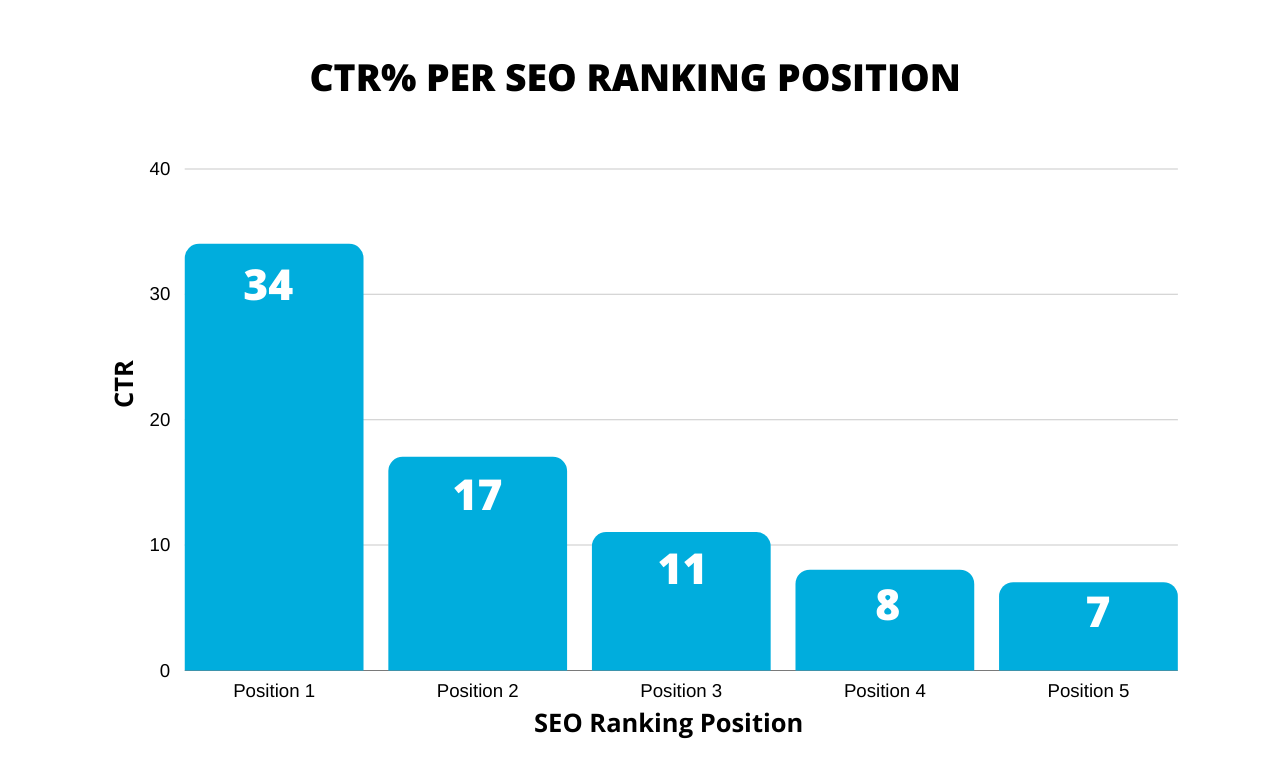
    How does Robots.txt file SEO work?

    The Robots.txt file is located in the root directory of your website. Search engine robots check this file before crawling your website. The file tells the robots which pages to crawl and which ones to ignore. If a page is not listed in the Robots.txt file, search engine robots will assume that it is okay to crawl and index that page.

    By using the Robots.txt file, you can control how search engines interact with your website. You can block pages that you don’t want to be indexed, such as login pages, admin pages, or pages with duplicate content. This helps to prevent duplicate content issues and improves your website’s search engine ranking.
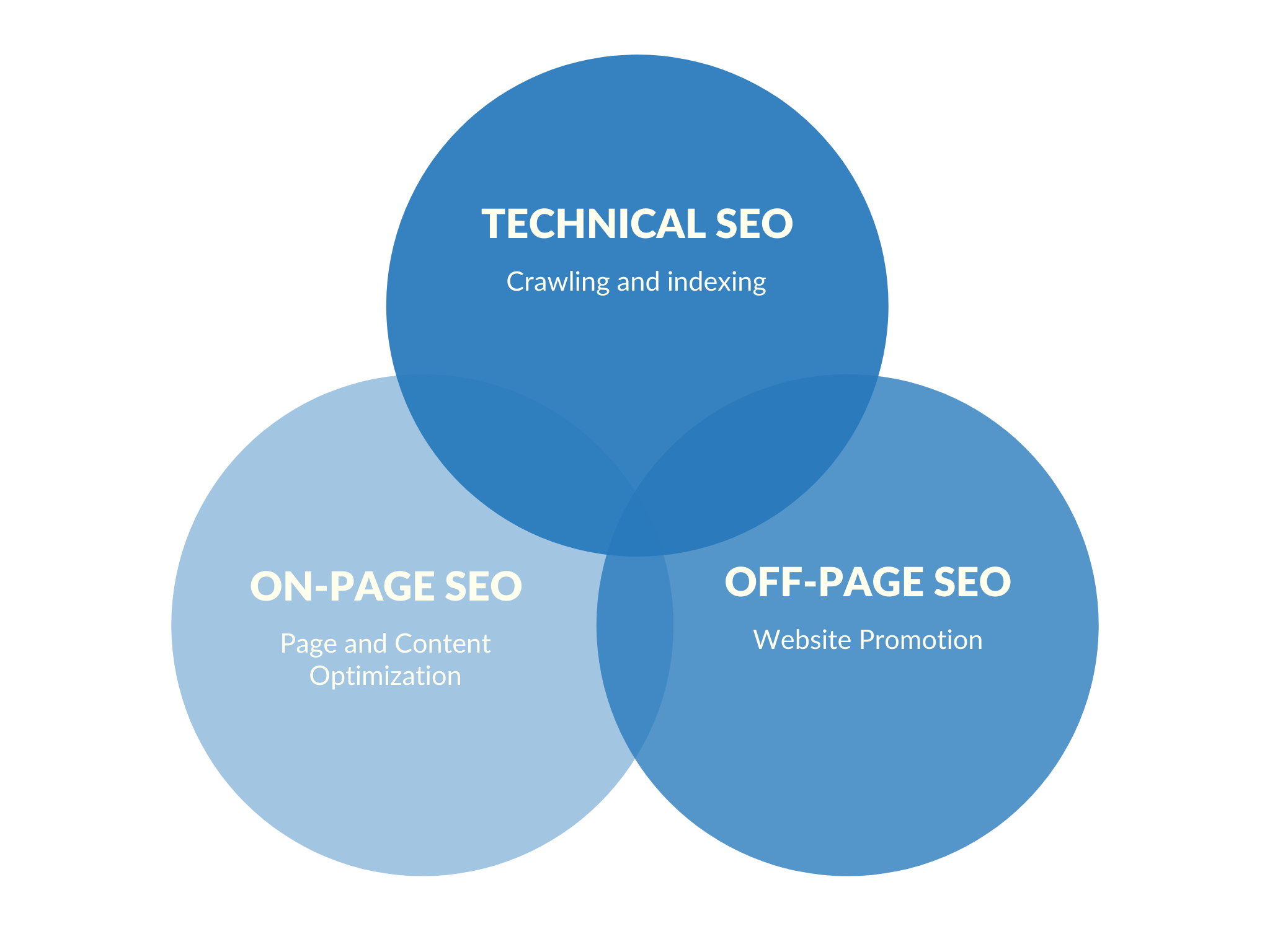
    When visiting a website, the first thing they do is to look for and check the contents of the robots.txt file.

    Depending on the rules specified in the file, they create a list of the URLs they can crawl and later index for the particular website.

    The contents of a robots.txt are publicly available to the Internet. Unless protected otherwise, anyone can add view your robots.txt file so this is not the place to add content that you don’t want others to see.

    What happens if you don’t have a robots.txt file? If a robots.txt file is missing, search engine crawlers assume that all publicly available pages of the particular website can be crawled and added to their index.

    What happens if the robots.txt is not well-formatted? It depends on the issue. If search engines cannot understand the contents of the file because it is misconfigured, they will still access the website and ignore whatever is in robots.txt.

    What happens if I accidentally block search engines from accessing my website? That’s a big problem. For starters, they will not crawl and index pages from your website and gradually they will remove any pages that are already available in their index.

    Do you need a robots.txt file?

    Yes, you definitely need to have a robots.txt even if you don’t want to exclude any pages or directories of your website from appearing in search engine results.

    Why use a robots.txt?

    The most common use cases of robots.txt are the following:

    #1 – To block search engines from accessing specific pages or directories of your website. For example, look at the robots.txt below and notice the disallow rules.

    Robots.txt file SEO
    Example of a robots.txt file

    These statements instruct search engine crawlers not to index the specific directories. Notice that you can use an * as a wild card character.

    #2 – When you have a big website, crawling and indexing can be a very resource-intensive process. Crawlers from various search engines will be trying to crawl and index your whole site and this can create serious performance problems.

    In this case, you can make use of robots.txt to restrict access to certain parts of your website that are not important for SEO or rankings. This way, you not only reduce the load on your server but it makes the whole indexing process faster.

    #3 – When you decide to use URL cloaking for your affiliate links. This is not the same as cloaking your content or URLs to trick users or search engines but it’s a valid process for making your affiliate links easier to manage.

    Two Important things to know about robots.txt

    The first thing is that any rules you add to the robots.txt are directives only. This means that it’s up to search engines to obey and follow the rules.

    In most cases they do but If you have content that you don’t want to be included in their index, the best way is to password-protect the particular directory or page.

    The second thing is that even if you block a page or directory in robots, it can still appear in the search results if it has links from other pages that are already index. In other words, adding a page to the robots.txt does not guarantee that it will be removed or not appear on the web.

    Besides password-protecting the page or directory, another way is to use page directives. There are added to the <head> of every page and they look like the example below:

    <meta name=”robots” content=”noindex”>

    How does robots.txt work?

    The robots file has a very simple structure. There are some predefined keyword/value combinations you can use.

    The most common are: User-agent, Disallow, Allow, Crawl-delay, Sitemap.

    User-agent: Specifies which crawlers should take into account the directives. You can use an * to reference all crawlers or specify the name of a crawler, see examples below.

    You can view all available names and values for the user-agent directive, here.

    User-agent: * – includes all crawlers.
    User-agent: Googlebot – instructions are for Google bot only.

    Disallow: The directive that instructs a user-agent (specified above), not to crawl a URL or part of a website.

    The value of disallow can be a specific file, URL, or directory. Look at the example below taken from Google support.

    Robots.txt file SEO
    Example of disallow rules in robots.txt

    Allow: The directive that tells explicitly which pages or subfolders can be accessed. This is applicable for the Googlebot only.

    You can use the allow to give access to a specific sub-folder on your website, even though the parent directory is disallowed.

    For example, you can disallow access to your Photos directory but allow access to your BMW sub-folder which is located under Photos.

    User-agent: *
    Disallow: /photos
    Allow: /photos/bmw/

    Crawl-delay: You can specify a crawl-delay value to force search engine crawlers to wait for a specific amount of time before crawling the next page from your website. The value you enter is in milliseconds.

    It should be noted that the crawl delay is not taken into account by Googlebot.

    You can use Google Search Console to control the crawl budget for Google (the option is found here).

    Robots.txt file SEO
    Google Crawl rate setting in Google Search Console

    You can use the crawl rate in cases you have a website with thousands of pages and you don’t want to overload your server with continuous requests.

    In the majority of cases, you shouldn’t make use of the crawl-delay directive.

    Sitemap: The sitemap directive is supported by the major search engines including Google and it is used to specify the location of your XML Sitemap.

    Even if you don’t specify the location of the XML sitemap in the robots, search engines are still able to find it.

    For example, you can use this:

    Sitemap: https://example.com/sitemap.xml

    Important: Robots.txt is case-sensitive. This means that if you add this directive, Disallow: /File.html will not block file.html.

    How to create a robots.txt?

    Creating a robots.txt file is easy. All you need is a text editor (like brackets or notepad) and access to your website’s files (via FTP or control panel).

    Before getting into the process of creating a robots file, the first thing to do is to check if you already have one.

    The easiest way to do this is to open a new browser window and navigate to https://www.yourdomain.com/robots.txt

    If you see something similar to the one below, it means that you already have a robots.txt file and you can edit the existing file instead of creating a new one.

    User-agent: *
    Allow: /

    How to edit your robots.txt

    Use your favorite FTP client and connect to your website’s root directory.

    Robots.txt is always located in the root folder (www or public_html, depending on your server).

    Download the file to your PC and open it with a text editor.

    Make the necessary changes and upload the file back to your server.

    How to create a new robots.txt

    If you don’t already have a robots.txt then create a new .txt file using a text editor, add your directives, save it and upload it to the root directory of your website.

    Important: Make sure that your file name is robots.txt and not anything else. Also, have in mind that the file name is case-sensitive so it should be all lowercase.

    Where do you put robots.txt? robots.txt should always reside in the root of your website and not in any folder.

    Example of a robots.txt

    In a typical scenario, your robots.txt file should have the following contents:

    User-agent: *
    Allow: /
    Sitemap: https://example.com/sitemap.xml

    This allows all bots to access your website without any blockings. It also specifies the sitemap location to make it easier for search engines to locate it.

    How to test and validate your robots.txt?

    While you can view the contents of your robots.txt by navigating to the robots.txt URL, the best way to test and validate it is through the robots.txt Tester tool of Google Search Console.

    Navigate to the Robots.txt Tester tool.

    Click the Test button.

    If everything is ok, the Test button will turn green and the label will change to ALLOWED. If there is a problem, the line that causes a disallow will be highlighted.

    Robots.txt file SEO
    Robots.txt Tester Tool

    A few more things to know about the robots.txt tester tool:

    You can use the URL Tester (bottom of the tool) to enter a URL from your website and test if it is blocked or not.

    You can make any changes to the editor and check new rules BUT in order for these to be applied to your live robots.txt, you need to EDIT your file with a text editor and upload the file to your website’s root folder (as explained above).

    To inform Google that you have made changes to your robots.txt, click the SUBMIT button (from the screen above) and click the SUBMIT button again from the popup window (option 3 as shown below).

    Robots.txt file SEO
    Robots.txt Submit Updates

    Robots.txt and WordPress

    Everything that you read so far about robots.txt is applicable to WordPress websites as well.

    The only things you need to know about robots.txt and WordPress are the following:

    In the past, it was recommended for WordPress websites to block access to wp-admin and wp-includes folders via robots.txt.

    As of 2012 this is no longer needed since WordPress provides for a

    @header( 'X-Robots-Tag: noindex' );  tag, which does the same job as adding a disallow in robots.txt.

    What is a virtual robots.txt file?

    WordPress by default is using a virtual robots.txt file. This means that you cannot directly edit the file or find it in the root of your directory.

    The only way to view the contents of the file is to type https://www.yourdomain.com/robots.txt in your browser.

    The default values of WordPress robots.txt are:

    User-agent: *
    Disallow: /wp-admin/
    Allow: /wp-admin/admin-ajax.php

    When you enable the “Discourage search engines from indexing this site” option under Search Engine Visibility Settings the robots.txt becomes:

    Robots.txt file SEO
    Search Engine Visibility Settings WordPress


    User-agent: *
    Disallow: /

    Which basically blocks all crawlers from accessing the website.

    How do I edit robots.txt in WordPress?

    Since you cannot directly edit the virtual robots.txt file provided by WordPress, the only way to edit it, is to create a new one and add it to the root directory of your website.

    When a physical file is present on the root directory, the virtual WordPress file is not taken into account.

    Robots.txt SEO Best Practices

    Test your robots.txt and make sure that you are not blocking any parts of your website that you want to appear in search engines.

    Do not block CSS or JS folders. Google during the crawling and indexing process is able to view a website like a real user and if your pages need the JS and CSS to function properly, they should not be blocked.

    If you are on WordPress, there is no need to block access to your wp-admin and wp-includes folders. WordPress does a great job using the meta robots tag.

    Don’t try to specify different rules per search engine bot, it can get confusing and difficult to keep up-to-date. Better use user-agent:* and provide one set of rules for all bots.

    If you want to exclude pages from being indexed by search engines, better do it using in the header of each page and not through the robots.txt.

    Frequently Asked Questions (FAQs):

    A: Yes, optimizing your Robots.txt file can improve your website’s search engine ranking by ensuring that search engines crawl and index the right pages.

    A: You should block pages with duplicate content, login pages, admin pages, and any pages that you don’t want to be indexed.

    A: You can use tools like the Google Search Console to test your Robots.txt file and make sure that search engines are crawling and indexing the right pages.

    Conclusion

    Robots.txt file SEO is an essential aspect of website development and maintenance. By optimizing your Robots.txt file, you can ensure that search engines crawl and index the right pages of your website, leading to better SEO results. Remember to keep your Robots.txt file simple, be specific about the pages you aim to be indexed.

  • How Search Engine Work 

    Learn what search engines do and how they work. Easy step-by-step tutorial with a video for beginners.

    If you are a developer, designer, small business owner, marketing professional, website owner, or thinking of creating a personal blog or website for your business, then you need to understand how search engines work.

    Having a clear understanding of how search works, can help you create a website that search engines can understand, and this has a number of added benefits.

    It’s the first step you need to take before even dealing with Search Engine Optimization (SEO) or any other SEM (Search Engine Marketing) tasks.

    In this guide, you’ll learn the three main processes (crawling, indexing, and ranking) that search engines follow to find, organize, and present information to users.

    What does a Search Engine Do?

    Have you ever wondered how many times per day you use Google or any other search engine to search the web?

    Is it 5 times, 10 times or even sometimes more? Did you know that Google alone handles more than 2 trillion searches per year?

    The numbers are huge. Search engines have become part of our daily life. We use them as a learning tool, a shopping tool, for fun and leisure but also for business.

    It’s not an exaggeration to say that we reached a point that we depend on search engines for almost anything we do.

    And the reason this is happening is very simple. We know that search engines and in particular, Google has answers to all our questions and queries.

    What happens though when you type a query and click search? How do search engines work internally and how do they decide what to show in the search results and in what order?

    How Do Search Engines Work

    Search engines are complex computer programs.

    Before they even allow you to type a query and search the web, they have to do a lot of preparation work so that when you click “Search”, you are presented with a set of precise and quality results that answer your question or query.

    What does ‘preparation work’ includes? Three main stages. The first stage is the process of discovering the information, the second stage is organizing the information, and the third stage is ranking.

    This is generally known in the Internet World as Crawling, Indexing, and ranking.

    How Search Engines Work (Overview)

    Step 1: Crawling

    Search engines have a number of computer programs called web crawlers (thus the word Crawling), that are responsible for finding information that is publicly available on the Internet.

    To simplify a complicated process, it’s enough for you to know that the job of these software crawlers (also known as search engine spiders), is to scan the Internet and find the servers (also known as webservers) hosting websites.

    They create a list of all the web servers to crawl, the number of websites hosted by each server, and then start work.

    They visit each website and by using different techniques, they try to find out how many pages they have, whether it is text content, images, videos, or any other format (CSS, HTML, javascript, etc).

    When visiting a website, besides taking note of the number of pages they also follow any links (either pointing to pages within the site or to external websites), and thus they discover more and more pages.

    They do this continuously and they also keep track of changes made to a website so that they know when new pages are added or deleted, when links are updated, etc.

    If you take into account that there are more than 130 trillion individual pages on the Internet today and on average thousands of new pages are published on a daily basis, you can imagine that this is a lot of work.

    Why care about the crawling process?

    Your first concern when optimizing your website for search engines is to ensure that they can access it correctly otherwise if they cannot ‘read’ your website, you shouldn’t expect much in terms of high rankings or search engine traffic.

    As explained above, crawlers have a lot of work to do and you should try and make their job easier.

    There are a number of things to do to make sure that crawlers can discover and access your website in the fastest possible way without problems.

    1. Use Robots.txt to specify which pages of your website you don’t want crawlers to access. For example, pages like your admin or backend pages and other pages you don’t want to be publicly available on the Internet.
    2. Big search engines like Google and Bing, have tools (aka Webmaster tools),  you can use to give them more information about your website (number of pages, structure, etc) so that they don’t have to find it themselves.
    3. Use an XML sitemap to list all important pages of your website so that the crawlers can know which pages to monitor for changes and which to ignore.

    Step 2: Indexing

    Crawling alone is not enough to build a search engine.

    Information identified by the crawlers needs to be organized, sorted and stored so that it can be processed by the search engine algorithms before being made available to the end-user.

    This process is called Indexing.
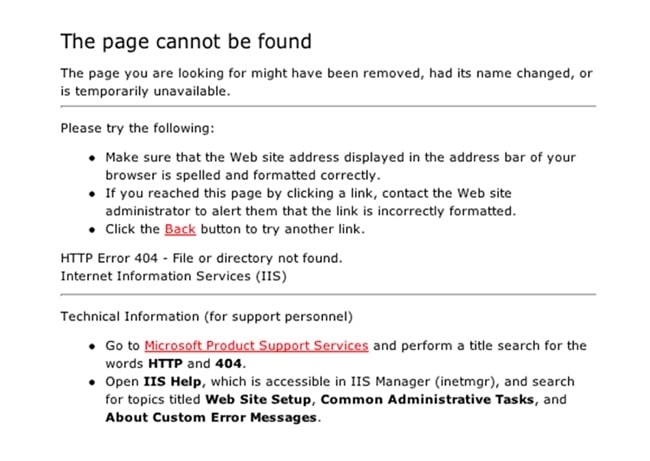
    Search engines don’t store all the information found on a page in their index but they keep things like: when it was created/updated, title and description of the page, type of content, associated keywords, incoming and outgoing links, and a lot of other parameters that are needed by their algorithms.

    Google likes to describe its index as the back of a book (a really big book).

    Why care about the indexing process?

    It’s very simple, if your website is not in their index, it will not appear for any searches.

    This also implies that the more pages you have in the search engine indexes, the more your chances of appearing in the search results when someone types a query.

    Notice that I mentioned the word ‘appear in the search results’, which means in any position and not necessarily on the top positions or pages.

    In order to appear in the first 5 positions of the SERPs (search engine results pages), you have to optimize your website for search engines using a process called Search Engine Optimization, or SEO in short.

    How to find how many pages of your website are included in the Google index?

    There are two ways to do that.

    Open Google and use the site operator followed by your domain name. For example site:reliablesoft.net. You will find out how many pages related to the particular domain are included in the Google Index.

    The second way is to create a free Google Search Console account and add your website.

    Then look at the Coverage report and in particular the VALID AND INDEXED pages.

    Valid and Indexed Pages Google Search Console Report

    Step 3: Ranking

    Search Engine Ranking Algorithms

    The third and final step in the process is for search engines to decide which pages to show in the SERPS and in what order when someone types a query.

    This is achieved through the use of search engine ranking algorithms.

    In simple terms, these are pieces of software that have a number of rules that analyze what the user is looking for and what information to return.

    These rules and decisions are made based on what information is available in their index.

    How do search engine algorithms work?

    Over the years search engine ranking algorithms have evolved and become really complex.

    At the beginning (think 2001) it was as simple as matching the user’s query with the title of the page but this is no longer the case.

    Google’s ranking algorithm takes into account more than 255 rules before making a decision and nobody knows for sure what these rules are.

    And this includes Larry Page and Sergey Brin (Google’s founders), who created the original algorithm.

    Things have changed a lot and now machine learning and computer programs are responsible for making decisions based on a number of parameters that are outside the boundaries of the content found on a web page.

    To make it easier to understand, here is a simplified process of how search engine ranking factors work:

    Step 1: Analyze User Query

    The first step is for search engines to understand what kind of information the user is looking for.

    To do that, they analyze the user’s query (search terms) by breaking it down into a number of meaningful keywords.

    A keyword is a word that has a specific meaning and purpose.

    For example, when you type “How to make a chocolate cake”, search engines know from the words how-to that you are looking for instructions on how to make a chocolate cake and thus the returned results will contain cooking websites with recipes.

    If you search for “Buy refurbished ….”, they know from the words buy and refurbished that you are looking to buy something and the returned results will include eCommerce websites and online shops.

    Machine learning has helped them associate related keywords together. For example, they know that the meaning of this query “how to change a light bulb” is the same as this “how to replace a light bulb”.

    Google Query Analyzer Example

    They are also clever enough to interpret spelling mistakes, understand plurals and in general extract the meaning of a query from natural language (either written or verbal in case of Voice search).

    Step 2: Finding matching pages

    The second step is to look into their index and decide which pages can provide the best answer for a given query.

    This is a very important stage in the whole process for both search engines and web owners.

    Search engines need to return the best possible results in the fastest possible way so that they keep their users happy and web owners want their websites to be picked up so that they get traffic and visits.

    This is also the stage where good SEO techniques can influence the decision made by the algorithms.

    To give you an idea of how matching works, these are the most important factors:

    Title and content relevancy – how relevant is the title and content of the page with the user query?

    Type of content – if the user is asking for images, the returned results will contain images and not text.

    Quality of the content – content needs to be thorough, useful and informative, unbiased, and cover both sites of a story.

    Quality of the website – The overall quality of a website matters. Google will not show pages from websites that don’t meet their quality standards.

    Date of publication – For news-related queries, Google wants to show the latest results so the date of publication is also taken into account.

    The popularity of a page – This doesn’t have to do with how much traffic a website has but how other websites perceive the particular page.

    A page that has a lot of references (backlinks), from other websites is considered to be more popular than other pages with no links and thus has more chances in getting picked up by the algorithms. This process is also known as Off-Page SEO.

    Language of the page – Users are served pages in their language and it’s not always English.

    Webpage Speed – Websites that load fast (think 2-3 seconds) have a small advantage compared to websites that are slow to load.

    Device Type – Users searching on mobile are served mobile-friendly pages.

    Location – Users searching for results in their area i.e. “Italian restaurants in Ohio” will be shown results related to their location.

    That’s just the tip of the iceberg. As mentioned before, Google uses more than 255 factors in its algorithms to ensure that its users are happy with the results they get.

    Why care how search engine ranking algorithms work?

    In order to get traffic from search engines, your website needs to appear in the top positions on the first page of the results.

    It is statistically proven that the majority of users click one of the top 5 results (both desktop and mobile).

    CTR Per SEO Ranking Position.

    Appearing on the second or third page of the results will not get you any traffic at all.

    Traffic is just one of the benefits of SEO, once you get to the top positions for keywords that make sense for your business, the added benefits are much more.

    Knowing how search engines work can help you adjust your website and increase your rankings and traffic.

    Conclusion

    Search engines have become very complex computer programs. Their interface may be simple but the way they work and make decisions is far from simple.

    The process starts with crawling and indexing. During this phase, the search engine crawlers gather as much information as possible for all the websites that are publicly available on the Internet.
    They discover, process, sort, and store this information in a format that can be used by search engine algorithms to make a decision and return the best possible results back to the user.

    The amount of data they have to digest is enormous and the process is completely automated. Human intervention is only done in the process of designing the rules to be used by the various algorithms but even this step is gradually being replaced by computers through the help of artificial intelligence.

    As a webmaster, your job is to make their crawling and indexing job easier by creating websites that have a simple and straightforward structure.

    Once they can “read” your website without issues, you then need to ensure that you give them the right signals to help their search ranking algorithms, and pick your website when a user types a relevant query (that’s SEO).

  • What is Search Engine Marketing

    Everything you need to know about Search Engine Marketing. Includes examples and additional learning resources.
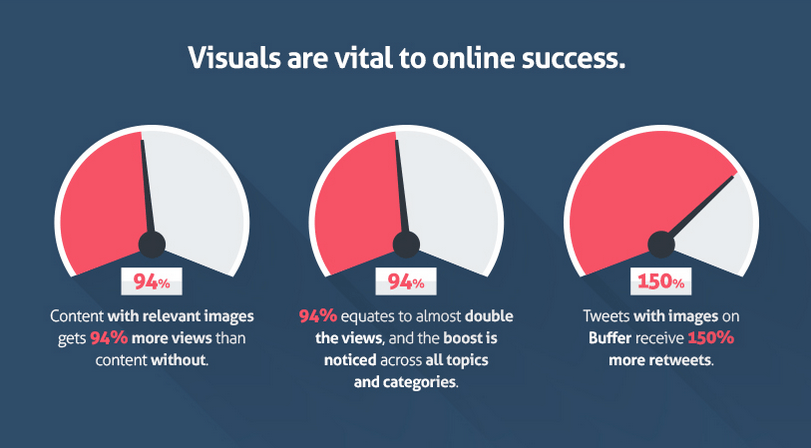
    Search engine marketing is a very effective digital marketing channel. Through search marketing, you can increase the visibility of your website in search engine results using paid and unpaid methods.

    SEM is important because search traffic is targeted and thus more valuable than any other form of traffic you can get with other promotion methods.

    In this guide, you’ll learn what is search engine marketing, why it’s important, and the different types of SEM.

    Search Engine Marketing

    Search Engine Marketing

    What is Search Engine Marketing?

    Search Engine Marketing (also known as Search Marketing) is the process of getting traffic from search engines either organically or paid.

    Search marketing has two main types: SEO (Search Engine Optimization) and PSA (Paid Search Advertising).

    SEO is the way to get free traffic from search engines by achieving high rankings in the SERPs and Paid search ads are the process of paying for your ads to appear on search engine results pages.

    What is the main goal of Search Marketing?

    The overall goal of SEM is to increase visibility in search engines by achieving higher rankings in the SERPs (search engine results pages) or top positions for ad placements.

    Higher ad positions and rankings mean more traffic and this has a number of added advantages.

    As we will see later, each SEM component has a number of processes and tools.

    Importance of Search Marketing

    Before getting into the details on what is SEO and paid search advertising (PSA) and how to use them to get more exposure and traffic from search engines, let’s quickly examine the importance of SEM for the success of a website or online business.

    It is a fact that in today’s world the Internet is the source for everything we need to know, learn, ask, buy or do.

    Whenever we have a question or looking for something, the first thing we do is to turn to a search engine (in the majority of cases Google) and type in our search query.

    When we hit SEARCH, we expect to either get a direct answer to our question or a list of resources (and this list includes both ads and websites), that can satisfy our intent.

    Search engines are working hard to improve the quality of their search results by presenting to the searcher those websites (or ads) that will keep their users happy and come back again for more searches.

    To do that they have developed complex algorithms that take a number of variables into account before they decide which websites (or ads) to show in the top positions.

    Search engine marketing is important because it’s the process to follow to optimize your website or ads so that they appear in the top positions.

    Your goal is not just to have a presence in search engines but to show up in one of the top 5 positions for the search terms (keywords), that matter for your business or website.

    Statistics show that the majority of users click on one of the top ads or one of the first five organic results.

    The majority of Search Engine Traffic goes to the top 5 results.

    Search Marketing Types

    There are a number of techniques you can follow to improve your presence in search engines (organically) and to achieve higher positions for your ads.

    As mentioned above, these are grouped into two main types, SEO and PSA.

    SEM

    Search Engine Optimization (SEO)

    Search engine optimization or SEO is the process of optimizing your website for achieving higher rankings in search engines for certain keywords.

    SEO principles can also help you create high-quality websites with good content and satisfy the user intent.

    Until 10 years ago, SEO was about keyword stuffing, publishing mediocre content, and building links but this is not the case today.

    SEO has become more complex and to get it right, you have to take into account a number of parameters.

    To make the whole process easier, it is broken down into the following SEO types:

    SEO Types

    Technical SEO – optimize your website for the crawling and indexing process so that search engines can discover, read and understand your website.

    On-Page SEO – optimize all pages of your website one by one and give search engines the right signals to understand what your website and individual pages are all about.

    Off-Page SEO – promote your website on the internet, get good quality backlinks and prove to search engine algorithms that your website deserves to be in one of the top spots for the keywords you want.

    You may also come across other terms which describe specific aspects of SEO like:

    • Content SEO – give both users and search engines the content they want and keep them happy
    • Local SEO – optimizes your website so that people can find and visit your brick-and-mortar store
    • eCommerce SEO – SEO rules that are applicable to eCommerce websites only.
    • Mobile SEO – make it easy for users to find and use your website while on the go and from their mobile or tablet devices.

    Why is SEO important?

    Higher rankings, more traffic: If your goal with search marketing is to get traffic to your website without having to pay for ads, then SEO is the way to go.

    As mentioned above, the websites that appear in the top 3 positions of the organic results get more than 60% of the traffic – This statistic alone explains the importance of SEO.

    Search engine traffic is targeted: Open Google and search for anything you want. The websites that appear in the top positions get thousands of visits from Google on a daily basis.

    Depending on the keywords you used, they are probably making thousands of dollars in revenue (from advertising or selling their own products or services), because search engine traffic is highly targeted.

    Unlike traffic coming from Facebook or other social media networks, organic traffic converts better since the users have a clear intent in mind before typing something into Google and it’s not just for curiosity or leisure.

    Besides the traffic, SEO offers a number of other advantages and these can be summarized in the following:

    Trust and recognition: Users trust search engines because they know that they have strict rules as to which websites are shown in the search results, and in turn, they trust websites that rank in the top positions.

    Trust does not only generate more conversions but also increases recognition and brand awareness and this makes your digital marketing efforts in other channels easier.

    SEO can guide you on how to create better websites: SEO is not just about search engines but it’s mainly about users. To have a fully optimized website for search engines, it has to be optimized for users first and this is what SEO is all about.

    Paid Search Advertising (PSA)

    Besides getting organic traffic from Search engines, the other way to take advantage of the millions of users that use search engines on a daily basis and get targeted traffic to your website is through paid ads.

    If you search Google you will notice that above and below the organic results, you are presented with Paid Ads.

    Organic and Paid results in SERPs.

    This is what we mean by paid search advertising. Instead of trying to achieve high rankings through SEO, you can pay your way to the top.

    Of course, as we will see below, that’s not so easy. It gets more complicated when a number of advertisers are competing for one of the top ad positions.

    The most commonly used model is the PPC (Pay Per Click), which means that you pay only when someone clicks on your ad and the most widely used PSA system is Google Ads.

    Google Ads is owned by Google and it is the platform you need to use to show your ads on Google, Youtube, or the thousands of websites that participate in the Google ad network.

    How does PPC Work?

    The way it works is simple but it gets more complicated when you are dealing with niches and keywords that have a lot of competition. Here is an overview of the process:

    • You create a Free account with Google Ads
    • You set up advertising campaigns. Each campaign can contain a number of ad groups, keywords, and ads.
    • You specify your target audience i.e. which people can see your ads (you can narrow down your selection by country, time of day, user location, etc).
    • You start the campaign and you only pay when someone clicks on your ad.
    • You monitor the results of your campaigns and make the necessary changes.

    How much you pay every time someone clicks on your ad depends on a number of factors.

    The system will give you in advance an indication of how much you will be charged per click but the actual amount is decided when it actually happens.

    Google Ads in an auction-based system. This means that the cost of each click and the position your ad will appear depends on ‘demand and supply’.

    Every time a search is made on Google, Google Ads runs an auction for the available ad positions.

    Advertisers that are willing to pay more, and have higher quality ads that are most likely to satisfy the user intent, win the top positions.

    Example:

    To make this easier to understand, let’s say that there are 20 advertisers who sell ‘engagement rings’ and want to have their ads shown on the first page of Google when people search for ‘Buy an Engagement Rings’.

    Google shows 3-4 ads above the organic search results and 2-3 ads at the bottom. This means that there are only 7 ad spots on the first page but there are 20 advertisers.

    Which ads will show on these 7 available positions?

    This is where pay-per-click marketing comes into play. Similar to SEO, the Google Ads system takes into account a number of rules before deciding where each ad is to be shown.

    Some of the factors can be controlled by advertisers such as the price they are willing to pay per click, the quality of the ads, etc, some are decided during the auction and some are only known to Google.

    What you need to understand is that while Paid advertising is a great way to promote your website on Google, it’s not always as simple as setting up an account and running a campaign.

    There is an optimization process in place and if you don’t want to lose your money without any return, it is best to leave this task to professional marketers.

    When to use PPC Ads?

    When you want fast results – One of the disadvantages of SEO is that takes time to work.

    The competition is intense in all niches and it takes time to achieve high rankings for the keywords you want.

    So, while working on your SEO and waiting patiently to get higher rankings and organic traffic, you can start a campaign in Adwords and get the traffic this way.

    You will pay for the traffic but as long as the ROI is positive, then you have more to gain than lose.

    You sell expensive products or services – PPC ads are not for every business. The costs of setting up a campaign and the costs per click are high and unless you sell products at a price that can make you a profit, PPC is not the solution for you.

    Your SEO is already working and you want better results – PPC and SEO can work together in harmony. It’s never the one or the other.

    If you already have some good results with SEO, you can increase your market share by running ads for the same keywords that generate organic traffic for your business.

    You run an online business – when you run an online business without having a physical presence and your only source of customers is the Internet, then you need to make paid search advertising work for you.

    SEO is a fantastic way to get customers but if your business depends on it, then it’s better to have PPC ads as a second way out.

    Difference between SEO and SEM

    As explained above, SEO is one of the major components of SEM (search engine marketing). The other one is PSA (Paid search advertising).

    SEO Vs SEM

    A lot of people tend to confuse SEO and SEM and sometimes when they refer to SEM they actually mean PSA i.e. the paid advertising part and they consider SEO to be a process that it’s outside the boundaries of Search Marketing.

    KEY LEARNINGS

    No business or website can survive online unless it follows solid search engine marketing practices.

    Search engine marketing gives you the framework, tools, and processes to gain more visibility in search engines either by getting higher positions in organic results or better positions for your ads.

    The two main types of SEM, SEO, and PPC can work together in harmony and maximize your results.

    In the online business world, it’s never one or the other. Both are two powerful tools in your digital marketing arsenal, which you can use to boost your online presence.

    If you are new to search marketing then what you need to have clear in your mind is that there are no shortcuts. In order to succeed with either SEO or PPC, you need to put the user experience on top of anything else.

    Your first task is to make sure you have a great website that is functional and easy to use, then to work on your content and deliver the best possible result to your users.

    Once you have this in place, your next step is to start working on your SEO and gradually work your way to the top of the organic results and if applicable, to start working on your PPC campaigns and maximize your Return on Investment (ROI).

    Running successful SEM campaigns is not easy, it requires special skills, a lot of experience, and hard work. Enrolling in a good SEM course is the fastest way to build the necessary skills.

    If you don’t possess those skills then it’s best to leave it to professionals. Save your precious time and time and at the same time increase your chances of getting the results you want in the fastest possible way.

  • What are SEO Keywords and How to Find Them in 2026

    Learn what SEO Keywords are and how to use them in your content to improve your search engine rankings.

    You probably already know that keywords are important for SEO but what do we actually mean when we talk about SEO keywords? How can you find the right keywords for your website and more importantly, how to use those keywords in your content and maximize your SEO?

    These are some of the questions I will answer in this post.

    Let’s start with a definition of what SEO keywords are.

    What are SEO Keywords?

    SEO Keywords are words or phrases (search terms) that people use when searching for information through a search engine.

    By adding those keywords to your content, you increase your chances of appearing in the search results for those terms.

    SEO Keywords make it easier for search engines to understand what your content is all about and help users find the information they need.

    Why are keywords important?

    As you might have already guessed, keywords are very important for SEO.

    Without using the right SEO keywords in your content, search engines have a hard time understanding the meaning of your content. And this diminishes your chances of getting organic traffic to your website.

    The way search engines work is by matching the user search queries with pages available in their index.

    During the crawling and indexing phase, search engine crawlers visit a webpage. They extract the information they need and add it to their index. They use this information later during the ‘matching’ process (also referred to as the ranking process).

    Part of the information they extract is the keywords a web page is associated with.

    If during this process your website is associated with the wrong keywords, then you have no chance of appearing high in the results for the keywords that matter for your website.

    Let me give you an example to understand this better.

    Let’s say you want to rank for [electric bicycles]. You create a page and showcase your products (product name, images of the products, etc.).

    Unless you mention on the page that they are electric, Google will most probably associate your page with bicycles, and this is not what you want.

    What you should do instead is to find out which keywords people use as search terms when they look for electric bicycles and make sure that these keywords are part of your content.

    Different types of SEO keywords

    Keywords are classified in two categories: head keywords and long-tail keywords.

    Head keywords (also known as seed keywords) usually consist of one or two words and have a high search volume.

    Long-tail keywords consist of more words and have less search volume compared to head keywords but makeup 70% of all searches.

    Long Tail Keywords – Search Curve

    What is important to understand at this point is that head keywords may have more search volume but they are also highly competitive.

    This means that thousands of websites are competing for one of the top positions in the SERPS and this makes it almost impossible for new websites (or small businesses) to rank for these terms.

    The solution is to focus on long-tail keywords.

    They have less search volume but with the right SEO plan, it is possible to rank in the top positions of Google and get targeted organic traffic to your website.

    How to choose keywords for SEO

    Let’s see how to choose the “right” SEO keywords to use in your content.

    This process is known in SEO as keyword research.

    Step 1: Decide for which ‘search terms’ you want to be known for

    Your first step is to spend some time thinking about the following:

    • For which search terms do you want to be known for online
    • What words or search phrases people might use in the search engines to find you
    • Which words best describe your products or services
    • Which words describe your niche better

    The outcome of the above exercise should be a list of phrases that we’ll use to turn into a keyword list in the next step.

    Step 2: Create a Keyword list

    To create a keyword list, you need to take the list created above and associate it with the actual keywords people type in the search box i.e. SEO Keywords.

    To do that we need the help of keyword research tools. There are a lot of tools you can use but my recommended tools are the Google Keyword Planner (Free) and Semrush (Paid).

    Google Keyword Planner

    The Google Keyword Planner is part of Google Ads and it’s offered by Google for free for Google Ads customers.

    Nevertheless, it’s a great keyword research tool and you can use it to find your SEO keywords.

    Go to Google Ads and create an account. Follow the steps to create a draft campaign so that the system will allow you to access the Keyword Planner.

    Once you are done with the draft campaign, select TOOLS > KEYWORD PLANNER.

    Access the Google Keyword Planner

    Click on FIND NEW KEYWORDS

    For the sake of this example, let’s say that you are a dog trainer selling an online course teaching people how to train their dogs.

    If you enter the relevant keywords in the keyword planner, you will be presented with a list of keyword ideas matching your selected topics.

    How to Find SEO Keywords using the Keyword Planner

    Notice that besides the keywords, the tool has a few more columns.

    The ‘Average Monthly Searches’ shows you how many searches are performed on Google per month for that term and the ‘Competition’ gives you an idea of how competitive a keyword is.

    By ‘competitive’ we mean how many people are bidding to advertise for that keyword on Google Ads.

    Remember that the keyword planner is a tool for Google PPC Ads and not for SEO search results.

    Select some of the keywords that are highly relevant to your website and products, both ‘head’ and ‘long-tail keywords’, add them to a spreadsheet, and move on to the next step.

    Step 3: Find Semantic SEO Keywords

    The next step is to find keywords related to your target keywords. These keywords are known as semantic keywords or LSI keywords.

    A semantic keyword is a keyword that is strongly related to another keyword.

    The reason you want to do this is that Google no longer ranks pages that target individual keywords but it’s more targeted to topics.

    So, by finding LSI keywords for your main keywords and including them in your content, you help Google get a better understanding of your content and this translates to higher rankings.

    The best way to find LSI keywords is to use the LSI Keyword Generator and Google search.

    LSI Keyword Generator

    Go to LSI Graph and your head keywords and click search. Take note of the keywords and add them to the second column in your spreadsheet.

    How to Find Semantic SEO Keywords

    Google Search

    When you search for a keyword in Google, there are 2 ways to find out what Google considers to be the related keywords for a given search term.

    The first one is to look at the “People also ask” section.

    People Also Ask – Keyword Ideas

    And the second one is the “Searches related to…” section.

    Google Related Searches

    SEMRUSH

    SEMRUSH is my favorite keyword research tool. Among many other useful features, it has two very powerful tools for keyword research.The first is the “Keyword Magic Tool” and the second one is the “Topic Research”.

    With SEMRUSH, you don’t have to go through the process of creating an account with the Google Keyword Planner or going to LSIGraph and Google search to find related keywords.

    Everything is done within SEMRUSH.

    Keyword Magic Tool

    The first step is to create an account (there is a 7 Day Free Trial).

    Then select KEYWORD MAGIC TOOL under KEYWORD ANALYTICS.

    Type in your head keyword and click SEARCH.

    Find SEO keywords with the Keyword Magic Tool

    SEMRUSH will group related keywords together.

    Sort the keywords by volume and KD (Keyword Difficulty). Unlike the Google Keyword Planner, KD refers to how difficult to RANK for a particular keyword in Google.

    This is a very useful metric since what you want is to pick the right SEO keywords that have higher search volume and lower KD scores.

    Topic Research

    Remember what I mentioned above that Google now ranks websites based on Topics and not just keywords?

    The Topic Research tool will help you find long-tail keywords related to a topic.

    Click TOPIC RESEARCH from the left menu and type in our main head keyword.

    Topic Research with SEMRUSH

    What you see on the right (under Interesting Questions), are questions related to your niche. It’s similar to “People also ask” but more comprehensive since it includes questions from various sources.

    How can you take advantage of this?

    These questions can help you build TOPIC RELEVANCY, which is what you want if your goal is to rank higher on Google.

    How can you do this in practice? Optimize your homepage for your head keywords and then create content (through a blog) targeting each of the questions (which in essence it’s the long-tail keywords).

    Make sure that within your blogs, you link to your main pages.

    How to use SEO Keywords in your Content

    Doing good keyword research and having a keyword list, is not enough.

    In order to benefit from this process, you need to know how to use those keywords in your content.

    This is known as SEO Content, which is a subset of On-Page SEO.

    Here are some tips to follow:

    Optimize your Homepage for your main keyword

    Homepage SEO is very important. Search engines start the crawling process from the homepage and follow up on any links from there.

    When it comes to keyword optimization, you should optimize your homepage for your main head keywords (even if their keyword difficulty is very high).

    The reason is that you want to make it clear to both crawlers and users, what your website is all about.

    Create a separate page for each of your main keywords

    Let’s say that your company sells services (like my company), you need to create a page for each of your services, each page to be optimized for the main keyword.

    I have a summary page for all my services and individual pages for each of the services we offer. Each page is optimized for a specific keyword.

    Create pieces of content to target long-tail keywords

    Once you are done with the main keywords, it’s time to utilize the power of blogging and start creating content targeting long-tail keywords.

    You can use the results of topic research to decide which keywords to target in your blog posts.

    Optimize your content with SEO keywords

    When writing the content for both your pages and blog posts, you need to make sure that:

    Use keywords in the URL – you include your target keyword in the page URL.

    Use keywords in the page title – you include your target keyword in the page title.

    Use keywords in the H1 Tag – you include your target keyword (or close variations) in the h1 tag

    Use long-tail keywords as subheadings (h2, h3) – you include related keywords in your subheadings

    Use LSI keywords in your content – you include LSI keywords within your copy.

    SEO Keywords: Final Advice

    Picking up the right keywords for your website is important.

    When choosing keywords, try to think outside the box and consider all possible search phrases people might use in search engines to find your products.

    Add those keywords in a spreadsheet and take advantage of the data provided by the different keyword tools, to expand your keyword list as much as possible.

    Group your keywords into two categories. First are the keywords to use on your homepage and main website pages and second the keywords to use in your blog.

    Follow the on-page SEO tips outlined above to intelligently include keywords in your copy but always make sure that you pay special attention to the quality of the content.

    Publish content related to your target topics to create content relevancy and watch your rankings and traffic increase.

  • Long Tail Keywords

    Learn what long-tail keywords are, how to find them and how to use them in your content to increase your rankings.

    What if I told you that there’s a way to get targeted organic traffic that’s actually easier than driving a ton of random page views?

    We’re all familiar with the race to the top of Google for high-volume keywords, but throughout that race, long tail keywords can get overlooked.

    If you ask me, this makes no sense because long tail keywords make up 70% of all searches. You don’t want to miss out on 70% of the potential traffic, do you?

    In this guide, I’m going to run through everything you need to know about long tail SEO, including:

    What Are Long Tail Keywords?

    Long tail keywords are search queries usually consisting of three or more words that narrow down the focus of the search results and bring up more specific results. Long tail keywords are also often lower difficulty and lower volume.

    To understand this better, let’s also define head keywords. A head keyword is usually a high traffic, high difficulty term that constitutes an entire topic.

    While they’re searched for often, they’re not always 100% specific to what you’re promoting with your content.

    Long Tail Keywords Examples

    I know that beginners to SEO may have trouble understanding what exactly long tail keywords are, so let me demonstrate this with a real example.

    Let’s take the keyword “SEO”.

    This is a very popular keyword and according to SEMRUSH it has more than 110,000 exact keyword searches per month.

    Long Tail Keyword Research Example

    It is also a highly competitive keyword with an average CPC of 14.82 USD.

    If you search for this term on Google.com you will find in the first positions websites like Wikipedia.org, moz.com, and Google websites, which makes it almost impossible to outrank them with a normal website or blog.

    So, if it is impossible to rank for “SEO” what is the next step?

    You go one step further by adding tail or tails to the existing keyword so as to narrow down your competition.

    If you add the word ‘tips’ your keyword now becomes “SEO tips”, which is less competitive than the head keyword (SEO), but it is still very difficult to target.

    Long Tail Keyword Research Example

    The top results are dominated by large and well-known websites.

    So, what do you do?

    Add another word and it becomes “SEO tips for beginners”.

    Certainly, the number of people searching for this keyword per month is less compared to “SEO” and “SEO tips” but the benefits gained from ranking long tail keywords are much more than the traffic difference.

    Here is a visual representation of the relationship between head keywords and long tail keywords.

    Long Tail Keywords Definition

    What Are The Benefits of Targeting Long Tail Keywords?

    In summary, these are the main benefits of targeting long tail keywords in your content marketing campaigns:

    • Long tail keywords match the user’s intent
    • Long tail keywords are easier to rank compared to non-long tail keywords
    • There are more long tail keywords than head keywords
    • Long tail keywords have higher conversion rates
    • Long tail keywords help you build website authority and trust
    • You will get more traffic than the suggested search volume

    Long tail keywords match the user’s intent

    To understand the benefits of long tail keywords, you need to understand the concept of intent.

    Put yourself in the shoes of the searcher for a moment while you think about the customer journey.

    A section of it might look something like this:

    1. The prospect becomes aware of their need, and searches head keywords to find out more.
    2. The prospect becomes aware of a potential solution and searches a long tail keyword with the intent to buy it.

    This is a dumbed-down explanation, but it sums up the idea of intent nicely.

    Basically, considering the intent of a keyword is considering the mindset of someone who would search the keyword.

    For example, someone looking for ‘SEO’ is probably looking for a broad definition while someone looking for ‘SEO Services’ has the intent to click on your search snippet listing, and buy your services.

    Through the long tail specificity of their search, they’re expressing their intent to buy exactly what you’re selling (or at least read exactly what you’re writing).

    For this reason, it’s worth targeting long tail keywords because the traffic that they bring in is targeted and will be far more likely to convert.

    The searchers are no longer in the ‘discovery’ mindset. They’re ready to move into buying mode, and even though the volume won’t be as high, it’s well worth it.

    What’s the intent of someone searching ‘marketing’? Who knows. It’s probably to find out a definition or to read some kind of encyclopedic article, which shows why Wikipedia and the Business Dictionary rank highly.

    Narrow it down, however, and target ‘marketing agency London’ (instead of just ‘marketing’) and the intent is much, much clearer. And you’re way more likely to rank for it.

    In fact, the major problem with going after head keywords is that you’ll be putting a ton of work into driving the wrong kind of traffic. And, when you drive traffic that doesn’t stay long on your page, you’re telling Google that you don’t deserve to rank, and that’s all your work wasted.

    A good rule of thumb is to Google the keyword you’re targeting before you target it, and ask yourself whether your article would be out of place in the results. If it would be, then don’t bother.

    Long tail keywords are easier to rank compared to non-long tail keywords

    Provided that you are having a high-quality website long tail keywords are easier to rank especially if you choose low competition keywords.

    There are more long tail keywords than head keywords

    There are nowhere near as many head keywords out there as long tail.

    And that means that at some point, you could theoretically run out of big meaty keywords to target, and find yourself thinking “phew! I’ve targeted ‘marketing’, I’ve targeted ‘SEO’, I’ve targeted ‘business’ … What’s next?”.

    When you’re going after the long tail, you’re not only giving yourself more chances to put optimized content on your site, you’re creating more pages.

    It only makes sense that sites with more pages rank for more keywords and drive more traffic, especially if they’re ranking for juicy long tail keywords.

    This is probably best described simply as covering your bases. Targeting both ‘green tea smoothie ideas’ and ‘green tea smoothie recipes’ in two separate posts and getting both of them ranking is a way to make sure you’re scooping up whichever search term variation that gets typed in.

    Long tail keywords have higher conversion rates

    If you think about it for a second, those users that use long tail keywords to search for something can be considered more targeted because they already made the effort to make their search terms more specific.

    If we are talking about ‘buying’ or ‘action’ keywords then those are more likely to convert or perform an action.

    Consider the following example:

    “Cars” <- General search

    “used cars for sale” <- looking for used cars

    “used cars for sale in florida” <- looking for used cars in florida

    “used ford focus for sale in florida” <-looking for used ford focus cars in florida

    Long tail keywords help you build website authority and trust

    Having a first-page ranking of any keyword is an indication of website authority and trust.

    One of the ways to get your website ready to target more important keywords is to get as many first placements as you can for long tail keywords.

    Of course, this is not the only factor that will help you build authority but a number of first-place placements together with a solid SEO strategy can work towards that direction.

    You will get more traffic than the suggested search volume

    The various keyword research tools give an estimate of the traffic you can get if you secure a top position for a specific keyword.

    When it comes to long tail keywords, their estimates are not 100% correct. This is because the volume for long tail keywords is low and so is their sampling so they under-estimate.

    I have many examples of long tail keywords that bring in 10 times the traffic shown by the keyword tools so never reject a keyword because the traffic in the tools is low.

    How to Find Long Tail Keywords?

    “Ok, ok! I’m sold”, I hear you say. “How do I find these high-converting long tail keywords?”.

    Well, like it always is with keyword research, it’s a mix between a manual and an automated process.

    Manually – Researching suggested terms, reading posts on Quora, Reddit, and forums. Getting together a list of head keywords and commonly mentioned phrases.

    Automatically – Using tools like SEMRush to generate a list of semantically relevant terms and different permutations from your head keyword research.

    How to manually find long tail keywords

    Google search box suggestions

    Google Search Box Suggestions

    A great way is to start typing keywords in the google search box and see the ideas suggested by Google.

    When you find a nice long tail keyword you can check it with the keyword tool of your choice (I use SEMRUSH) and decide if it is worth targeting or not.

    Google ‘People Also Ask’ and ‘Related Searches’

    Another manual method is to Google the topic you have in mind and check the “People Also Ask Section and the “Related Searches”.

    Google People Also Ask Box

    Bing / Yahoo suggest

    Yahoo Search Box

    Bing and Yahoo also make suggestions as you are typing a search term. You can use that as well since in almost all cases the suggestions made are different from Google so it’s worth exploiting.

    Reddit

    Another goldmine is reddit. I headed over to /r/brewing to find out what people are talking about.

    If I was blogging about beer brewing, these people are my target audience. I’ve highlighted some viable keywords:

    Using Reddit to Find Long Tail Keywords

    Quora

    Finally, search for keywords in Quora. People are answering questions that you could answer with your ads or content:

    Using Quora to Find Long Tail Keywords

    Note: Quora is actually a fantastic source of inspiration for blog posts, too. You can usually just grab the questions as a title and use the content in the answer plus your own original research to create winning content.

    Competition analysis

    There is no niche without competition so it’s not a bad idea to take a look at what your competitors are doing in terms of long tail keyword targeting.

    Register to their newsletter and RSS feed and if you like a keyword they have used, check it with SEMRUSH and see if there are any variations or similar keywords you can target.

    To avoid any confusion, competition analysis does not mean copying your competitor’s ideas or stealing their work but simply means keeping an eye on what other websites in your niche are doing.

    How to find long tail keywords using a tool

    Long Tail Keyword Research with SEMRUSH

    As well as being a complete platform for managing organic and paid SEO campaigns, SEMrush has a quality keyword research feature.

    For finding long tail versions of a particular head keyword you’ve researched, use the Keyword Magic Tool.

    Look at these great long tail keywords I found in just a few clicks:

    Long Tail SEO with SEMRUSH

    How to Use Long Tail Keywords

    Let’s say you’ve found a long tail keyword and want to start creating content to rank for that term. Great! What now?

    Well, the first thing to do is to choose one major target. As you’ve seen, by ranking for one keyword you scoop up a lot of long tail variants, too, so it isn’t like it’s the one chance you get to rank for a single term.

    Here’s a quick checklist to follow adapted from this post to include only keyword placement:

    1. Put the keyword at the start of the headline (and title tag!)
    2. Use the only the keyword as the slug (the part of the URL after the domain — com/this-is-the-slug)
    3. Make sure your title is in an H1 tag
    4. Use the keyword throughout your H2 subheadings
    5. Use the keyword in the first 100 words
    6. Use a few variations of the keyword throughout the body of the article (you should have plenty from your research)

    And, of course, you should always make sure your entire site is optimized to be SEO-friendly.

    Long Tail SEO tips and tricks

    I have said above that long tail keywords are easier to rank but that does not mean that you just throw text on a page and it will get a top position because it is a low competition long tail keyword.

    You need to do a lot more than that if you want to rank higher in Google or any other search engine.

    Content still matters

    Content not only matters but it’s the most important factor for achieving and maintaining a good ranking in the long term.

    Make sure that your content rocks both in quantity and most importantly in quality. Use proven content marketing tips and try to publish content that answers the question in the long tail.

    Content SEO

    When writing content, you should follow some simple yet effective SEO copywriting rules for making your copy friendlier to search engines and users.

    Thinks like post titles, content freshness, and formatting do matter and once you learn the basics they are very easy to follow.

    On-page SEO is a must

    Don’t forget the rest of the on-page SEO factors that can help you achieve better rankings. Besides the keywords and content, there are other ways to make your website more attractive to search engines.

    Promote, Promote, Promote: When you hit the publish button you don’t sit back and relax but you start promoting your content on social media and using other white hat techniques.

    Getting Started With Your Long Tail SEO Strategy

    What’s the next step you can act on right now?

    Well, I’ve given you a reason to do it, as well as the tools and methods you need to get started.

    The only thing that’s left is to get going.

    Pick a head keyword, find the low-hanging long tail fruit, and get targeting with content or ads that recognize the intent behind the search term.

    For new websites or for not-so-big websites there is no other way to get traffic and good rankings than working with long tail keywords. The competition for high-volume keywords is so huge and it is very difficult to win one of the top positions.

    The best way to start building a strong website is to provide top-quality content for long-tail keywords consistently so as to start gaining rankings and traffic and then gradually move on to more general terms and establish your presence.

  • How to Get AdSense Approval

    In this guide, you’ll learn how to get approved by Google Adsense and what to do if your application is rejected.

    How do you ensure that you get accepted to adsense the first time you apply? What do you need to know about the approval process and what to do if you are not accepted to the program?

    Google adsense is one of the most popular ways to make money online because it’s very easy to use, it’s owned and managed directly by Google and above all it works.

    Before you can take advantage of all the benefits adsense has to offer, you first need to have an Adsense account and what you will read below is how to get one.

    Things to know before applying for an Adsense account

    Before even applying for an adsense account there are a few things you should know:

    • Understand how adsense works and also read adsense policies.
    • Make sure that you have a content rich website that adheres to adsense policies. The website should have not been used previously for an adsense approval.
    • Make sure that your domain is at least a couple of months old. If you are applying for an adsense account from the middle East, China, India or Pakistan you may need a domain that is at least 6 months old.
    • Apply for adsense after your website receives at least 100 unique visitors per day. Rules have become more strict and it may be difficult to get accepted if you don’t have a decent amount of traffic.
    • You need to have a Google account (such as gmail) to use with Adsense. No need to create a new account if you already have one.
    • You are allowed to have only one personal adsense account. If your account is suspended for any reason you cannot create a new one.(in this case you should look for adsense alternatives).
    • You cannot apply if you are not at least 18 years old.

    The Adsense application process

    The application is straightforward and it split up into two phases. The first one is automatic and the second one may involve manual intervention.

    Once you are certain that you meet ALL the above criteria go to www.google.com/adsense and apply for an adsense account.

    The first thing that you need to decide is whether you want to use an existing Google account or create a new one.

    Some people prefer to have a different Google account for adsense which is ok but note that the same Google account should also have administrator access to your Google webmaster tools and Analytics (in order to connect these 3 tools together and share useful statistics and adsense metrics).

    Next you will be asked to enter the URL of the first website you will add Adsense ads on.

    As mentioned above, it has to be a website that is not using adsense, content rich (unique and interesting content), at least 6 months old (for some regions) and with some traffic.

    Once you get approved to adsense, you can add ads on any website that satisfies the program criteria without having to go through the approval process again.

    The final step in the first phase is to fill out your country, timezone, name, account type and address. A few things you should know:

    • The country you enter has to be your country of residence. Adsense will verify your address by sending you a confirmation code by mail.
    • Once you enter a country you cannot change it. In case you have to change it because you changed country of residence, you will have to close your existing account and create a new one.
    • If you have a business that is officially registered and has a valid registration number, you can open a business account. There is no difference in functionality between the two other that the payments are paid to a company and not personal (as is the case with the personal account).
    • Once your account is created you cannot change the account type (i.e. from personal to business and vice versa).

    When you are ready, you can submit the application and you will get a reply back (usually within 1 business day) with the status of your application.

    What they check at this stage, among other things, is that you don’t already have an adsense account and the validity of the information provided.

    In case you are approved, you continue to the second phase which basically includes adding adsense code on your website.

    What you should know to increase your chances of being accepted to adsense the first time you apply are:

    • Add the code above the fold and to all your website pages. Once you add the code the adsense crawler will access the website and start taking statistics. If you place the ads above the fold in as many pages as you can, they will receive more hits.
    • Until you are fully approved, the ads will show blank so don’t worry you did not do anything wrong.
    • This process may take up-to 1 week, during this time adsense specialists will also review the website to make sure that is in accordance with adsense guidelines.

    If everything goes well, you should see live ads on your website and receive a welcome email from Adsense.

    In case your application was not approved, you will also receive an email explaining why you were not approved.

    How to increase your chances of getting approved to Adsense

    I already explained this above but to make it more clear, these 4 things are the most important for getting approved by Adsense.

    • A website that is at least 6 months old
    • A great website with unique and original content.
    • A website with decent traffic.
    • When you add the adsense ads the first time, make sure that you place the ads above the fold.

    What to do if you are not approved

    If you are not approved you should study carefully the email they have send you explaining the reasons of not accepting you into the program.

    You can then go to the adsense forums and see what others have done that faced the same problems.

    Read the adsense guidelines again and create a list of the things you need to correct, wait for a couple of weeks at least and apply again.

    While there is no maximum number of attempts you can make to get accepted, don’t apply if you have not first taken corrective actions.

    Have also mind that there is no way to contact the Adsense team directly and ask why your application was accepted other than the official adsense forums.

    Is adsense the same as adwords?

    I saw in the forums that some people get confused and they apply for adsense although what they really wanted was an adwords account.

    Adsense is not the same as Adwords. Adsense is for web owners who want to show ads on their websites and adwords is for those who want to advertise their products on Google.

    Final thoughts and conclusion

    Getting approved for an adsense account is not difficult provided that you meet the criteria explained above.

    Adsense is a great way to make money but always remember NOT to violate any of their guidelines for any reason.

    Once you break the rules you are out of the program once and for all.

    Play by the rules, try to get more organic traffic (converts better when it comes to adsense) and soon enough you will start seeing the benefits adsense has to offer to publishers.

  • Make Money With Google AdSense

    Learn what does it take to make money online with Google Adsense in 2021. A step-by-step guide with real examples.

    AdSense is perhaps the most popular way to make money online but is it for real? Can you still make money with AdSense? Can you make a living out of AdSense?

    What is Google AdSense?

    The majority of Internet users are probably aware of Google AdSense but for the sake of keeping beginners up-to-date here is a quick overview of the program and major benefits:

    • It is own by Google
    • It’s a major source of income for Google. In 2018 earnings from AdSense were $24.1 billion for Q3 only!
    • It is free for publishers
    • Advertisers use the Google Ads program to advertise their products or services on AdSense websites. They only pay when someone clicks on their ads (PPC – Pay per click)
    • Publishers receive 68% of the revenue and Google 32%. For example, if an advertiser pays $1 for a click then 68 cents will go to the publisher and 32 cents to Google.
    • The cost per click calculation is based on an auction type system
    • It is very easy to use
    • It is the most reliable advertising platform on the Internet  today and can generate the most revenue for publishers (compared to other similar PPC systems)
    • AdSense besides content websites is also available for games, videos, mobiles, and search products.

    You can find out more details about Google AdSense in the AdSense Help Center.

    How to make money with AdSense?

    So, AdSense is free, easy to use, you get 68% of the revenue – what else do you need to make money with AdSense?

    1. You need a content-rich website

    AdSense loves content-rich websites. Content can be of any kind (text, images, videos), and provided that it does not violate the AdSense content policies.

    It is suggested though to have text content on the pages so that the AdSense crawler can understand what the page is all about.

    AdSense is more suitable for websites that publish articles, case studies, how-to guides (like this one), and blogs.

    Having a rich-content blog with content that helps people learn something or accomplish a specific task, is one of the best ways to make money with AdSense. If you don’t already have a blog, the resources below will help you get started.

    2. You need a high-quality website

    It’s not enough to publish content that does not violate AdSense content policies but you also need to provide high-quality content on a high-quality website.

    Google is liable to advertisers for the money they pay so they don’t want their ads to appear on low-quality websites.

    In the past this was possible but in the last couple of years, they have more strict policies on the type of websites you can run AdSense.

    3. You need a LOT of traffic

    AdSense is a good way to make money online and it is perhaps the easiest method provided that you have a good amount of quality traffic coming to your website.

    I cannot give you an exact number because the amount of money you can make depends on the earnings per click (EPC) and click-through rate (CTR), but I don’t usually advise my clients to run AdSense on websites that have less than 300-400 unique visits per day.

    In general, though, the more targeted traffic you have, the more money you can make with AdSense.

    4. You need to target the right keywords

    If you target the right keywords in your content then you can make more money with AdSense or with any other advertising platform.

    What are the right keywords? Keywords that are:

    (1) used by advertisers to promote their products  – so the competition is greater and this raises the earnings per click (EPC)

    (2) action keywords – action keywords are more effective since the users are more likely to ‘take action’ i.e. convert after they click.

    Let’s look at the following example:

    Assume that you have 2 websites in the weight loss niche that are running AdSense. Both websites receive the same amount of organic traffic and they have the ads in the same positions.

    The first one is getting visitors searching for: ‘weight loss tips’, ‘how to lose weight’, ‘lose belly fat’ and the other one is getting traffic from keywords like: ‘why drinking water is important’, ‘what to eat after dinner’, ‘how many meals to eat per day’.

    The first website is likely to make more money with AdSense because more advertisers are interested in those keywords so the number of available relevant ads will be greater.

    Users are also likely to click the ads more often since users looking for tips or solutions to their problem are more likely to click on a relevant ad than users who are searching for general information.

    This is also the reason why organic traffic is considered to be more valuable than any other form of traffic i.e. because it is highly targeted and converts better.

    5. You need to fully comply with AdSense policies

    As I said above, AdSense represents 1/4 of Google’s revenue so they take the whole program very seriously. While it is relatively easy for everyone to get an AdSense account, if you don’t play by their rules 100% you risk losing your account.

    Even if you are an existing or new AdSense publisher make sure that you read their policies before implementing AdSense on your website.

    Remove from your mind any ideas for tricking the system and always remember that they have hired the best people to make sure that nobody will be able to bypass their rules and policies.

    6. You need to have a website with a purpose and not an MFA (made for AdSense) website

    While AdSense is a great way to monetize a website, websites that are made for the sole purpose of running AdSense ads are not favorable by Google.

    I have mentioned this in a previous post: 5 reasons you are not making money online and what is important to understand is that your website or blog needs to have a clear purpose that goes beyond making money with AdSense.

    Yes, you can use AdSense to make money from an established blog that has lots of traffic and visitors.

    You can also use AdSense to make some extra money from your website while selling your own products and services, but it’s not a very good idea to make a blog and start publishing mediocre content for the sole purpose of getting organic visits and then run AdSense to make money.

    In the past this model may have worked, but not anymore.

    Examples of websites making money with AdSense

    To be more precise let me give you a couple of examples from websites that make money with AdSense.

    While reading the examples try to relate these websites with what I have explained above and try to understand how they have applied in practice all the guidelines.

    Example 1: Digital Photography School

    DPS is owned by Darren Rowse, the all famous Australian ProBlogger. Darren was among the first people who managed to make a living online and if you read his story and income spread, AdSense played a very important role especially in the beginning.

    Let’s see how he is utilizing AdSense on DPS.

    Website Using Adsense Ads

    He is using a number of Ads per page. One of the ads is ‘above the fold’ and others are below the fold but in the main content area. He also has an ad in the sidebar.

    Example 2: Calorie Secrets

    I also use Adsense on caloriesecrets.net. Instead of charging for the products we are offering (calorie counter, food tracker, diet plan), we decided to have the products free and use AdSense to monetize our content.

    I am using 3 AdSense ads per page, 1 above the fold, 1 below, and 1 in the sidebar.Adsense Ads on CalorieSecrets

    What is common in all the above websites?

    After seeing the above examples, can you tell what they have in common?

    1. They are content-rich websites, offering top quality content
    2. They have lots of traffic
    3. They fully comply with Adsense policies.
    4. They fully comply with webmaster guidelines
    5. Although they have Ads above the fold, they are not interfering or damaging the user experience
    6. They all have their ads in the main content and sidebar. The reason is simple: Click-through Rate (CTR) in the main content area is greater than the sidebar and this translates to more clicks i.e. more money from AdSense.
    7. They all offer other services/products and are not operating for the sole purpose of running AdSense.

    Can you make a living with AdSense?

    I have explained above what it takes to make money with AdSense but can you also make a living? In other words, can you depend 100% on AdSense for all your expenses?

    The answer is NO. The reason is not that you cannot make thousands of dollars per month with AdSense and make a good living, but because you cannot rely on a single source of income.

    The online world is more dynamic than the offline World and you cannot assume that you will always have thousands of people visiting your website and clicking on Ads and you cannot assume that AdSense will exist forever.

    Maybe it will, but you cannot base your income on it. Diversifying your risks and spreading your revenues is always the best practice either online or offline.

    Conclusion

    AdSense is perhaps the easiest, more reliable, and best way to make money online. Provided that your website meets the criteria explained above, you can enjoy a good monthly revenue by utilizing your content and the hours you spend online in the best possible way.

    On the other hand, you should not rely solely on AdSense if you plan to escape from the 09:00-05:00 and make a living online.

    Take a look at any example you want from people who work online. Everybody agrees that AdSense is great but you should have other income sources as well.

  • How much does Google Adsense pay you

    Learn how much money you can realistically make from Google Ads.

    How much does Google Adsense pay is a very popular question among bloggers (especially beginners) and I will explain below why. Adsense is for some the medium to achieve a better quality of life by increasing their income and for others it’s a total waste of time.

    I am using adsense for almost 10 years now and I am happy to say that I managed to stay in the first group after a lot of effort and hard work. What I can tell you for sure is that Adsense is indeed a great way to make money online. What I cannot give you is a precise figure on how much money you can make with adsense and this is because there are a lot of factors that play a role.

    Let’s take it step by step and you will understand better what I mean.

    How do you make money with Adsense?

    What does it take to make money with Adsense? If you research this on Google you will find a lot of different answers but in reality you need 3 things:

    An Adsense complaint website – A website or blog that meets adsense guidelines. Adsense has a number of policies related to website content, copyright laws, ad placement, traffic sources and many more. To make a career as an Adsense publisher and you need to make sure that you will never violate these rules.

    A website with a lot of hiqh quality content – Besides being compliant with adsense policies you need to have a lot of content published on your website. Although content can mean a number of things (videos, images, etc) what you need is original and unique TEXT content (blog pots, articles, how-to guides). Of course with the text you can have images and videos but text has to be the main part of the website.

    A lot of traffic – To make serious money with Adsense you need a LOT of traffic. In my opinion adsense is not suitable for websites that only receive a few hundreds of visits per day. You can still run adsense if you meet the other 2 guidelines but you should not expect to make a living out of it.

    So, if you want to become a ‘professional’ adsense publisher you need a good website, a lot of original content and many people visiting your website on a daily basis. If all these are true then how much money will you make from Adsense?

    Hint: Read my 10 Adsense tips for maximizing your revenue.

    What factors affect how much you will make from Adsense?

    For every click a user makes on an Adsense Ad, Google will pay you a certain amount of money (from a few cents to a few dollars). So the amount of money that you will make from adsense depends on the numbers of clicks your ads will receive.

    How big that amount will be depends on the following factors:

    Volume of traffic – Obviously the more people visit a website the greater are the chances someone will click on one of the Adsense ads.

    Type of traffic – This is equally important as the volume of traffic. When you have an adsense website you don’t just need any kind of traffic but you need targeted traffic i.e. people looking to buy something or solve a problem and they come to your website for help. These people are more likely to click on a related Adsense Ad than people who are visiting your website to read the latest news or hangout in your forums.

    Type of Website – This is related to the above as the type of website makes a big difference in the amount of money you can make from Adsense. For example a website that has funny videos will make less from Adsense compared to website that has in-depth articles.

    The reason is that people will visit the website and view the different videos and then leave since they are not looking to solve a problem or buy something.

    On the other hand, people visiting the in-depth articles website are more likely to click a related ad after they read an article that helps them understand a concept, make a decision or solve a problem.

    Ad placements – The type and location of ads is also important. Ads that are in the main content of the page get more pageviews and have a higher CTR (click through rate) than ads that are in the sidebar.

    IMPORTANT: While the ad position is very important you should not take risks for a higher CTR. What I mean is that when placing your adsense ads in your website make sure that you read and follow the guidelines for ad placement given by Adsense and also have in mind that Google is punishing websites that have ‘too many ads above the fold’.

    In other words, you can have ads above the fold and earn more but at the same time you should avoid exaggerations. One adsense unit in a similar way as shown below is enough.

    From experience, one of the best positions to place an adsense ad in content rich websites is at the end of an article or blog post so you get a good CTR and revenue without violating any guidelines.

    Competition – The ads shown by the Adsense system are coming from Google Adwords. Advertisers that are using PPC campaigns to promote their products or services, pay Google an amount of money every time someone clicks on their ads. Out of that money Google keeps a percentage (around 40%) and the rest is paid to the publisher.

    Now, the amount of money that PPC advertisers are paying for each click depends on a number of factors, one of them being competition. The higher the demand of advertising for a particular keyword, the higher is the CPC and the higher are the earnings for the publisher.

    So, if your website topics are based on popular and high competition keywords, it is more likely to make more from Adsense rather than having a website with general content that people like to read but not searching for it in Google.

    This is also the reason why niche websites tend to perform better in Adsense (if they have a lot of traffic and content) than websites of general interest.

    Final thoughts and advice

    To make real money from adsense make sure that:

    You don’t violate any of their guidelines ever.

    You create a website with lots of original and unique content.

    Concentrate on getting organic traffic to the website since it converts better than any other type of traffic (when it comes to adsense).

    Your content should be mainly text and must provide a solution to problem or advice (how-to articles).

    Position your ads above the fold and in places where people can see them (best places are in the main content).

    Use big size ads without overdoing it.

    If you follow the above suggestions, sooner or later you will be able to answer the question “how much google adsense pays” and also you will be able to understand whether adsense is the medium to improve your quality of life.

  • Increase your Google AdSense earnings

    Follow these tips to increase your Google AdSense earnings without taking any risks or violating any guidelines.

    AdSense is one of the most popular ways to make money online and perhaps among the easiest ways if you do things correctly.

    By doing things correctly I mean following standards and practices that are in accordance with AdSense guidelines but at the same time can contribute in maximizing your revenue and earnings.

    So, let’s see below the most important AdSense tips that will help you achieve that.

    #1 Don’t violate any AdSense Guidelines

    I have mentioned this 3 times so far in the article and we are only in the first AdSense tip but it’s very important that whatever you do to increase your earnings is not against these guidelines. You can read the full guidelines here but in general avoid:

    Clicking on your own ads for any reason (even testing them)

    • Buying traffic or clicks
    • Making the ads not look like ads
    • Showing only the ads to the user and no content
    • Asking your friends to click on the ads
    • Adding the ads on website that have inappropriate content (adult, alcohol, gambling etc)

    #2 Use Responsive AdSense Units

    We made several tests and all tests show (more details to be published in coming posts) that responsive websites with responsive AdSense units perform better than non-responsive websites.

    If you have a responsive website then you can replace your ads with Responsive AdSense Units. This means that depending on the available ad space, AdSense will show the most appropriate ad (both in size and type).

    Especially for mobile websites, you will soon realise that the 300×250 on mobile performs much better compared to the standard 320×50.

    #3 Place your ads where users can see them

    The position of the ads is very important and can make a big difference in clicks and earnings.

    It’s always better to have the ads above the fold (that’s the area users see without scrolling) but if this is not possible then try to have the ads in the main content of the page instead of the sidebar.

    Caution: Google punishes websites that have too many ads above the fold so if you choose to enter the ads in the main content do it at the end of the article.

    #4 Publish Content more often

    Depending on the type of website, you may choose to publish content more often.

    The idea is that frequent publishing will generate more visits to your website and more visits will naturally generated more AdSense clicks and revenue.

    #5 Make your website load faster

    It is proven that faster websites lead to more ad clicks so if you optimize your website’s speed this will eventually increase your earnings too.

    Avoid using too many graphics and remove any images that don’t add value to the user experience but slow down the site.

    #6 Remove other ad networks

    If you want to make more from AdSense then you can remove any other ad networks and run AdSense only.

    This will not only make your website load faster but also it will give more visibility to the AdSense ads that will lead to more clicks and revenue.

    Certainly many ads does not mean more revenue so it’s always better to stick to the 3 ads per page (even if you are not using AdSense).

    #7 Find your Adsense Referrers and improve them

    When you connect your Google Analytics account with Google Adsense, you can go in Analytics and see which referrers generate your AdSense revenue. You can see that under Behaviour -> AdSense -> AdSense Referrers.

    Maybe visits from Facebook or other social media networks generate AdSense revenue when they visit your website so it’s a good idea to work on those and improve your presence so as to get more traffic and revenue.

    #8 Use standard ad sizes (both text and image)

    When setting up your ads use the sizes recommended by AdSense as being the most popular. These usually are 728×90, 336×280, 300×250 and 300×600. Other sizes may have less demand from advertisers and this will lead to lower earnings.

    Also, make sure that your ads are set to show both text and images as this will increase the numbers of advertisers competing for your ad spaces and will lead to better earnings per click.

    #9 Use AdSense experiments to test different ad variations

    One of the features of AdSense that is not well known to users is AdSense Experiments (found under My Ads in your AdSense account). With experiments you can test different variations for the same ad spot and see which one performs better.

    For example you may test different link colours, border or no border etc. This feature is very easy to use and you can tell in a few days which of your ads are better performing.

    #10 Don’t make your website look like it Made for AdSense (MFA)

    AdSense is supposed to enhance the user experience (and it really does in most cases) by showing relevant ads that may interest the user.

    That does not mean that your website should focus on the ads but still your focus should be on the user experience and high quality content.

    AdSense is a way to monetize your content and not the reason of your website’s existence.

    What else you can do to improve your AdSense earnings?

  • How does Google Adsense Works?

    A beginners guide to Adsense. Everything you need to know to get started with Google Adsense.

    What is Google Adsense and how does it work? Can you make a living out of Adsense or is it another myth? Read our guide for beginners to Google Adsense and learn how you can start using Adsense on your website or blog.

    I’ve been an AdSense publisher for more than 15 years and in this post, I’ll explain how to get started with AdSense and give you an overview of what it takes to make money using the AdSense platform.

    The following topics will be covered:

    What is Google Adsense?

    Google AdSense is an advertising platform that helps website owners earn money from their websites by displaying contextually relevant ads. Adsense publishers receive 68% of the click cost and Google 32%.

    What you should know about AdSense?

    It is owned by Google and it generates a large part of Google’s income.

    Adsense ads are shown on the websites that participate in the Google Adsense program (these are called the Adsense Publishers).

    Adsense is a platform for publishers i.e. those people that have a website and want to show Google Ads. The system for advertisers i.e those who want to advertise their products or services in Google is Google Ads.

    Adsense ads are shown on all devices including desktop, mobile, and tablet.

    Adsense works with EPC (earnings per click) and CPC (cost per click). Publishers will get paid for clicks on ads appearing on their websites.

    Currently (December 2019), Adsense publishers receive 68% of the click cost and Google 32%. This means that if an advertiser pays $1 for each click on his ads, the AdSense publisher will get $0.68 and Google $0.32

    Anybody (above 18) with a website that meets the Google Adsense guidelines can participate in the program.

    Adsense has strict rules that should not be violated for any reason. It is your responsibility as an AdSense publisher to know and follow the rules.

    Adsense has a number of products suited for desktop websites, videos, games, mobile apps and more.

    Adsense ads can have a number of formats and sizes including text and images.

    Adsense publishers get paid monthly by Google.

    How does Google Adsense work?

    Now that you have a better idea of what is AdSense, let’s see how to get started with AdSense. The process has two steps: Create an AdSense account, start displaying ads on your website and get paid for clicks on your ads.

    How to Create an AdSense Account

    Step 1 – Create an Account with Google AdSense

    The first step is to go to the Google AdSense website and create an account. Your AdSense account is associated with a Google Account like the one you use to login to Gmail, youtube, etc.

    Step 2 – Add Adsense ads to your website

    Before being accepted to the program, Google needs to check that your website adheres to the AdSense guidelines. To pass this step, you need to add AdSense code to your site so that the Google crawler can access your website’s content.

    This is a very important step because as we will see below there are cases that your application may not be accepted.

    During this step and until you are fully approved, AdSense ads are not shown to your website but they are hidden by default. If your application is accepted, ads will start to show and you will get paid for the clicks.

    Have in mind that this is a once-off process since after you are accepted as an AdSense publisher, you can run AdSense on any website you want (provided of course that it is not violating any AdSense rules).

    Step 3 – Set up your payment information

    The next and final process in the application process is to add your payment information so that you receive payment and the end of the month and once you passed the minimum threshold of $100.

    Please note that before receiving any money from Adsense, Google will verify your postal address by sending you an envelope with a confirmation code so make sure that the details you provide for your postal address are correct.

    Start Displaying Ads on your Site

    Once you are accepted into the program, the next step is to add the AdSense code to your website. This is the same step as above but now that your account is verified, you can choose where you want the ads to appear.

    You have two options: Let Google decide when and where to show ads or choose the exact places where the ads will be shown.

    Let Google Place Ads for You (Auto Ads)

    If you go with this option, all you have to do is add the AdSense code to your website (once) and Google will automatically show ads in the best possible places. This is currently the recommended method to add ads to your website.Google AdSense Auto Ads

    Click Get Code and copy the given script in the <HEAD> tags on the pages you want to show Google Ads.

    Create Custom Ad Units

    If you don’t want to go with Auto Ads, the other option is to create custom ad units and add the code in the exact places you want the ads to appear on your site.

    Click by ad unit, and select what kind of ad units to create.

    Google AdSense Custom Ads

    When creating an ad unit you will select the size (for example responsive ads, 336×280), type (text and display ads, matched content, in-article ads, in-feed ads), style (text and border colors) and then you will be given a code (javascript) to add in your website where you want the particular ad to appear.

    In the space provided Google may decide to show 1 or more ads.

    How many AdSense ads can you show per page?

    In the past, you were allowed to show up to 3 AdSense units per page but this rule is no longer valid. You can show as many ads you have per page, provided that they do not interfere with the user experience.

    Where should I place my ads?

    The general rule is to place the ads where they can be seen by your visitors but without violating any AdSense or google webmaster quality guidelines.

    You can use these simple rules:

    • Place 1 ad unit above the fold in the main content of the website (not in the sidebar)
    • Place 1 ad unit in the sidebar. The 160×600 is very good for placing in the sidebar
    • Place 1 ad unit at the end of your page or article (preferably in the main content area)

    Adsense Guidelines on Ad Placement

    How does Google decide what kind of ads to show on my website?

    That’s not an easy question to answer since there are many factors taken into account before an ad is shown. You can assume that Google will try to show ads that are relevant to your content and interesting for your users.

    In case you want to block an ad (or group of ads) from showing, you can do so by visiting “Allow and Block Ads” in your AdSense account.

    How much money can you make with Adsense?

    This is a very common question and I have already provided a detailed answer in my previous posts, How much does Adsense pay and Can you still make money with Adsense.

    In summary how much money you will make from AdSense depends on:

    • The amount of traffic your website receives
    • The type of traffic
    • The number of advertisers in your niche
    • The type of content you have on your website
    • The position of your AdSense ads

    How to increase your AdSense revenue?

    Once you have AdSense running, there are a number of things you can do to maximize your earnings.

    You can read more details in my post 10 tips for maximizing your AdSense earnings, but have in mind that asking your friends to click on your ads is NOT one of them.

    How to increase your chances of being accepted by AdSense?

    If you take a look at the Adsense forum, there are many people complaining that their applications for joining the Adsense program were rejected.

    The most common reasons are:

    • The website was violating Adsense guidelines
    • The website has little content
    • The website had no original content
    • The website had only duplicate content
    • Domain was new

    To increase your chances of being accepted to AdSense follow these simple rules:

    • Make sure that your website has a lot of content (a number of pages indexed by Google)
    • Make sure that your content is unique and original (not copied from other websites)
    • Make sure that your pages do have the text content (not only images and videos)
    • Make sure that you placed the test AdSense code in all your pages and that you have ad units above the fold
    • Don’t apply for an AdSense account if your website is less than 3 months old (that’s not an official rule of Adsense, it’s my recommendation). For some countries (India, Pakistan, Middle east) you may have to wait for your domain to get at least 6 months old before being accepted to Adsense.

    Can you make a living out of Adsense?

    If you take a look at the success stories provided by Adsense, you will see people (Website owners) that live exclusively from Adsense. So the answer to the question is Yes, you can make a living out of Adsense BUT my 15+ years of experience of working online tells me not to count on this.

    The reason is not that it is not a reliable platform but because you need a lot of traffic to make money from AdSense and this cannot in any way be guaranteed.

    You may receive a lot of traffic from Google now but after a change to their ranking algorithm, your traffic drops and you lose a large portion of your income.

    The above can happen not because you are trying to violate any rules and trick Google but because the competition online is so big that you cannot be 100% sure that your current rankings will remain forever in the same positions.

    Conclusion and Final thoughts

    Adsense is a great way to make money online. It’s easy to use, it’s reliable and it works better than any other platform. Adsense works by giving you the opportunity to create ad units of different types and sizes and add those to your website. Google fills that space with ads that are related to your content and audience using a complex algorithm.

    When someone clicks on ads appearing on your website,  you get a large portion of the revenue. While it’s easy to set up and use, there are a number of things you can do to increase your revenue by tweaking your ad positions and settings.

    If you don’t have an AdSense account, the first step is to apply and get accepted to the program and then hope that someday you will also be featured in the Google Adsense success stories!

    Let me know in the comments if you have any other questions on how AdSense works.