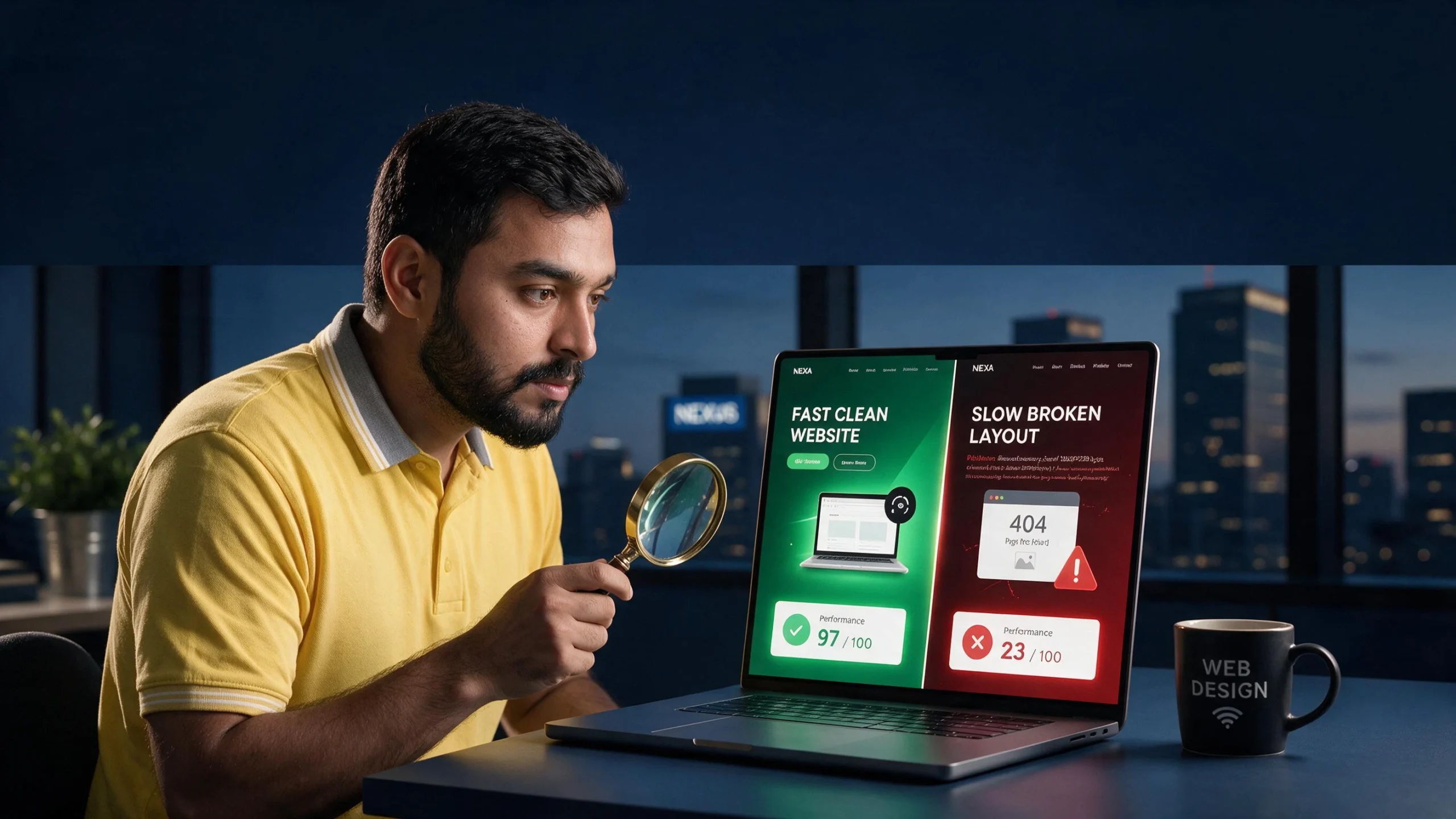
Searching for a local web design agency sounds simple. Open Google, type “web design company near me,” check a few websites, look at star ratings, compare prices, then choose one. The problem starts when an attractive portfolio, a cheap quote, and a confident sales pitch hide weak development, poor performance, unclear ownership, or no plan for getting customers after launch. A website can look excellent in a screenshot and still be slow on mobile, hard to update, invisible in search, inaccessible to users, or impossible to maintain without going back to the same developer every time something breaks.
Recent 2026 guidance from web design agencies and industry directories puts more emphasis on business goals, relevant proof, ownership, accessibility, performance, SEO, project scope, and post-launch support rather than visual portfolio alone.
That changes how you should evaluate web designers. You are not really buying pages, colors, buttons, animations, or a WordPress installation. You are buying a business asset that should help people understand what you sell, trust your company, find you through search, contact you, book you, buy from you, or take another action that matters.
A good agency should be able to explain how its design and development decisions support those outcomes. A weak agency often talks mostly about how modern the website will look. Before paying deposit, you need to know what is being built, who owns it, how it will perform, how search engines will understand it, who maintains it, and what happens when project ends. This guide gives you practical way to check those things before signing.
Start With Business Goal, Not Website Design
First question should not be, “What will my homepage look like?” First question should be, “What must website help business accomplish?” This sounds obvious, but many website projects start backward. A business owner collects three websites they like, sends screenshots to designer, asks for something similar, gets quote, approves design, and discovers months later that nobody defined lead flow, conversion goals, SEO requirements, analytics, content ownership, or customer journey.
A website can copy visual style perfectly and still fail because business problem was never defined.
A serious web design partner should ask about customers, services, locations, competitors, sales process, current traffic, existing leads, and conversion problems. Those goals should influence page structure, calls to action, navigation, forms, content, analytics, and technical setup. A website that looks great but converts poorly is still a business problem.
Our guide on 5 CRO fixes that can double your website leads covers exactly what to check when a website fails to turn visitors into customers after launch.
Know What Website Must Do
Write simple project brief before speaking to agencies. You do not need 30-page specification. One page is enough. List what website sells, who it serves, locations covered, important pages, required integrations, desired actions, current problems, existing technology, deadline, budget range, and what success should look like after launch. If current site exists, include problems you already know: slow mobile performance, poor rankings, outdated design, broken forms, difficult editing, low conversion rate, security issues, or poor ecommerce experience.
This makes agency comparison much easier because every candidate receives same basic problem. One agency might recommend complete rebuild. Another might recommend targeted modernization. Another might push expensive custom development that you do not need. You can compare reasoning instead of comparing colorful proposals. If agency ignores business goal and immediately talks about theme, animations, sliders, or homepage design, ask why those things solve your stated problem. Design matters, but design should serve business purpose, not replace it.
Local Does Not Always Mean Better
“Local” is useful filter, not guarantee of quality. A local agency may understand regional customers, competitors, language, service areas, business environment, and common local marketing channels. It may also offer easier meetings and faster communication. But geography alone does not prove technical skill, project management ability, SEO knowledge, or quality of finished work. A nearby agency can deliver poor website just as easily as remote agency can deliver excellent one.
Remote work also changes meaning of local service. A business owner can now work with specialist located elsewhere through video calls, shared project tools, staging sites, documentation, and remote support. One 2026 local web design guide makes same distinction: local can matter because of relevant market understanding and accessibility, but geography itself should not be treated as only qualification. The right question is therefore not simply “Are you located near me?” Ask, “Have you built websites for businesses like mine, and can you prove what happened after launch?”
When Local Expertise Matters
Local knowledge becomes more valuable when website depends heavily on geography. A dentist targeting one city needs location signals, service pages, local content, accurate business information, appointment pathways, and strong local search presence. A restaurant needs location, opening hours, menu, reservations, directions, photos, and mobile-friendly contact options. A home service company may need multiple service areas, location-specific landing pages, quote forms, phone tracking, and clear service coverage.
Google supports LocalBusiness structured data for helping Google understand information such as business details, hours, departments, and other local information. But schema alone does not create local rankings. Website content, Google Business Profile, relevance, prominence, reviews, technical SEO, links, and user experience all belong in broader local strategy.
Check Live Websites, Not Portfolio Screenshots
Portfolio screenshots are weak evidence. Screenshot can show attractive visual design while hiding slow loading, broken mobile layout, poor accessibility, bloated code, weak SEO, or an abandoned project. Ask for three to five live websites the agency built or substantially developed. Open each one yourself.
Test website on phone. Resize browser. Open service pages. Click forms. Try navigation. Check whether content loads properly. Visit important pages. Look for obvious errors. If agency says website is recent, ask what work it performed. Some agencies showcase websites where they only designed logo or supplied content while another developer built entire site. You need know exactly what agency contributed.
Current industry guidance also recommends evaluating live work, relevant case studies, and measurable outcomes instead of relying on portfolio screenshots alone. A serious agency should not become defensive when you ask for evidence. It should be able to explain project scope, challenges, technology, timeline, and result.
Test Mobile Performance Before Hiring
A website can look fast on agency laptop and feel terrible on mobile. This happens because desktop connection and hardware can hide problems caused by oversized images, excessive JavaScript, web fonts, third-party scripts, page builders, video backgrounds, and poor hosting. Your customers may not experience website under same conditions as designer. Before hiring any agency, run their live work through PageSpeed Insights and read our full breakdown of why mobile speed kills lead generation, it explains exactly what LCP, INP, and CLS mean for real business outcomes, not just laboratory scores.
Run representative pages through Google’s PageSpeed Insights. Check both lab results and available field data. Do not obsess over one score, but investigate serious problems. Google identifies Core Web Vitals as user-experience metrics covering loading performance, responsiveness, and visual stability. Current Google guidance for AI search also recommends good page experience alongside foundational SEO practices.
Our Cloudflare settings guide for best performance shows exactly how it should be configured — useful both for evaluating what agency delivered and for improving it afterward.
Why Core Web Vitals Matter
Look at LCP, INP, and CLS. LCP helps measure loading of main content. INP measures responsiveness to user interactions. CLS measures unexpected layout movement. These metrics do not tell whole story, but they expose common performance problems. If agency talks only about hitting a specific PageSpeed number, that is already a warning sign.
Read our guide on why PageSpeed scores don’t matter as much as most people assume, and what to look at instead.
Ask prospective agency one simple question: “How do you handle performance during development?” Good answer should include image optimization, responsive assets, CSS and JavaScript management, caching, font strategy, third-party scripts, hosting considerations, and real-user monitoring where appropriate. Bad answer is “We install a speed plugin after launch.”
Performance should be considered while building site, not sprayed on afterward like air freshener.
Ask About SEO Before Project Starts
Do not wait until website is finished to mention SEO. Website architecture directly affects SEO. URL structure, navigation, headings, internal links, templates, content structure, indexability, canonical URLs, redirects, structured data, image handling, and page performance can all be affected by development choices.
Google’s current documentation says AI search features continue to rely on foundational SEO practices. Important content should be crawlable, internal links should help discovery, pages should provide useful content, and structured data should accurately match visible information. If agency has no plan for this, visibility gaps will appear quickly. For a full picture of how AI search is changing what websites need to do, read our guide on what GEO is and why your website needs it.
Ask agency whether basic technical SEO is included. Ask how it handles redirects during redesign. Ask whether existing URLs remain unchanged when possible. Ask whether old URLs are mapped to new URLs. Ask who submits sitemap, verifies Search Console, checks indexability, and monitors errors after launch.
A redesign that looks beautiful but destroys existing organic traffic is not successful.
Check Agency’s Technical Experience
“WordPress developer” can mean very different things. One person may know how to install theme and edit blocks. Another may work comfortably with custom PHP, APIs, JavaScript, CSS architecture, databases, caching, WooCommerce, server configuration, migrations, security, and performance optimization.
Same applies to Shopify, Webflow, Drupal, custom frameworks, and ecommerce platforms.
WordPress, Shopify, WooCommerce and Custom Builds
Match platform to actual project.
Simple brochure website may work well with WordPress. Ecommerce store may need WooCommerce or Shopify depending on business requirements. Custom application may need different stack. Do not hire agency because it says it can build “anything.”
Ask for projects using same technology and similar complexity. If website needs WooCommerce, ask for WooCommerce examples. If website needs Elementor, Kadence, custom blocks, multilingual setup, booking integration, CRM connection, or membership system, ask for relevant proof.
You want evidence of solving your kind of technical problem, not generic evidence that agency knows how to make websites.
Look for Proof, Not Promises
Words are cheap. Evidence costs effort.
Agency may say “SEO optimized,” “lightning fast,” “conversion focused,” “mobile first,” “AI ready,” or “Google friendly.” Ask what each phrase means.
“SEO optimized” should lead to specific actions. “Fast” should lead to measurements. “Conversion focused” should lead to customer journey, CTA strategy, forms, analytics, and testing. “AI ready” should lead to crawlability, structured content, original information, technical accessibility, and measurement rather than magic claims.
Be especially careful with guaranteed rankings. No legitimate agency can control Google’s exact ranking outcome. Search systems change, competition changes, queries change, and Google does not guarantee specific organic positions. Same logic applies to AI search citations.
Ask for case studies with numbers where confidentiality permits. Traffic growth. Lead growth. Conversion changes. Performance improvements. Search visibility. Plugin reduction. Page-load improvements. Revenue changes.
Numbers are not automatically proof either, but they are better starting point than adjectives.
Read Reviews With Context
Reviews matter, but five-star rating alone tells you little. Look at review volume, recency, project type, reviewer identity, and what review actually discusses. A restaurant owner reviewing an agency for logo design is not strong evidence for a complex WooCommerce rebuild. A client praising “great communication” tells you something different from client describing successful migration, performance improvements, SEO recovery, and post-launch support.
Third-party platforms can help you compare agencies using reviews, case studies, services, location, technology, and other filters. Clutch’s September 2026 directory, for example, lists web design companies and advises buyers to examine verified reviews, case studies, relevant proof, project process, scope, ownership, and support.
Do not ignore negative reviews either. Look for patterns. One unhappy client may be unusual. Repeated complaints about missed deadlines, poor communication, hidden charges, broken sites, or disappearing after payment deserve attention.
Understand What Website Quote Includes
Never compare proposals based only on total price. Two agencies can quote wildly different amounts because they are selling different scopes.
One quote may include strategy, UX, design, development, copy migration, SEO, analytics, testing, accessibility, training, hosting setup, redirects, and support. Another may include only design and development. Both can call it “website.”
Watch for Missing Services
Read quote line by line.
Check whether it includes:
- Discovery and planning
- UX structure
- Design
- Development
- Content migration
- Copywriting
- Image preparation
- SEO setup
- Analytics
- Search Console
- Redirects
- Forms
- Integrations
- Ecommerce setup
- Testing
- Accessibility checks
- Performance optimization
- Security setup
- Training
- Launch support
- Maintenance
Also check revision limits. “Unlimited revisions” sounds attractive but can hide messy process. A clear number of design rounds and defined approval points can be healthier.
Current agency-selection guidance recommends comparing scope, team, process, content responsibilities, measurement, ownership, change management, security, warranty, and support instead of headline quote alone.
Make Sure You Own Website
This is one of biggest questions.
Domain should be under your control. Hosting should be accessible to you. Analytics should belong to your business. Google Search Console should not be controlled exclusively by agency. Website administrator access should exist. If custom code is created specifically for your project, contract should clearly explain intellectual-property ownership and licensing.
You do not want website held hostage by developer.
Ask before project starts:
Who owns domain?
Who owns hosting account?
Who owns website content?
Who owns design files?
Who owns custom code?
Can another developer take over later?
Will I receive administrator access?
What happens if contract ends?
A current 2026 Pakistan web-development hiring guide similarly recommends making ownership of code, designs, content, hosting, and related assets clear before signing.
If answer sounds vague, pause.
Ask About Security and Maintenance
Website launch is not finish line.
WordPress core updates. Plugins update. Themes update. PHP versions change. Vulnerabilities appear. Backups can fail. Forms stop working. APIs change. SSL certificates expire. Ask what happens after launch and whether caching and performance maintenance is included. If agency installs a cache plugin and leaves it unconfigured, that is not optimization.
Our guide to the best WordPress cache plugins in 2026 explains what good caching setup actually looks like and what to verify after handover.
Ask what happens after launch.
Is maintenance included for 30 days? Three months? One year? Is security monitoring included? Are backups tested? Who handles emergency fixes? How much do extra changes cost?
Also ask whether agency uses staging environment before major updates. For business-critical website, ability to test changes before production can reduce risk.
Do not assume monthly maintenance is automatically necessary forever. Ask what maintenance actually includes. A vague “maintenance package” is less useful than specific deliverables.
Check Accessibility and Usability
Website should work for real people, including people using keyboards, screen readers, zoom, reduced motion, or different devices. Accessibility is not decoration. It affects whether users can navigate, understand content, complete forms, and interact with controls.
Ask agency how it approaches accessibility. Look at keyboard navigation. Check color contrast. Check heading structure. Check form labels. Check button names. Check focus states. Check image alternatives. Check whether menus and dialogs work without mouse.
Accessibility also improves general usability. Clear navigation helps everyone. Proper labels help everyone. Readable text helps everyone. Stable layouts help everyone.
Do not accept “website is accessible because theme says WCAG” as complete answer. Ask what agency actually tests.
Understand Content Responsibilities
Content can become hidden project killer.
Who writes page copy? Who supplies images? Who creates service descriptions? Who enters products? Who migrates blog posts? Who optimizes titles? Who writes meta descriptions? Who checks old URLs? Who creates new location pages?
If proposal says “client provides content,” understand exact requirement. If agency says copywriting is included, check number of pages and revision rounds.
Bad content creates bad website even when development is excellent.
A local business website should explain what company does, where it operates, who it serves, why customers should trust it, what action visitors should take, and how to contact business.
Generic filler copy does not solve that.
Ask How Agency Handles Revisions
Every website project has changes. Question is whether changes happen through controlled process or endless WhatsApp messages.
Ask how feedback is collected. Ask who approves designs. Ask how revisions are counted. Ask what happens when new functionality appears halfway through project.
Good process makes scope visible.
If client asks for five new integrations after development starts, that is not ordinary revision. It is scope change. Serious agency should explain cost and timeline impact before doing work.
This protects both sides.
You avoid surprise invoices. Agency avoids unpaid work.
Avoid Guaranteed Google Rankings
“Guaranteed #1 ranking” should trigger caution.
SEO depends on competition, query intent, site quality, links, content, location, search features, algorithm changes, and many other variables. Agency can control work. It cannot control Google’s final decision.
Same principle applies to AI search.
Google’s current documentation says AI Overviews and AI Mode use existing Search systems and that there are no special technical requirements or special schema needed for eligibility.
So if agency promises “guaranteed ChatGPT citation” or “secret AI ranking method,” ask for evidence and precise explanation.
A good provider talks about improving probability through better technical foundations, useful content, authority, relevance, and user experience.
Not guarantees.
Compare Agency, Freelancer and In-House Developer
There is no universal winner.
Freelancer can make sense for small project, focused customization, maintenance, or clearly defined technical task. Agency can make sense when project needs multiple disciplines such as strategy, UX, design, development, SEO, content, analytics, and ongoing support. In-house developer can make sense when company has enough continuous technical workload to justify permanent role.
Compare responsibility, not labels.
Ask who will personally do work. If agency sells project through senior strategist but hands development to junior contractor, you should know. If freelancer handles everything alone, ask about backup when unavailable. If in-house hire has no design or SEO support, account for those gaps.
Current agency-selection guidance recommends evaluating team composition and relevant project experience instead of choosing purely by company size.
Red Flags Before Signing Contract
Some warning signs appear before project begins.
Agency avoids showing live websites. Proposal has no clear scope. Price is dramatically lower than every comparable quote without explanation. Agency asks for complete payment before work. Nobody discusses ownership. Nobody asks about business goals. SEO appears as vague checkbox. Performance is never mentioned. Accessibility is ignored. Agency promises guaranteed Google rankings. Timeline sounds impossibly short for project complexity.
Another warning sign: agency cannot explain its own technology choices.
If website needs WooCommerce, ask why WooCommerce. If agency recommends custom code, ask why custom code. If it recommends Elementor, ask why. If it recommends Shopify, ask why Shopify fits business.
You do not need to be developer.
You need provider able to explain trade-offs in plain English.
Local SEO Features Your Website Should Have
For local business, website should clearly communicate business identity and service area. Name, address where applicable, phone, hours, services, locations, and contact paths should be consistent and easy to find. Google supports LocalBusiness structured data for communicating relevant business details to Search.
Create useful location pages only when each location has genuine value. Do not create dozens of near-identical pages with city names swapped.
Add relevant service pages. Connect service pages with location pages where useful. Make contact details easy to access on mobile. Connect website with Google Business Profile. Add real reviews where appropriate and follow Google’s review and structured-data rules.
Local search is not about repeating city name 50 times.
It is about proving relevance to people in that area.
Questions to Ask Before Hiring
Before signing, ask agency these questions:
- Show me three live websites similar to mine. What did you personally build?
- What is your process from discovery to launch?
- What exactly is included in quote?
- Who writes and uploads content?
- How will you protect existing SEO during redesign?
- How will you handle redirects?
- How will you test mobile performance?
- How do you approach Core Web Vitals?
- What accessibility checks do you perform?
- Who owns domain, hosting, website, content, and custom code?
- Will I have administrator access?
- What happens after launch?
- What does maintenance include?
- How are revisions handled?
- How are additional features priced?
- How do you measure website success?
- What analytics and tracking will be installed?
- What happens if I want another developer later?
- Who will actually work on my project?
- What do you need from me before starting?
Good agency should answer these without making conversation complicated.
If answer is “we handle everything,” ask for specifics.
If answer is “SEO comes later,” ask why.
If answer is “performance is automatic,” ask how it will be measured.
If answer is “you own everything,” ask where ownership is documented.
That is how you turn sales talk into evidence.
Conclusion
Choosing local web design agency should not feel like picking prettiest restaurant from Google Maps. Website is business infrastructure. It can generate leads, sell products, support sales, build trust, capture search traffic, help customers book appointments, and become central part of marketing. It can also become expensive technical debt if built without clear scope, ownership, SEO, performance, accessibility, security, and maintenance planning.
Start with business outcome. Review live websites. Test mobile experience. Ask about Core Web Vitals. Verify technical skills. Check relevant case studies. Read reviews with context. Compare complete scope rather than headline price. Put ownership in writing. Understand maintenance. Ask how agency protects SEO during redesign. Avoid guaranteed rankings and vague AI-search promises.
Local knowledge can help, especially for businesses serving specific geographic markets. But “local” should be one factor, not complete hiring strategy. A nearby agency with weak technical process is still weak fit. A remote specialist with strong relevant experience, transparent communication, proven results, and proper documentation may be better fit for specific project.
Best question is not:
“Who has nicest portfolio?”
Better question:
“Who can show evidence they have solved problem I need solved, and can explain exactly how they will do it?”
That question cuts through much of noise.
And before signing anything, remember simple rule: do not buy website. Buy outcome, ownership, process, and proof.
FAQs
1. Should I hire local web design agency or remote freelancer?
Depends on project. Local agency can offer market familiarity and easier face-to-face communication. Remote freelancer can offer specialized technical expertise and lower overhead. Compare relevant experience, communication, process, ownership, scope, performance, SEO, and support rather than location alone.
2. How much should I pay for professional website?
No universal price exists. Scope changes cost dramatically. A simple brochure website, WooCommerce store, enterprise site, and custom application are completely different projects. Current 2026 agency directories show wide price ranges based on project complexity, platform, services, and agency type. Ask for line-item scope rather than comparing price alone.
3. Should web design agency include SEO?
Basic technical SEO should be considered during development, even if ongoing SEO is separate service. Website architecture, URLs, internal linking, headings, indexability, redirects, structured data, content, and performance can affect search visibility. Google recommends foundational SEO practices for its AI search experiences too.
4. What should I check before hiring WordPress developer?
Check live WordPress websites, relevant project experience, mobile performance, Core Web Vitals, security process, plugin/theme experience, custom development ability, SEO understanding, ownership, backups, maintenance, and post-launch support. Ask developer to explain why specific theme, plugins, page builder, hosting, and performance approach are being recommended.
5. Can a web design agency guarantee Google rankings?
No agency controls Google’s ranking systems. Be cautious with guaranteed #1 rankings or guaranteed AI search citations. A professional provider can improve technical SEO, content, relevance, usability, performance, and other factors that influence search visibility, but cannot guarantee a specific Google ranking.